Free pages and credits: how they work
Last reviewed 15 November 2026 · 5 steps
Every verified free account gets 10 free pages each calendar month, and 1 credit pays for 1 statement page.
Free account
Steps
Verify your email to receive your free pages
Your free pages are added once your email is verified. Until then your balance shows 0. Verified free accounts get 10 pages every calendar month.
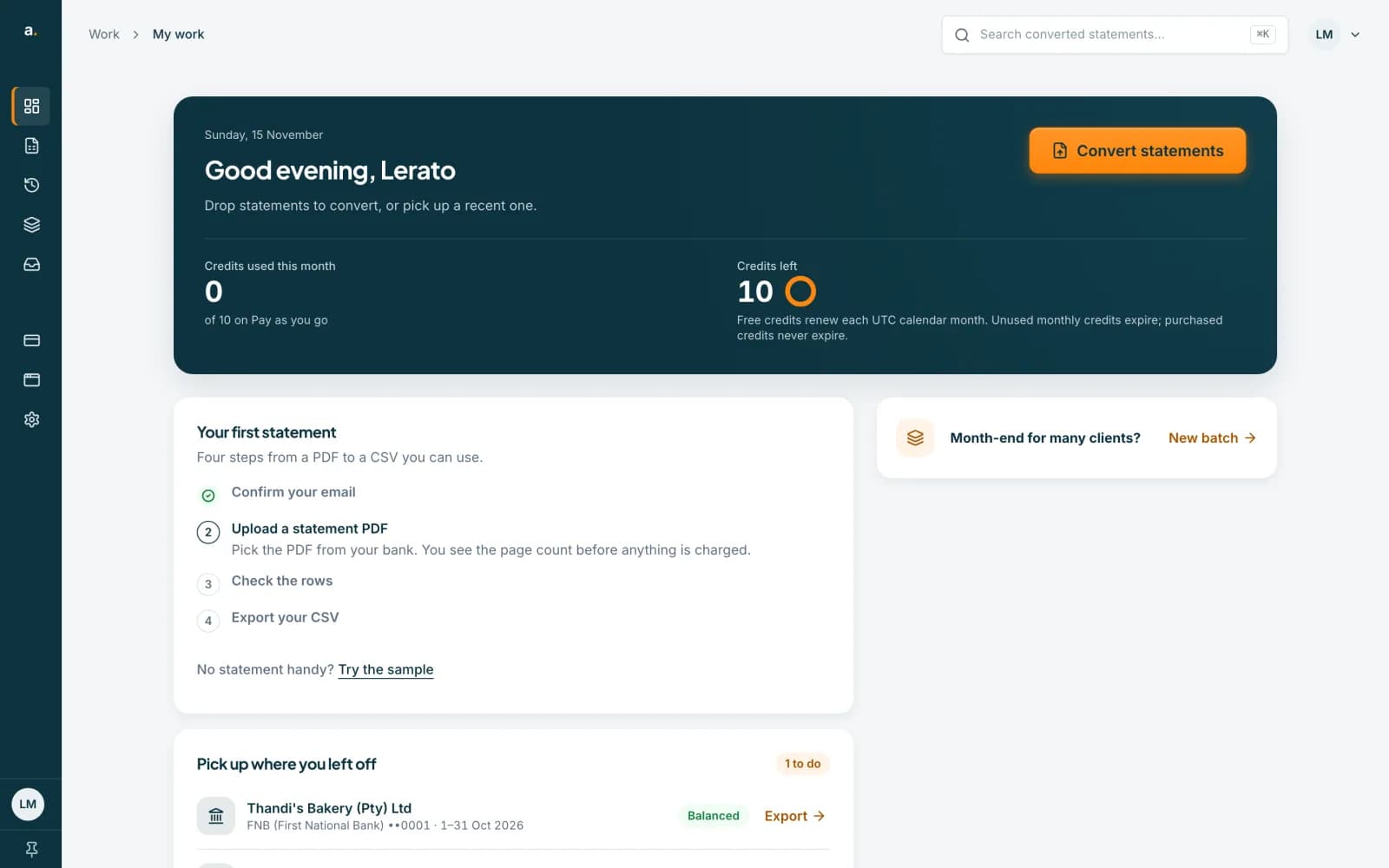
Check your balance on My work
On the My work page, Credits used this month shows how much you have used, for example 0 of 10, and Credits left shows what remains. The page also reminds you that free credits renew each UTC calendar month, unused monthly credits expire and purchased credits never expire.
 Open full size screenshot for step 2
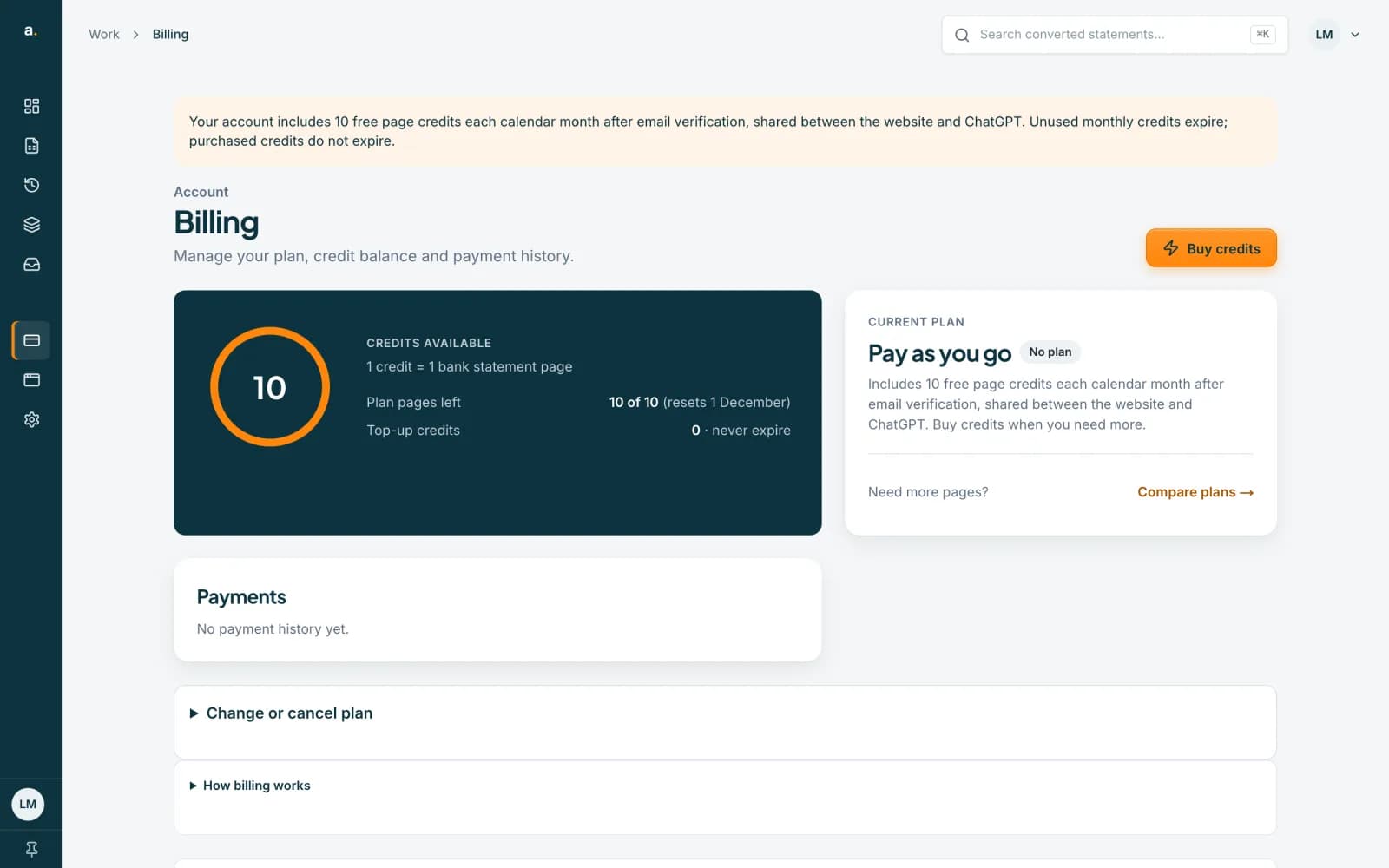
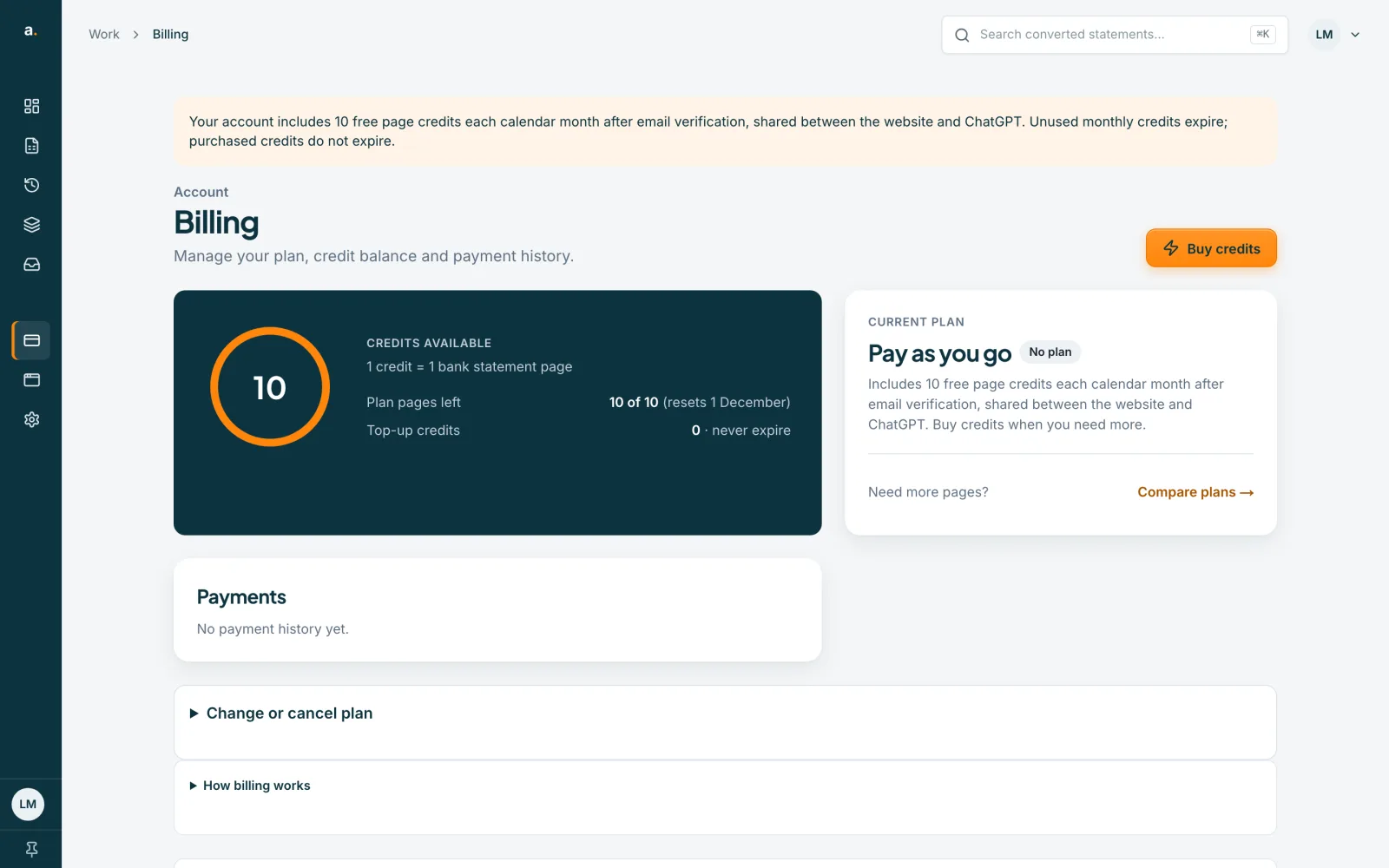
Open Billing for the full picture
Billing shows Credits available (1 credit = 1 bank statement page), Plan pages left (for example 10 of 10, with the date it resets), Top-up credits (which never expire) and your Current plan. A free account is shown as Pay as you go.
 Open full size screenshot for step 3
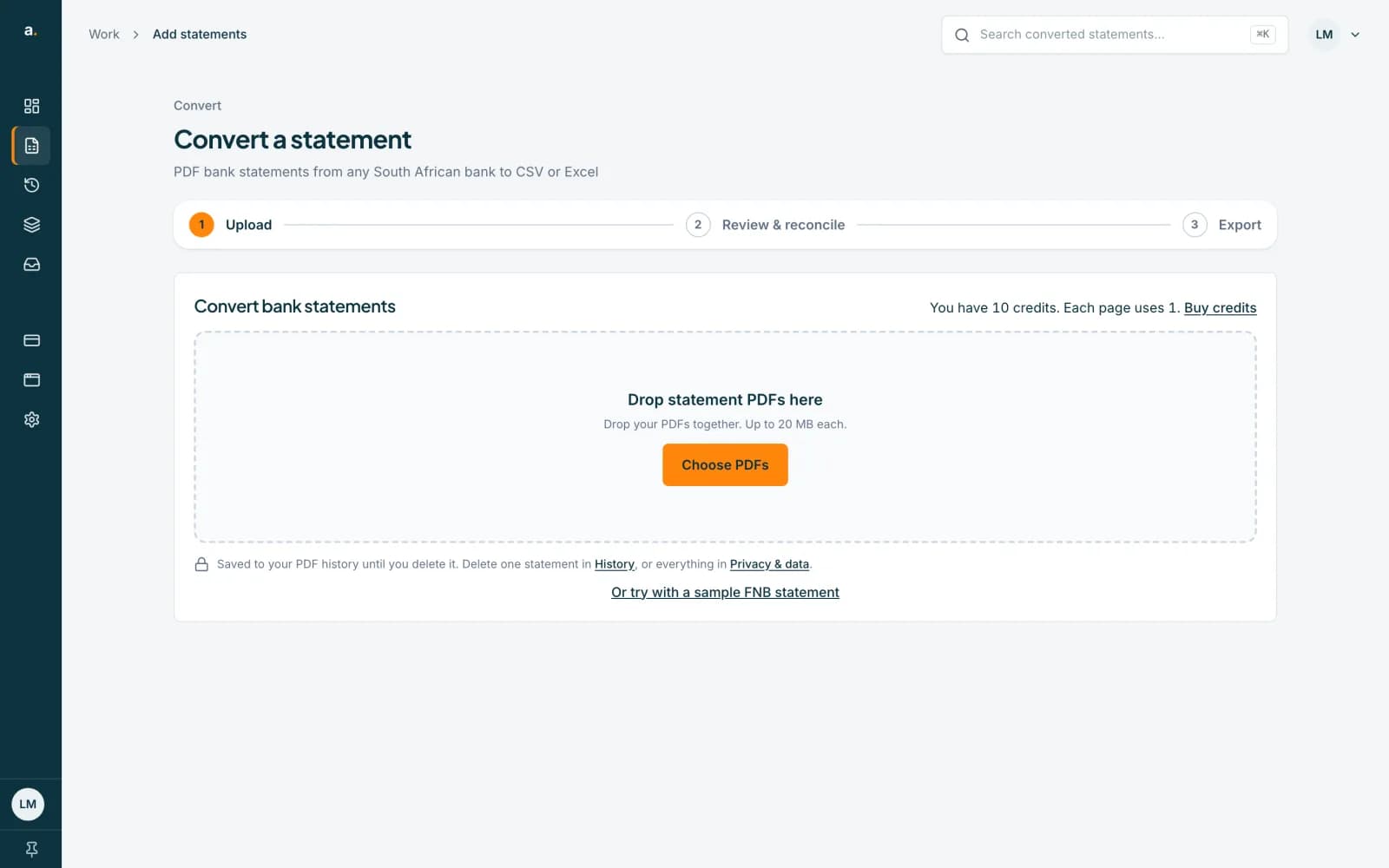
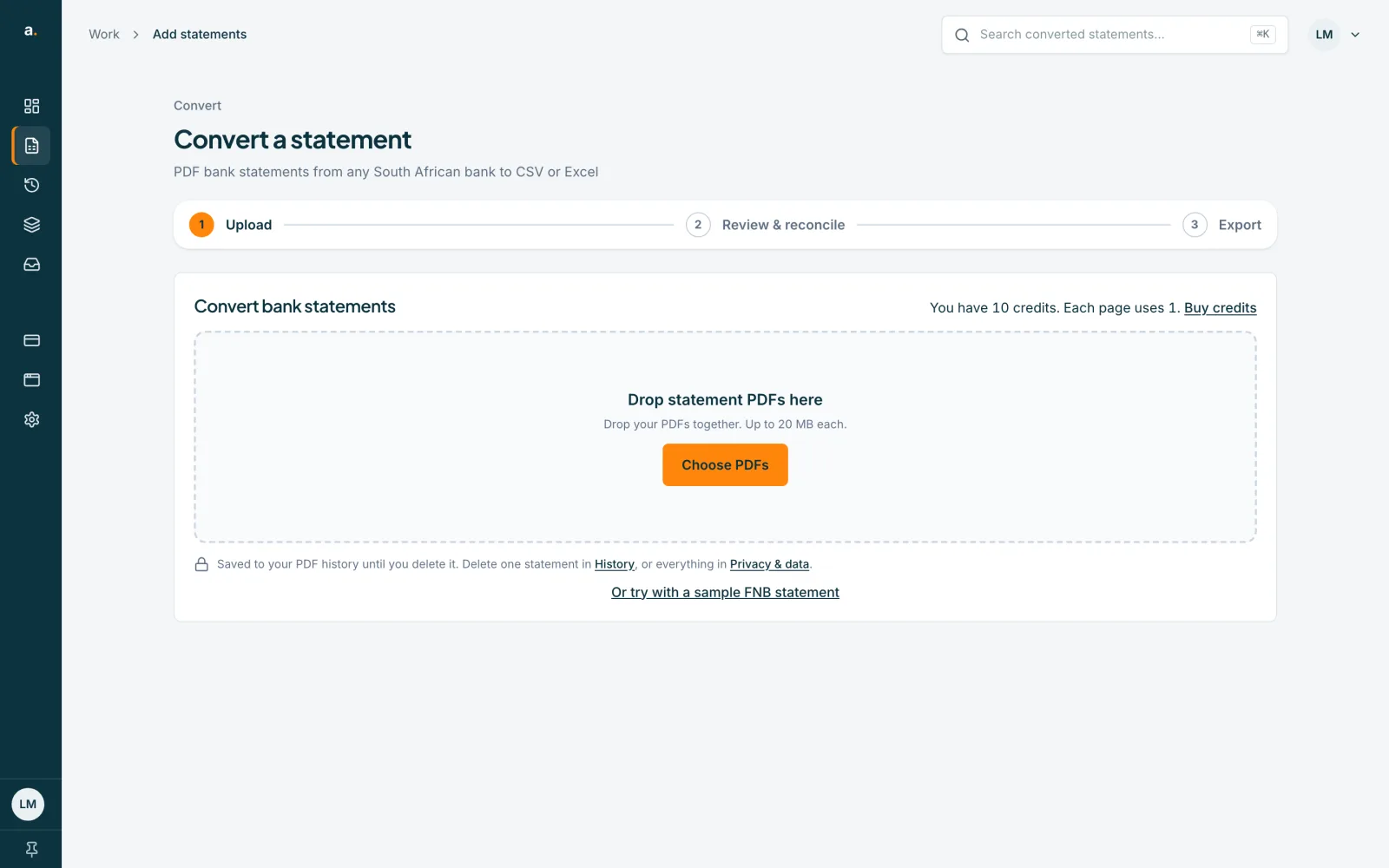
See the cost before you convert
On Add statements, a line above the upload box says how many credits you have and that each page uses 1. When you choose a file, you also see its page count and cost before anything is charged.
 Open full size screenshot for step 4
Buy credits if you need more
Press Buy credits on the Billing page or on Add statements. Credits you buy are top-up credits and never expire. You can also compare monthly plans on the pricing page, which give a monthly allowance of pages.
Tips
- 1 credit pays for 1 page, so a 6-page statement uses 6 credits.
- Free monthly pages expire at the end of the month. Top-up credits are kept until you use them.
- Re-opening a statement you have already converted is free. Extracting it again costs credits.
- If a conversion fails, the credits held for it are returned.
If something goes wrong
- Your balance shows 0 on a new account.
- Your free pages are added when your email is verified. Click the link in the verification email, or request a new one.
- The upload list says Waiting for credits, or says you are short of credits.
- Remove files to lower the total, or press Buy credits. Your files stay listed while checkout is open in another tab.
- Your free pages disappeared.
- Free monthly pages expire at the end of each UTC calendar month and are topped up again in the new month. Credits you bought do not expire.