Sign in to send your statements
Last reviewed 15 November 2026 · 5 steps
Use the link in your accountant's email to open your secure page, or ask for a new link. There is no password.
Clients
Steps
Open the email from your accountant
Look for an email that says your accountant's name uses Accounter to collect your bank statements, or that they need your bank statements. Tap the button in it, for example Open my upload page or Upload my statements. There is no password to remember.
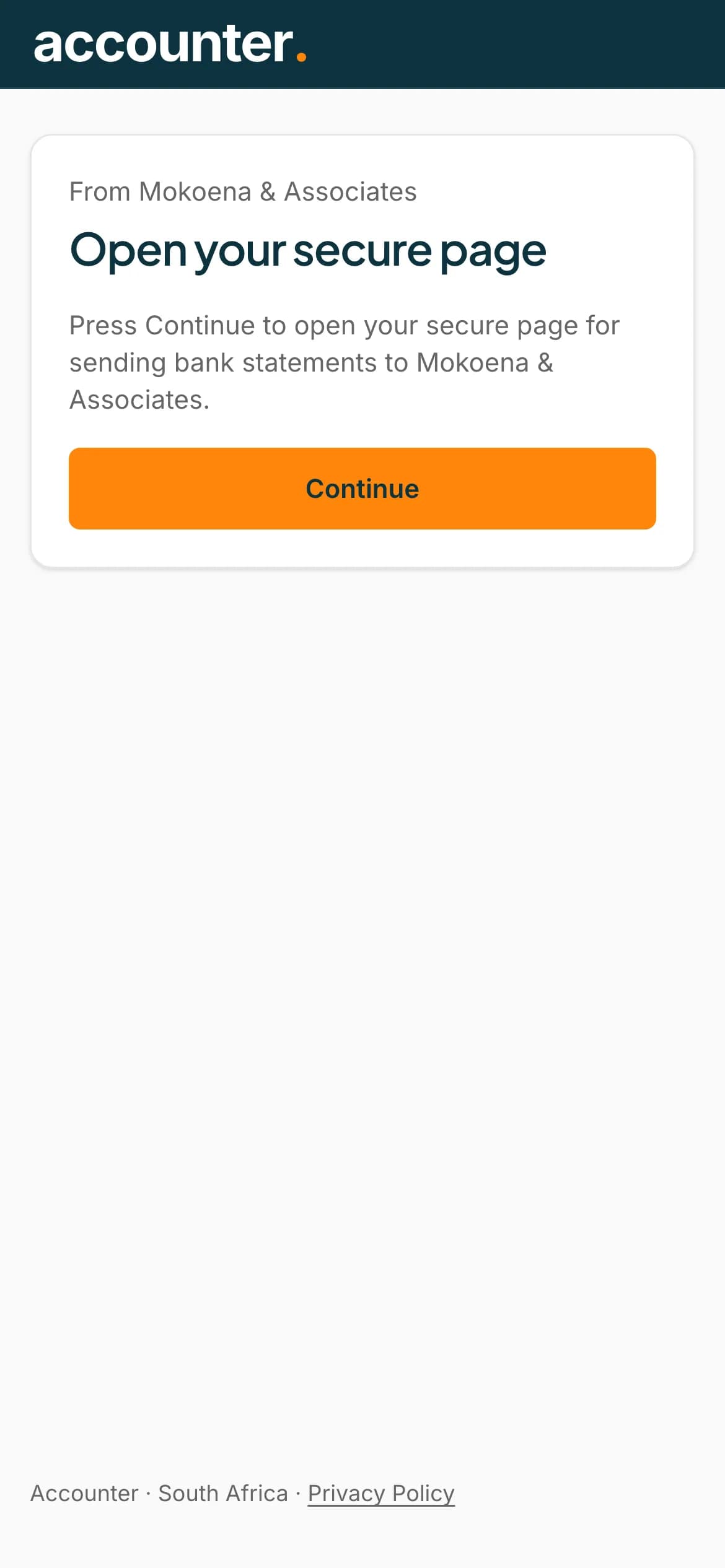
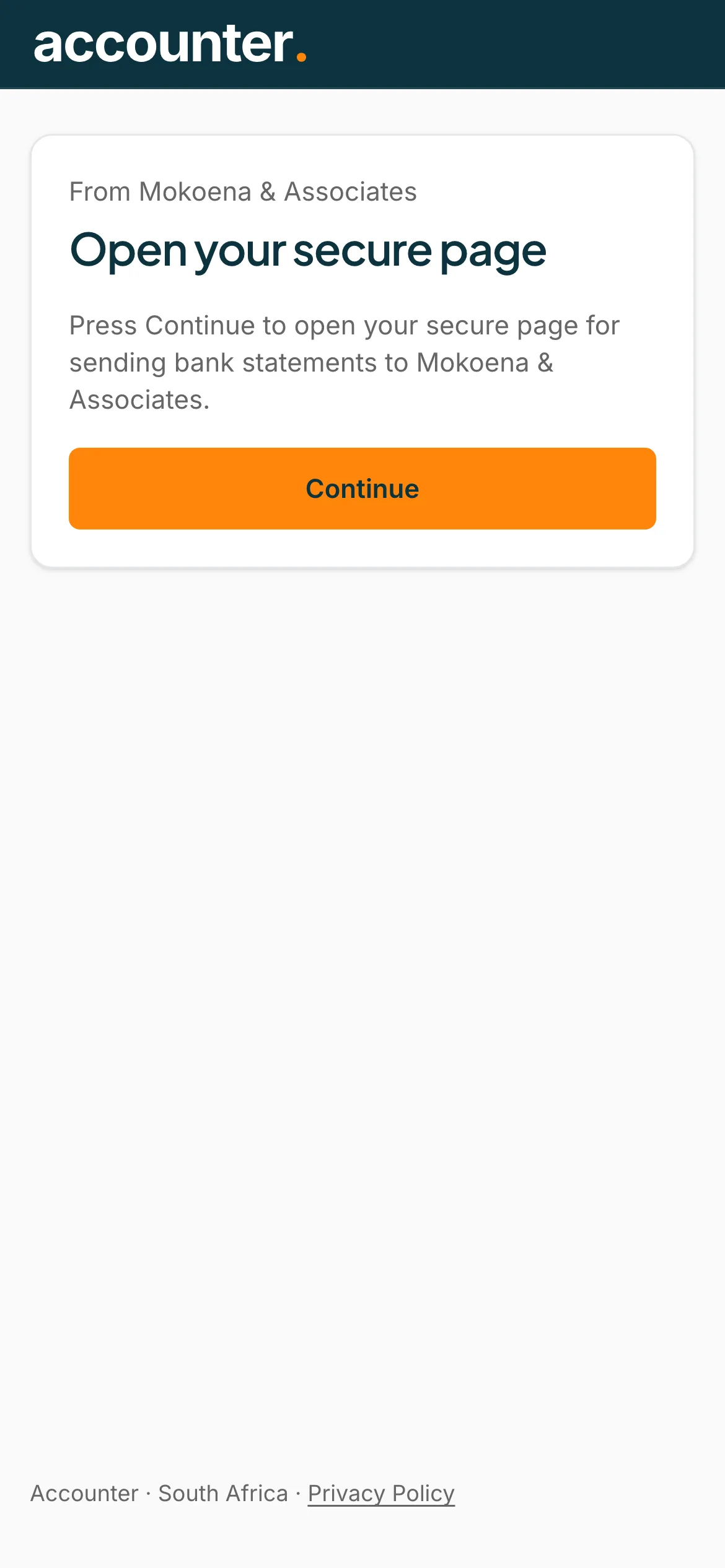
Press Continue
The page says From and your accountant's name, then Open your secure page. Press Continue. This extra step stops security software in your email from using up your link.
 Open full size screenshot for step 2
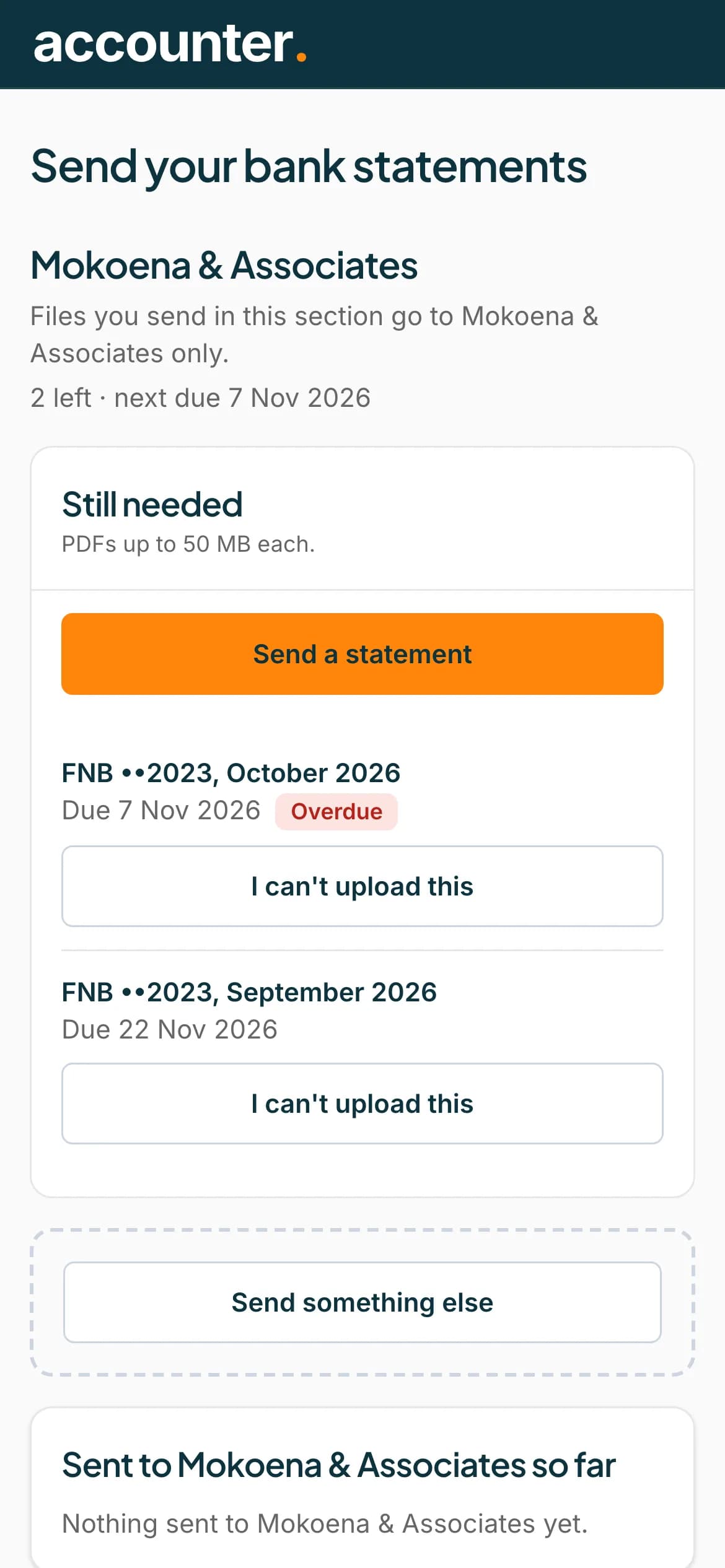
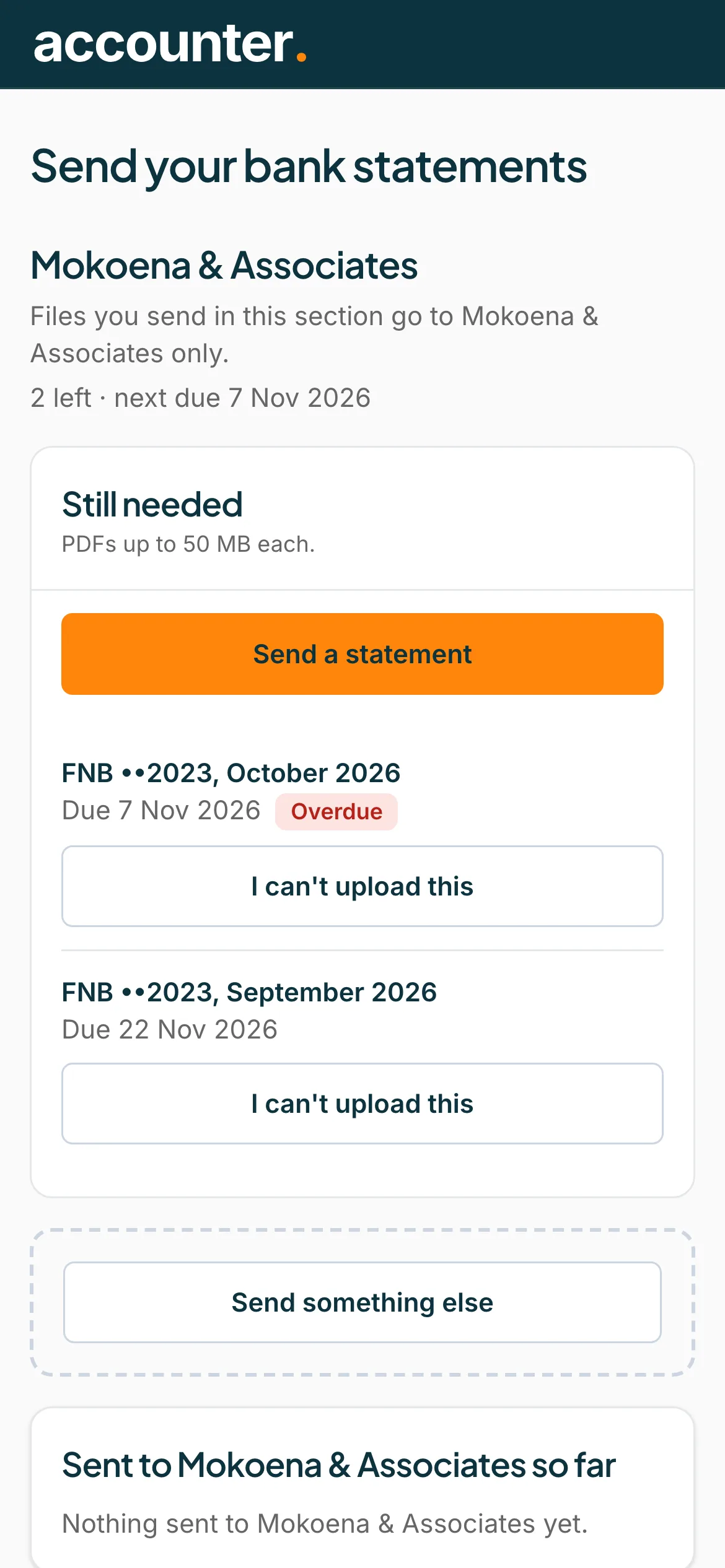
You are in
You land on Send your bank statements. It shows your accountant's name and a Still needed list, with a Send a statement button.
 Open full size screenshot for step 3
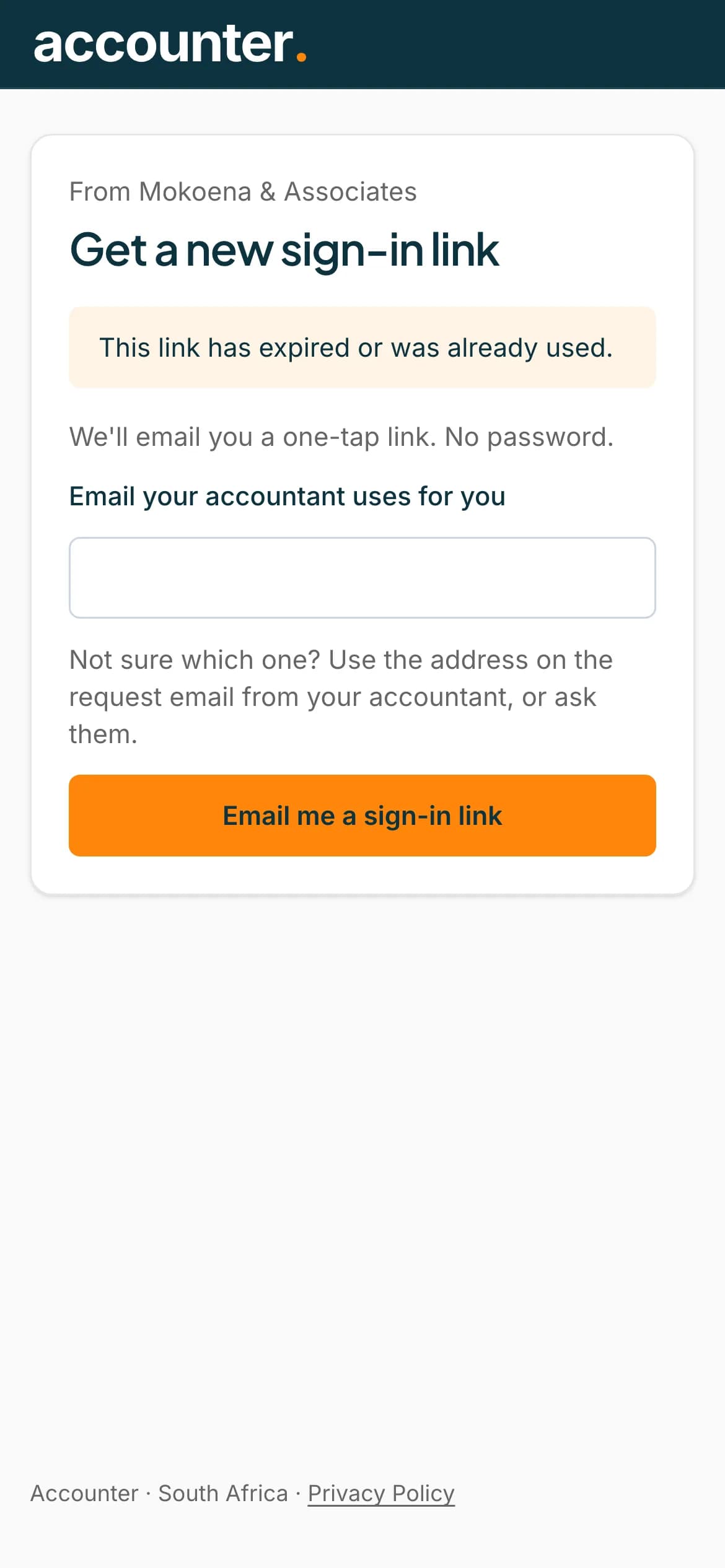
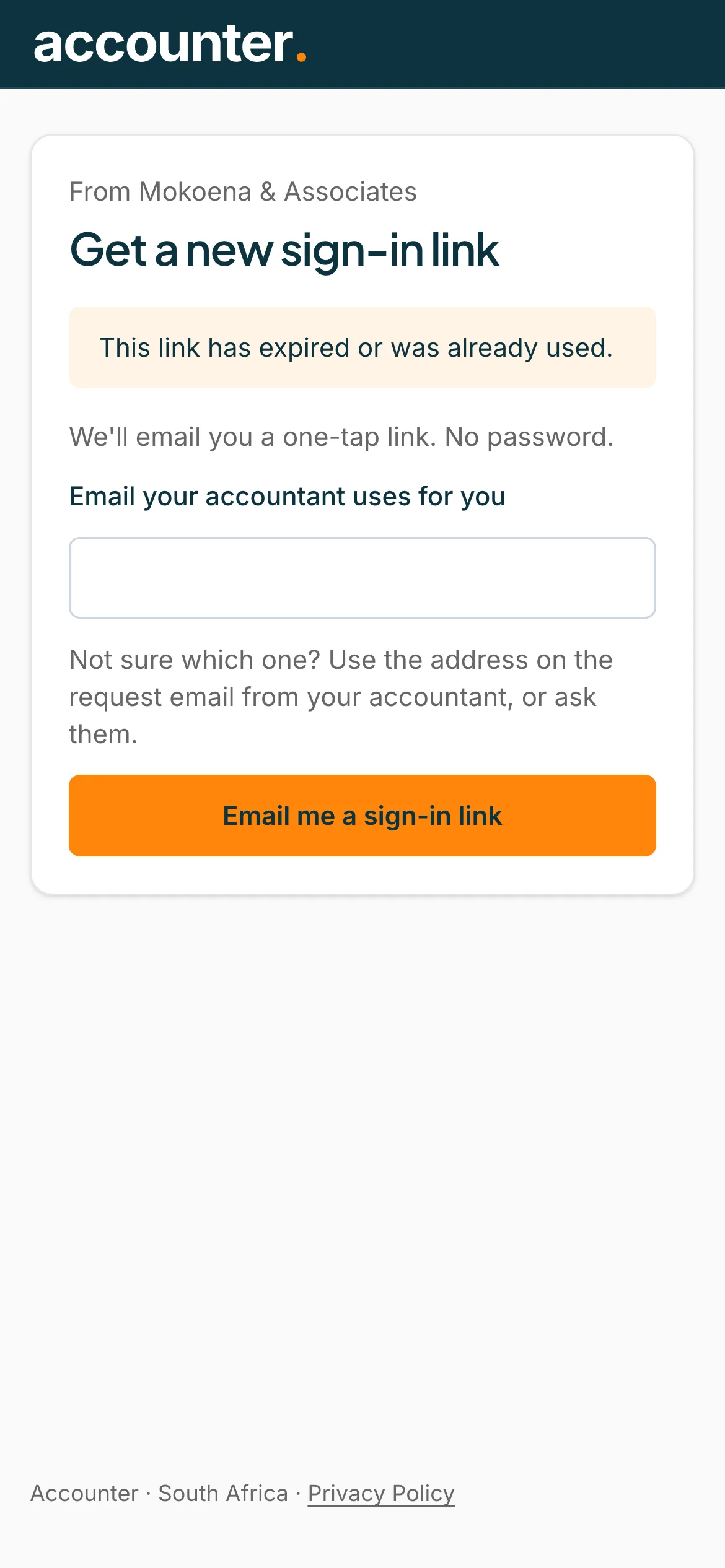
Get a new link if yours has expired
A link works once and lasts 7 days. If it says This link has expired or was already used, press Email me a sign-in link on that page to get a new one.
 Open full size screenshot for step 4
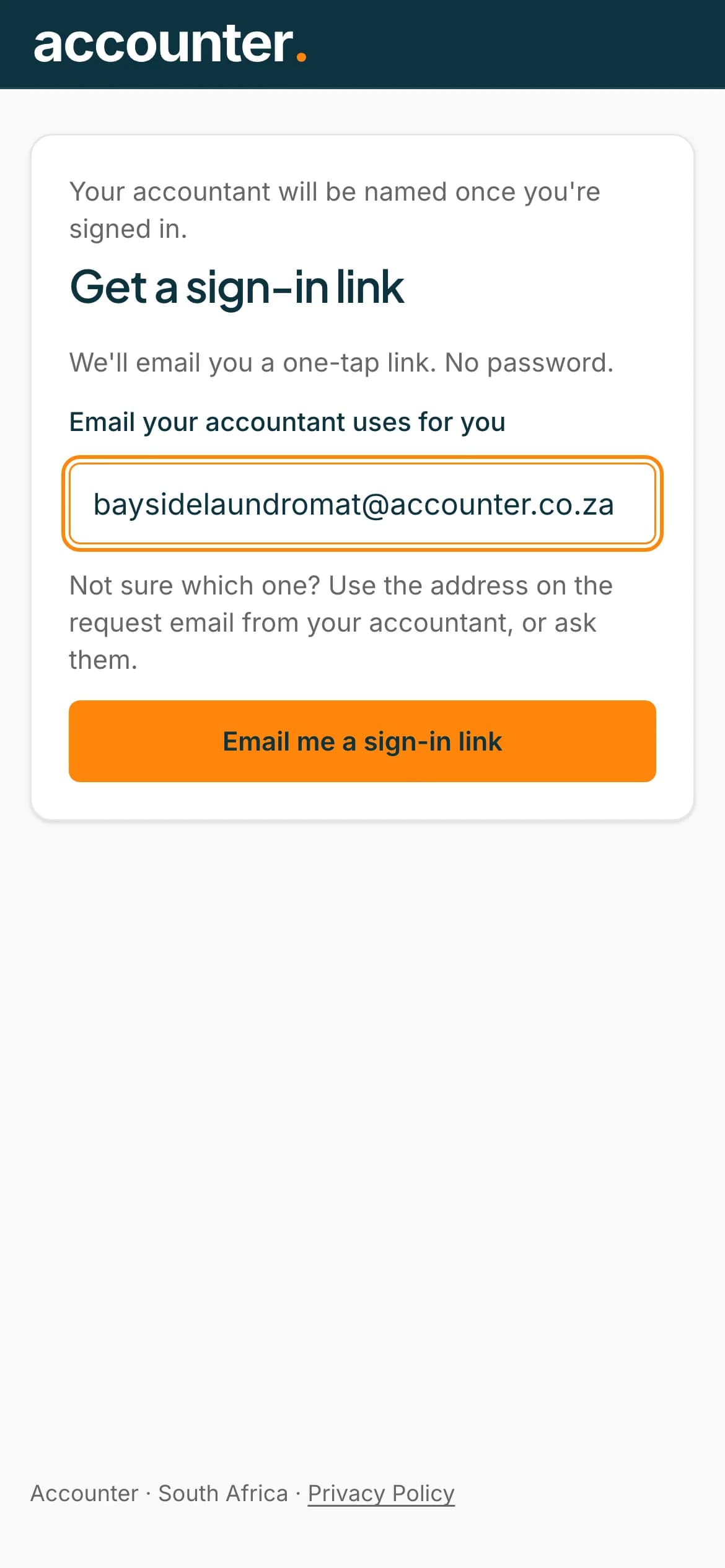
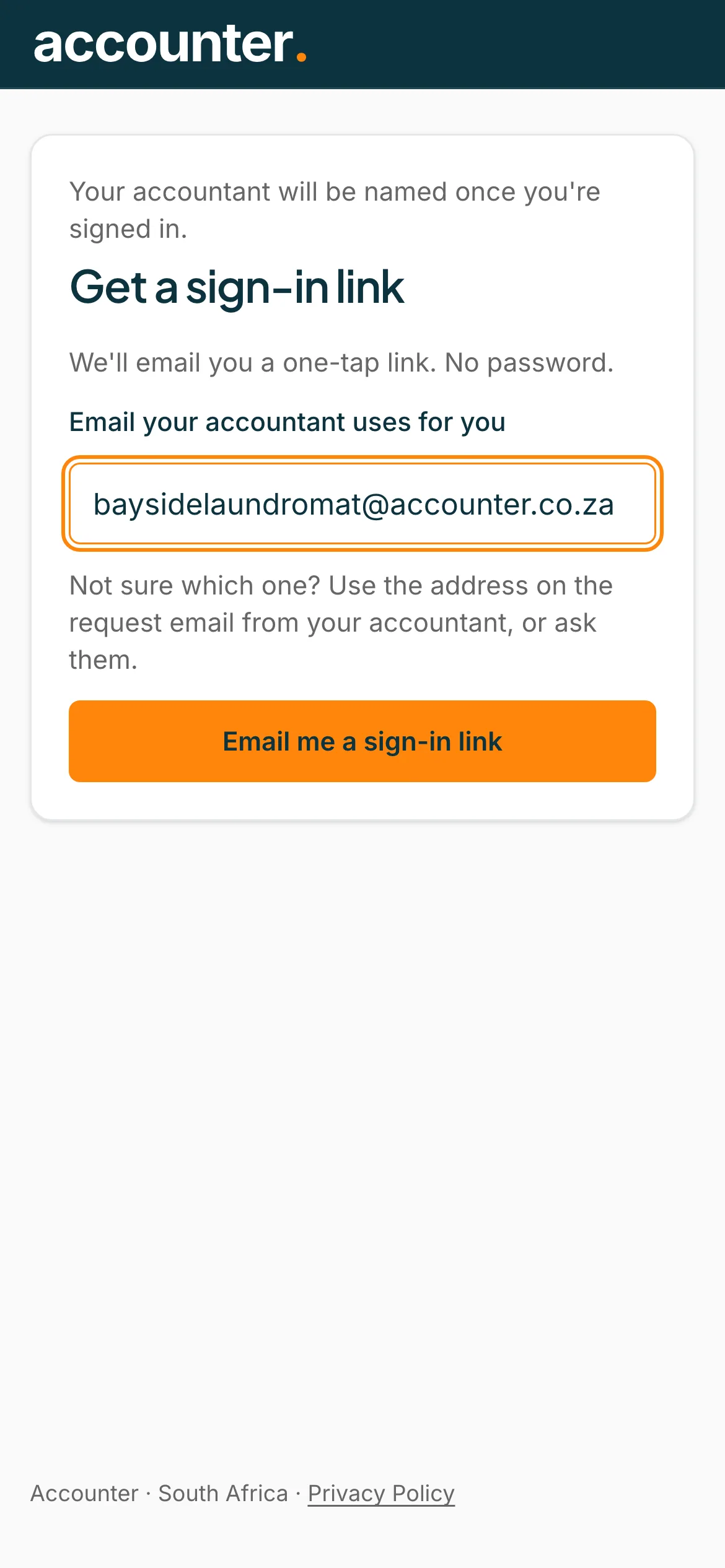
Or ask for a link yourself
Go to accounter.co.za/statements/sign-in. Under Email your accountant uses for you, type your email address, then press Email me a sign-in link. Open the email and tap the button.
 Open full size screenshot for step 5
Tips
- Use the email address your accountant has for you. A link is sent only to that address.
- Your accountant's name appears at the top of your page. Only your accountant can see the files you send.
- The page looks the same whether or not the address is known, so check the address if nothing arrives.
If something goes wrong
- The email did not arrive.
- Check your spam or junk folder, wait a minute, and try again. Check that you typed the email address your accountant uses for you, or ask them to resend your invite.
- You see Too many requests. Please try again in a little while.
- Wait a little, then ask for a new link again.
- You see There's nothing to send right now.
- Your accountant has not asked for anything, or your link stopped working. Press Get a new sign-in link.
- You see Your sign-in has expired. Open the link in your email again.
- Open the link from your most recent email, or ask for a new one.