Use Statement Hub with more than one accountant
Last reviewed 15 November 2026 · 4 steps
If two or more accountants ask you for statements, each has its own section on your page.
Clients
Steps
Sign in once
Use the link from any of your accountants. Your page, Send your bank statements, shows one section for each accountant.
Use the Jump to list
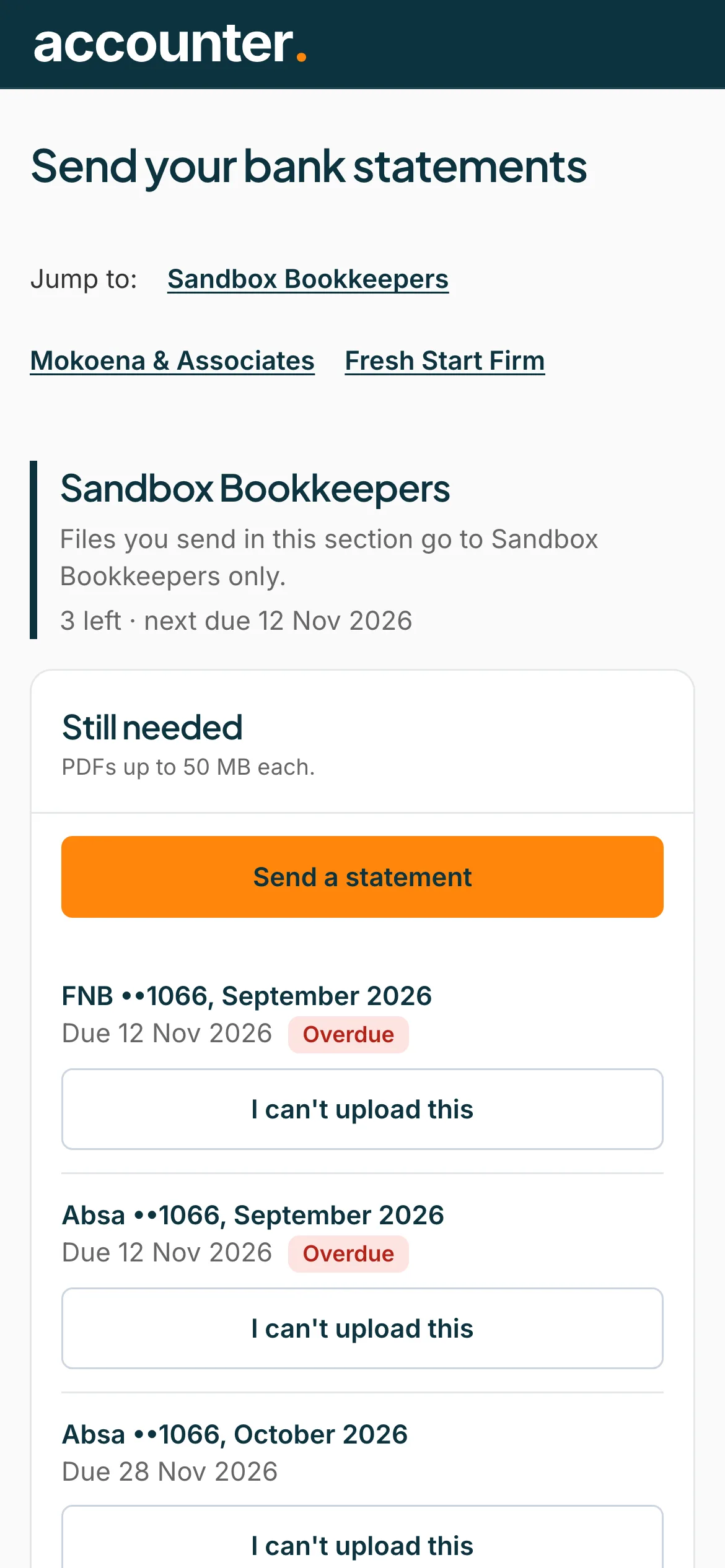
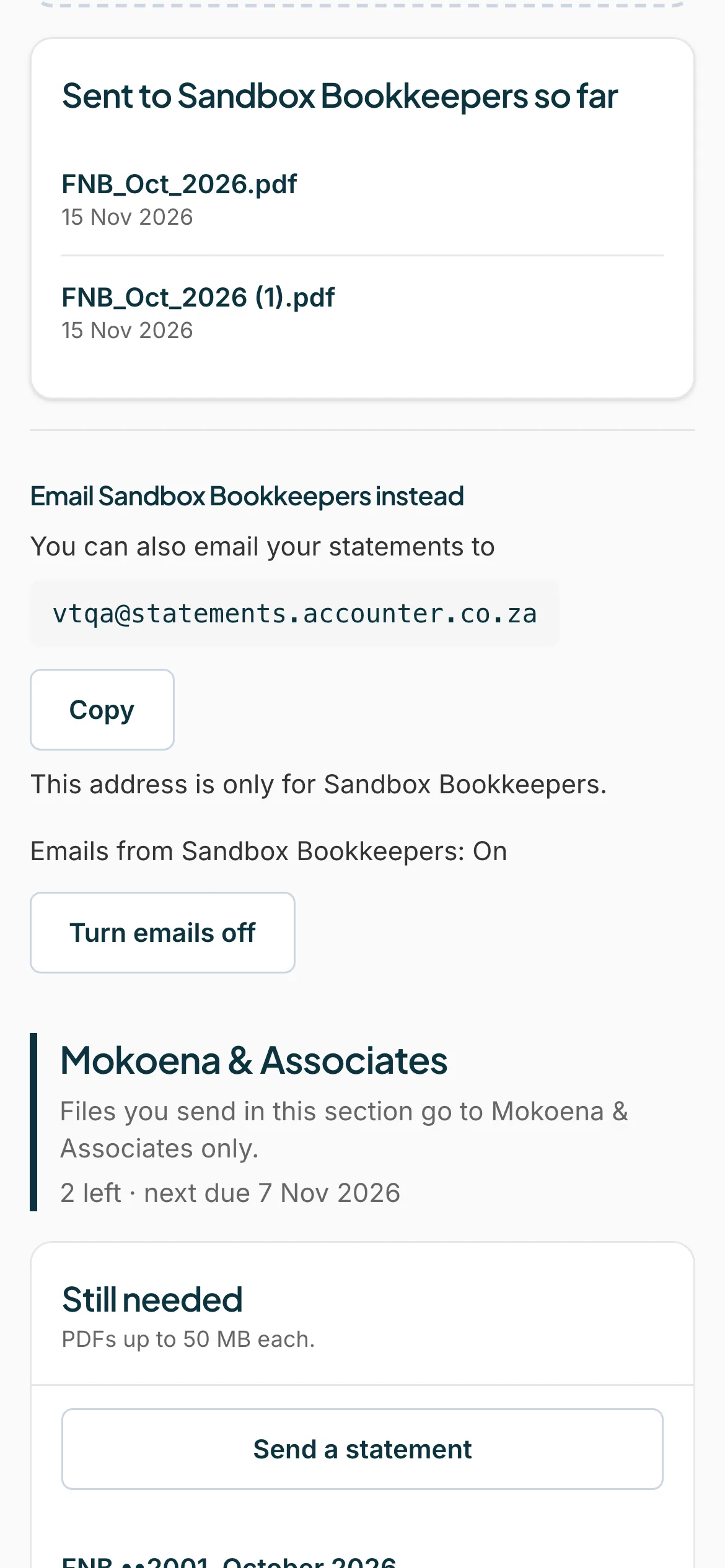
With two or more accountants, a Jump to: list at the top lets you go straight to one.
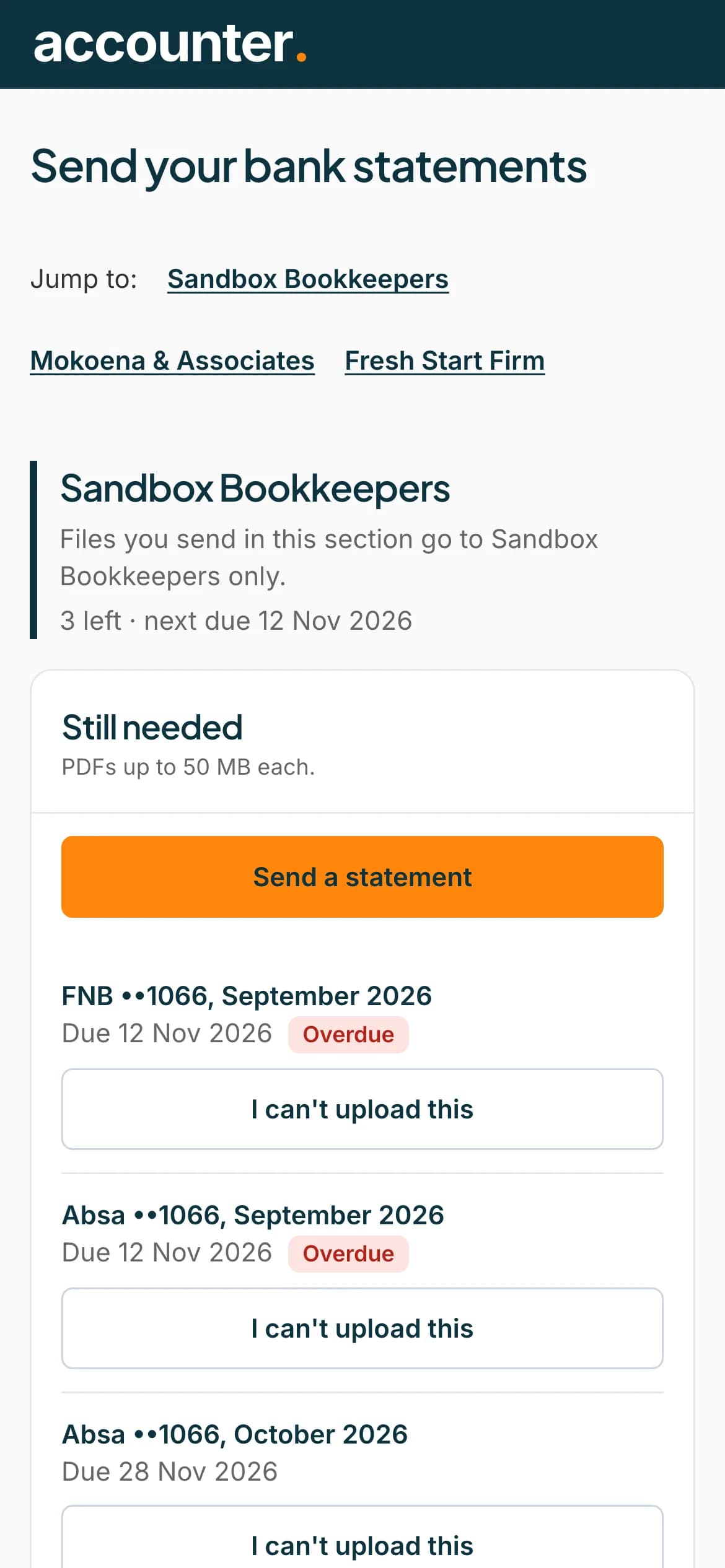 Open full size screenshot for step 2
Send to the right section
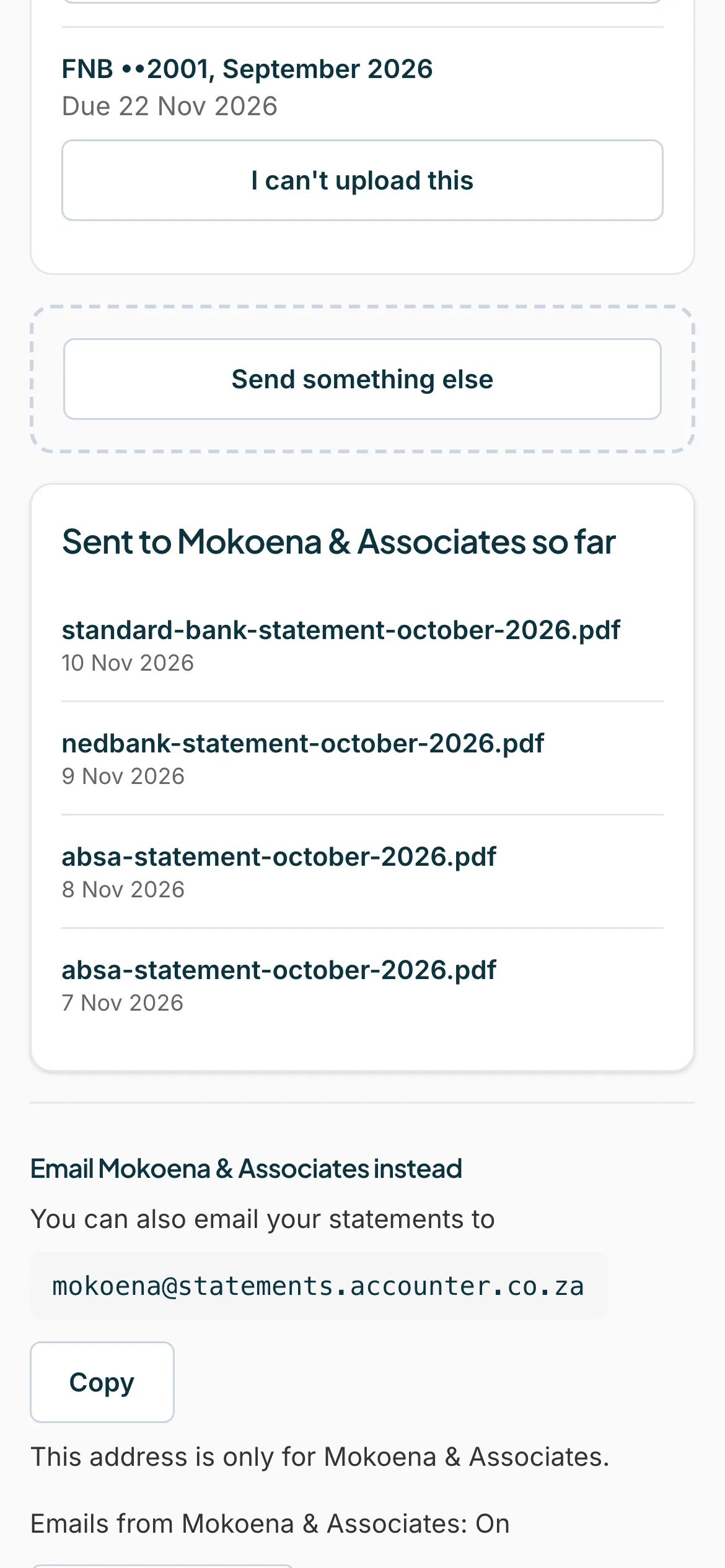
Each section says Files you send in this section go to and the accountant's name only. Send each statement in the section of the accountant who asked for it.
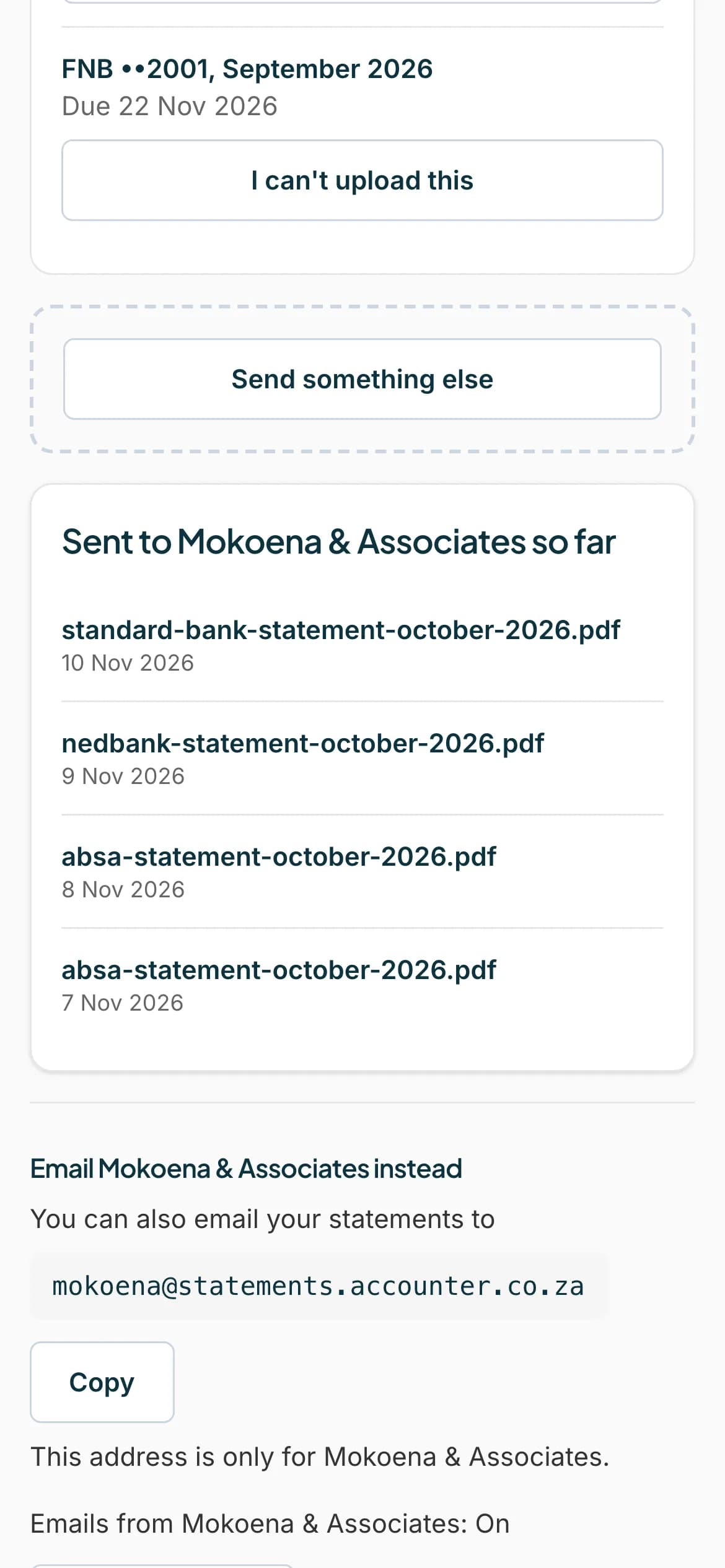 Open full size screenshot for step 3
Use each accountant's own email address
If you email statements, each accountant has its own address. It says This address is only for and the accountant's name.
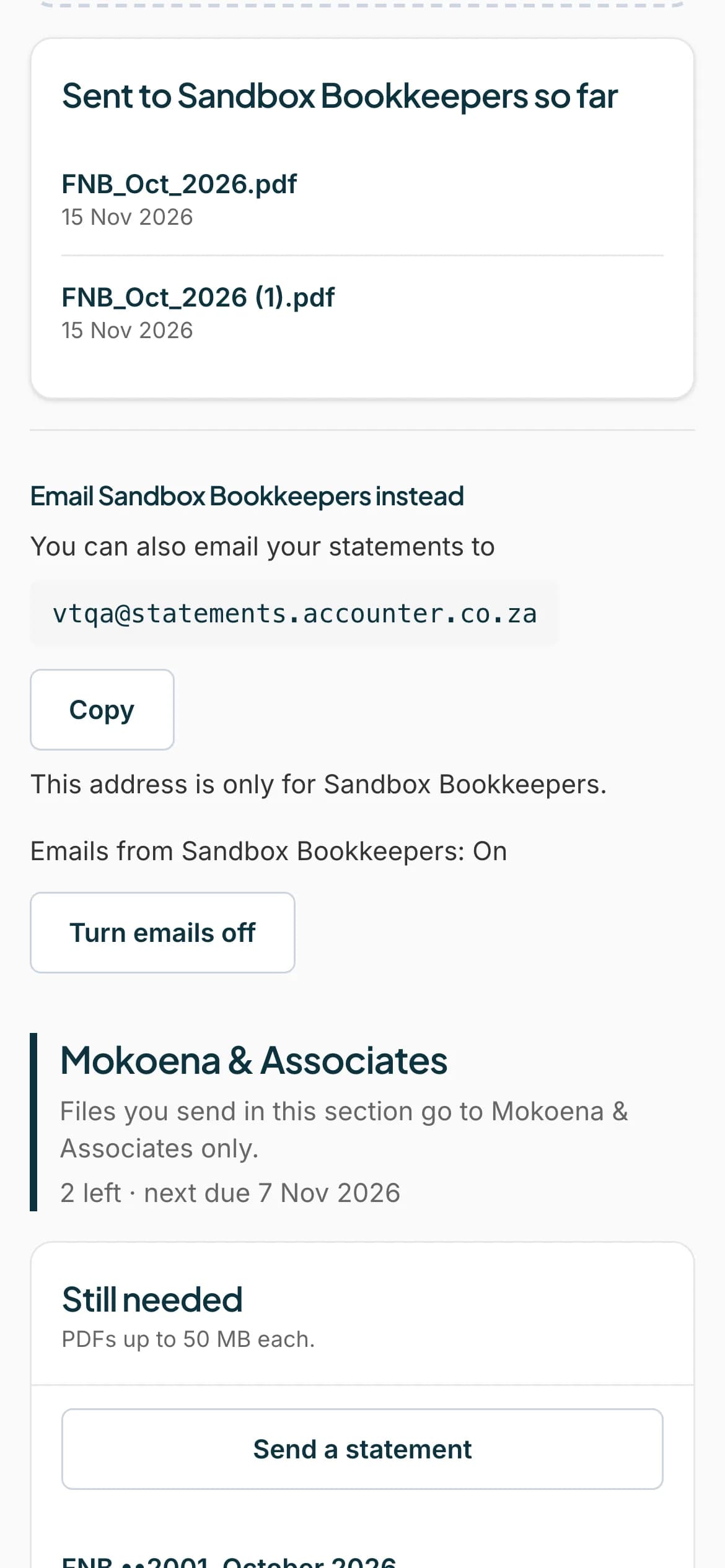 Open full size screenshot for step 4
Tips
- One accountant cannot see files you send to another.
- Emails can be turned on or off for each accountant separately.
If something goes wrong
- An accountant is missing from the page.
- They may not have added you yet, or archived you. Ask them to check.
- You sent a file to the wrong accountant.
- Ask that accountant to delete it, and send it again in the right section.
Related guides
- Upload a statementSend your accountant the bank statements they asked for, from your phone or computer.
- Email your statements insteadEmail your statements to your accountant's Statement Hub address instead of uploading them.
- Turn emails offStop reminder emails from your accountant, or turn them back on, without losing the ability to send statements.