Email your statements instead
Last reviewed 15 November 2026 · 4 steps
Email your statements to your accountant's Statement Hub address instead of uploading them.
Clients
Steps
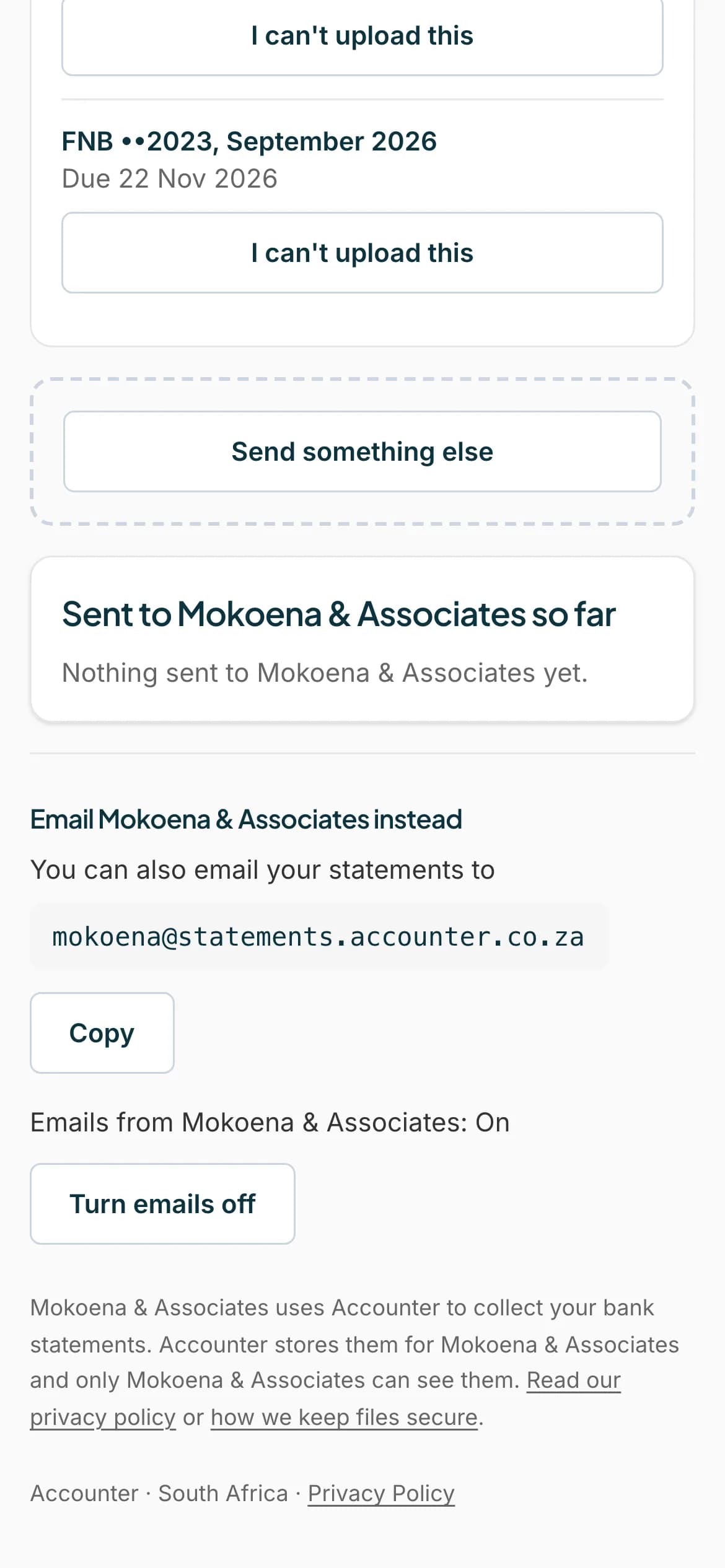
Find the email address
Scroll to the bottom of your page. Under Email and your accountant's name followed by instead, it says You can also email your statements to, and shows an address that ends in @statements.accounter.co.za.
 Open full size screenshot for step 1
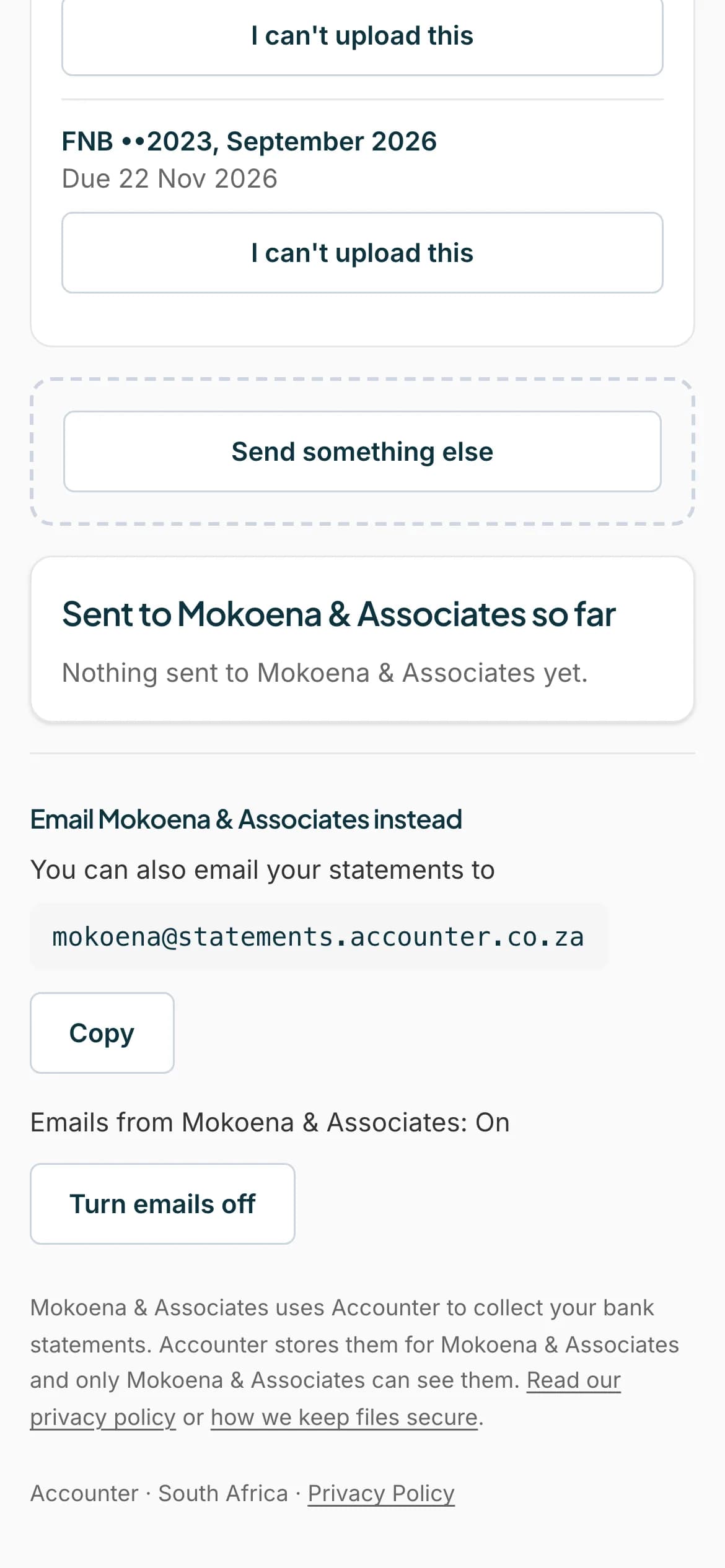
Press Copy
Press Copy. The button changes to Copied.
 Open full size screenshot for step 2
Email your statements
In your email app, paste the address in the To box, attach the PDF statements, and send. Use the email address your accountant has for you, so your files can be matched to you.
Wait for your accountant to receive it
Your accountant's inbox files the statements under your name when it can. Otherwise your accountant files them by hand. A locked PDF sends you an email to type the password.
Tips
- You can attach up to 20 PDFs to one email. Each PDF can be up to 50 MB.
- The address is only for your accountant. If you work with more than one firm, each has its own address.
- The address only receives email. Do not wait for a reply from it.
If something goes wrong
- You do not see an email address.
- Your accountant has not set up an email address yet. Use Send a statement instead, or ask them.
- You sent a PDF with a password and heard nothing.
- Look for an email that says One of your statements is locked. Tap it to sign in and type the password.
- Your email bounced.
- The address may have been replaced. Copy the current one from your page.
Related guides
- Upload a statementSend your accountant the bank statements they asked for, from your phone or computer.
- Fix problems with a fileUnlock a password-protected statement, and fix files that are not PDFs, are too large, or were not accepted.
- Use Statement Hub with more than one accountantIf two or more accountants ask you for statements, each has its own section on your page.