Fix problems with a file
Last reviewed 15 November 2026 · 6 steps
Unlock a password-protected statement, and fix files that are not PDFs, are too large, or were not accepted.
Clients
Steps
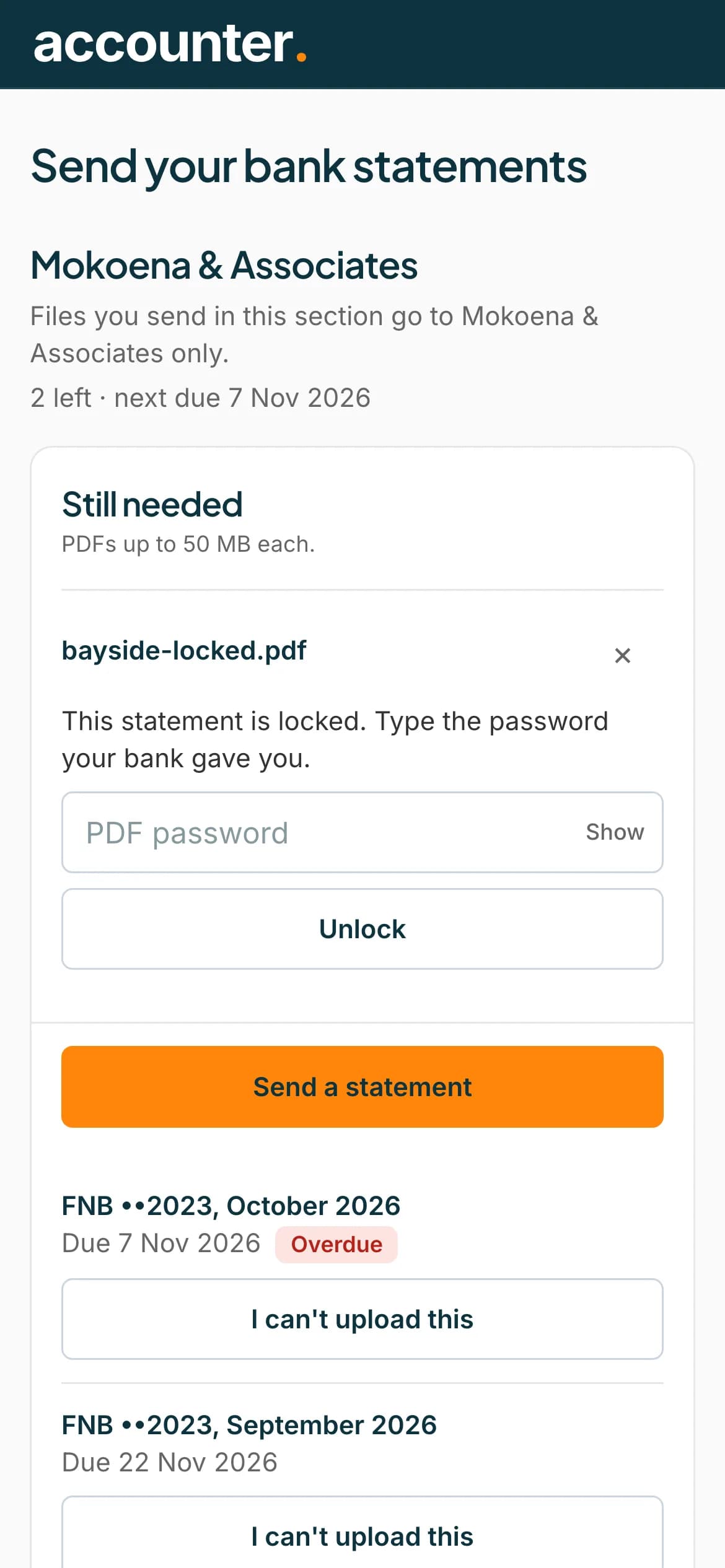
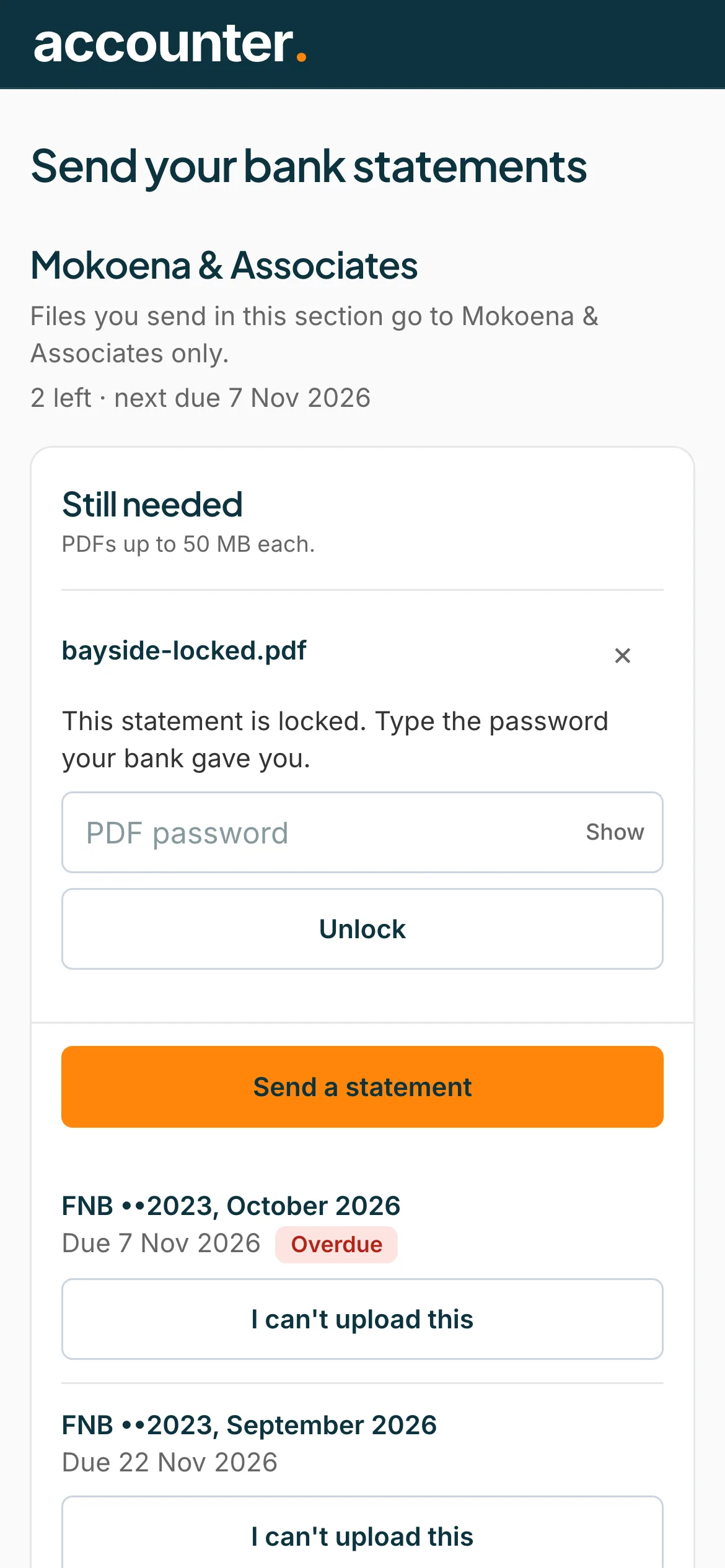
Unlock a locked statement
If a PDF is password-protected, it says This statement is locked. Type the password your bank gave you. Type it under PDF password and press Unlock. Press Show to see what you typed.
 Open full size screenshot for step 1
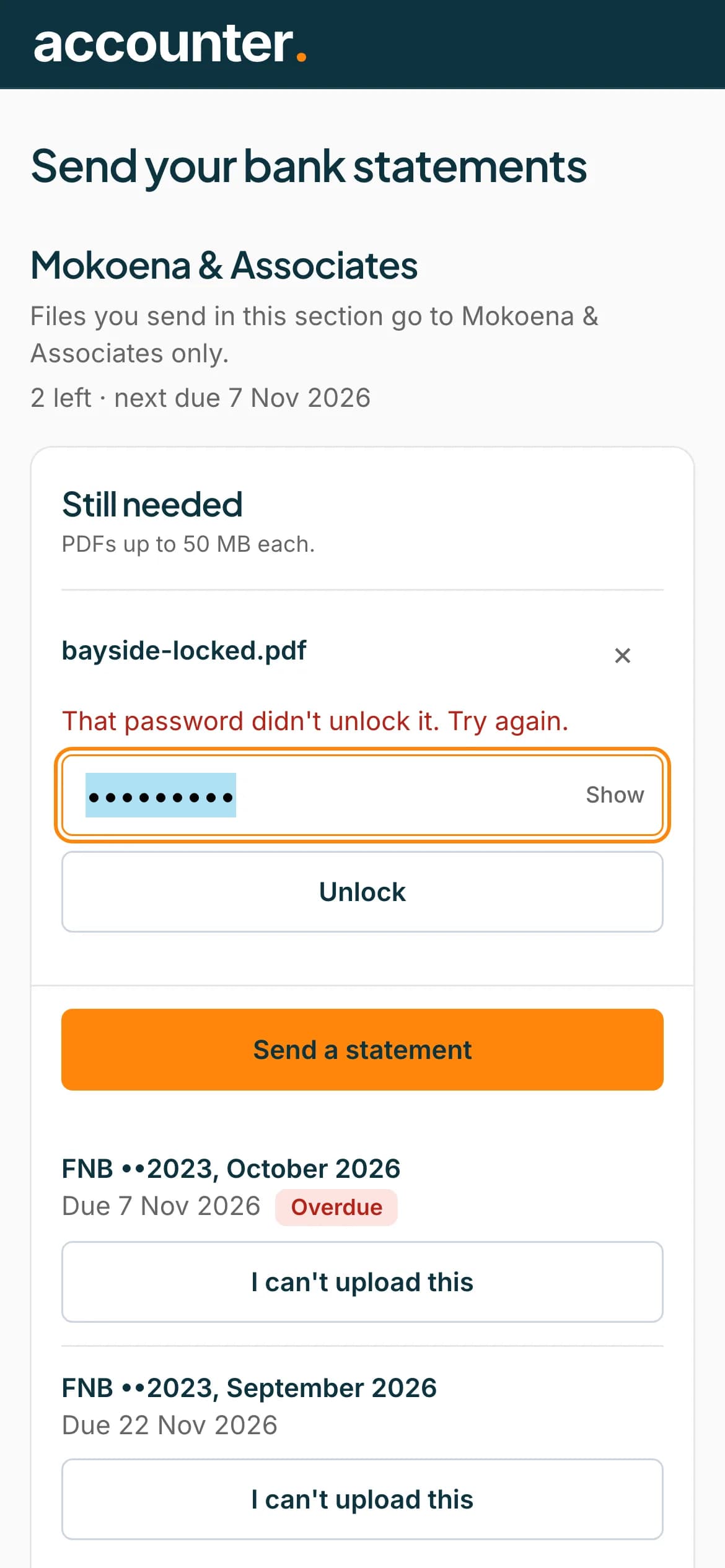
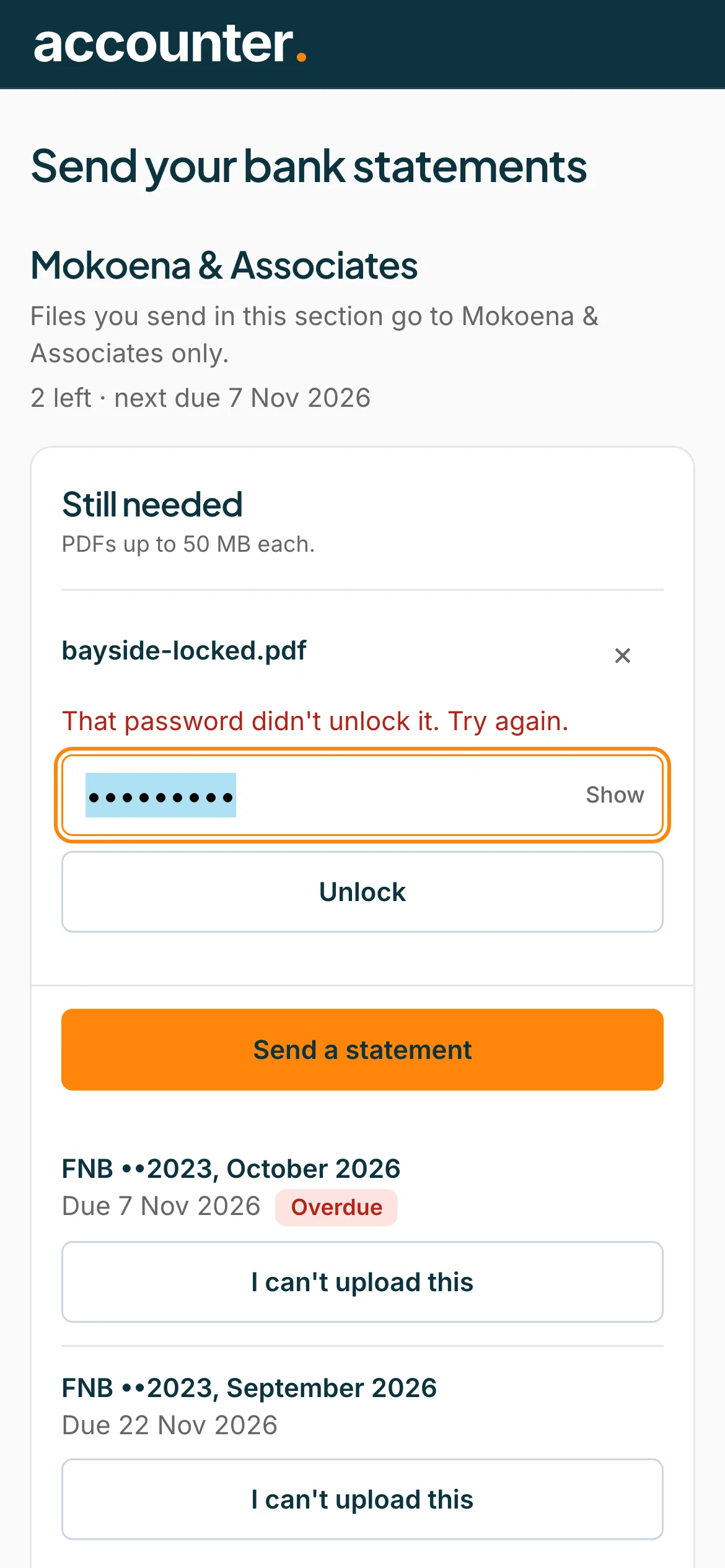
Try again if the password is wrong
If you see That password didn't unlock it, check the password and try again. The box stays so you can retype it. When it works, the file says Unlocked.
 Open full size screenshot for step 2
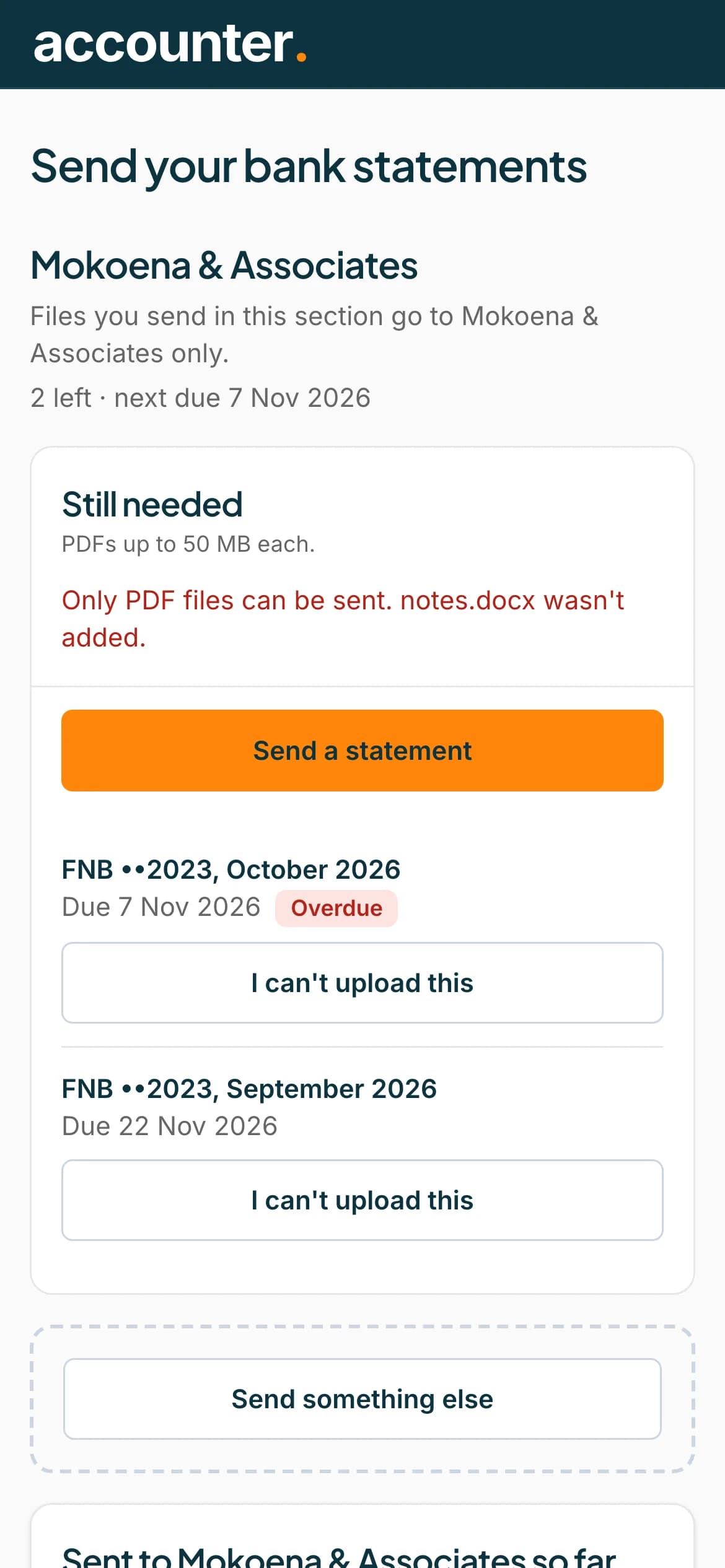
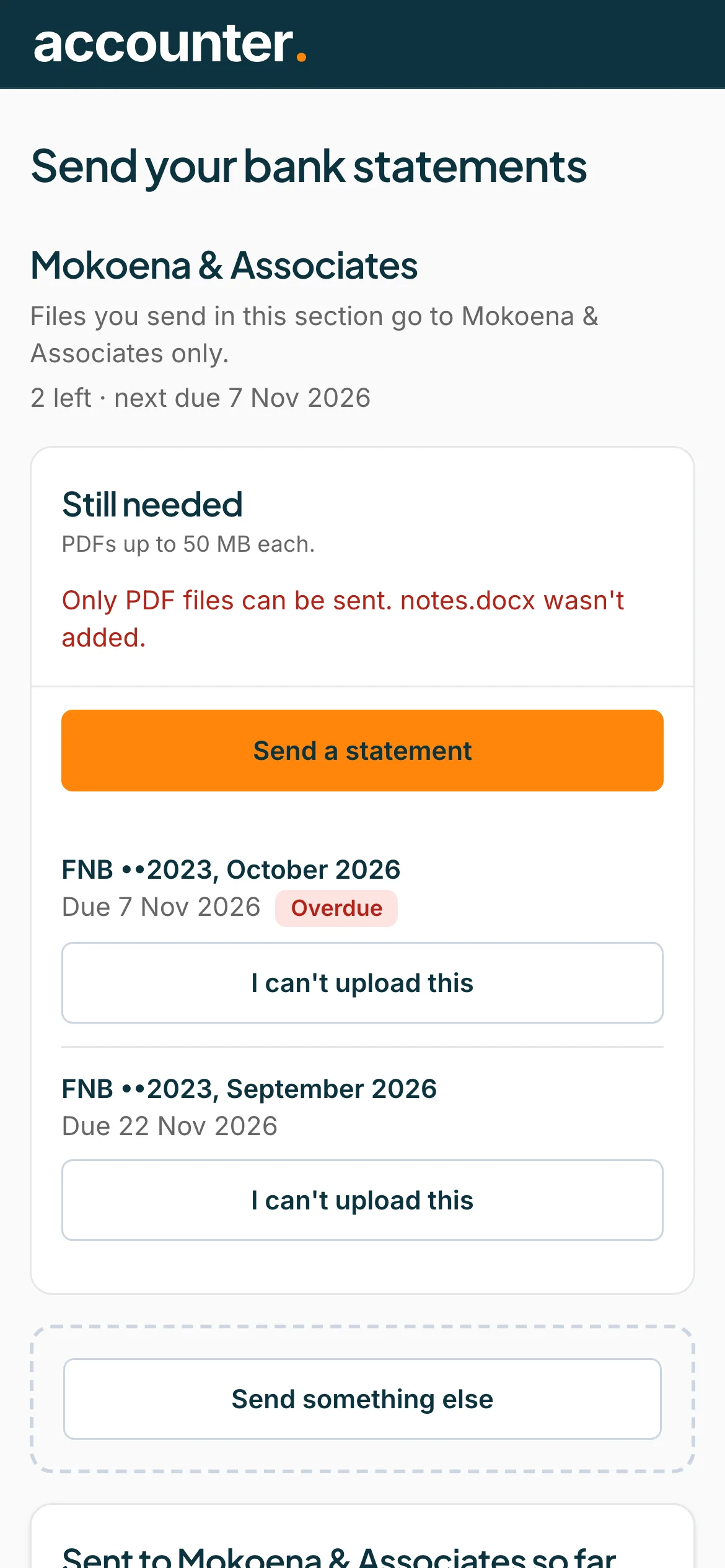
Send PDFs only
Only PDF files can be sent. A message such as Only PDF files can be sent. notes.docx wasn't added tells you which file was refused. Download the statement from your bank as a PDF.
 Open full size screenshot for step 3
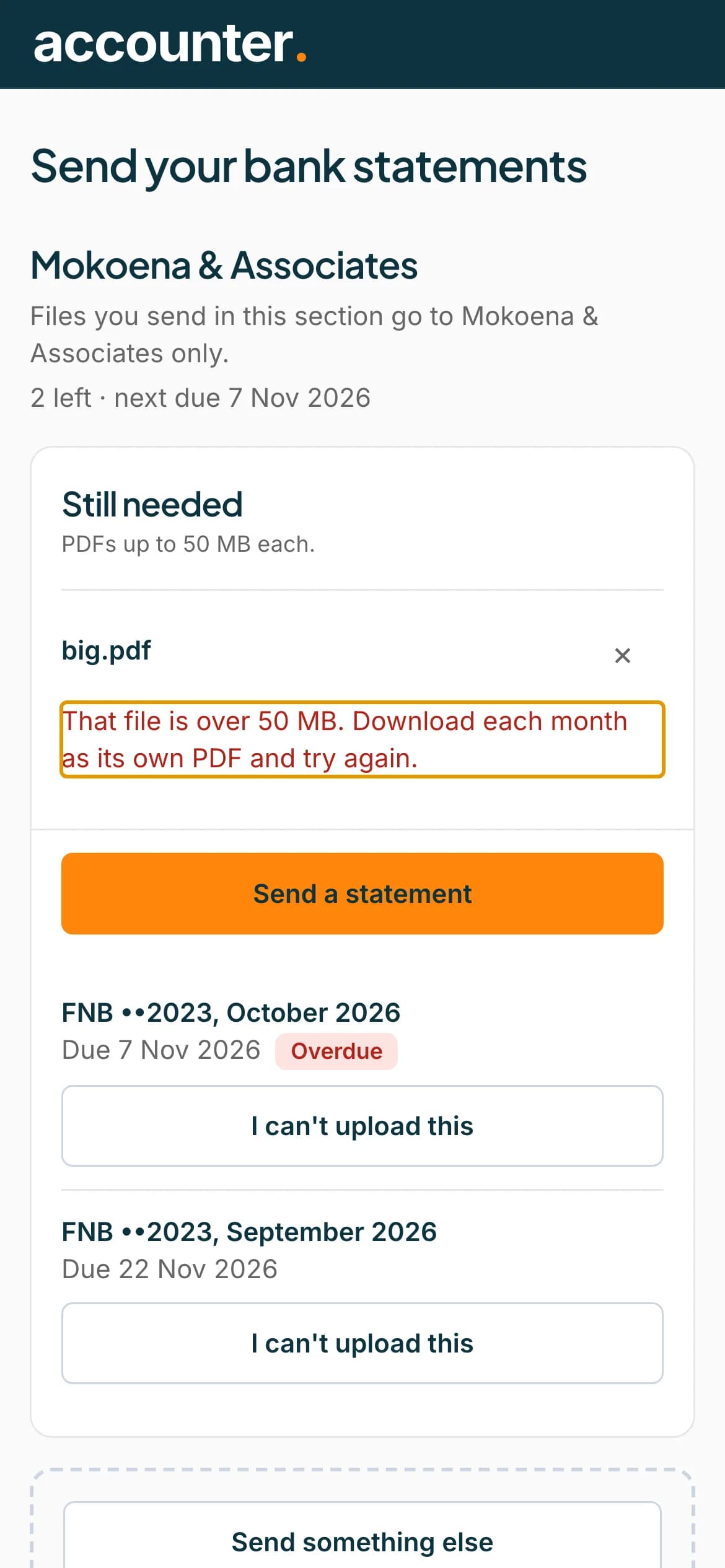
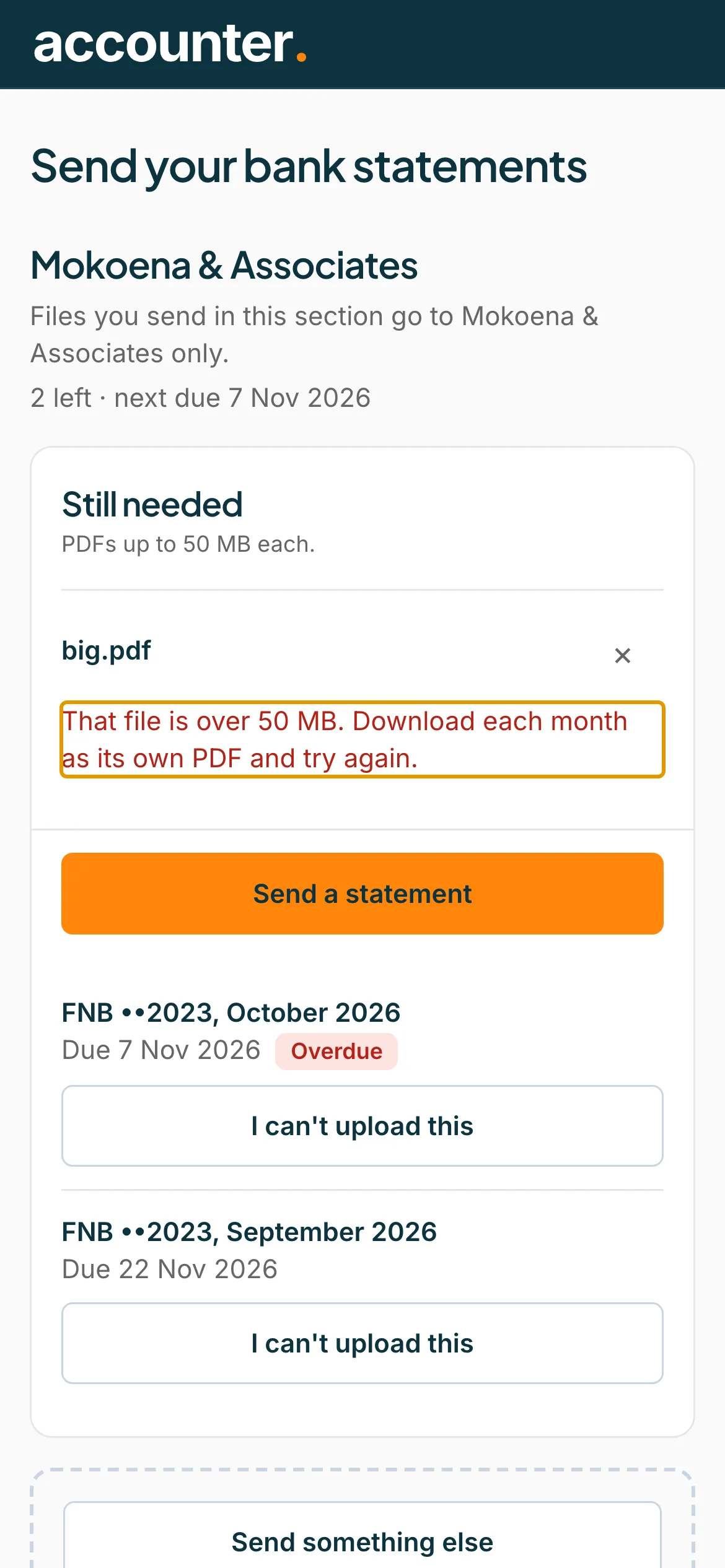
Keep each file under 50 MB
A file over 50 MB is refused before it is sent. Download each month as its own PDF and try again.
 Open full size screenshot for step 4
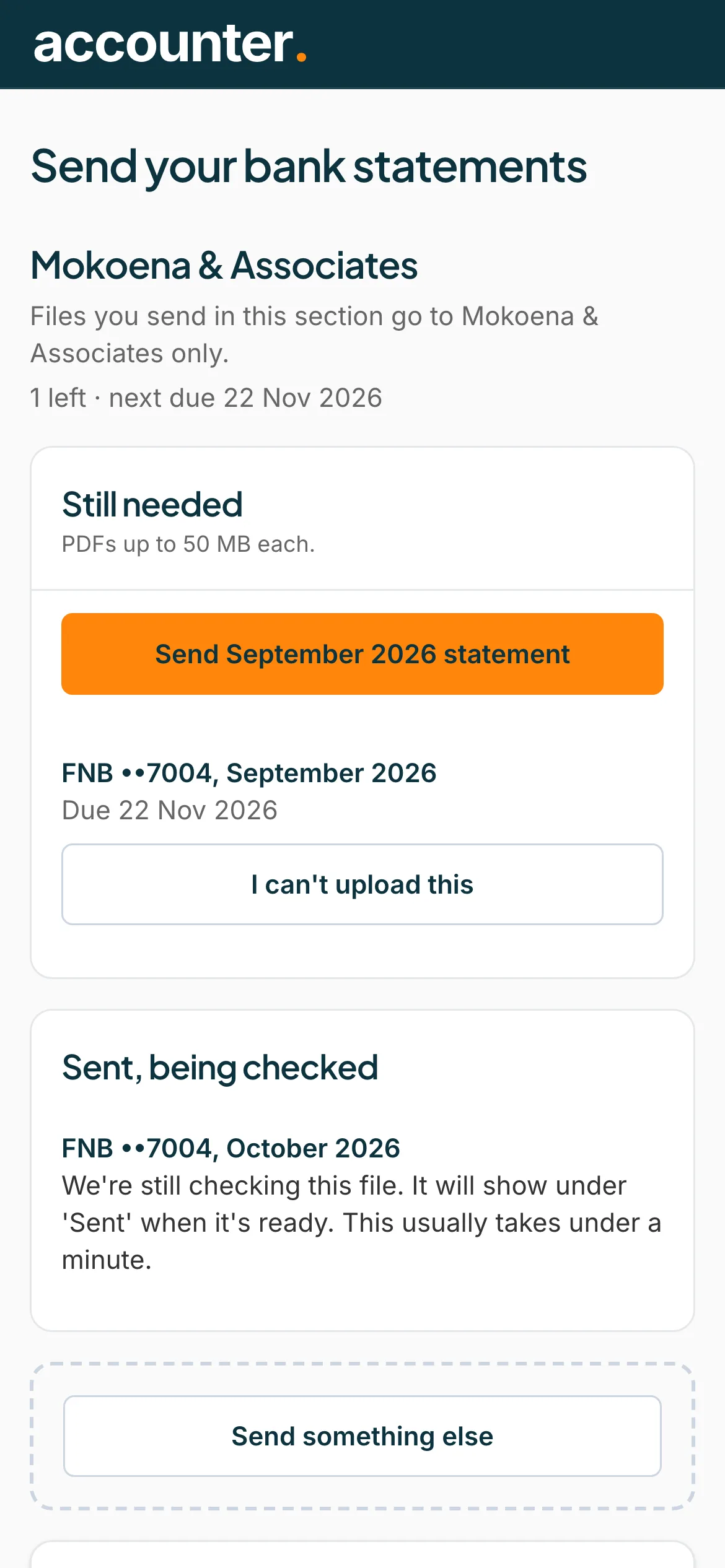
Wait while it is checked
After you send a file, it shows under Sent, being checked until the check is done. Leave the page open, or come back. It usually takes under a minute.
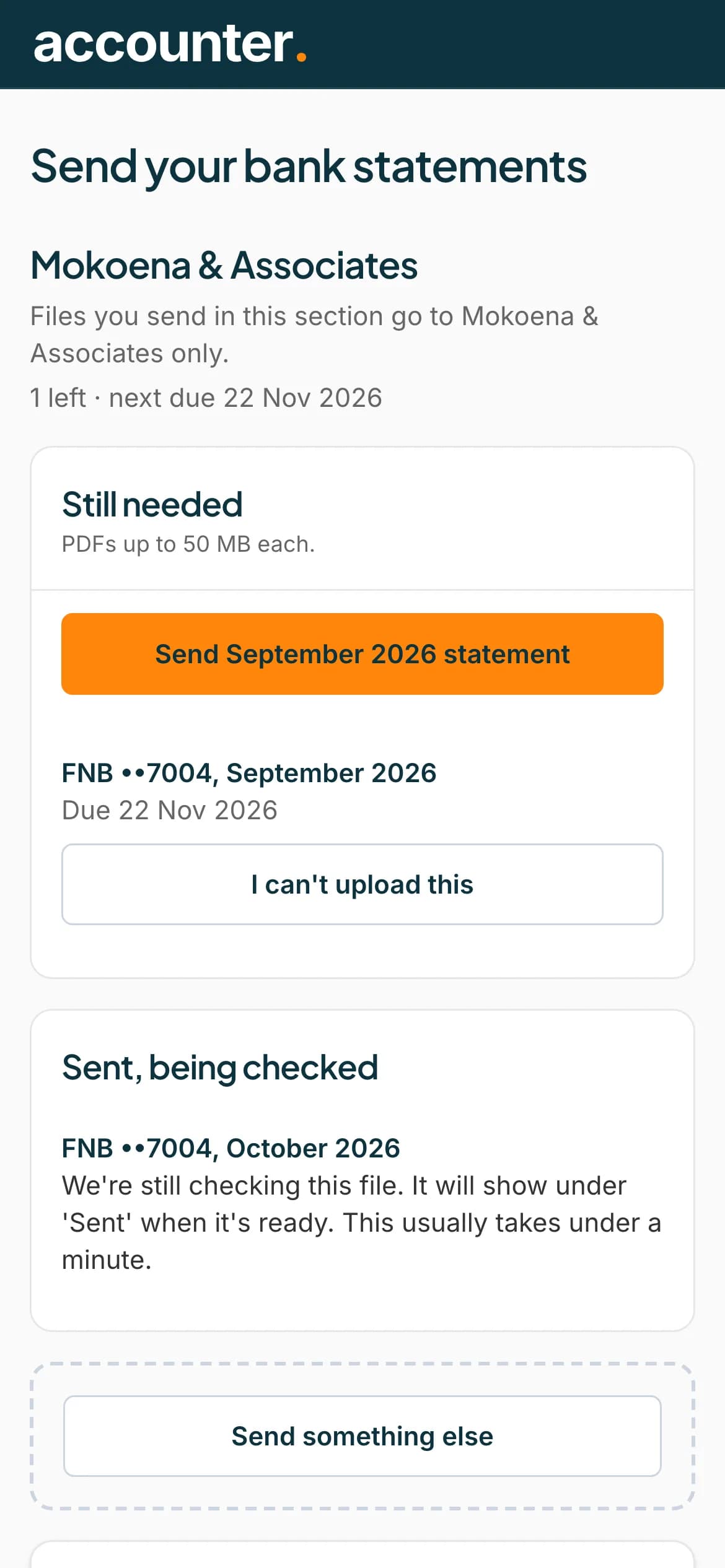 Open full size screenshot for step 5
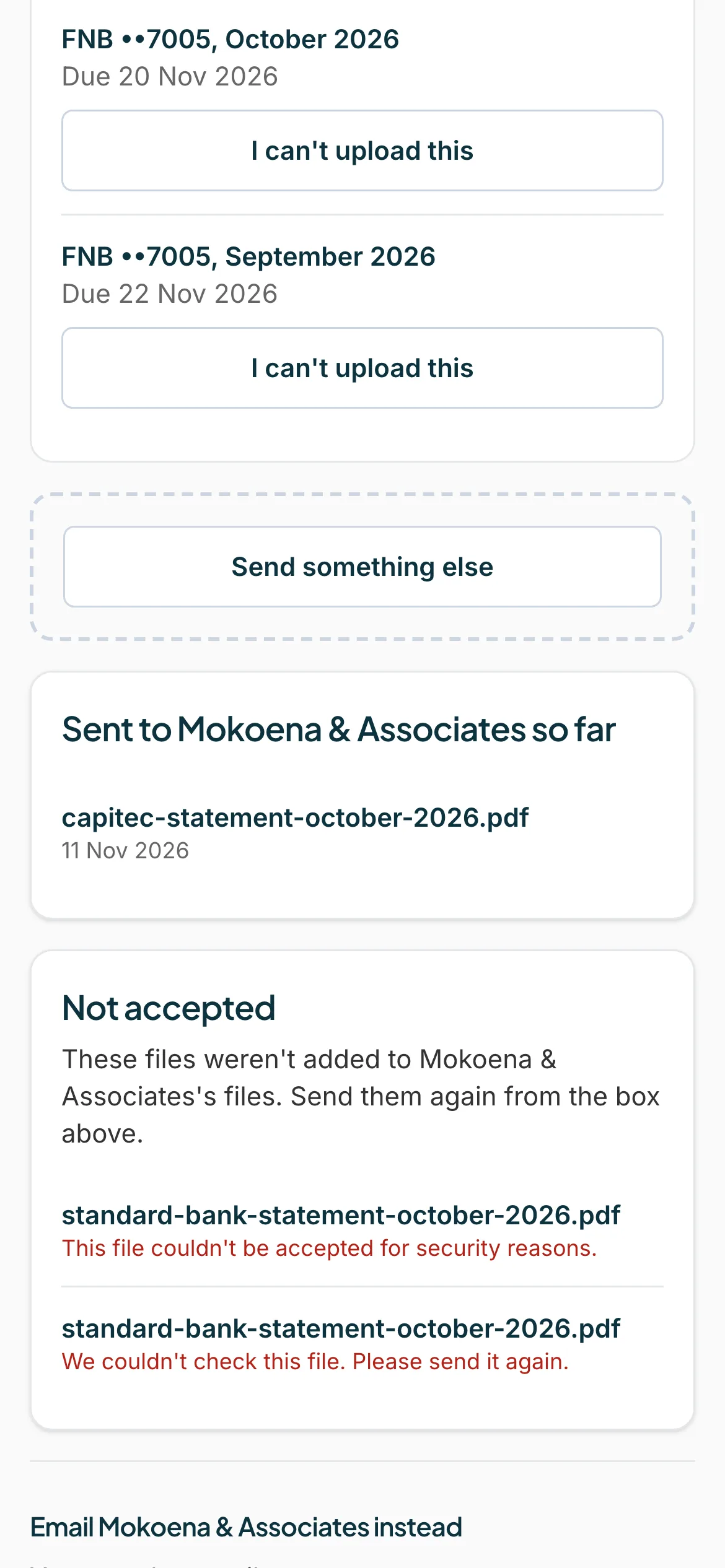
Send it again if it was not accepted
A file that fails the check is listed under Not accepted for 7 days. It says either This file couldn't be accepted for security reasons or We couldn't check this file. Please send it again. Download a fresh PDF from your bank and send it again.
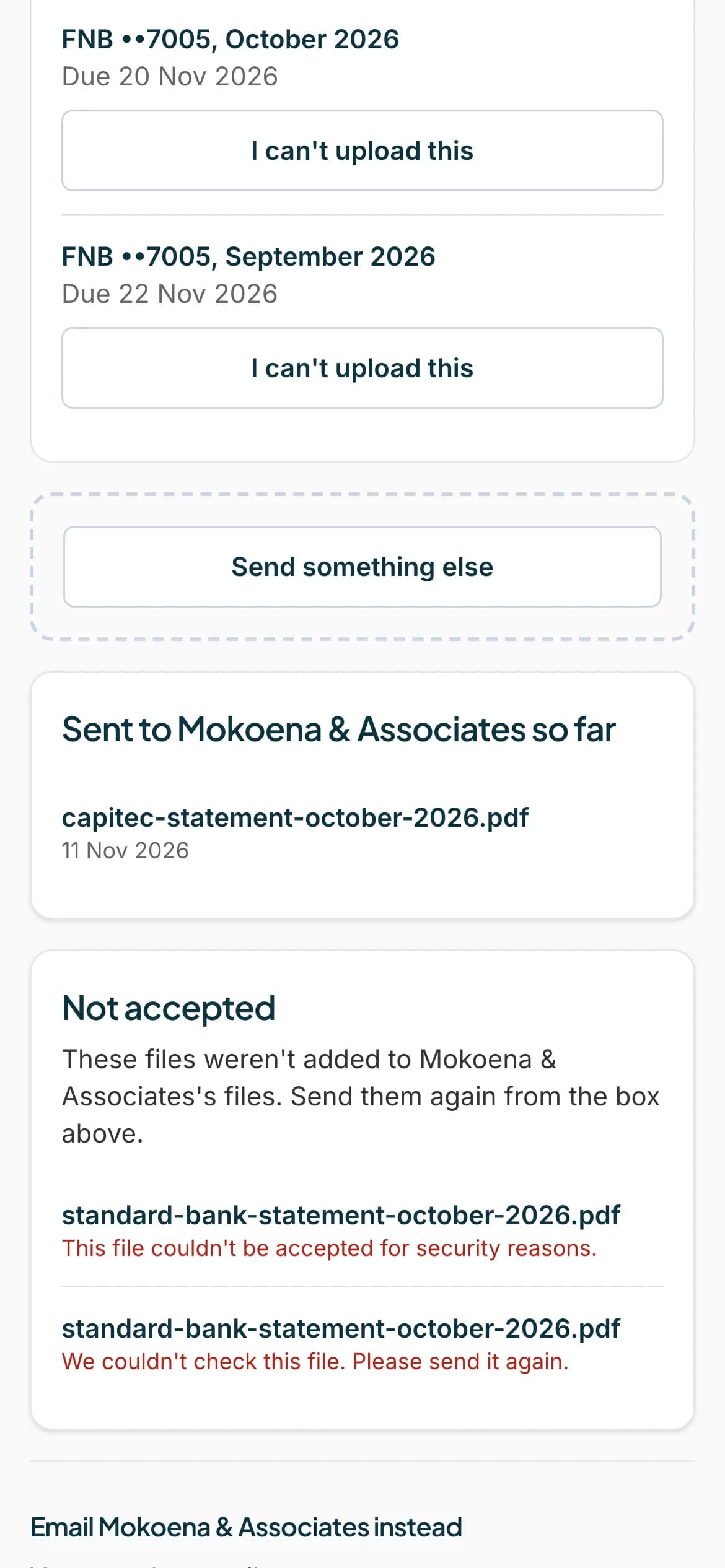 Open full size screenshot for step 6
Tips
- If your accountant received a locked statement by email, you get an email that says One of your statements is locked. Tap it to sign in and type the password.
- If you have several locked files with the same password, you can try the password on the others.
- Only the files you sent yourself are listed under Not accepted.
If something goes wrong
- You see Too many tries. Please wait an hour and try again.
- The limit on password tries was reached. Wait an hour.
- You see We couldn't open that file. Try downloading it from your bank again.
- The file is damaged. Download it again from your bank.
- You see We couldn't unlock that file. Check your connection and try again.
- Your connection dropped. Try again.
- You see We couldn't open this file, even with a password. Send it again, or ask your accountant for help.
- Download a new copy from your bank, or ask your accountant.
Related guides
- Upload a statementSend your accountant the bank statements they asked for, from your phone or computer.
- Can't upload a statement? Tell your accountantIf you cannot send a statement, say why, so your accountant knows and does not keep waiting.
- Email your statements insteadEmail your statements to your accountant's Statement Hub address instead of uploading them.