Can't upload a statement? Tell your accountant
Last reviewed 15 November 2026 · 4 steps
If you cannot send a statement, say why, so your accountant knows and does not keep waiting.
Clients
Steps
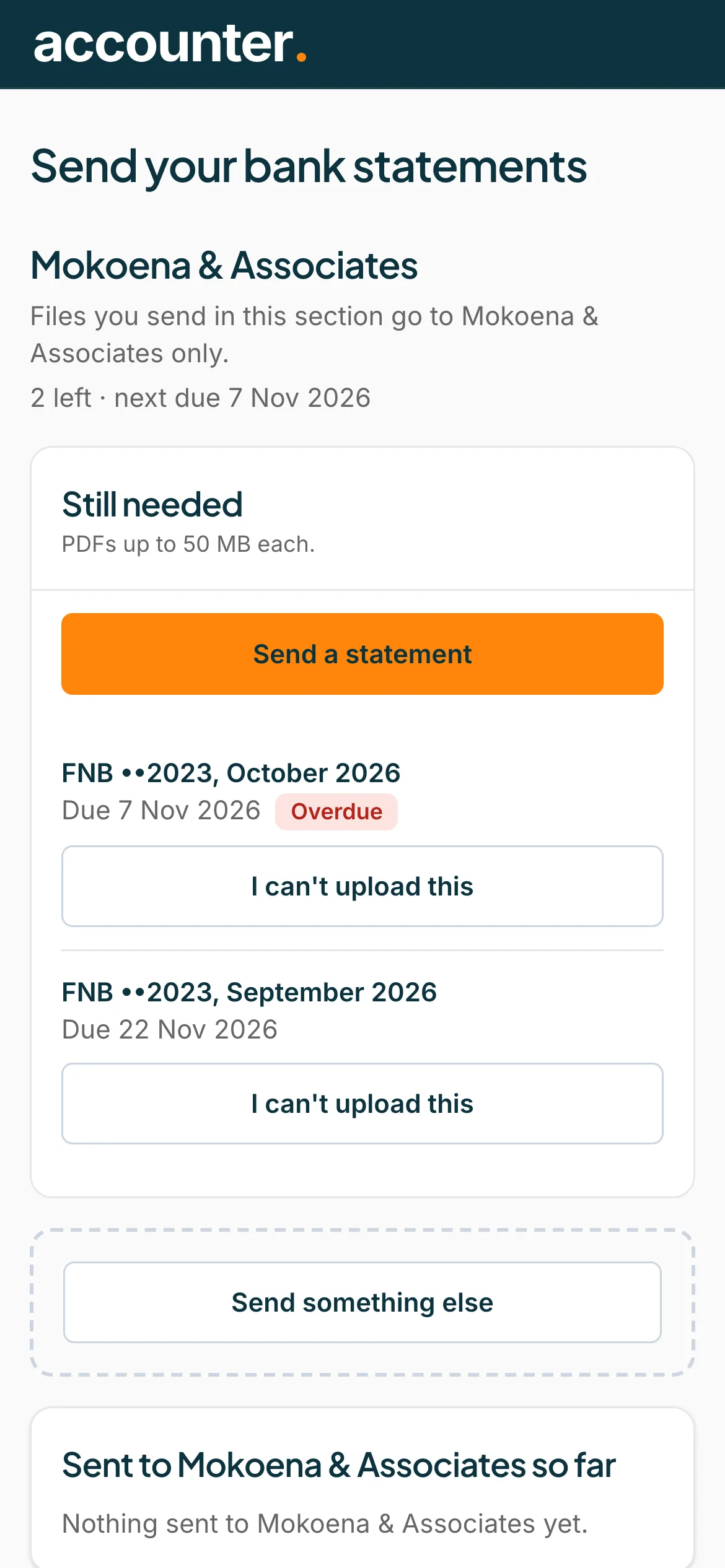
Find the statement
Under Still needed, each statement has a button, I can't upload this.
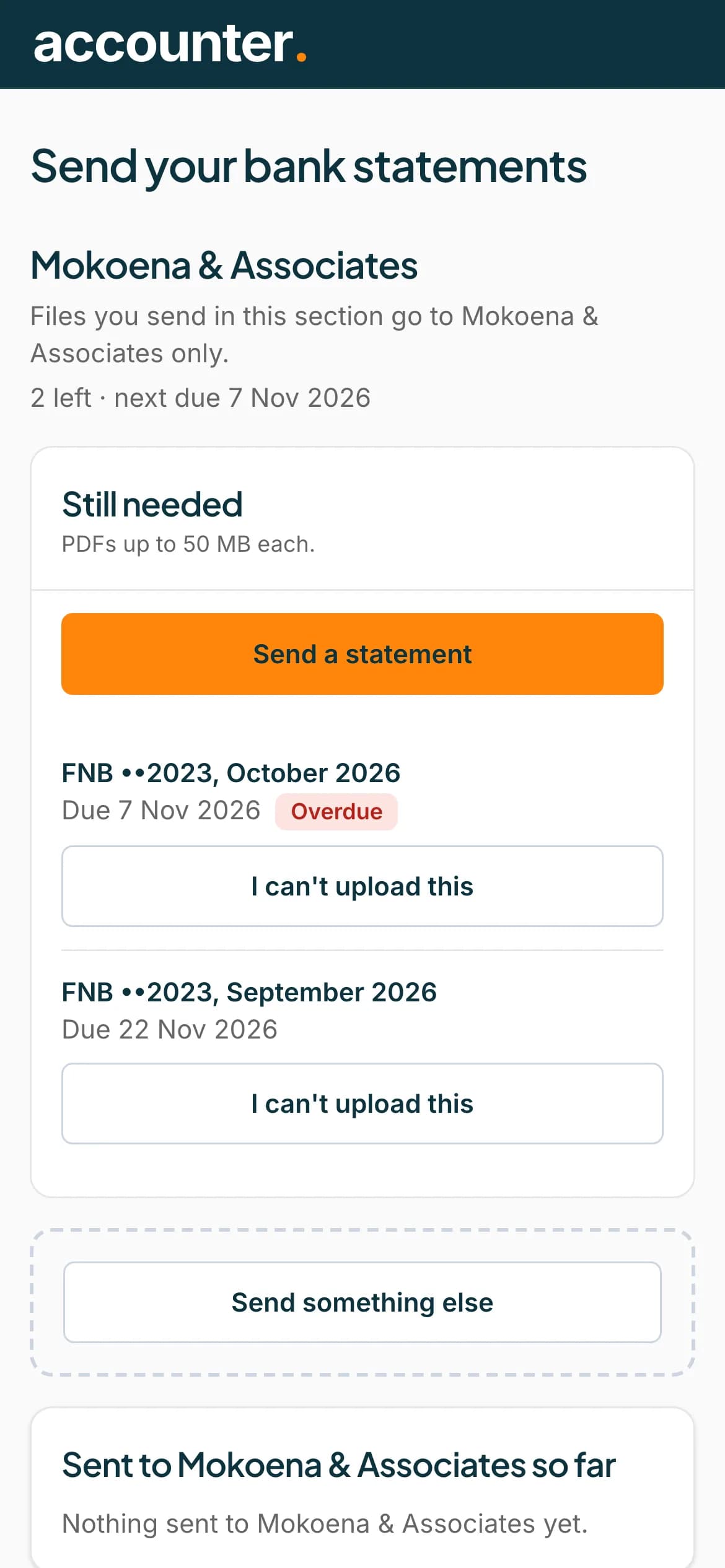 Open full size screenshot for step 1
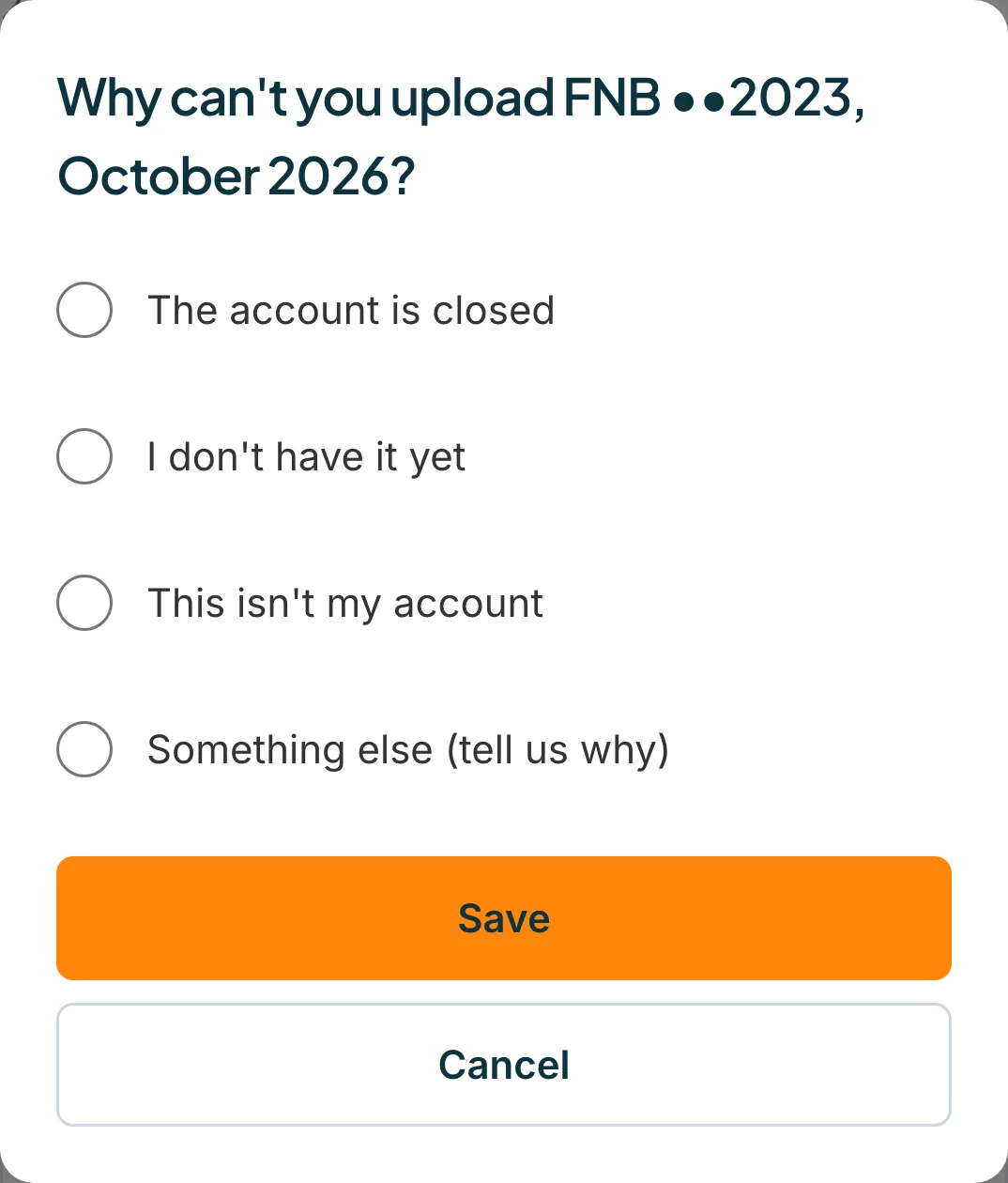
Press I can't upload this
A box asks why. Choose the closest reason: The account is closed, I don't have it yet, This isn't my account, or Something else (tell us why).
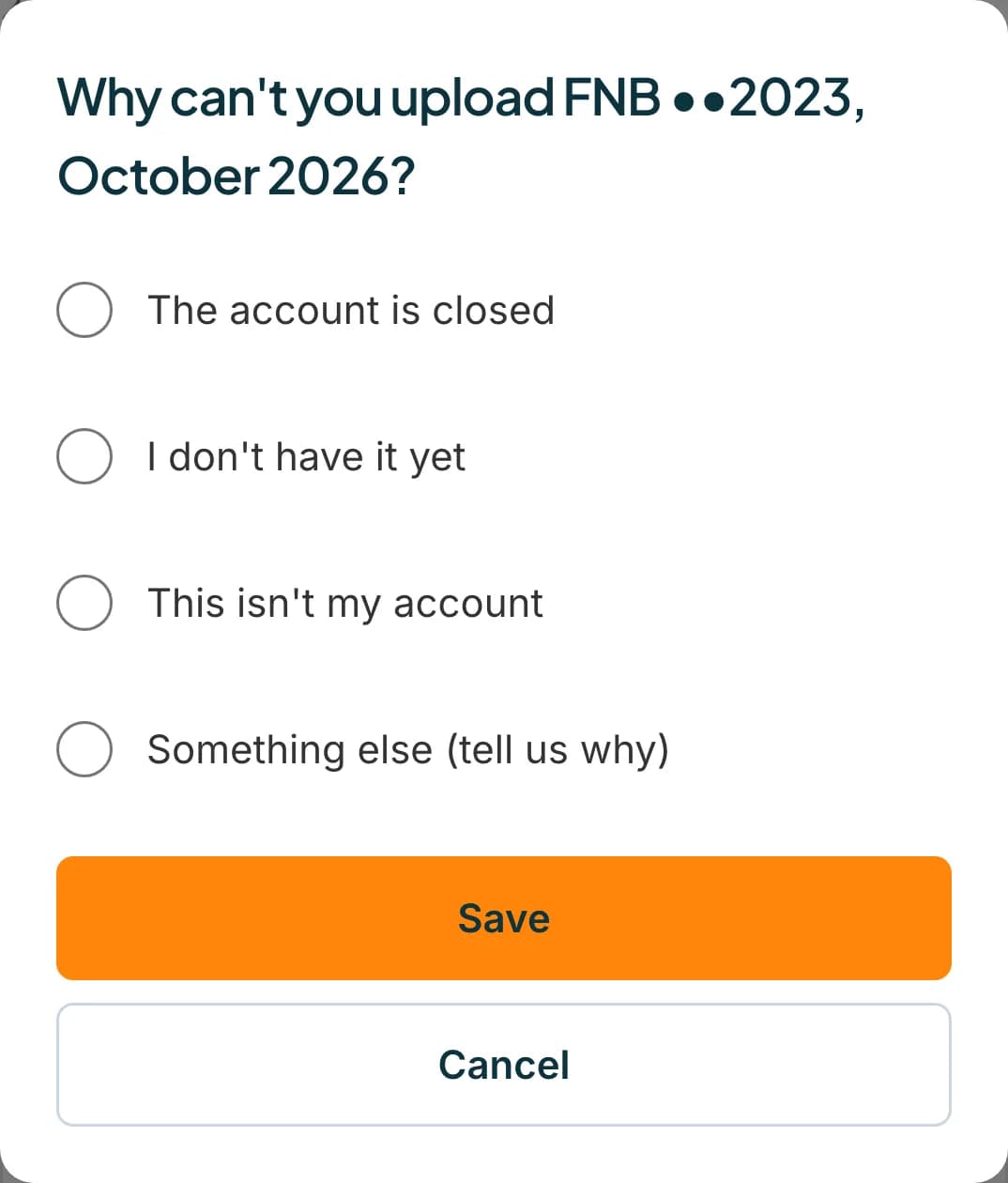 Open full size screenshot for step 2
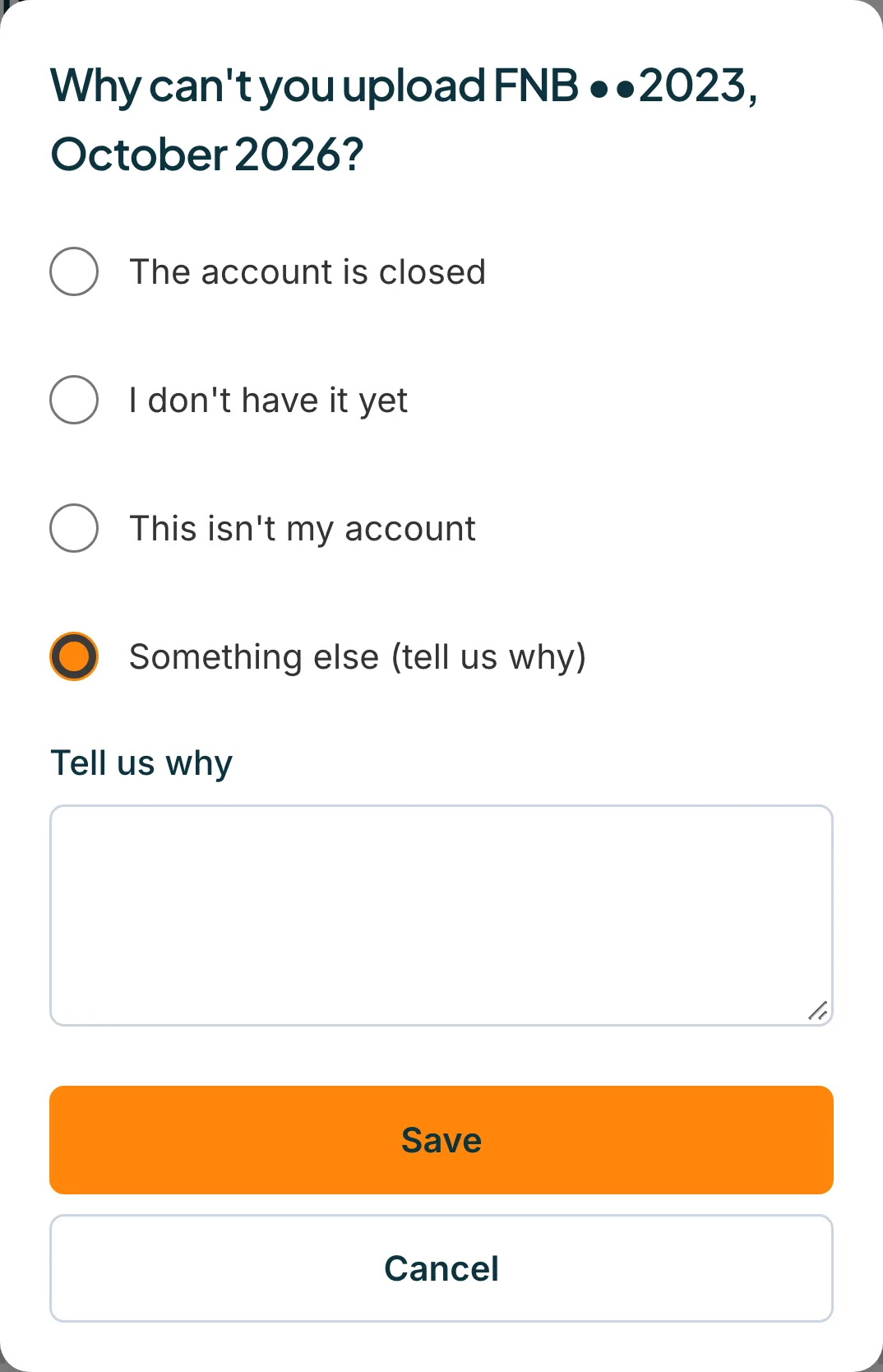
Add a few words if you chose Something else
If you choose Something else (tell us why), type a short reason under Tell us why. Your accountant needs it to understand.
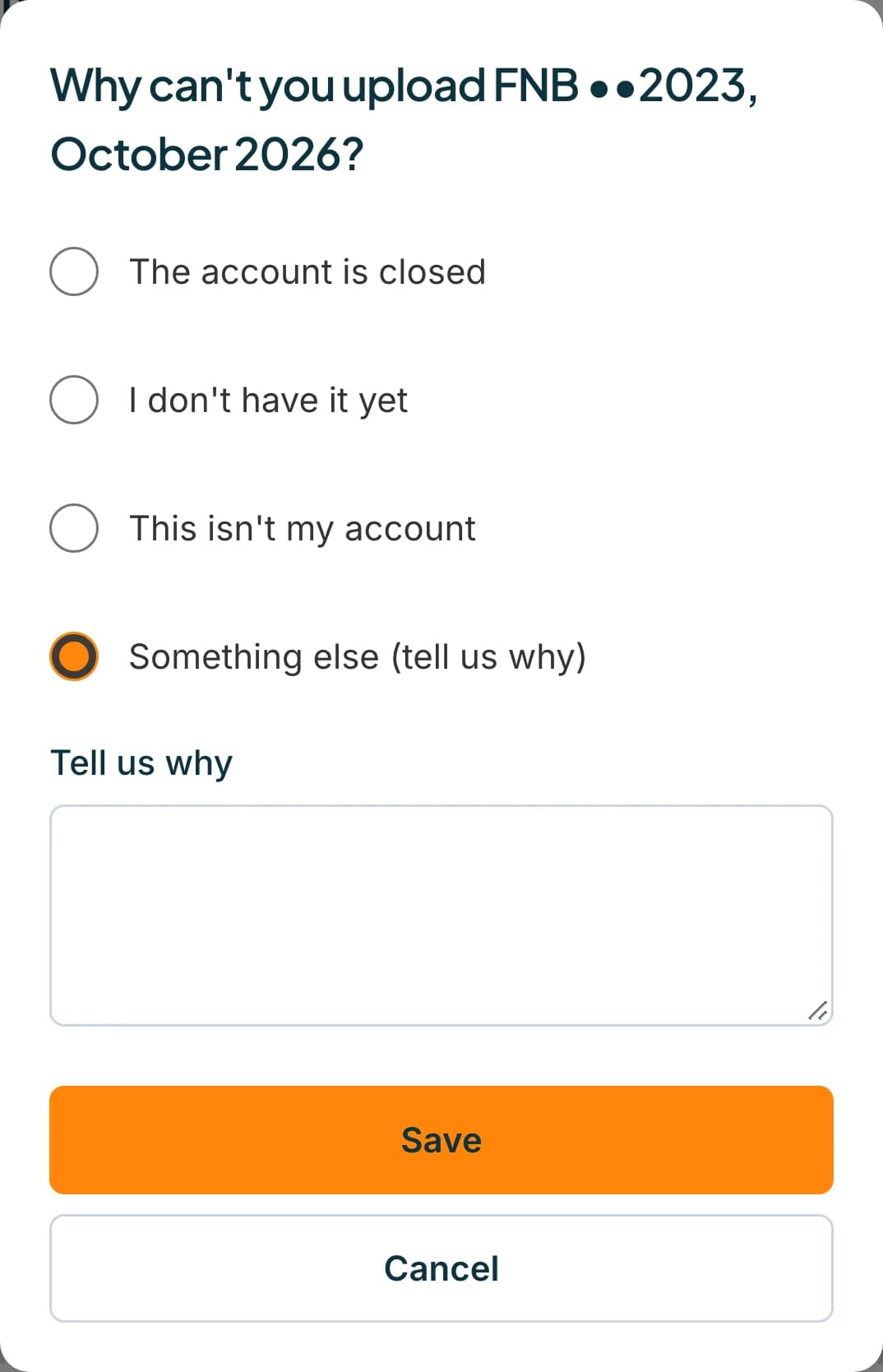 Open full size screenshot for step 3
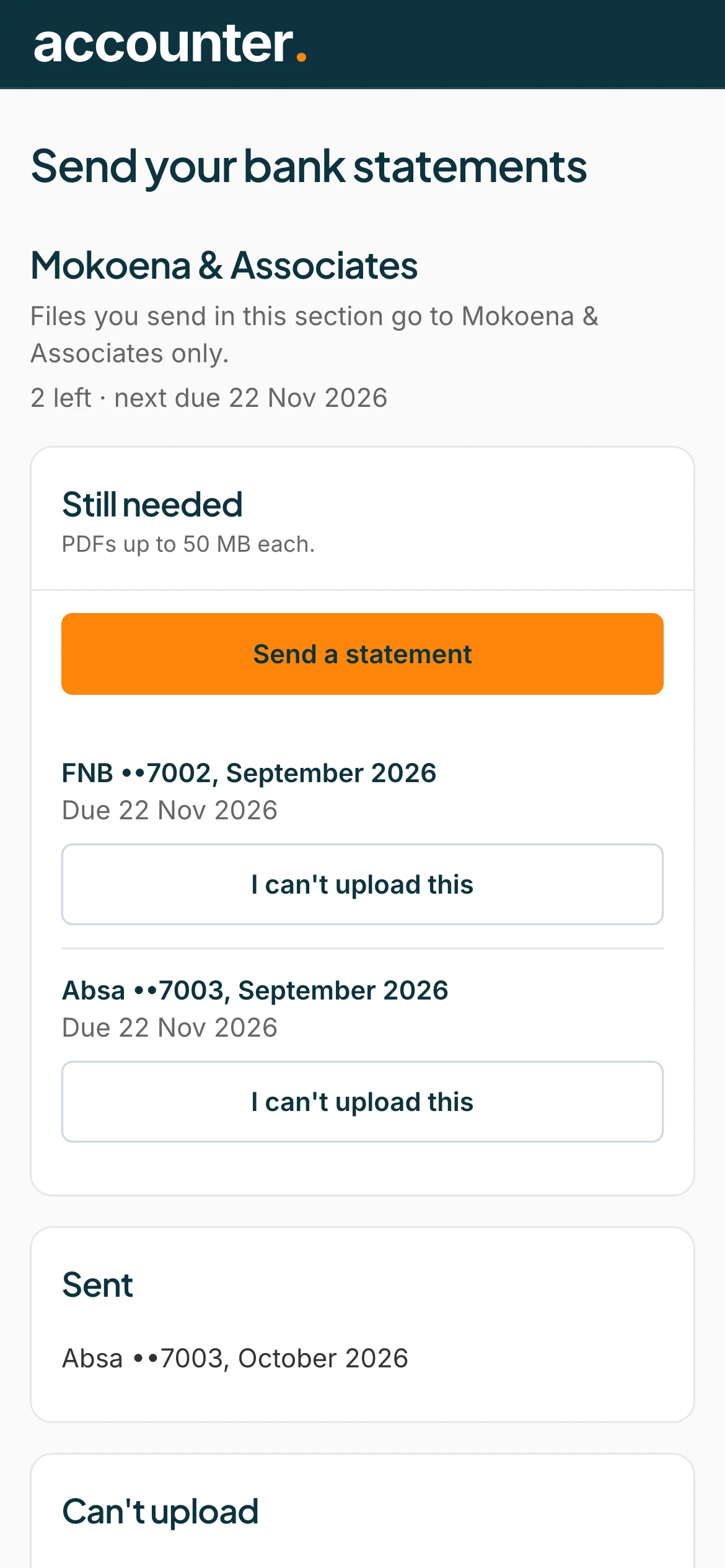
Press Save
The statement moves to Can't upload, with your reason. Your accountant can see it.
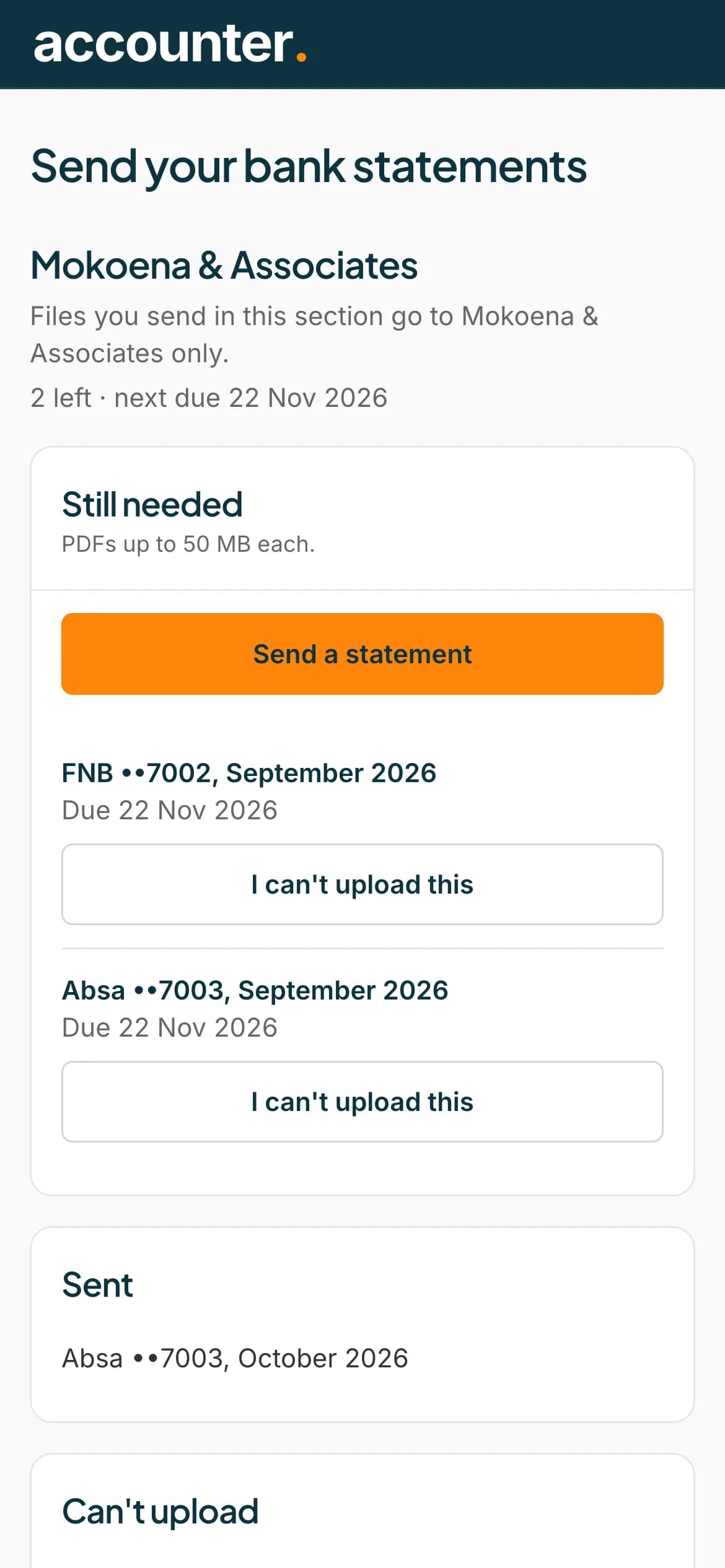 Open full size screenshot for step 4
Tips
- If you can send it later, press I can upload it now to put it back on your list.
- If nothing else is left to send, the page says Nothing left to send for now, and that your accountant can see the ones you couldn't upload (it names your accountant).
- You can still send a statement from the Still needed list at any time.
If something goes wrong
- You see Choose the closest reason.
- Pick one of the reasons before pressing Save.
- You see Tell us why so your accountant knows.
- You chose Something else. Type a short reason.
- You see We couldn't save that. Try again.
- Check your connection and press Save again.
Related guides
- Upload a statementSend your accountant the bank statements they asked for, from your phone or computer.
- Email your statements insteadEmail your statements to your accountant's Statement Hub address instead of uploading them.
- Fix problems with a fileUnlock a password-protected statement, and fix files that are not PDFs, are too large, or were not accepted.