Convert statements automatically
Last reviewed 15 November 2026 · 4 steps
Choose whether statements convert on their own when they arrive, and override it for one client.
Firms
Steps
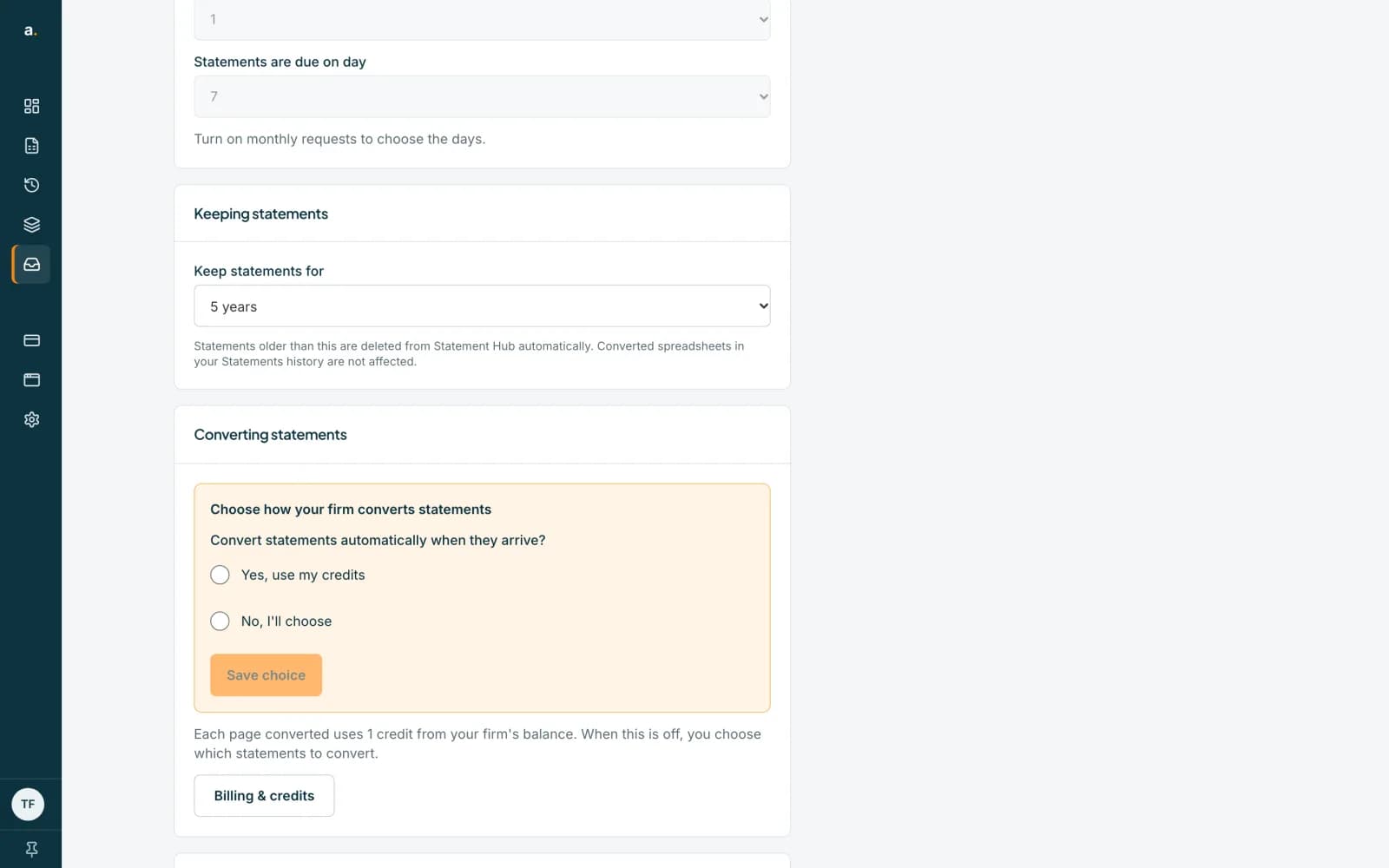
Open Settings and find Converting statements
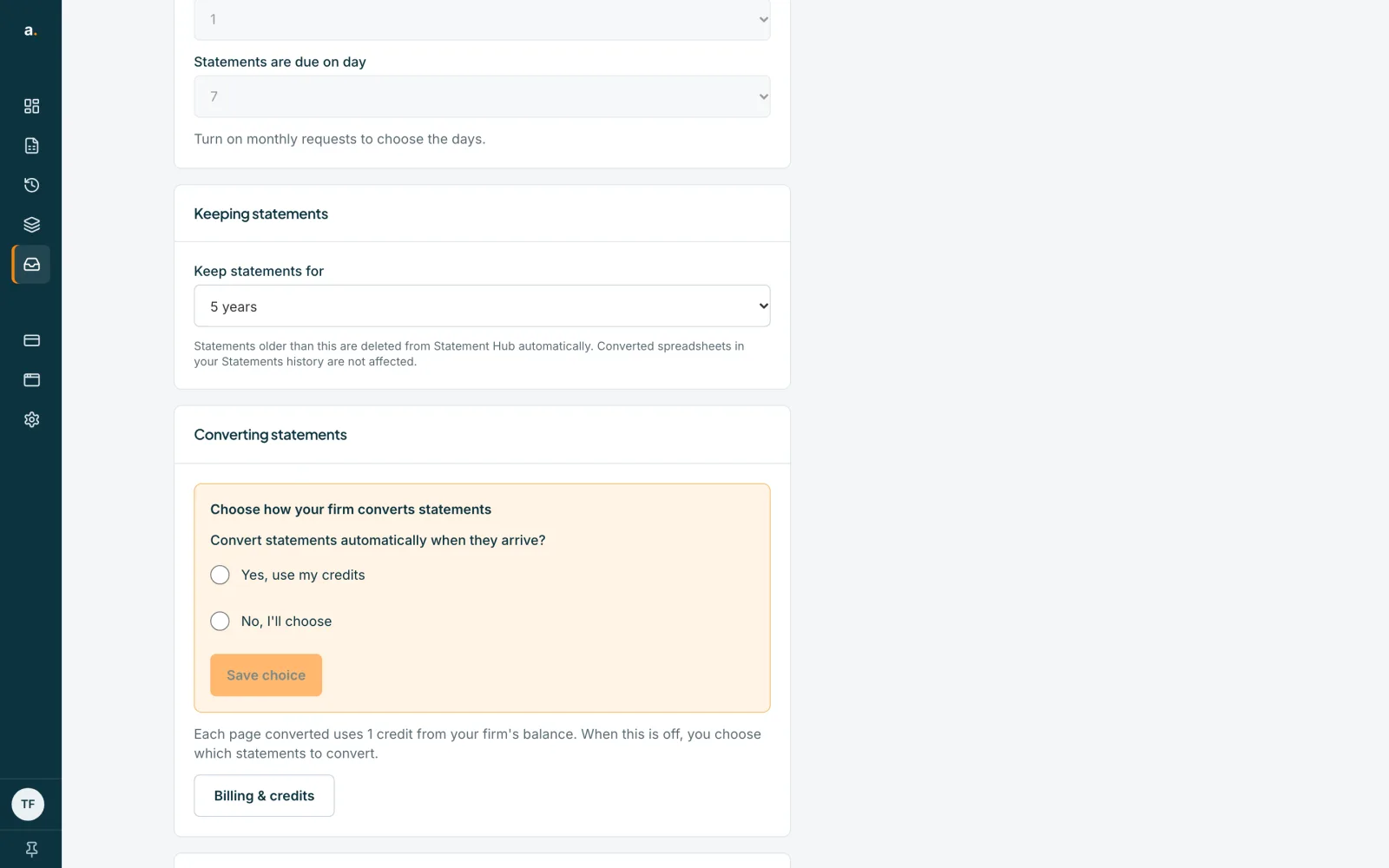
Choose the Settings tab and scroll to the Converting statements card. The first time, it says Choose how your firm converts statements.
 Open full size screenshot for step 1
Make your first choice
Choose Yes, use my credits, or No, I'll choose, then press Save choice. Until you choose, nothing converts on its own.
Change it later
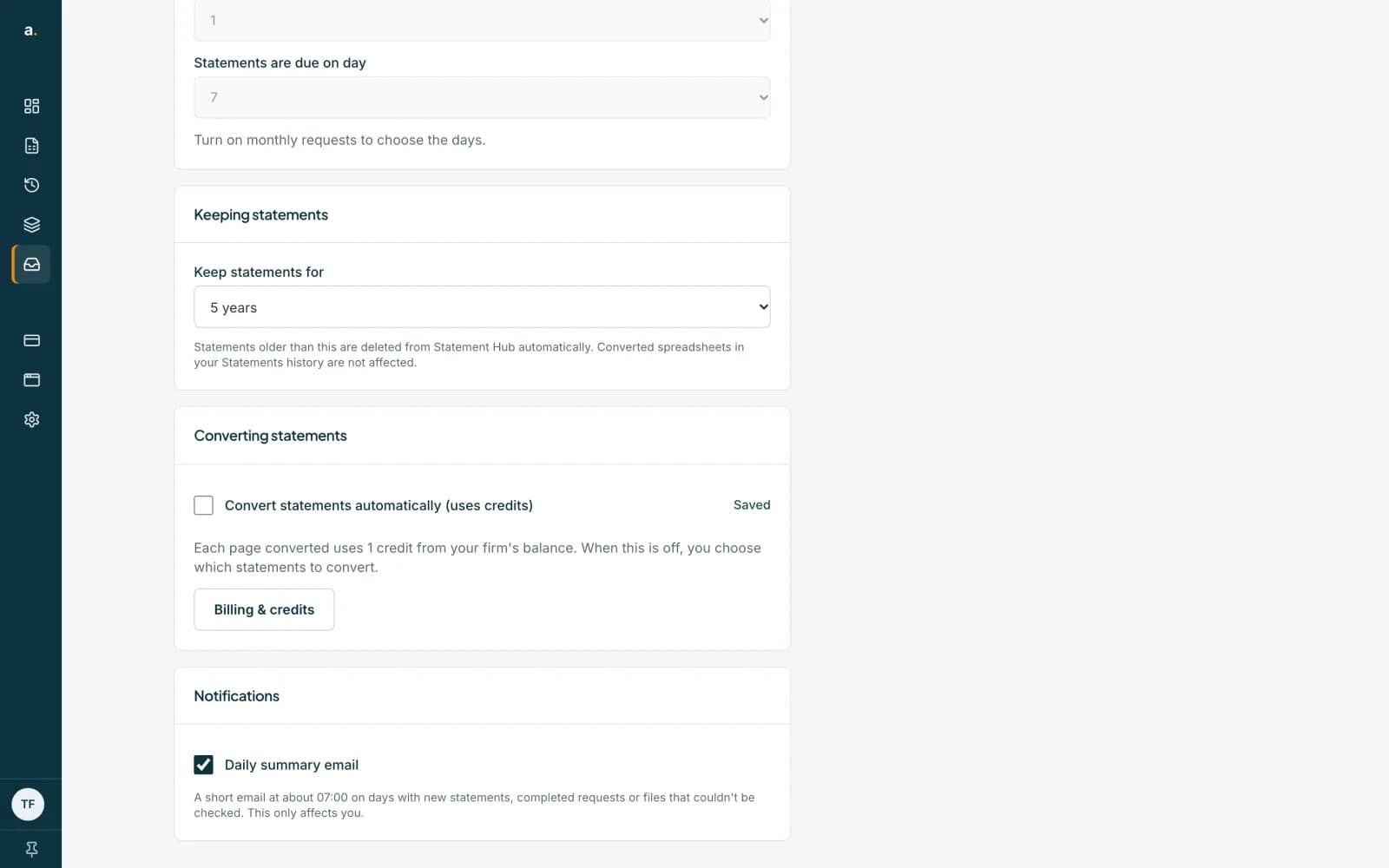
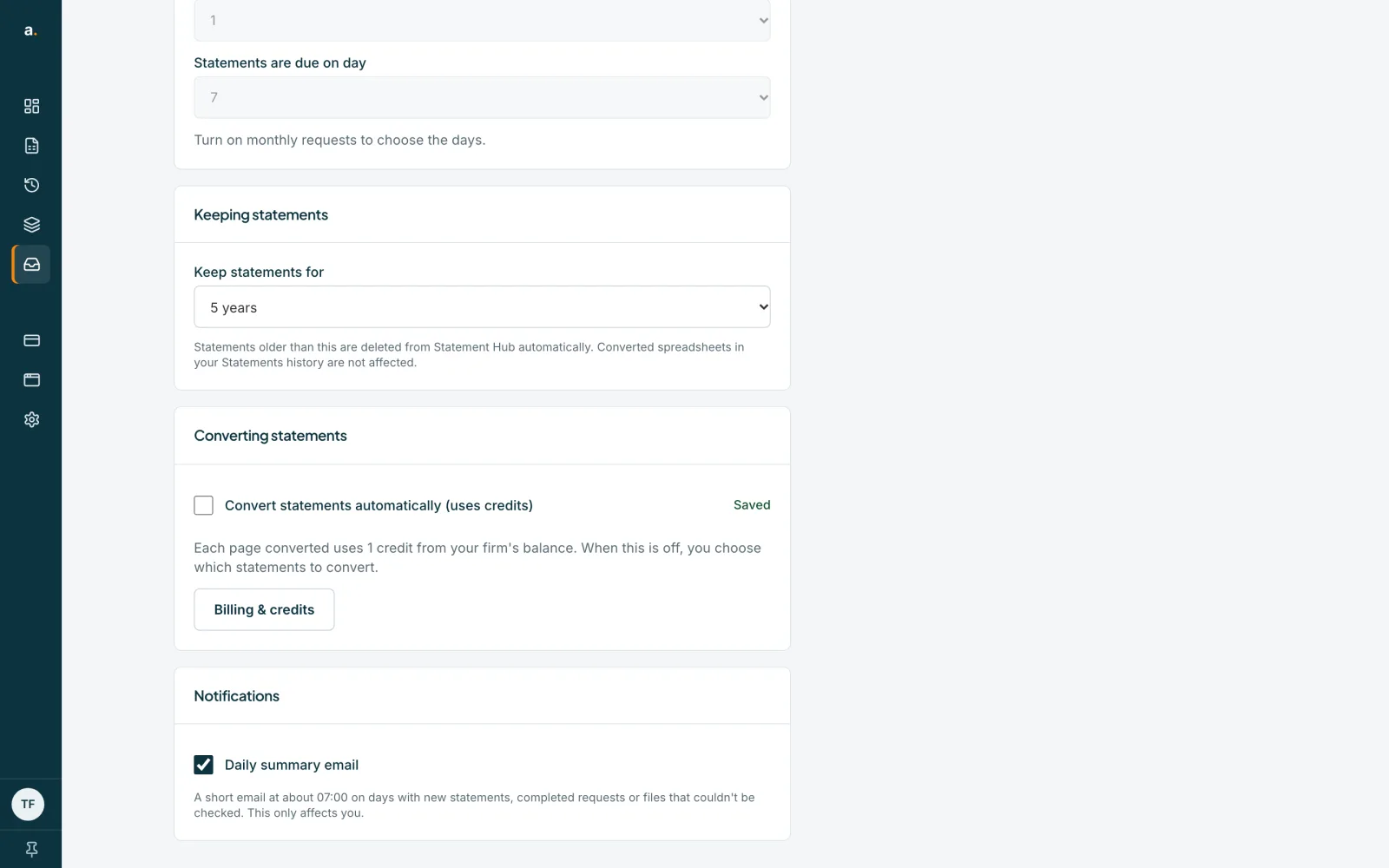
After your first choice the setting becomes a tick box, Convert statements automatically (uses credits). Each page converted uses 1 credit from your firm's balance. When it is off, you choose which statements to convert.
 Open full size screenshot for step 3
Override it for one client
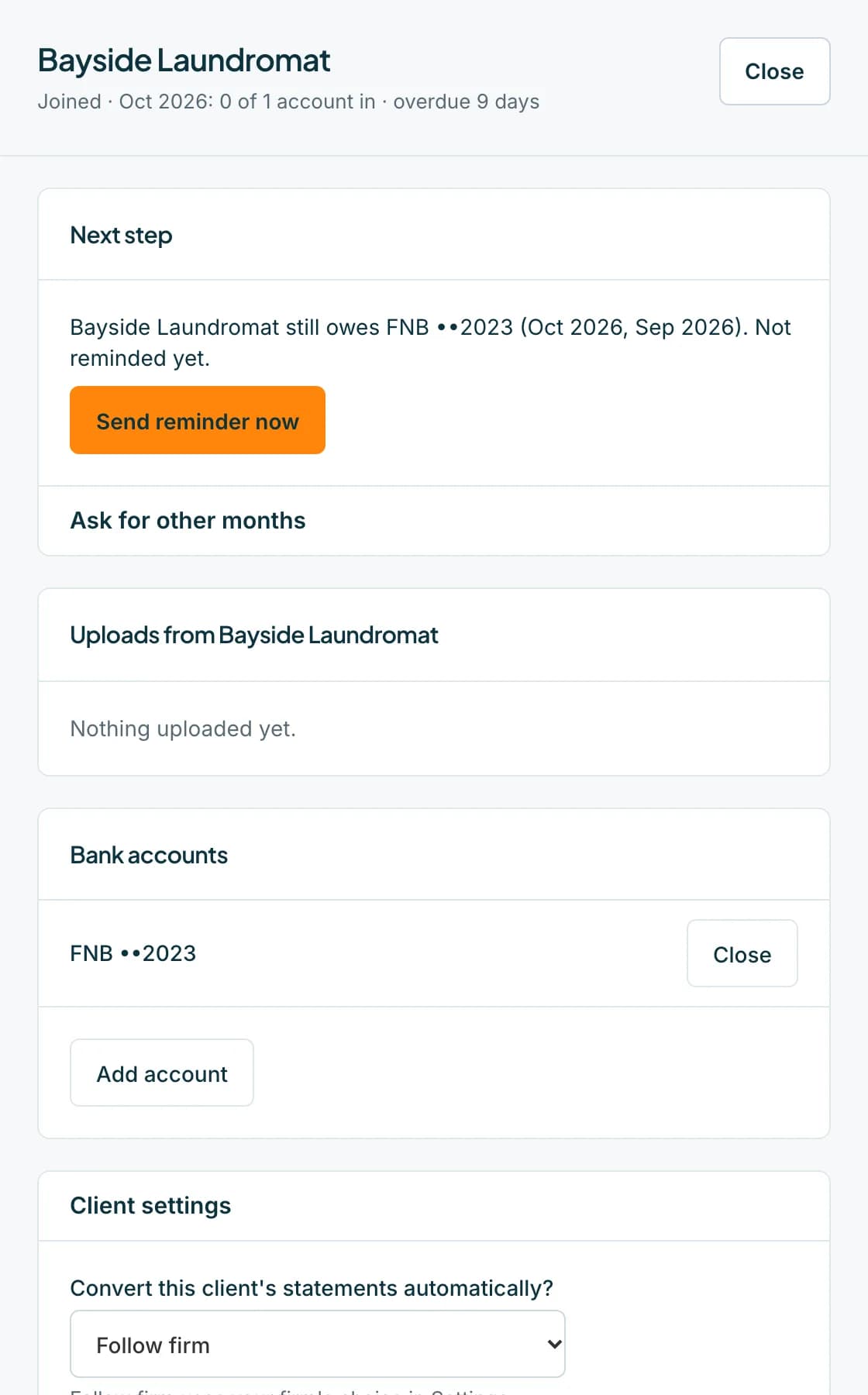
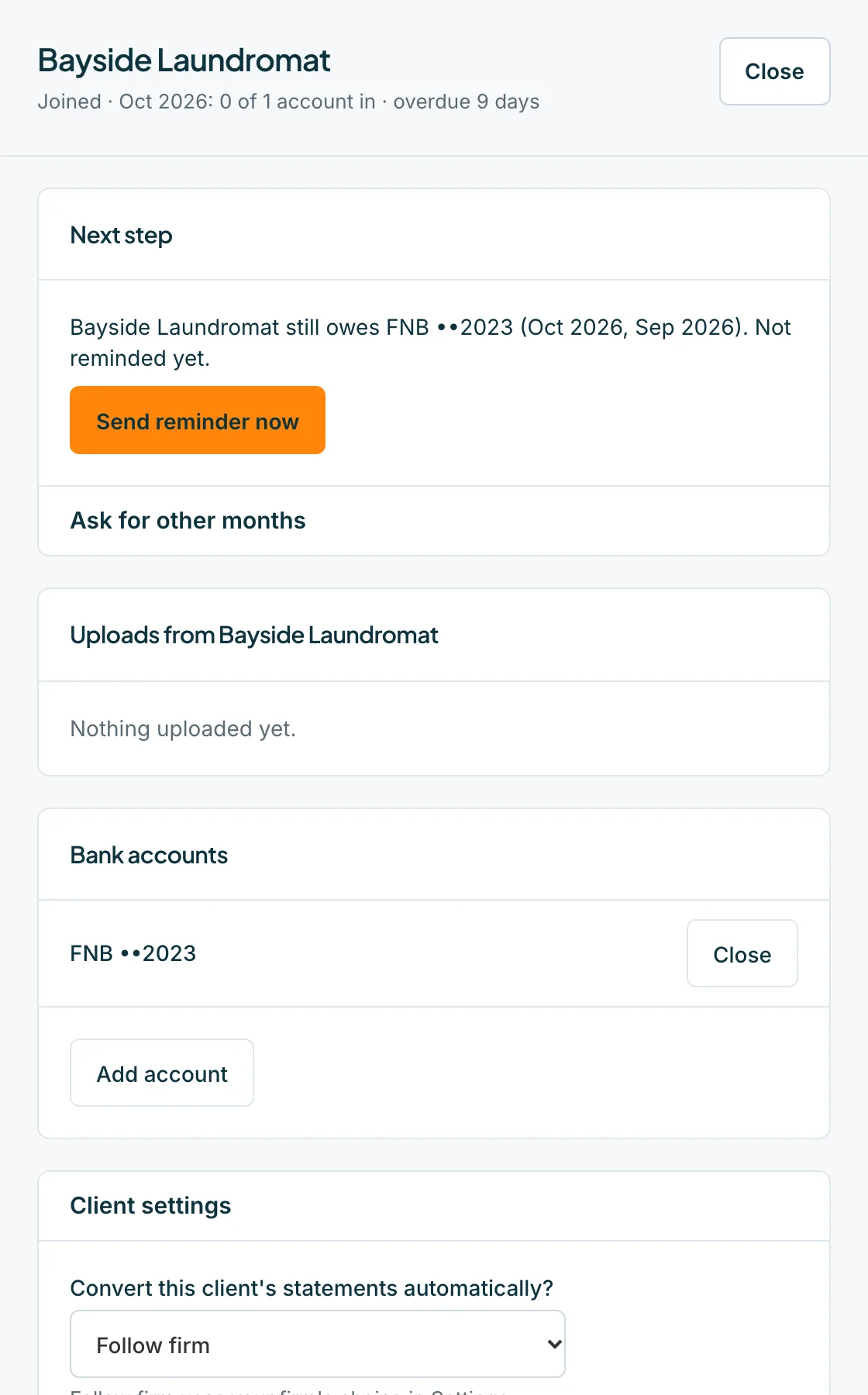
Open the client from the Clients tab, open Client settings, and under Convert this client's statements automatically? choose Follow firm, On or Off.
 Open full size screenshot for step 4
Tips
- Only an owner or admin can change these settings, including a client's own override. A member sees Your firm's owner hasn't chosen whether statements convert automatically yet.
- Credits come from the firm owner's balance. A banner shows when statements are waiting for credits.
- Follow firm uses your firm's choice in Settings. Turning it on for one client uses credits at 1 credit per page.
If something goes wrong
- Statements are waiting for credits.
- Buy credits from Billing & credits. The waiting statements start as soon as you add more.
- You see Could not save that choice. Please try again.
- Check your connection and try again.
- You see This client is being deleted permanently, so its settings can't be changed.
- The client is being deleted. Finish or restore it first.
Related guides
- Convert statements from the HubConvert one statement, or a whole month, to a spreadsheet using credits, and check the cost first.
- Free limits, credits and held statementsKnow the free client and statement limits, what happens when you go over, and how a purchase releases held statements.
- Who can do what in Statement HubSee what owners, admins and members can each do in Statement Hub, and where colleagues are added.