Convert statements from the Hub
Last reviewed 15 November 2026 · 4 steps
Convert one statement, or a whole month, to a spreadsheet using credits, and check the cost first.
Firms
Steps
Find the Convert button
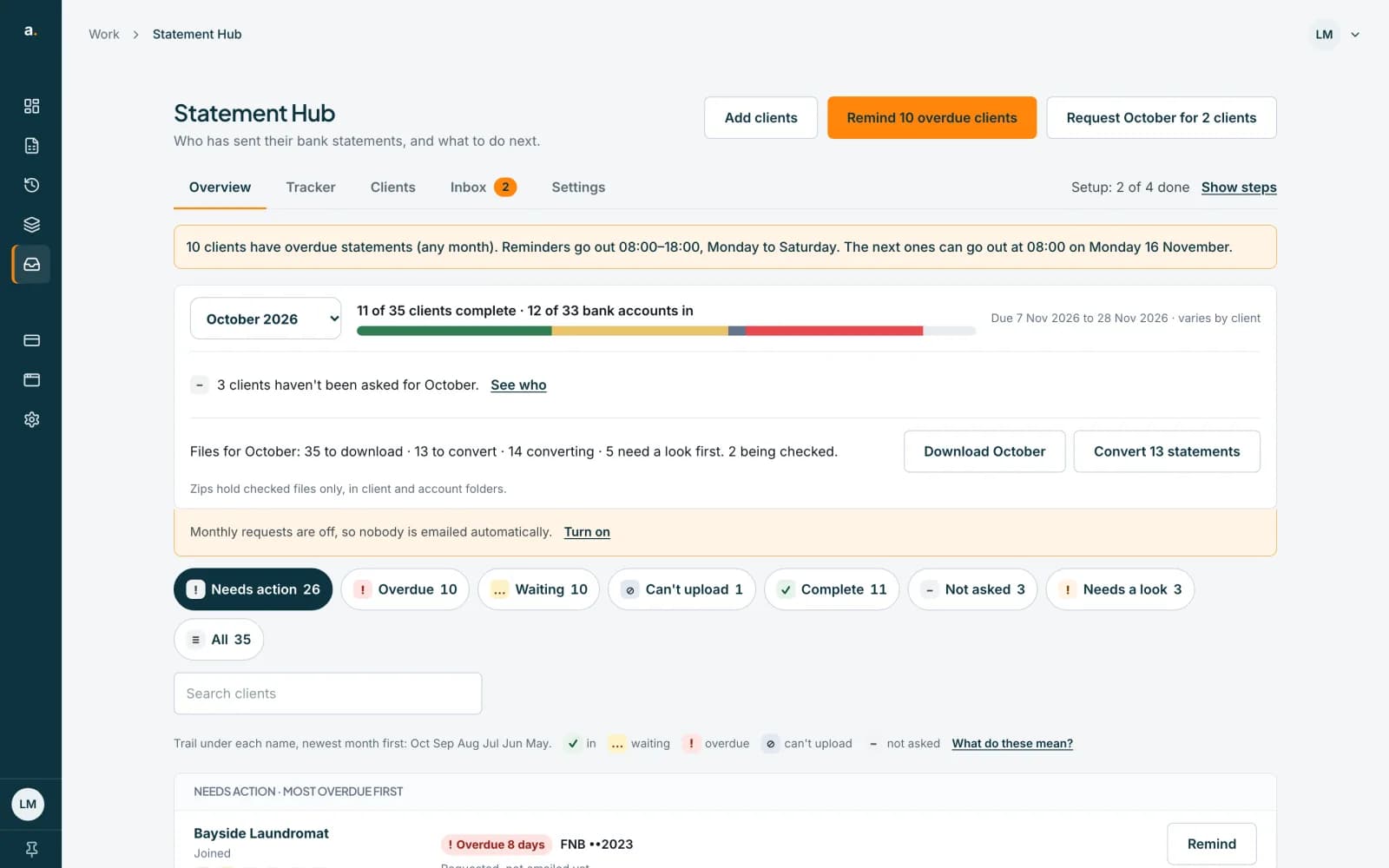
On the Overview, the Files for October row shows Convert 13 statements when statements are ready to convert. For one statement, open the client's sheet, or open a request in the Tracker, and press Convert beside the file. The button shows its cost, for example Convert · 3 credits.
 Open full size screenshot for step 1
Check the cost
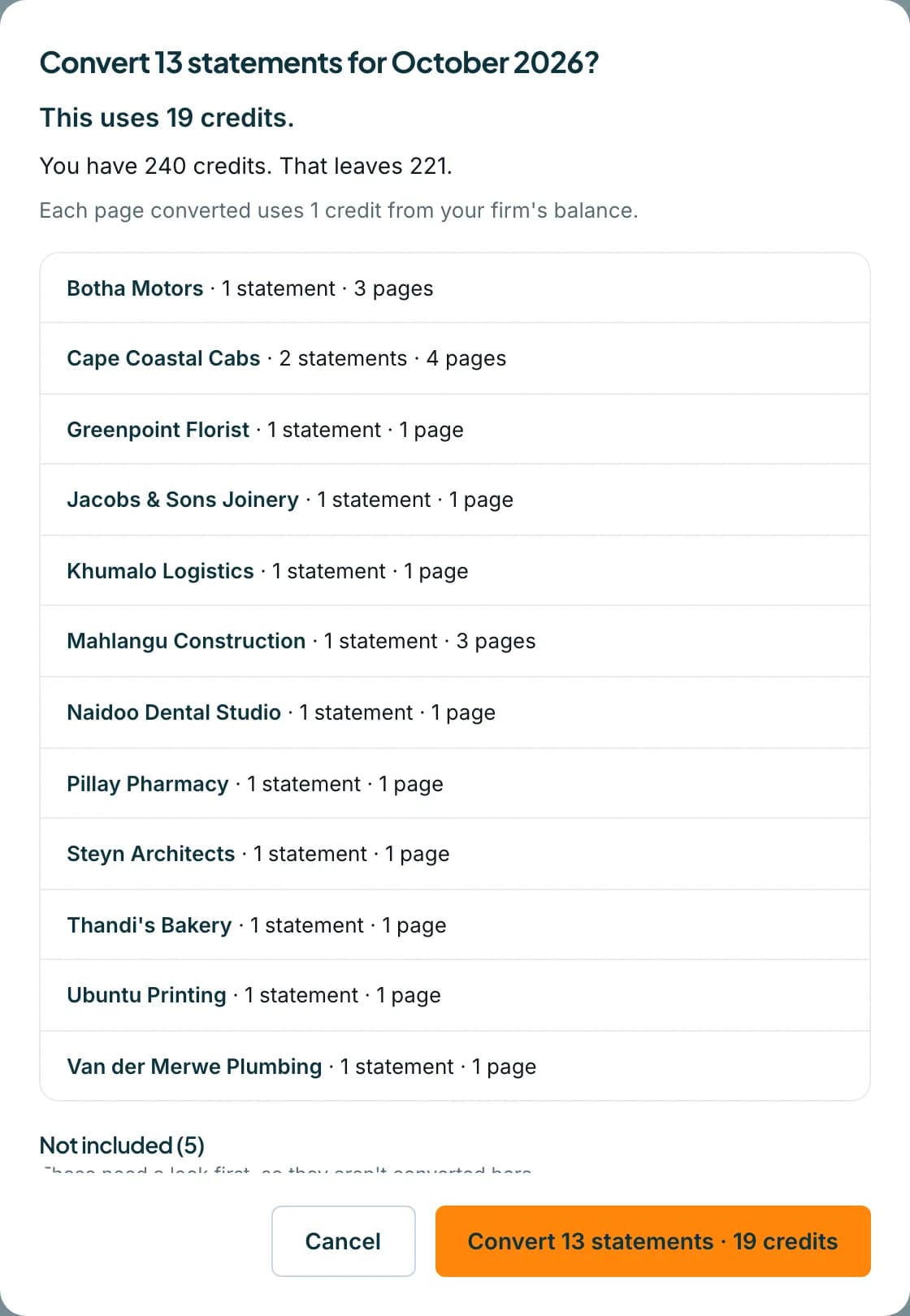
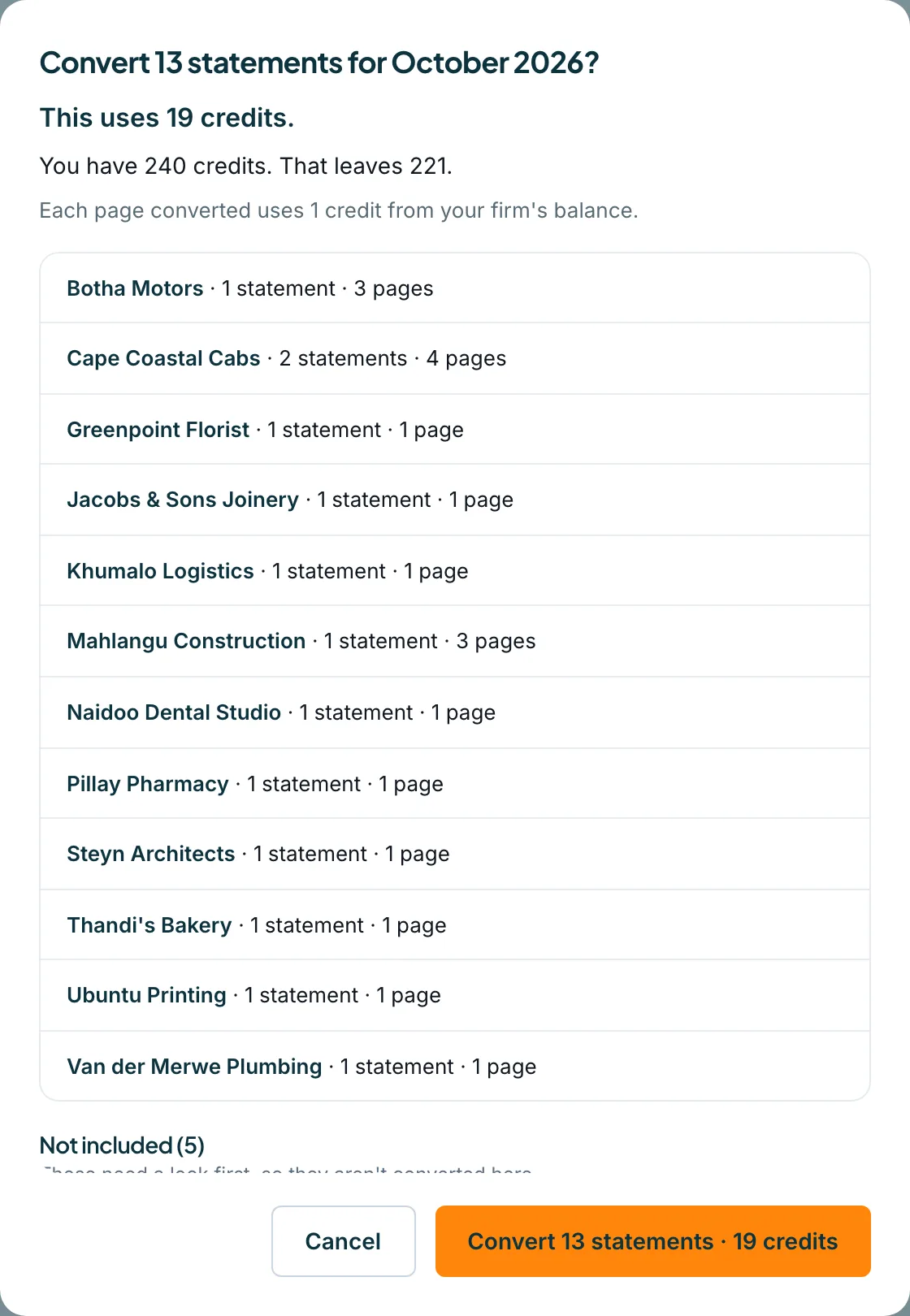
A dialog asks Convert 13 statements for October 2026? It says This uses 19 credits and You have 240 credits. That leaves 221. Each page uses 1 credit from your firm's balance. Files that need a look first are listed under Not included.
 Open full size screenshot for step 2
Press Convert
Press Convert 13 statements · 19 credits. The dialog counts Starting and says how many started. Each file shows Converting… until it is ready.
Follow each statement
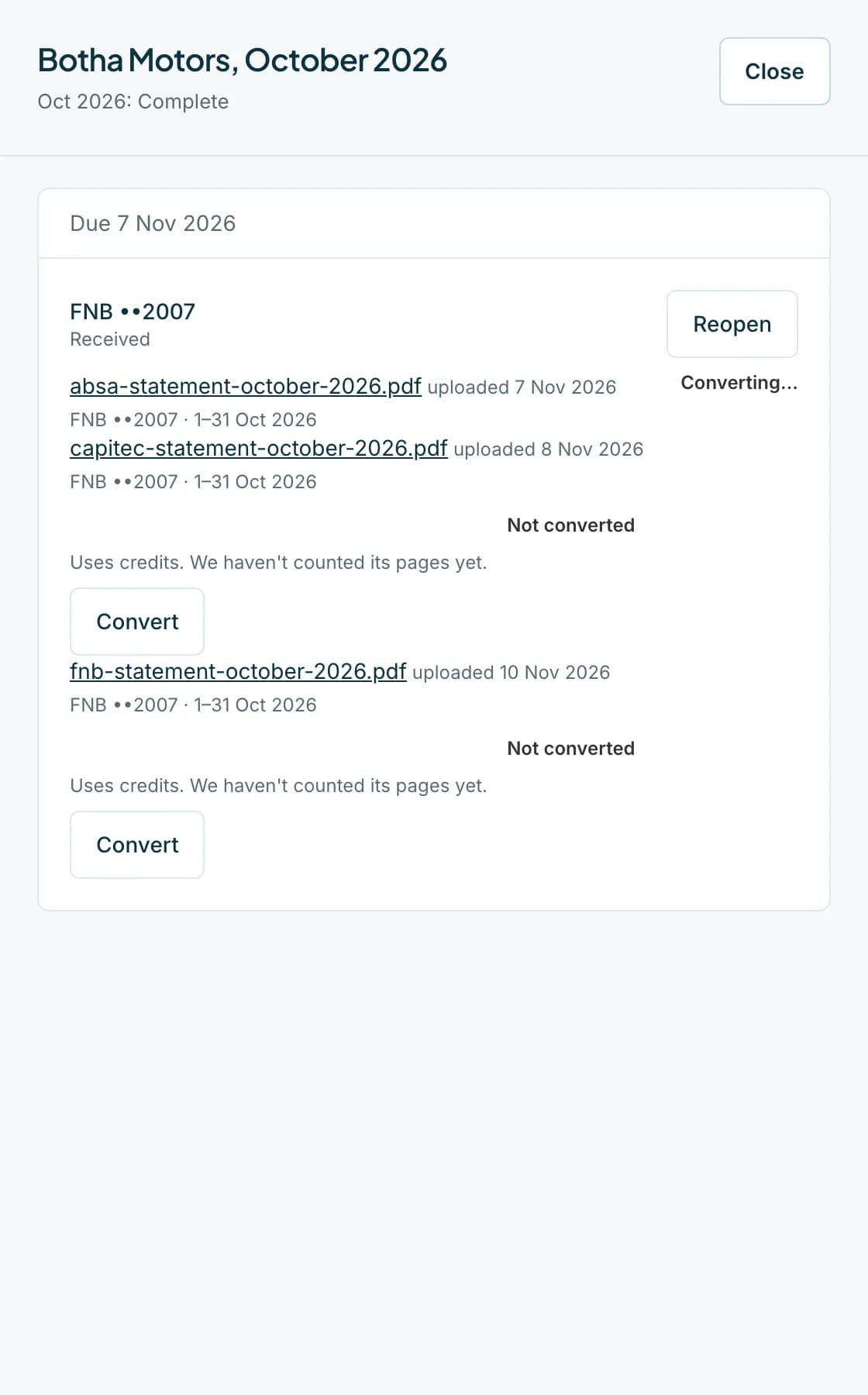
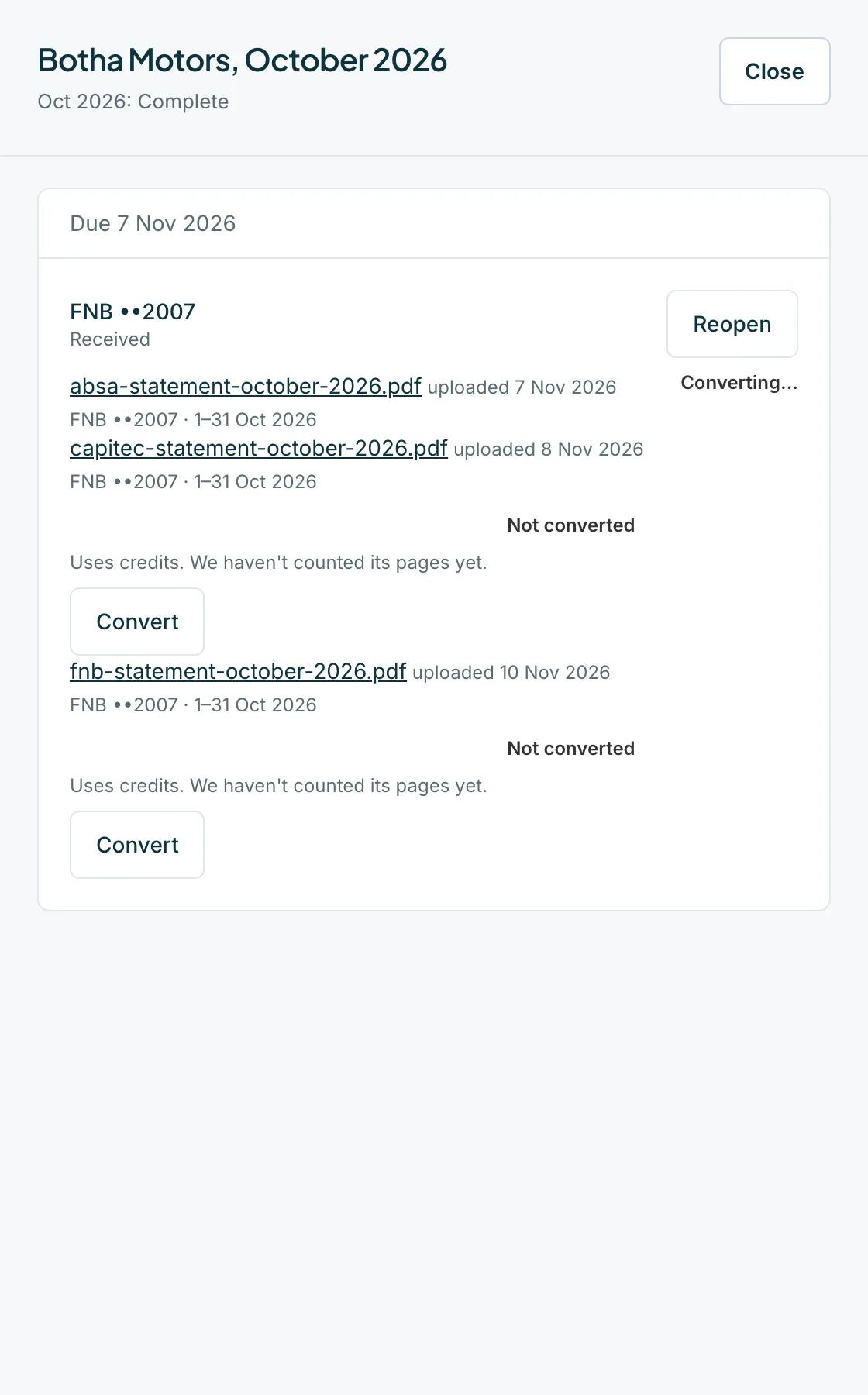
In the client's sheet or the request, each file shows its state: Not converted, Converting…, Waiting for credits, Will retry shortly, Conversion failed or Converted. When it is ready, press Download CSV.
 Open full size screenshot for step 4
Tips
- Credits come from the firm owner's balance. A member can convert, but if credits run out the rest wait until an owner or admin adds more.
- If you do not have enough credits, the dialog says You need N more credits and offers Convert what fits and Buy credits.
- Open the converted statement in Statements to check the balance, edit rows and export.
If something goes wrong
- A file says Conversion failed.
- Read the reason: no firm owner account to take credits from, the PDF could not be read, the PDF is over 20 MB, or the owner's email address is not confirmed.
- The dialog says The cost changed.
- The figures changed while it was open. Nothing was converted. Press Review again.
- A file asks Convert anyway.
- It looks like a copy of another statement, or is not recognised as a bank statement. Convert it only if you are sure.
- A file says Uses credits. We haven't counted its pages yet.
- The cost is not known yet. It is charged per page when it converts.
Related guides
- Convert statements automaticallyChoose whether statements convert on their own when they arrive, and override it for one client.
- Download a client's files and a month zipDownload one file, all of a client's files, or every checked file for a month as a zip.
- Convert a bank statement PDF to CSVUpload a bank statement PDF, check the balance and download a CSV you can open in Excel.
- Read the balance checkSee whether a converted statement adds up, find the row that does not, and read what the Balance checks panel suggests.