Download a client's files and a month zip
Last reviewed 15 November 2026 · 4 steps
Download one file, all of a client's files, or every checked file for a month as a zip.
Firms
Steps
Download a month for everyone
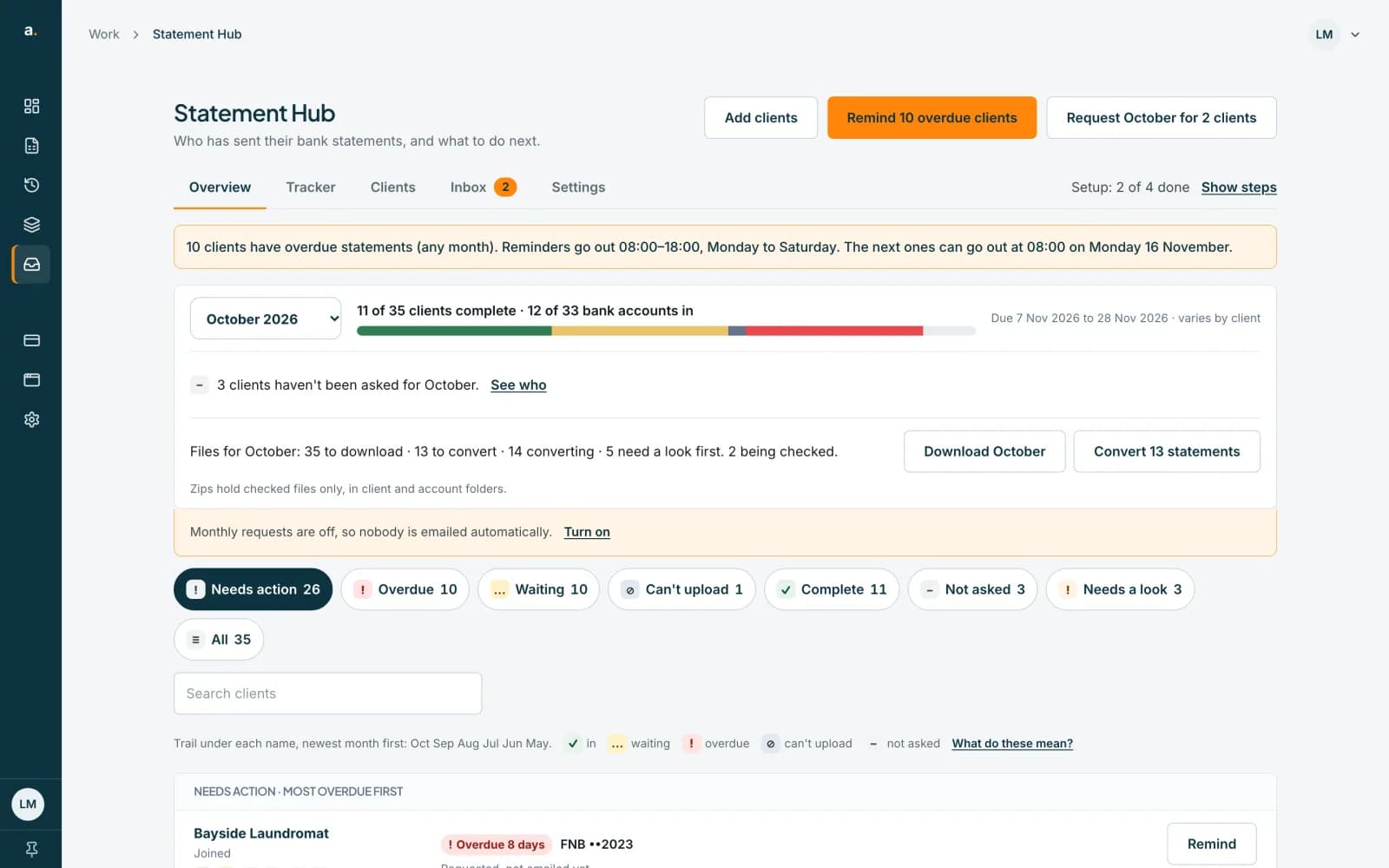
On the Overview, the Files for October row says how many files are ready, for example 35 to download · 13 to convert · 14 converting · 5 need a look first. Press Download October to get one zip.
 Open full size screenshot for step 1
Know what is in the zip
The row says Zips hold checked files only, in client and account folders. A file that is still being checked or was blocked is not included.
Download one client's files
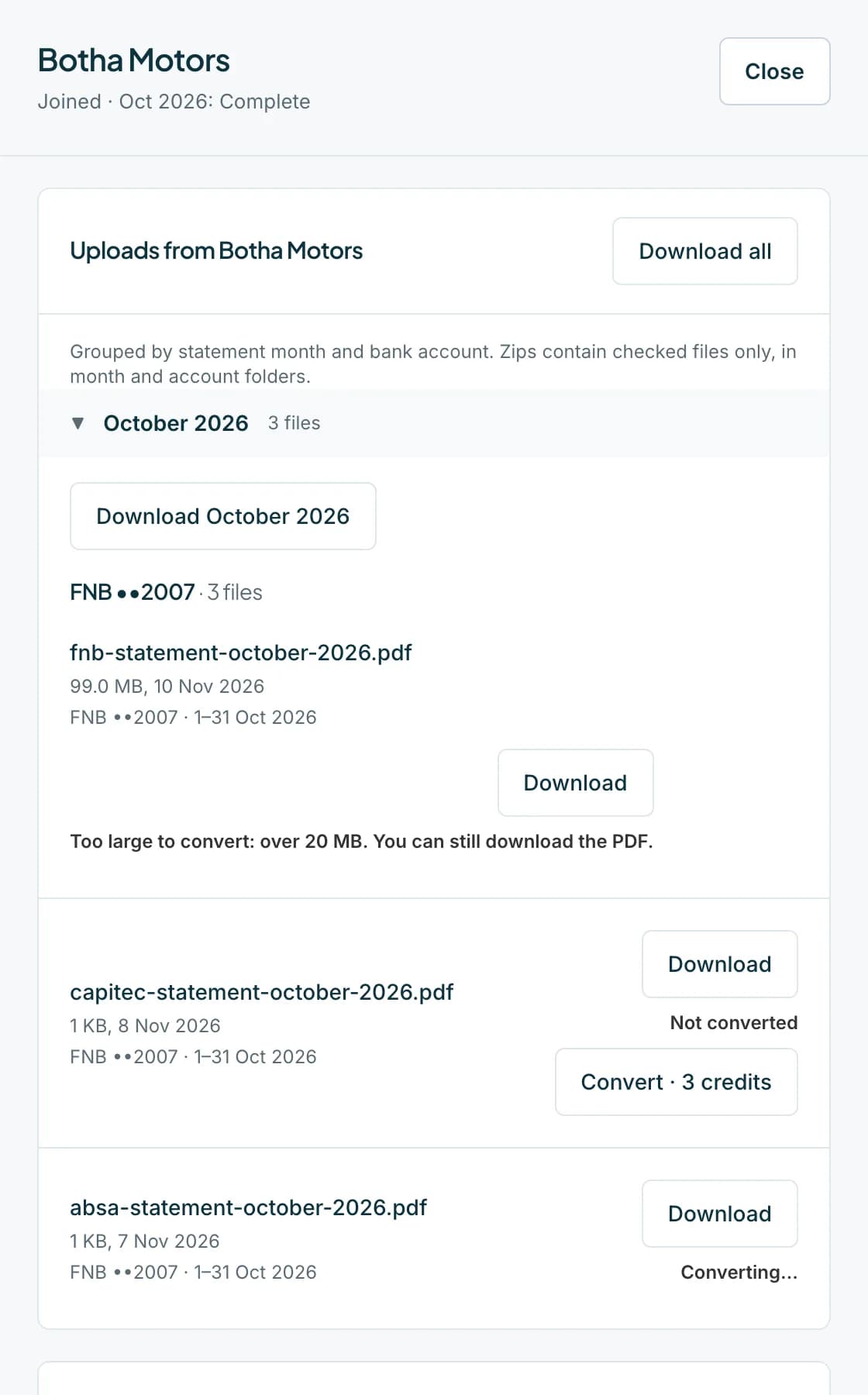
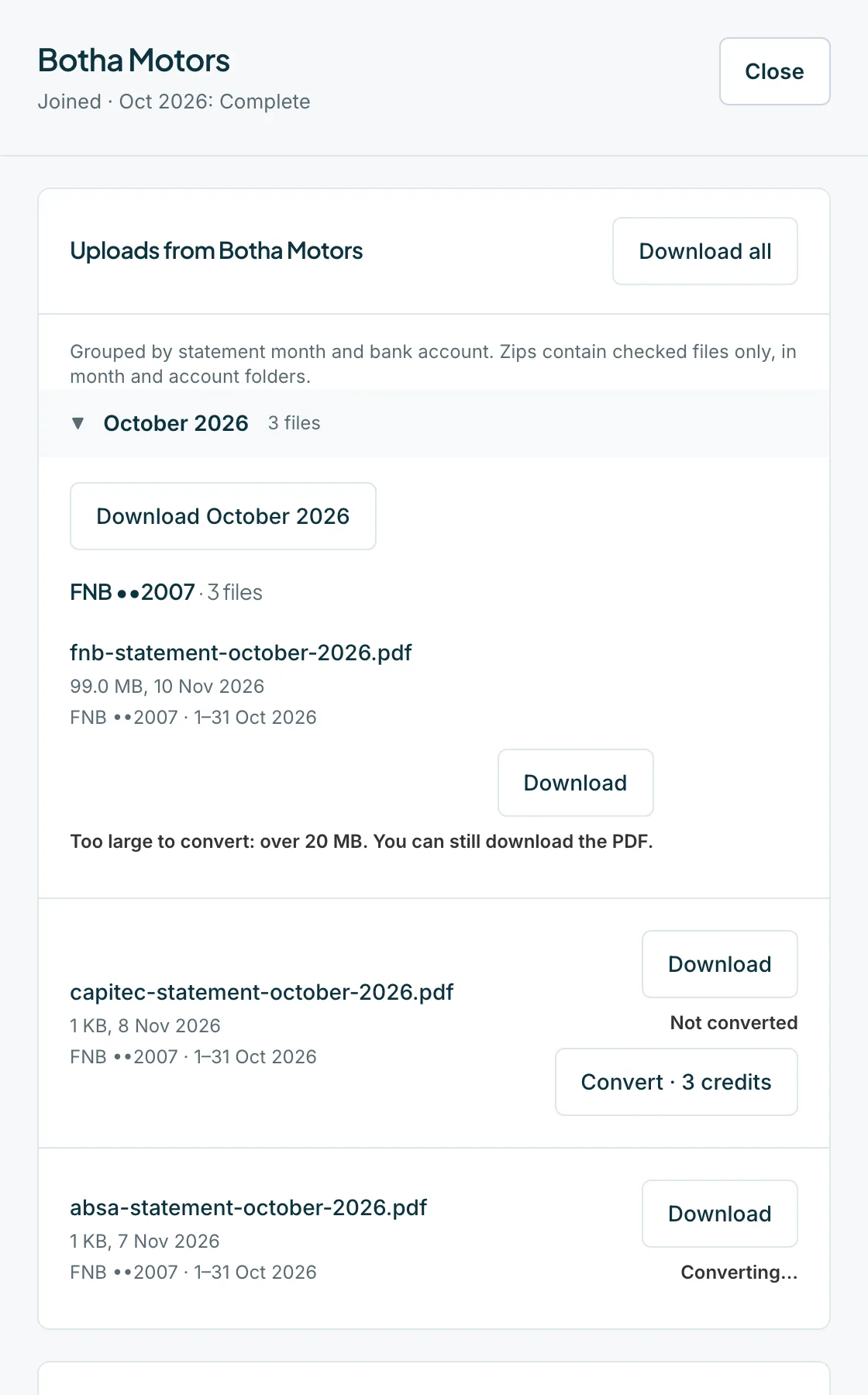
Open the client's sheet. Under Uploads from the client, files are grouped by month and bank account. Press Download all, Download and a month, or Download beside one file.
 Open full size screenshot for step 3
Download from a request
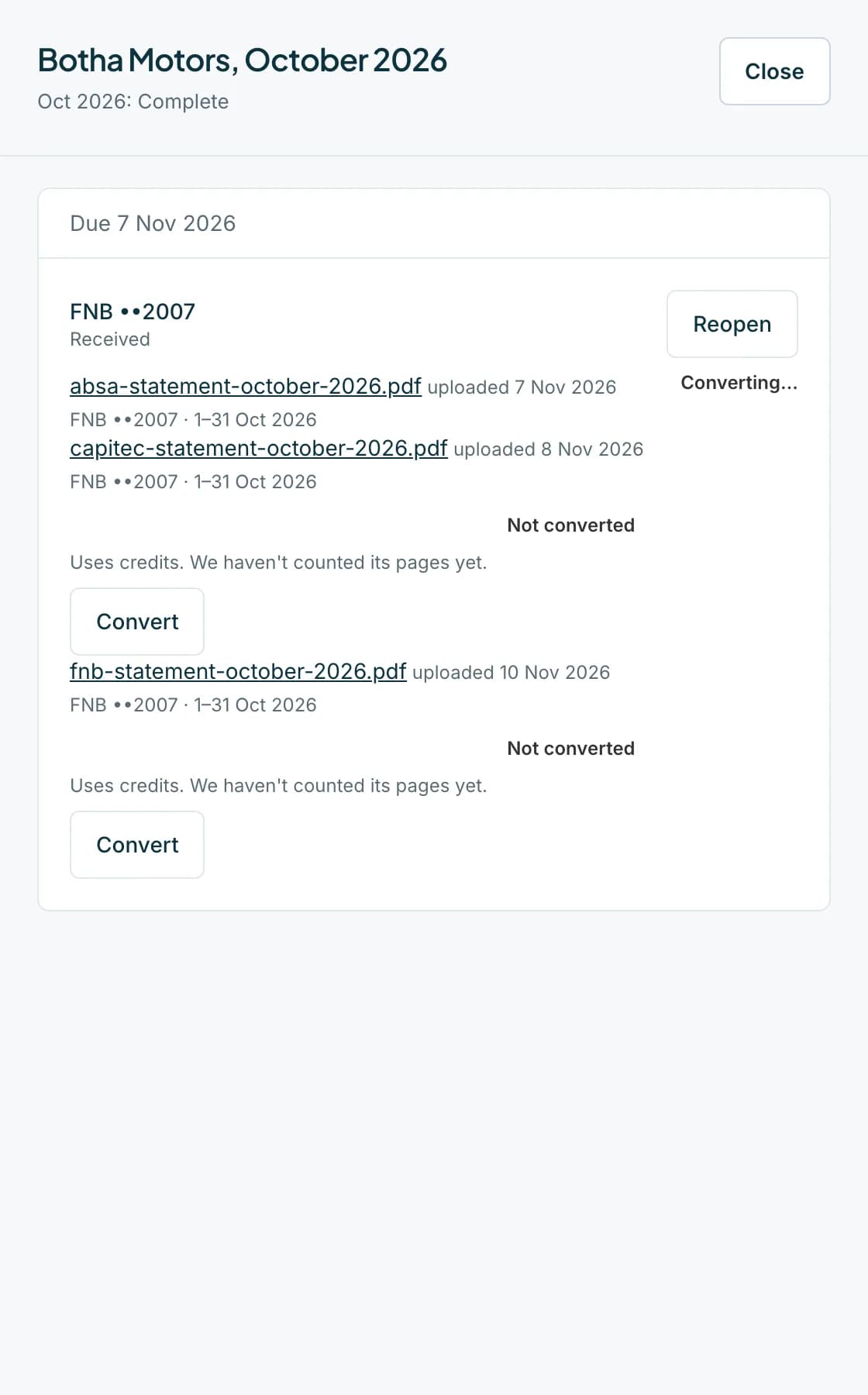
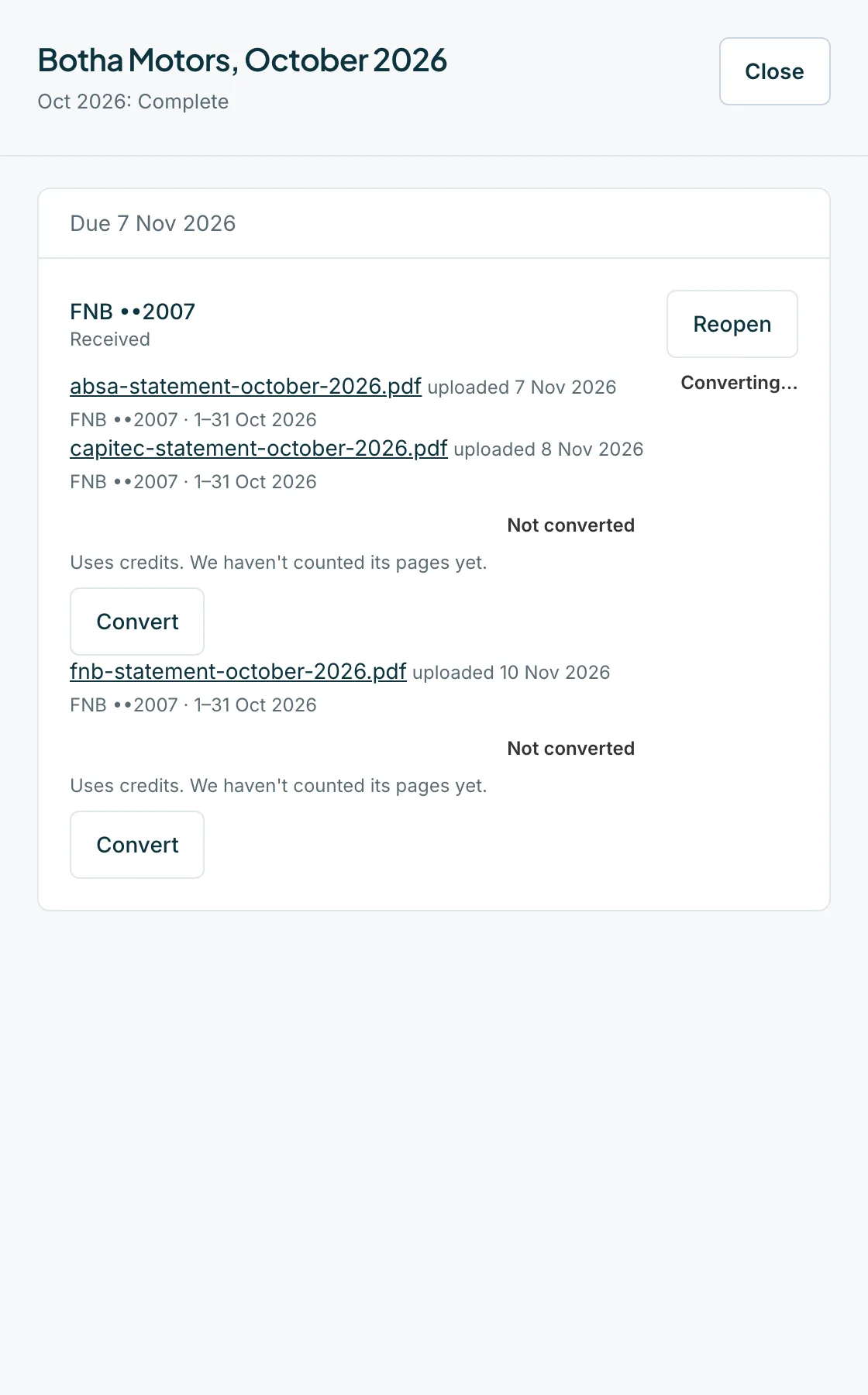
In the Tracker, press a cell. A received request lists its files, each with Download and Convert.
 Open full size screenshot for step 4
Tips
- A zip holds up to 200 files or 100 MB. A bigger month is split, for example Download October, part 2 of 3.
- The client sheet lists the newest 20 files for each month. Press Show all to see the rest.
- The original PDFs stay in Statement Hub until your retention period ends.
If something goes wrong
- You see Other zips are being built right now. Try again in a minute.
- Only a few zips can be built at a time. Wait a minute and press Download again.
- You see We couldn't build the zip.
- Try again, or download the files one by one from the client's sheet.
- The sheet says Too many files to zip at once.
- The month is over the zip limit. Download the files one by one.
- A file is missing from the zip.
- Only checked files are included. Look for a file marked Checking, Blocked or Couldn't be checked.
Related guides
- Convert statements from the HubConvert one statement, or a whole month, to a spreadsheet using credits, and check the cost first.
- Handle files that need a lookFind files that were blocked, could not be checked or are locked, and unlock a locked statement with its password.
- Use the Tracker to see what is missingSee every client and month in one grid, filter to what is still missing, and mark a statement received or can't upload.