Handle files that need a look
Last reviewed 15 November 2026 · 4 steps
Find files that were blocked, could not be checked or are locked, and unlock a locked statement with its password.
Firms
Steps
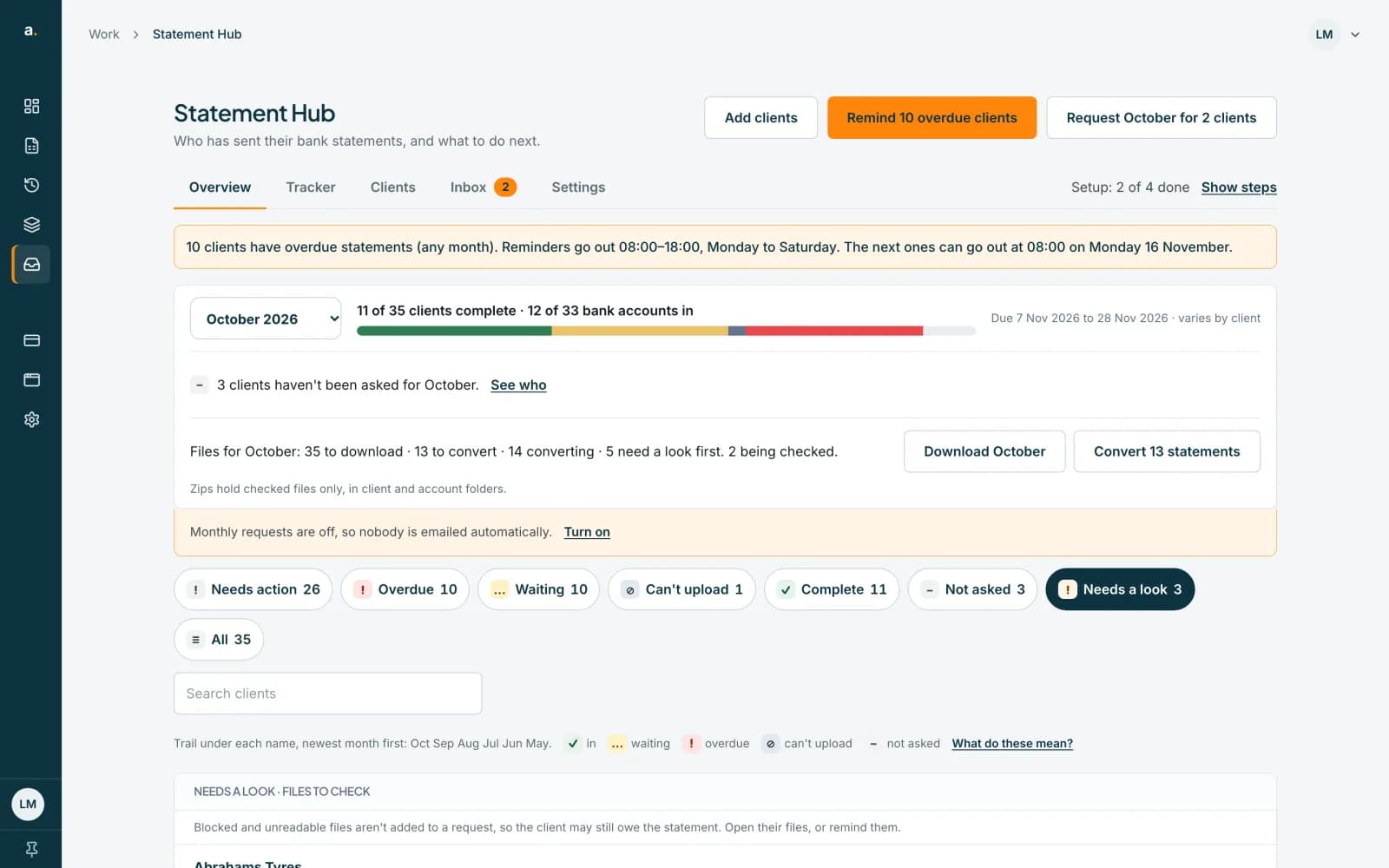
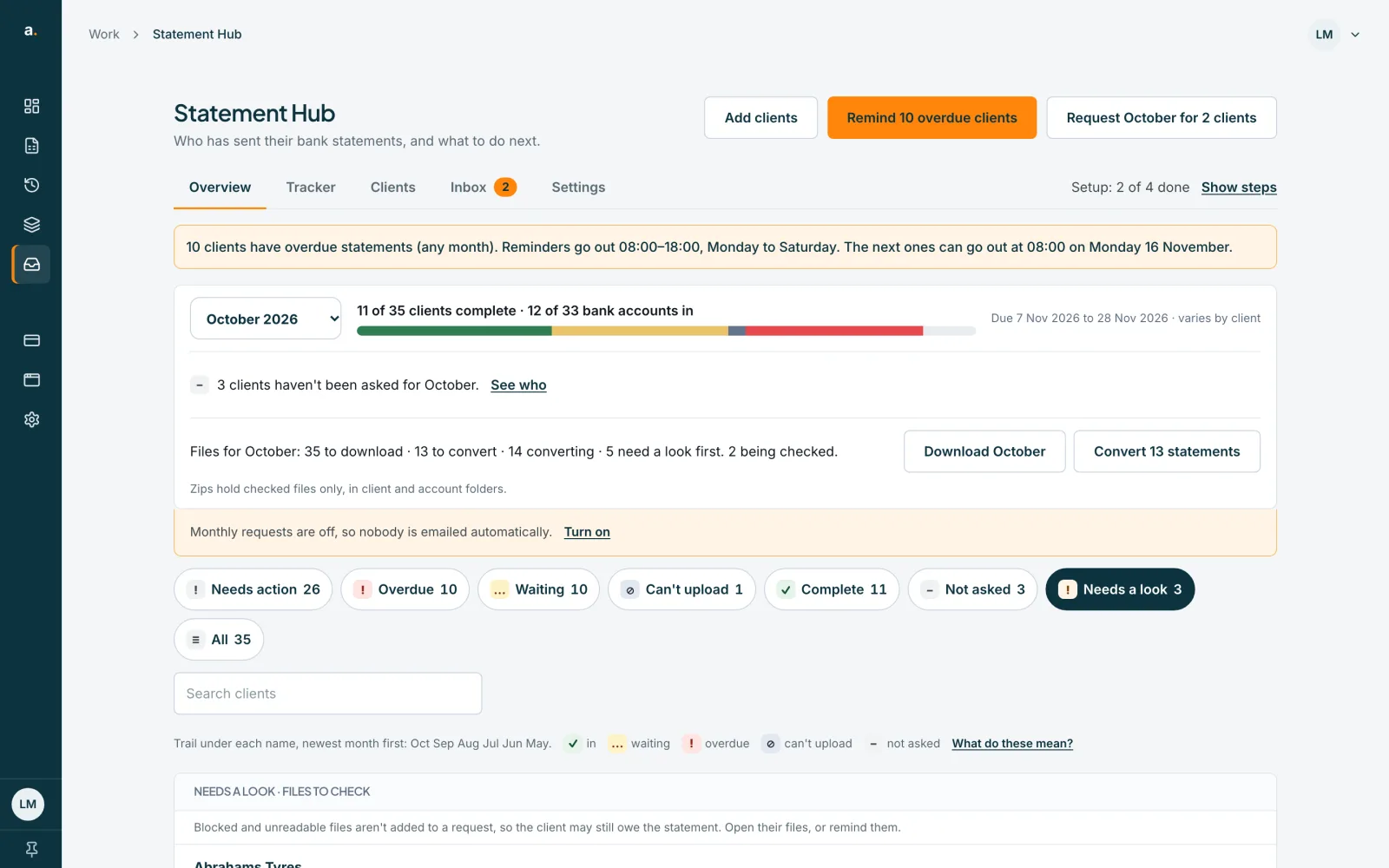
Press the Needs a look chip
On the Overview, the Needs a look chip appears when some clients have files to check. Press it to list those clients. The list says Needs a look · files to check.
 Open full size screenshot for step 1
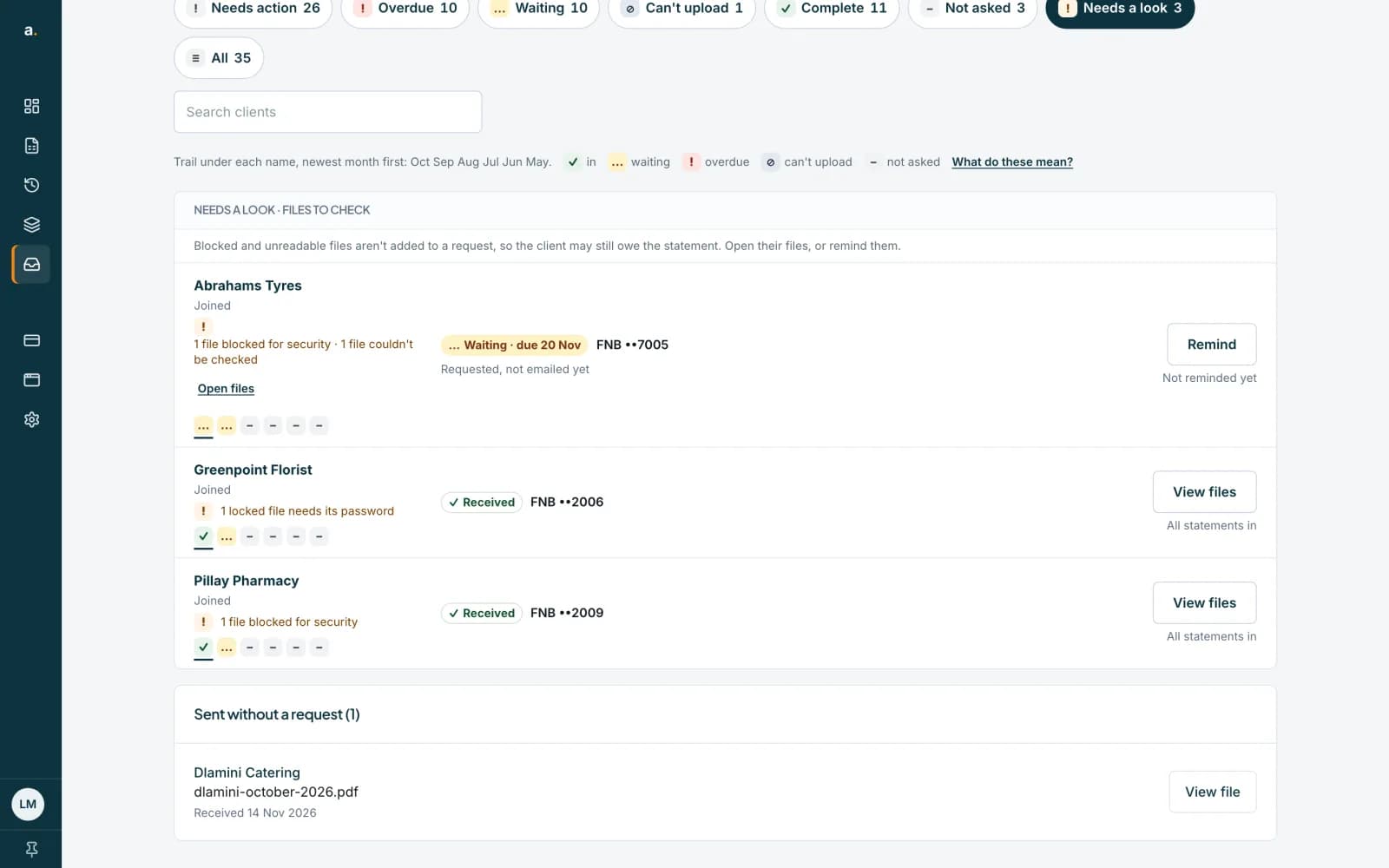
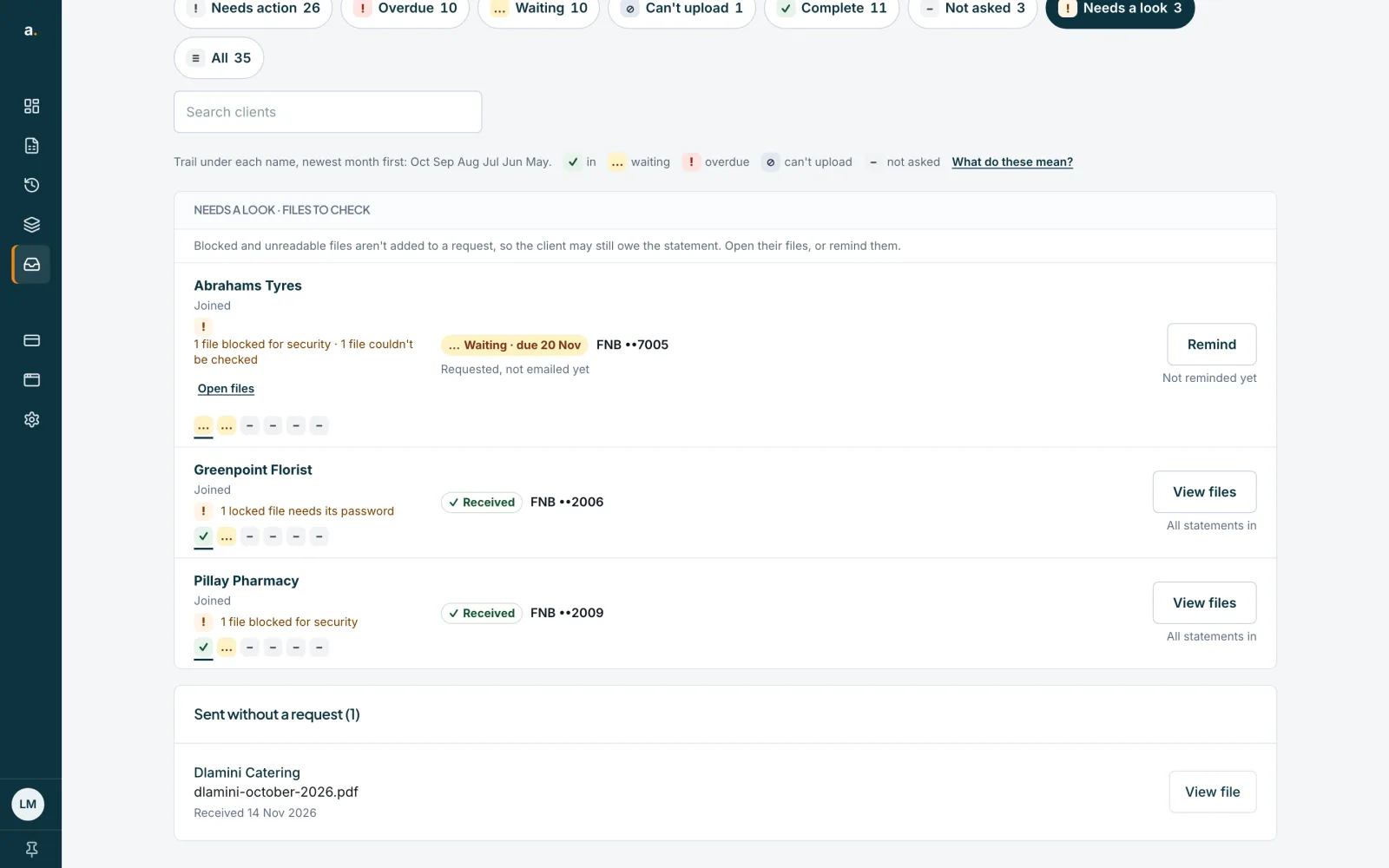
Read the reason
Each client row says what is wrong, for example 1 file blocked for security · 1 file couldn't be checked, or 1 locked file needs its password. Blocked and unreadable files are not added to a request, so the client may still owe the statement.
 Open full size screenshot for step 2
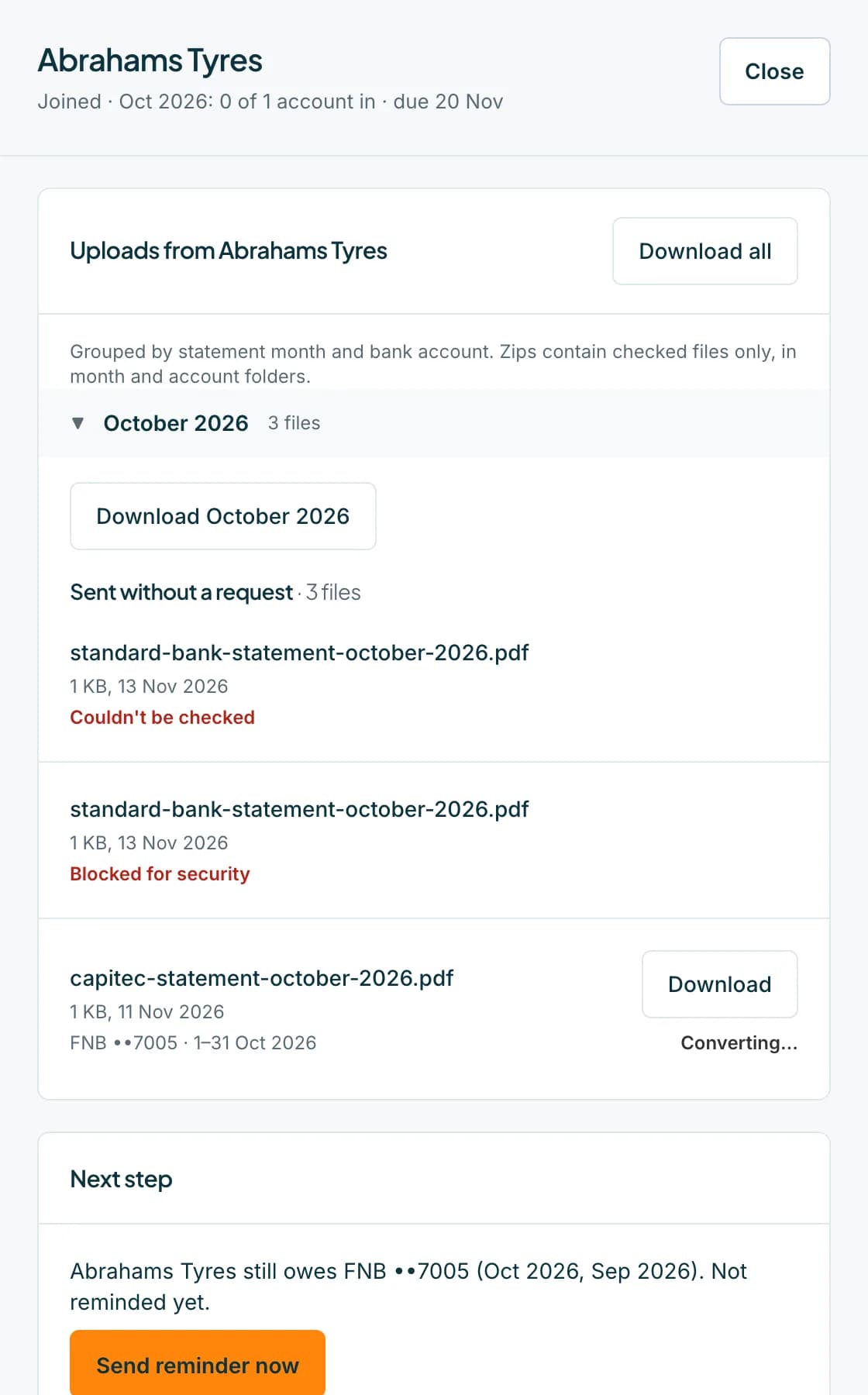
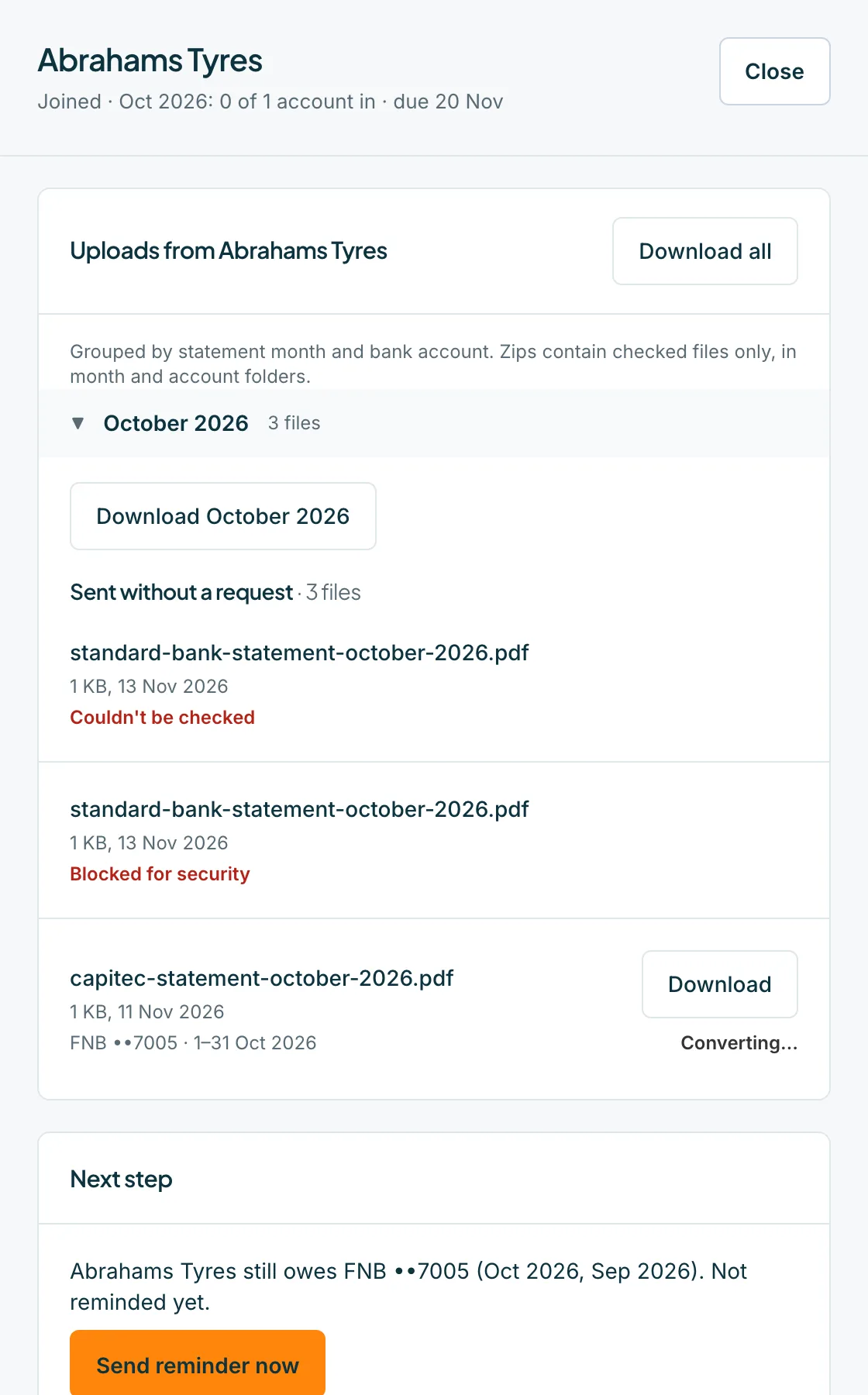
Press Open files
Open files shows that client's uploads, including Blocked for security and Couldn't be checked files, and a Send reminder now button.
 Open full size screenshot for step 3
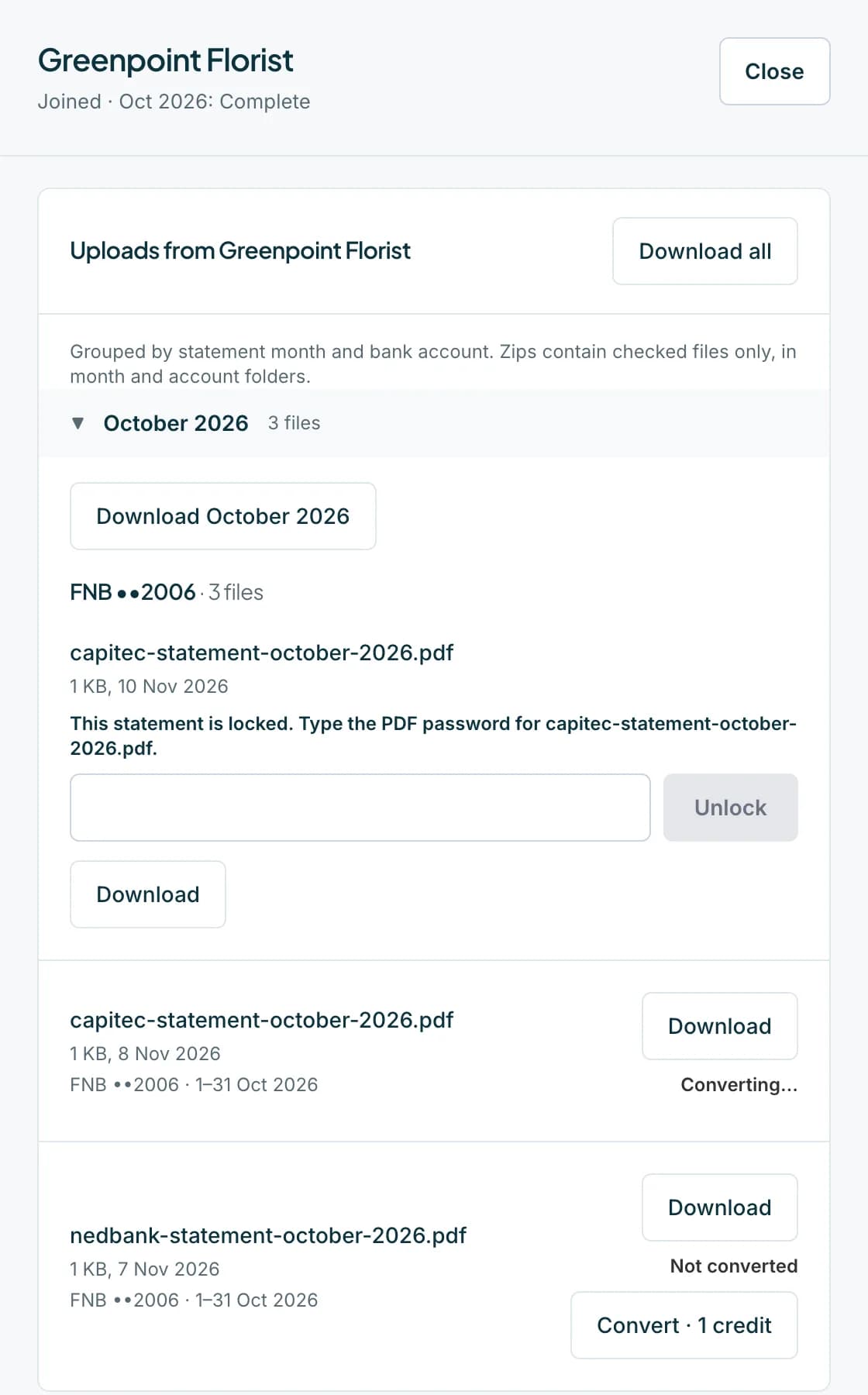
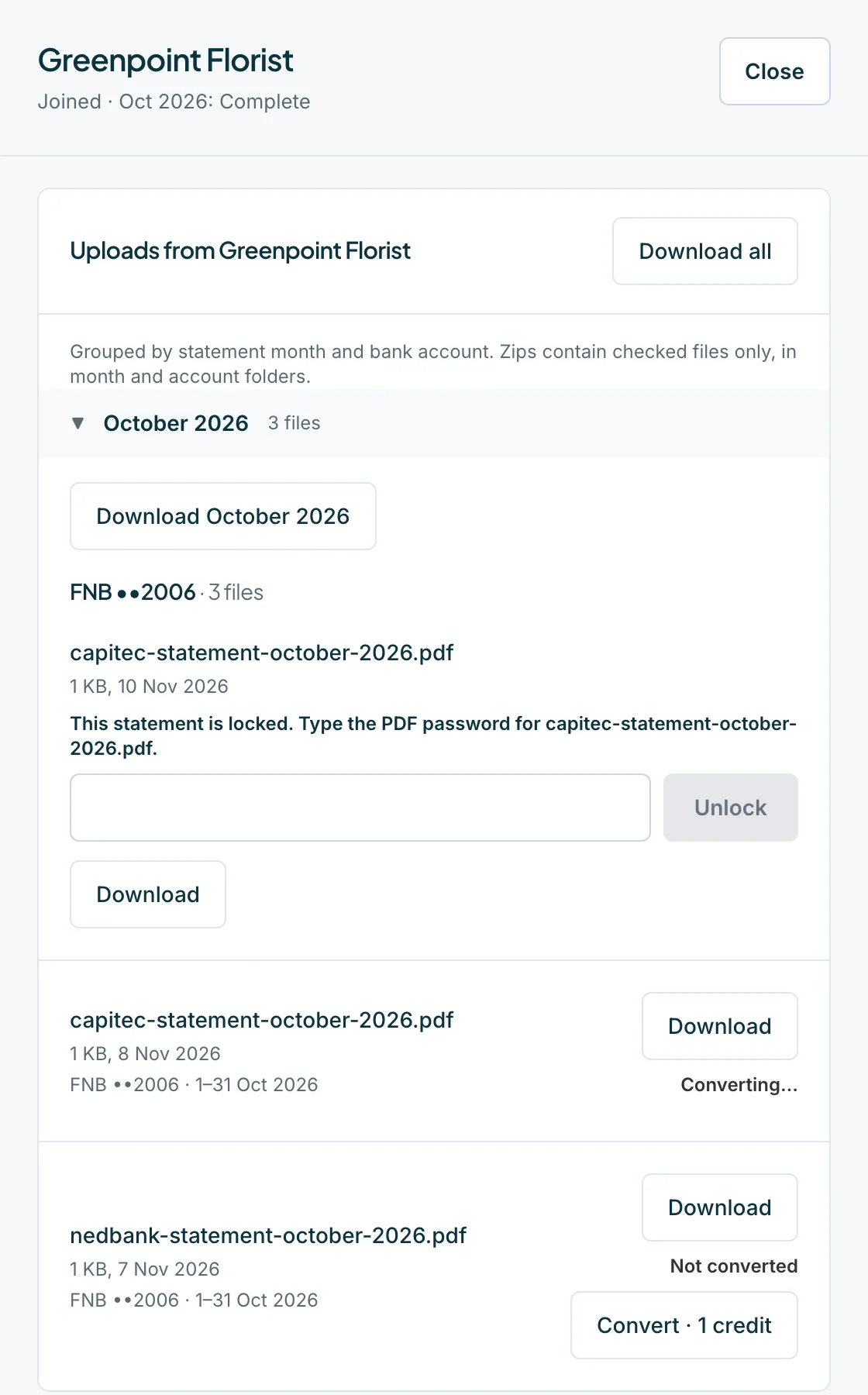
Unlock a locked file
A password-protected PDF says This statement is locked. Type the PDF password for the file. Type the password the bank gave the client, then press Unlock. You can still press Download.
 Open full size screenshot for step 4
Tips
- Some files are listed with a note rather than a block: looks like a copy of another statement, not recognised as a bank statement, or pages not counted yet. A Wrong account? or Wrong month? badge means the details look like they are for a different account or month.
- Files that were over 20 MB can be downloaded but are too large to convert.
- A file that could not be checked after several attempts is deleted and the client is asked to send it again. Staff get an email about blocked files and files that could not be checked.
If something goes wrong
- You see That password didn't work. Try again.
- Check the password with the client and try again.
- You see Too many tries. Please wait an hour and try again.
- The limit on password tries was reached. Wait an hour.
- You see We couldn't open this file, even with a password.
- Ask the client to download it from their bank again and send it.
Related guides
- Download a client's files and a month zipDownload one file, all of a client's files, or every checked file for a month as a zip.
- Convert statements from the HubConvert one statement, or a whole month, to a spreadsheet using credits, and check the cost first.
- Fix problems with a fileUnlock a password-protected statement, and fix files that are not PDFs, are too large, or were not accepted.