Change your name, email or notifications
Last reviewed 16 November 2026 · 5 steps
Update the name on your account, move your sign-in to a new email address, and choose which emails we send you.
Free account
Steps
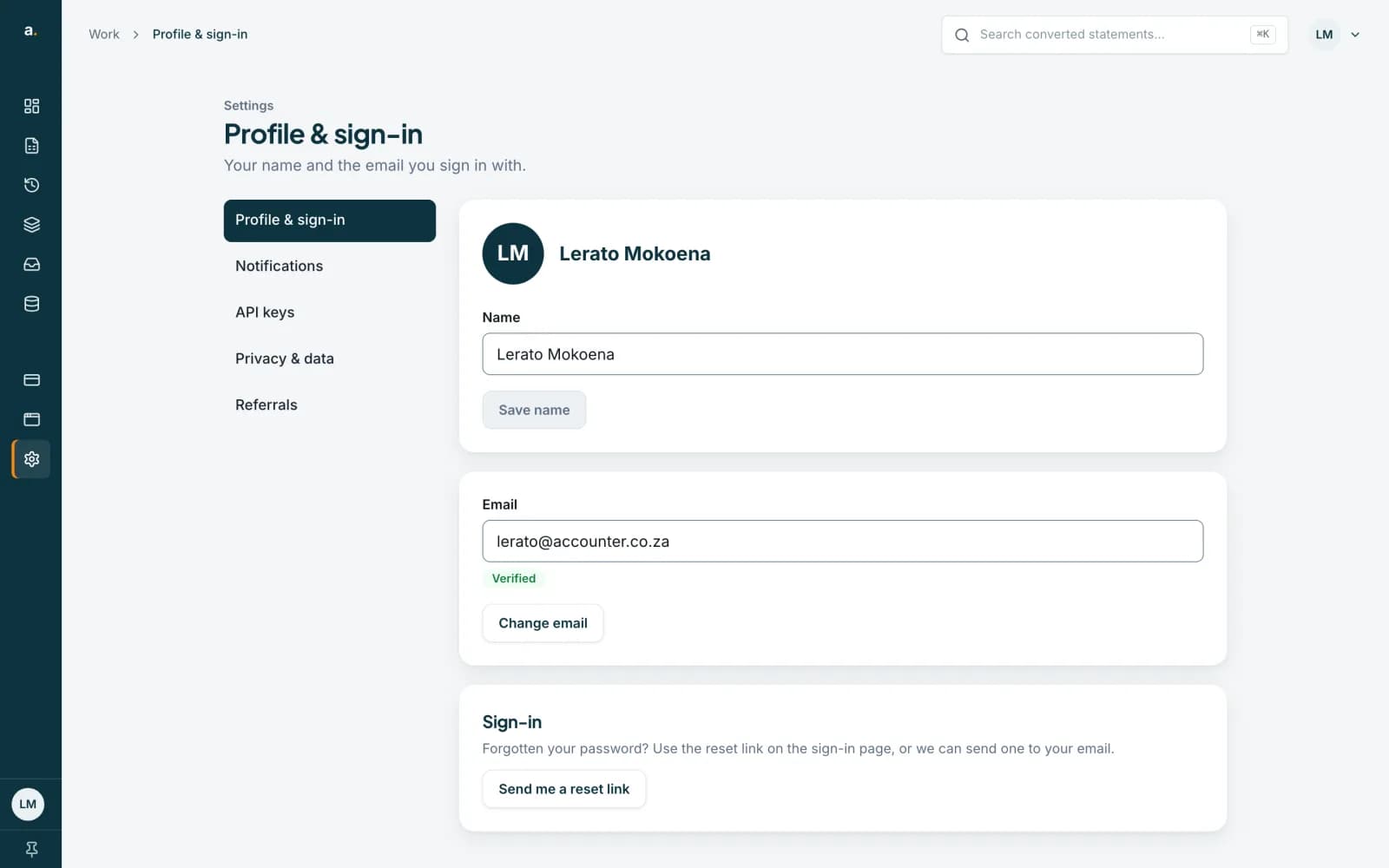
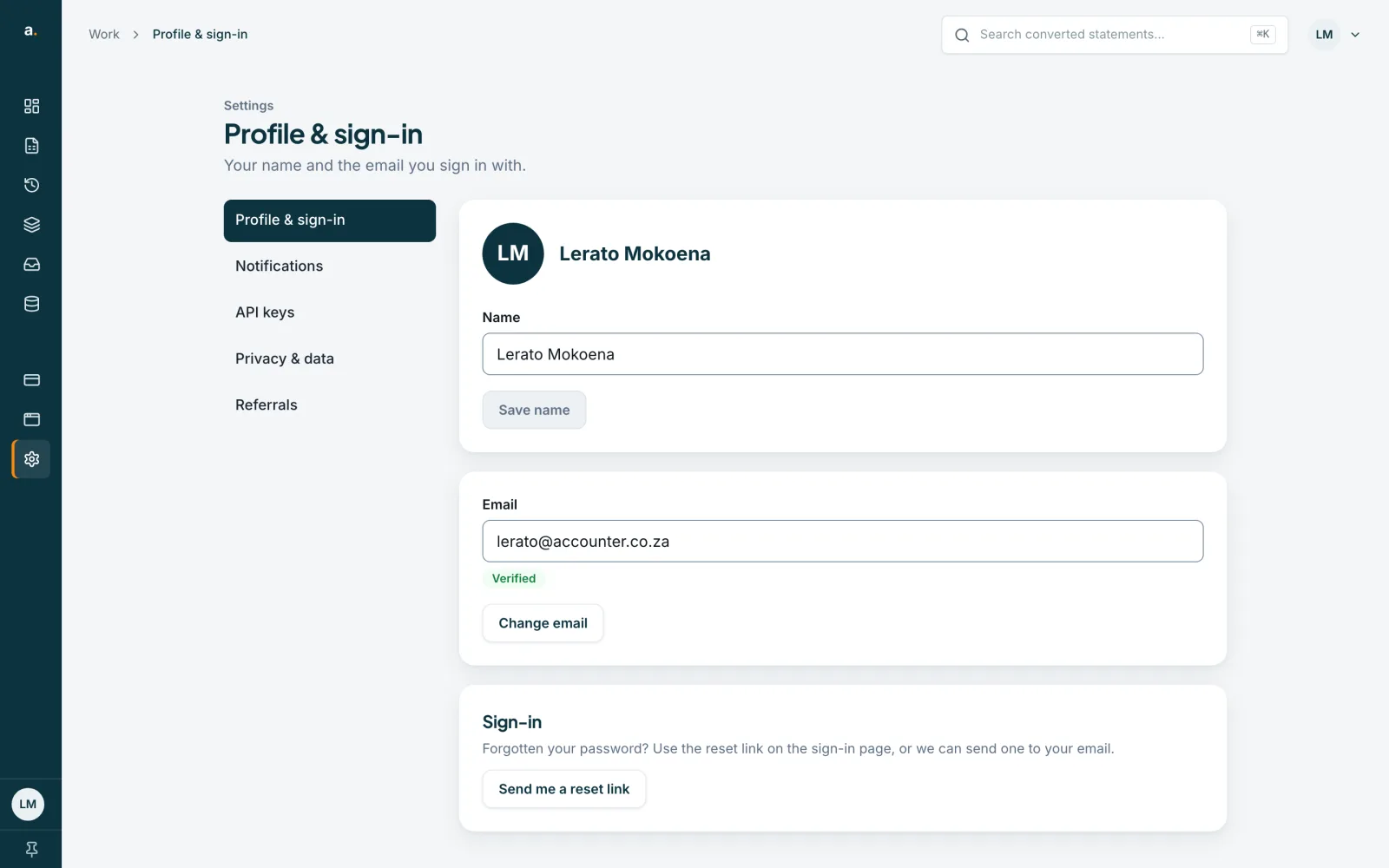
Open Profile & sign-in
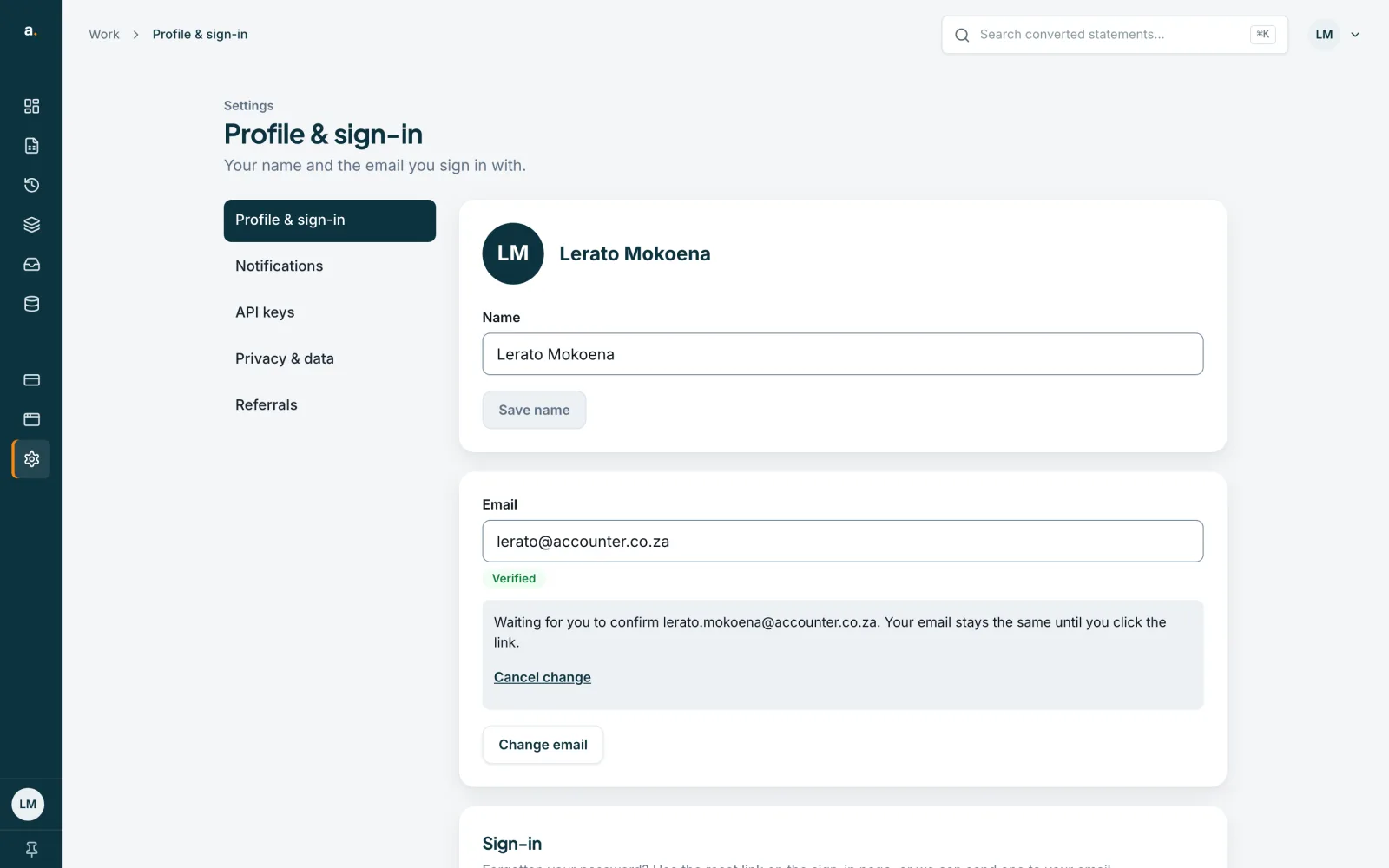
Open Settings in the left menu, then choose Profile & sign-in. It shows your name, the email you sign in with and whether that email is verified.
 Open full size screenshot for step 1
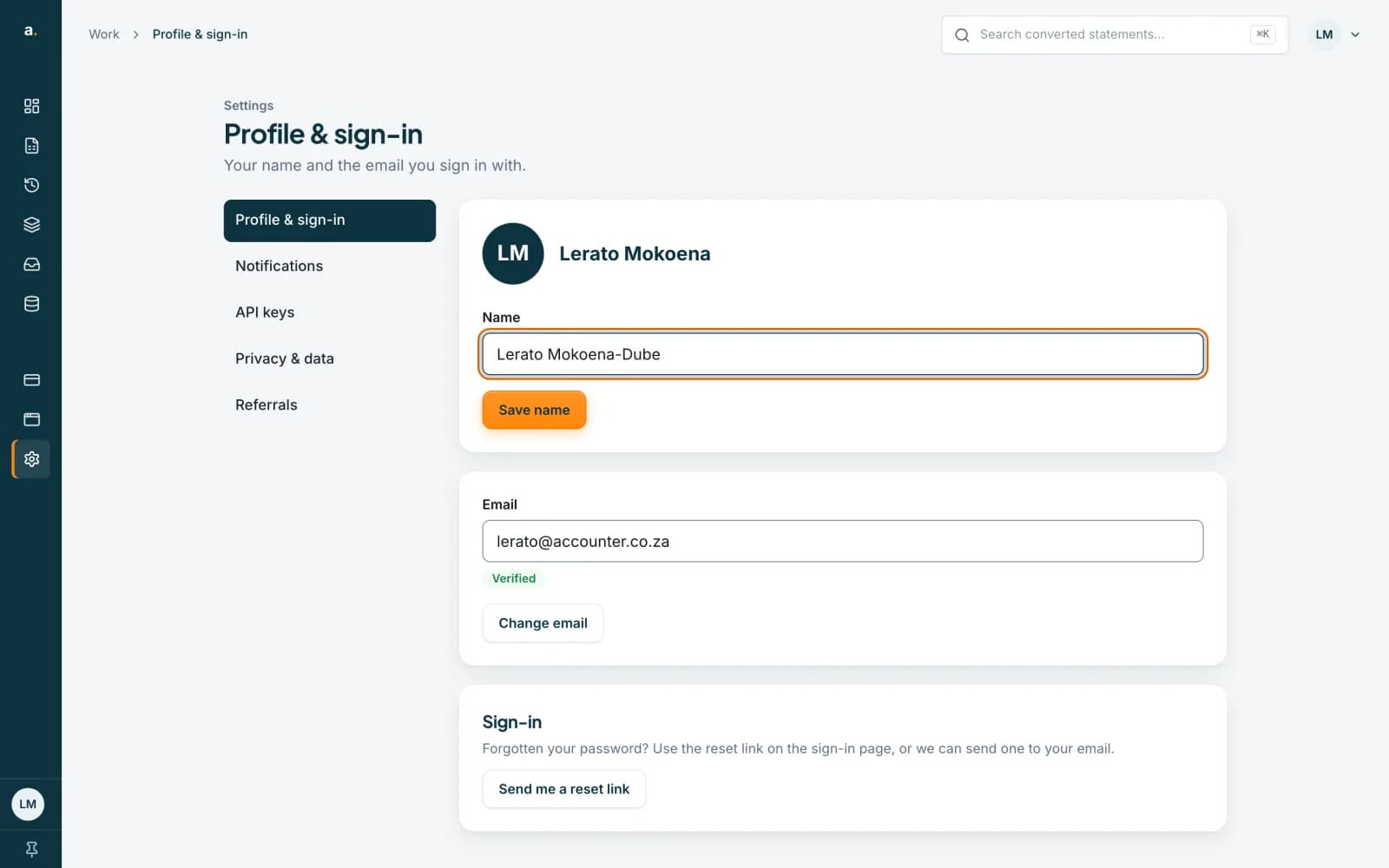
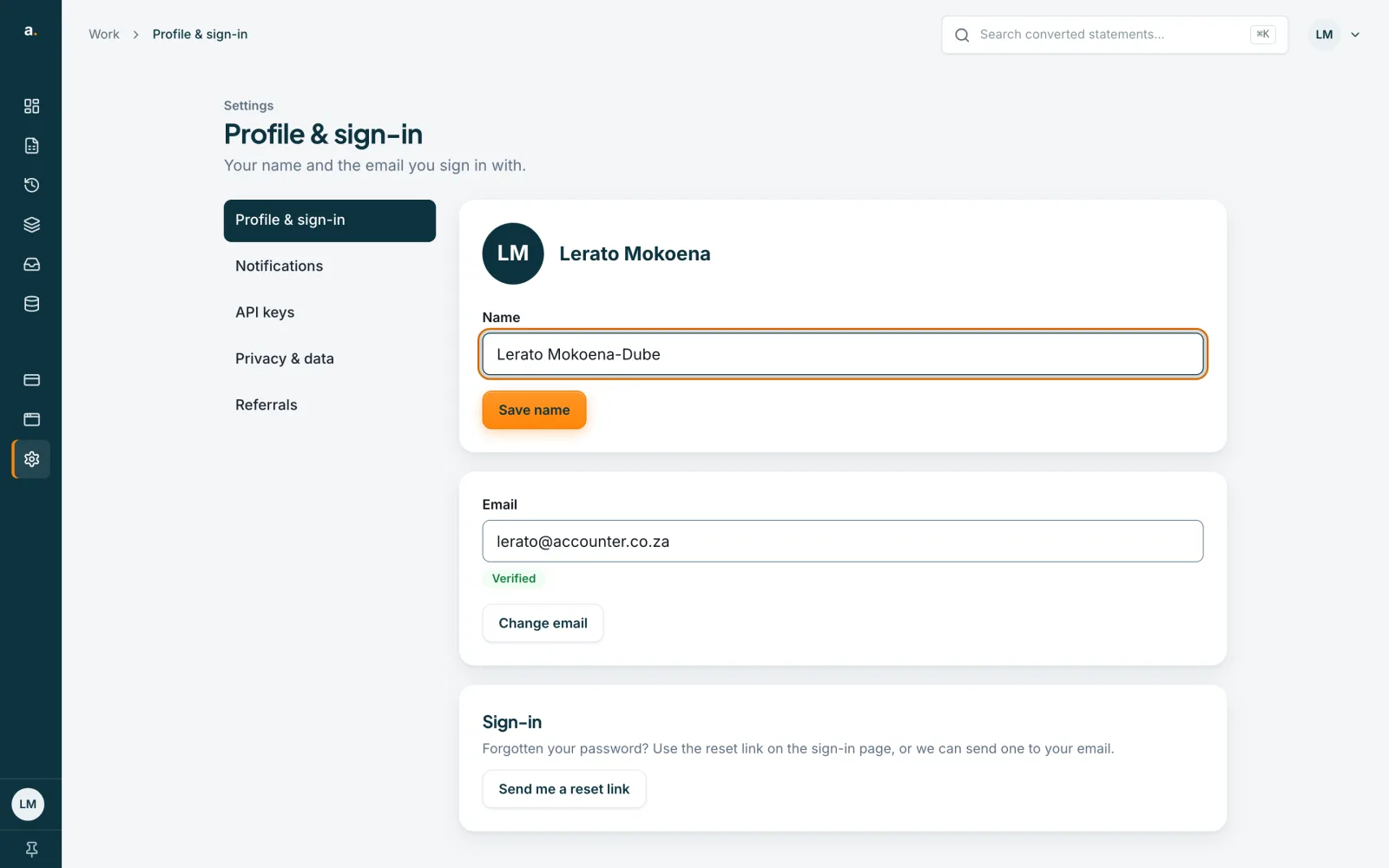
Change your name
Type your new name in the Name box and press Save name. The button only becomes active once the name has changed. Your initials at the top of the page update straight away.
 Open full size screenshot for step 2
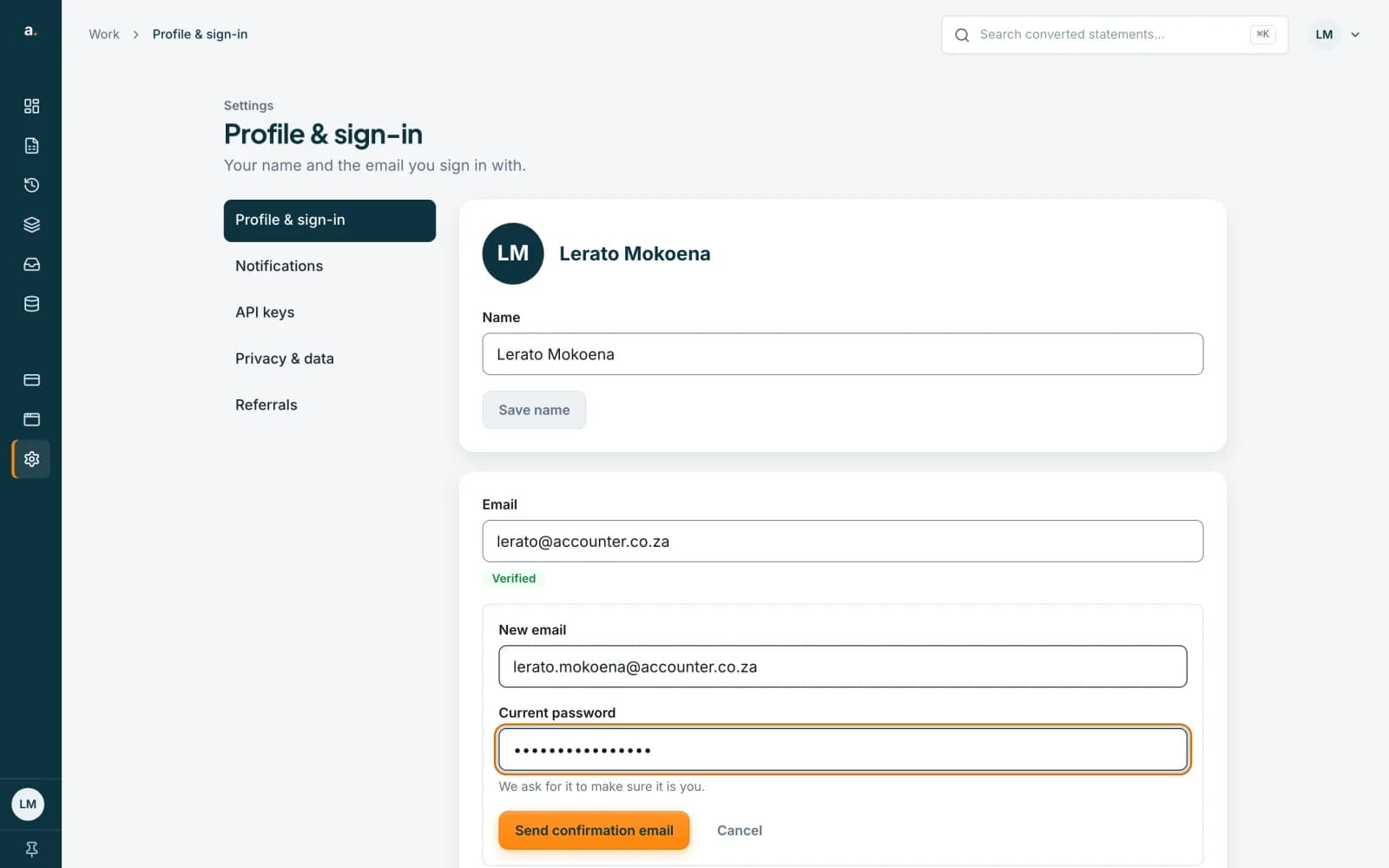
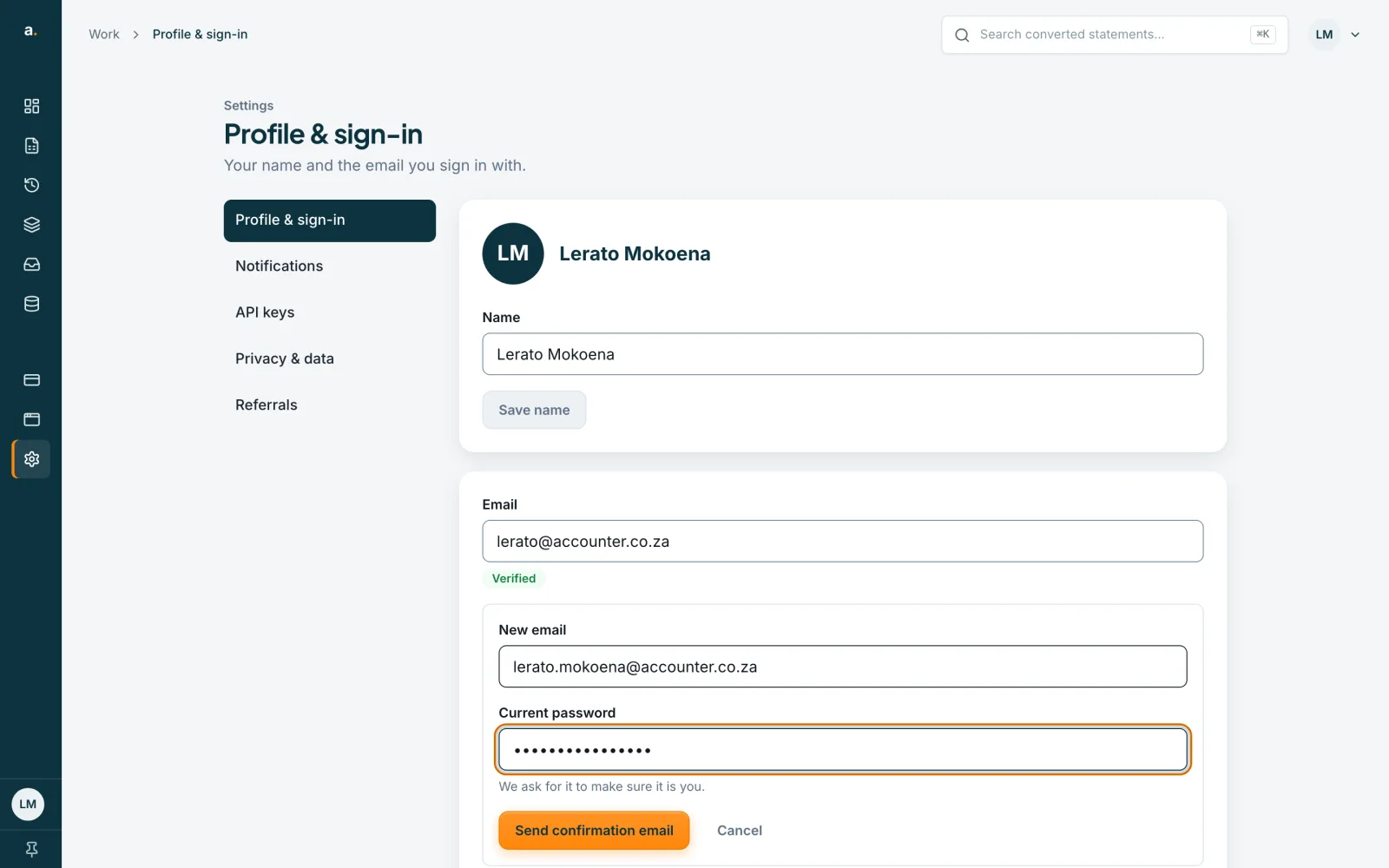
Change your sign-in email
Press Change email. Type the new address and your current password, then send the confirmation link. We email the link to the new address, and we tell your current address that a change was asked for. Your sign-in email stays the same until you confirm.
 Open full size screenshot for step 3
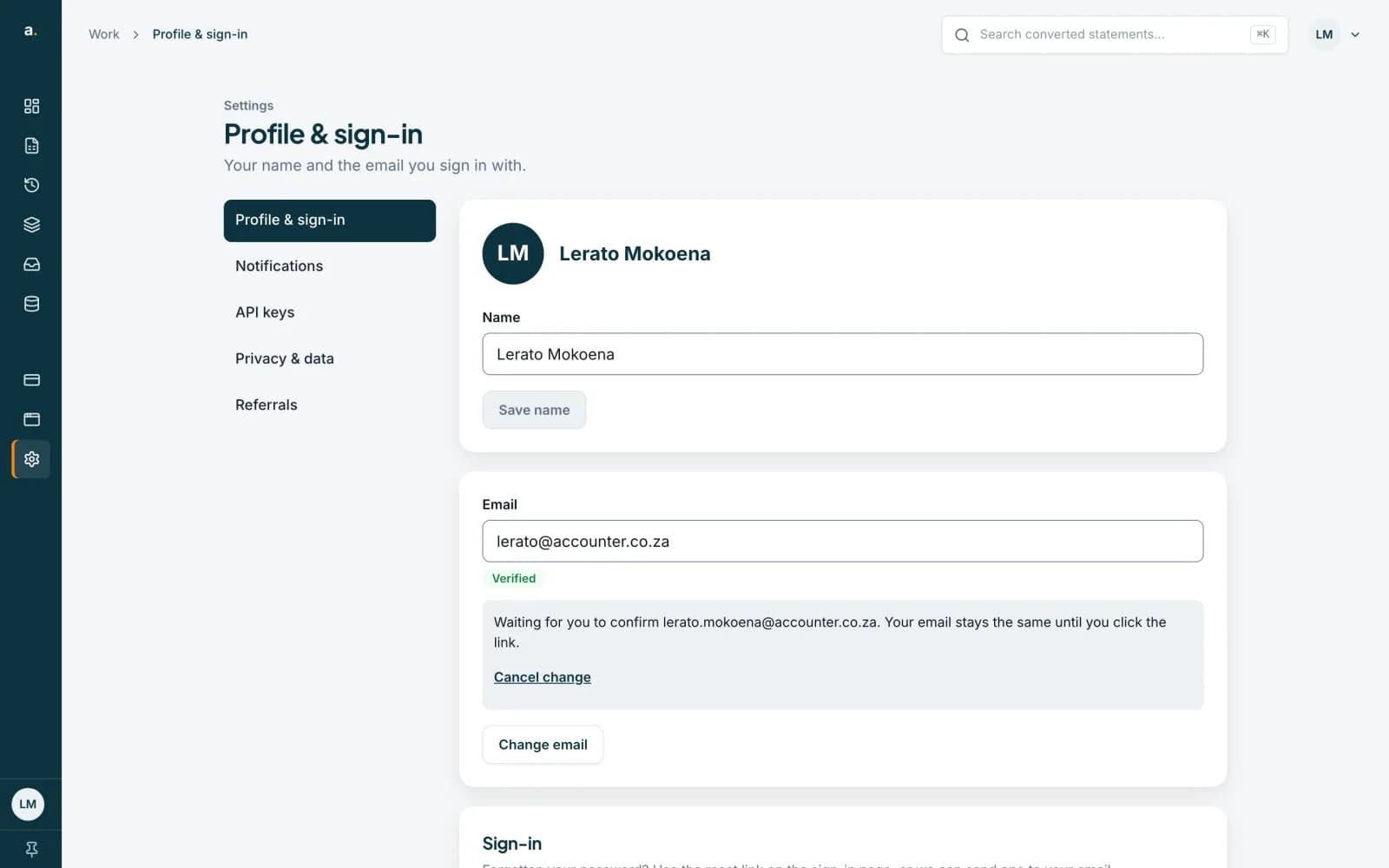
Confirm the new address
Open the email at the new address and press the link, then press Confirm on the page that opens. The link works once and lasts 24 hours. After you confirm, you are signed out everywhere, and you sign in again with the new email. Until then the page shows the change as waiting, and you can cancel it.
 Open full size screenshot for step 4
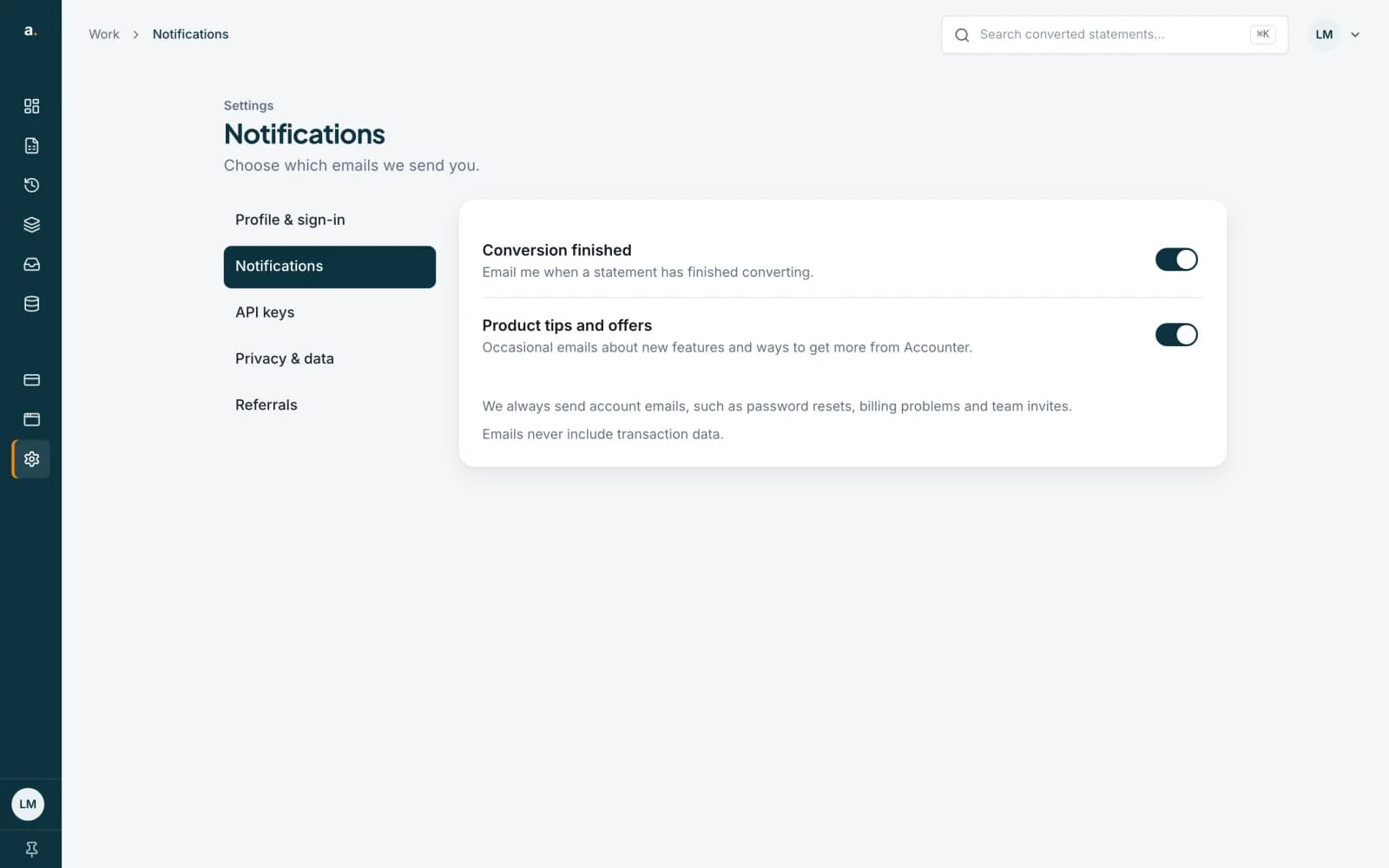
Choose your emails
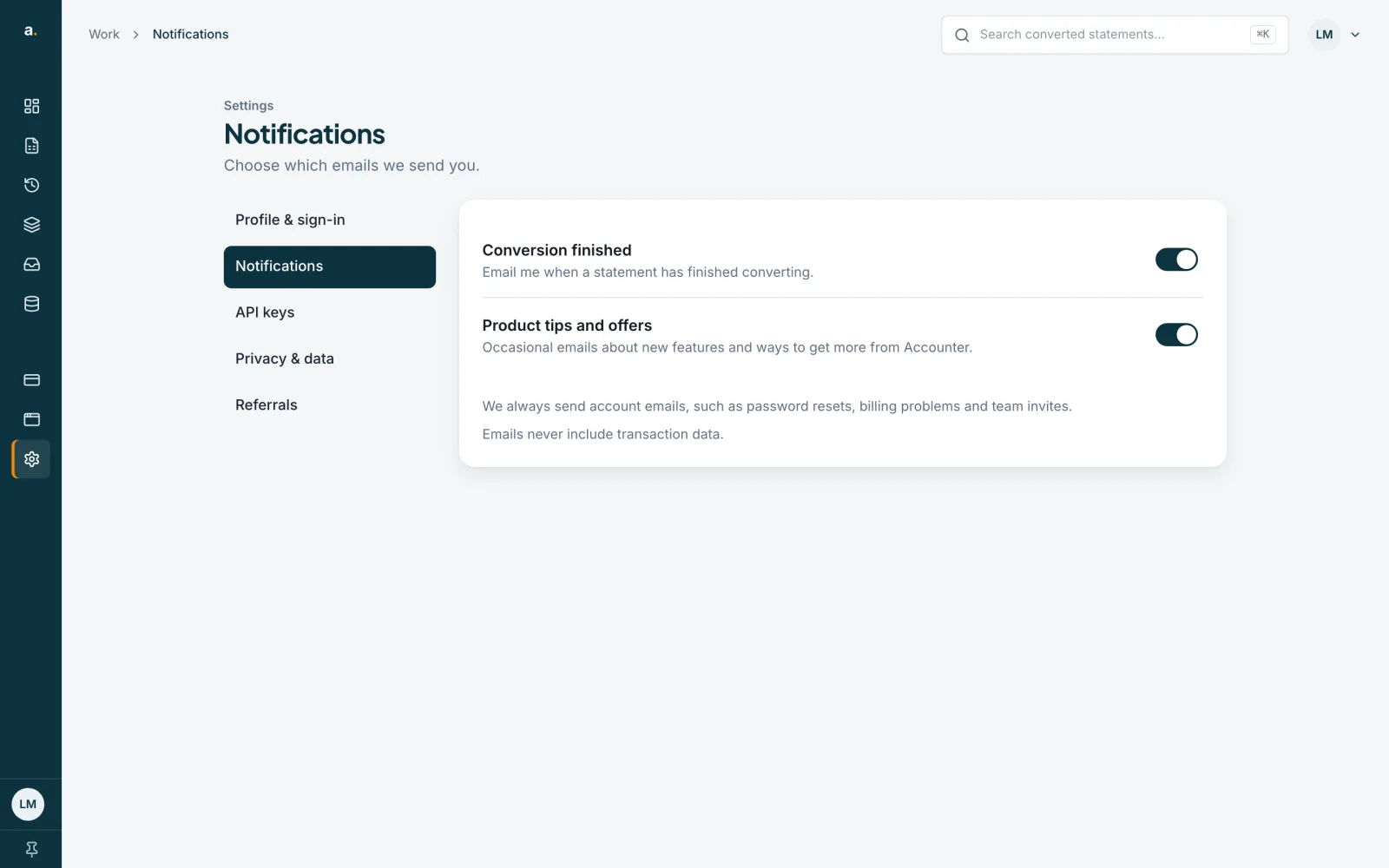
Choose Notifications. Conversion finished emails you when a statement has finished converting. Product tips and offers sends occasional emails about new features. Each switch saves as soon as you press it. We always send account emails, such as password resets, billing problems and team invites.
 Open full size screenshot for step 5
Tips
- Forgotten your password? Press Send me a reset link under Sign-in, and we email a reset link to your sign-in address.
- If you did not ask for an email change and get a notice about one, reset your password. That cancels the change.
If something goes wrong
- It says We couldn't use that address.
- That address cannot be used for this account. Check it for typing mistakes, or use a different address.
- The confirmation link says it has expired or was already used.
- Links last 24 hours and work once. Ask for a new one from Profile & sign-in.
- Product tips and offers cannot be switched on.
- You are not on our product email list, or you unsubscribed from all our marketing emails. Nothing is sent to you.
Related guides
- Find your way around AccounterA tour of your account: the My work page, the menu, where converted statements live and what Settings shows.
- Log in and reset your passwordLog in to Accounter, or reset a forgotten password with a link sent to your email.
- Clear your history or delete your accountRemove everything you have uploaded and extracted, or delete your account altogether. Both are immediate and cannot be undone.