Clear your history or delete your account
Last reviewed 16 November 2026 · 5 steps
Remove everything you have uploaded and extracted, or delete your account altogether. Both are immediate and cannot be undone.
Free account
Steps
Open Privacy & data
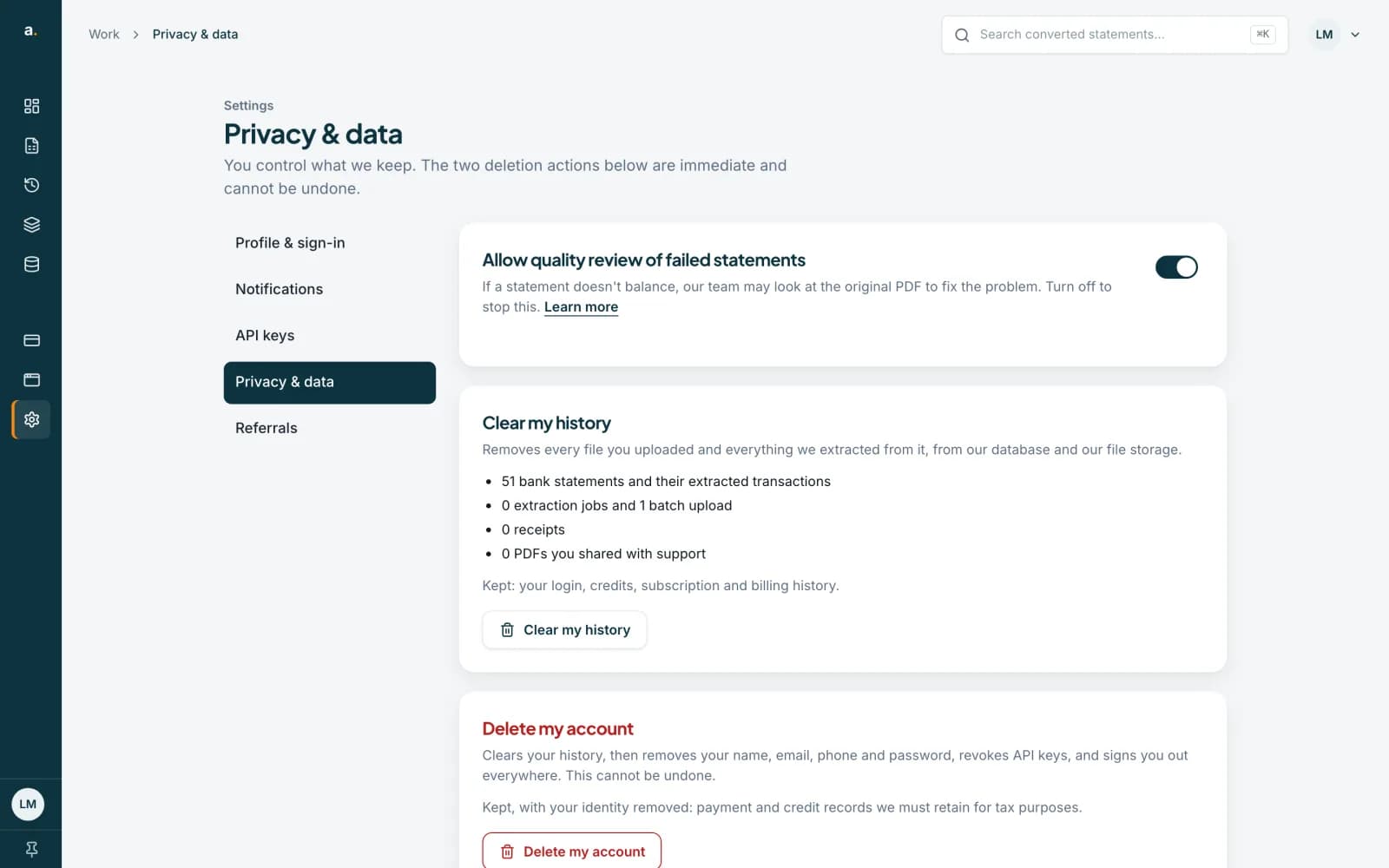
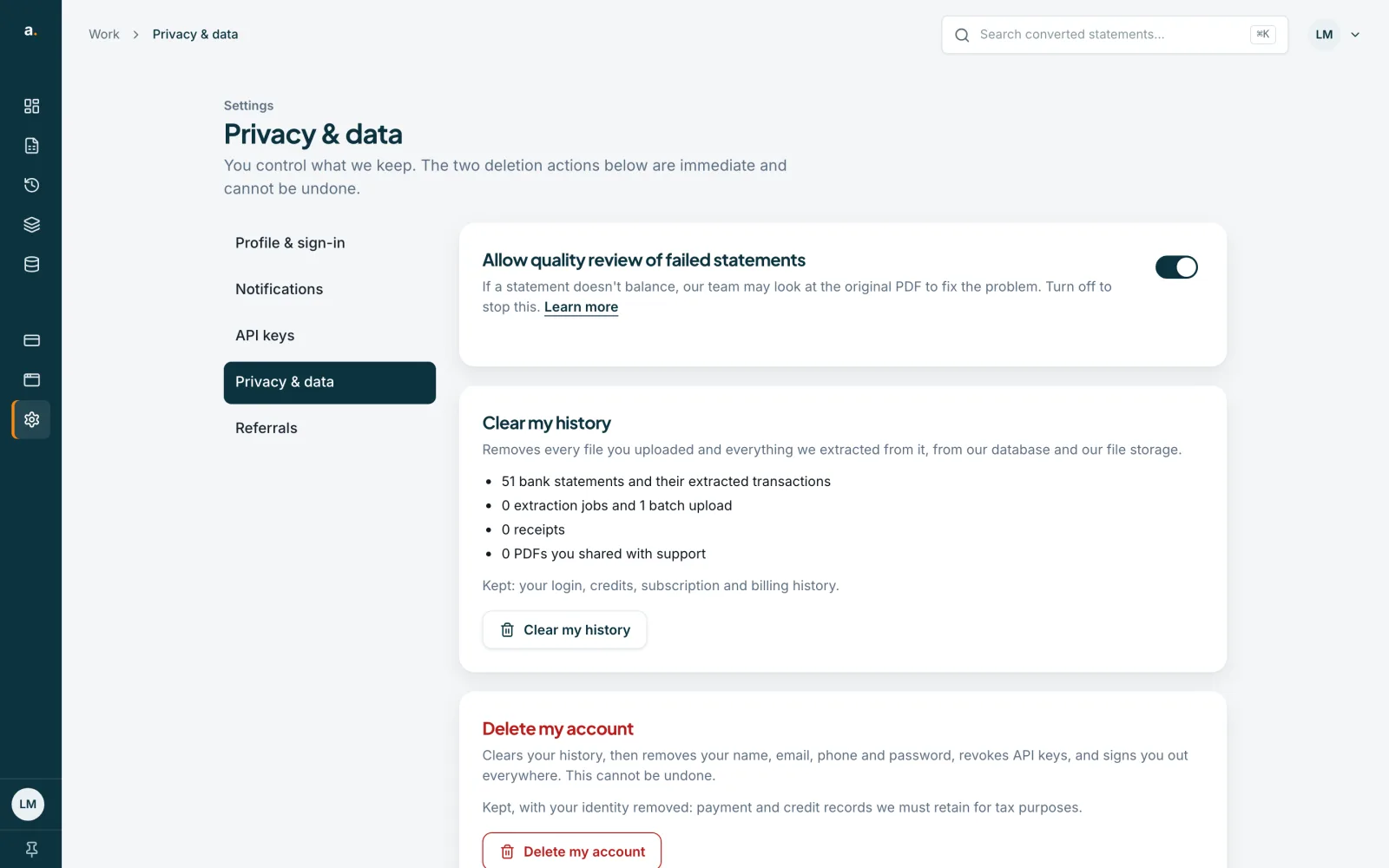
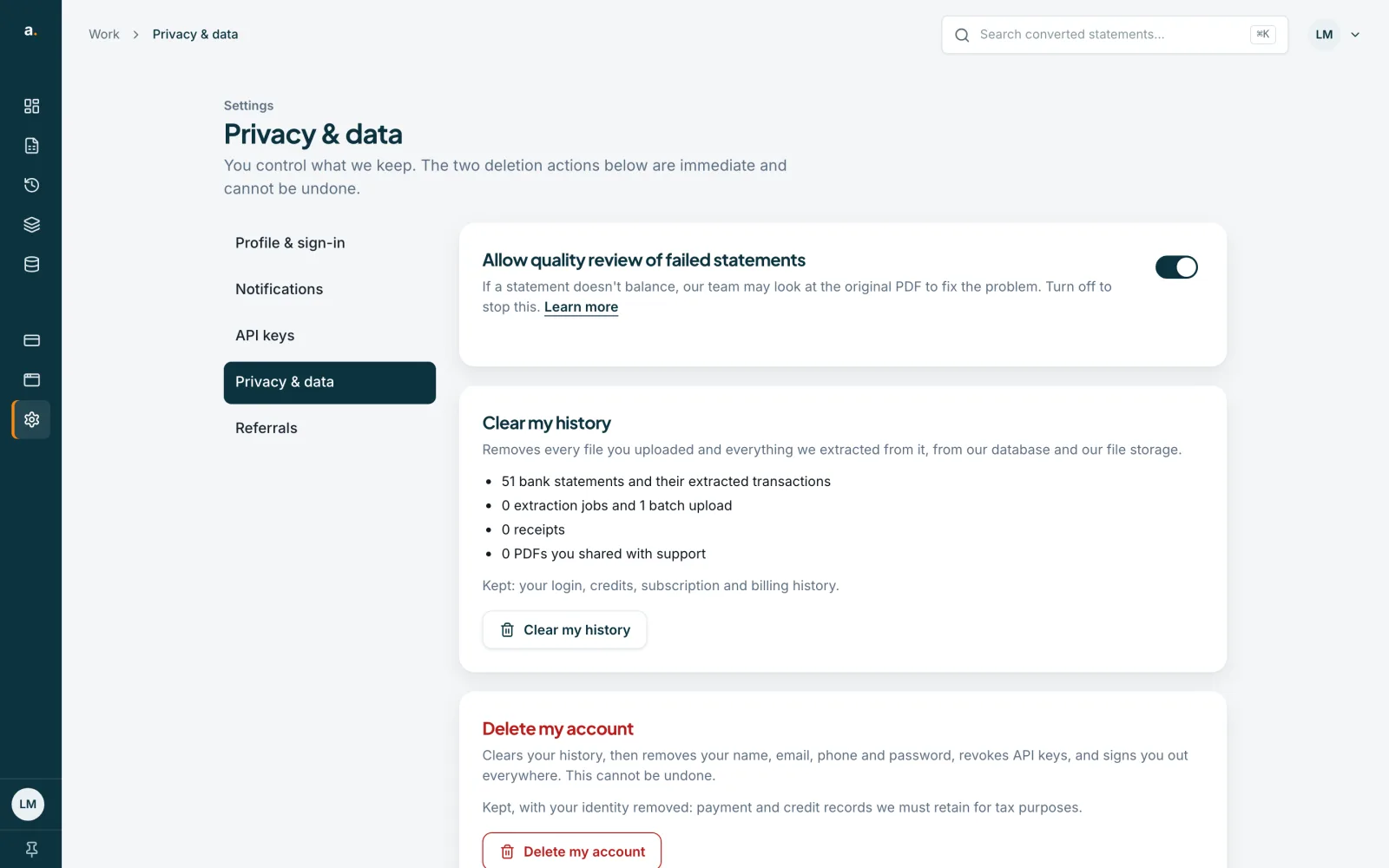
Open Settings in the left menu, then choose Privacy & data. It says You control what we keep. The two deletion actions are immediate and cannot be undone. At the top is a switch, Allow quality review of failed statements, which lets our team look at the original PDF when a statement does not balance.
 Open full size screenshot for step 1
See what will be removed
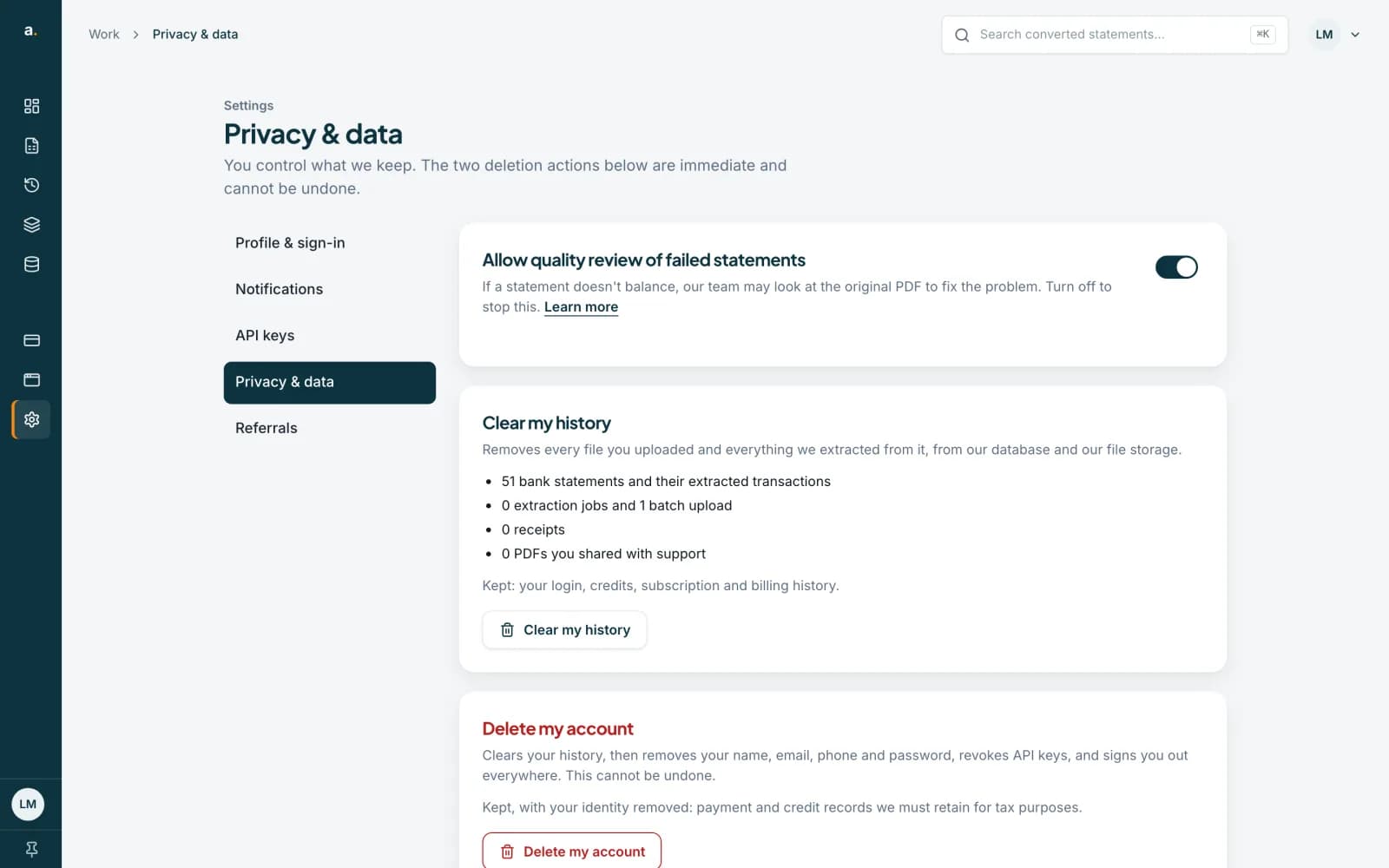
Clear my history lists exactly what will go, for example 51 bank statements and their extracted transactions, extraction jobs and batch uploads, receipts, and PDFs you shared with support. It also removes your Pastel data sets. Kept: your login, credits, subscription and billing history.
 Open full size screenshot for step 2
Clear your history
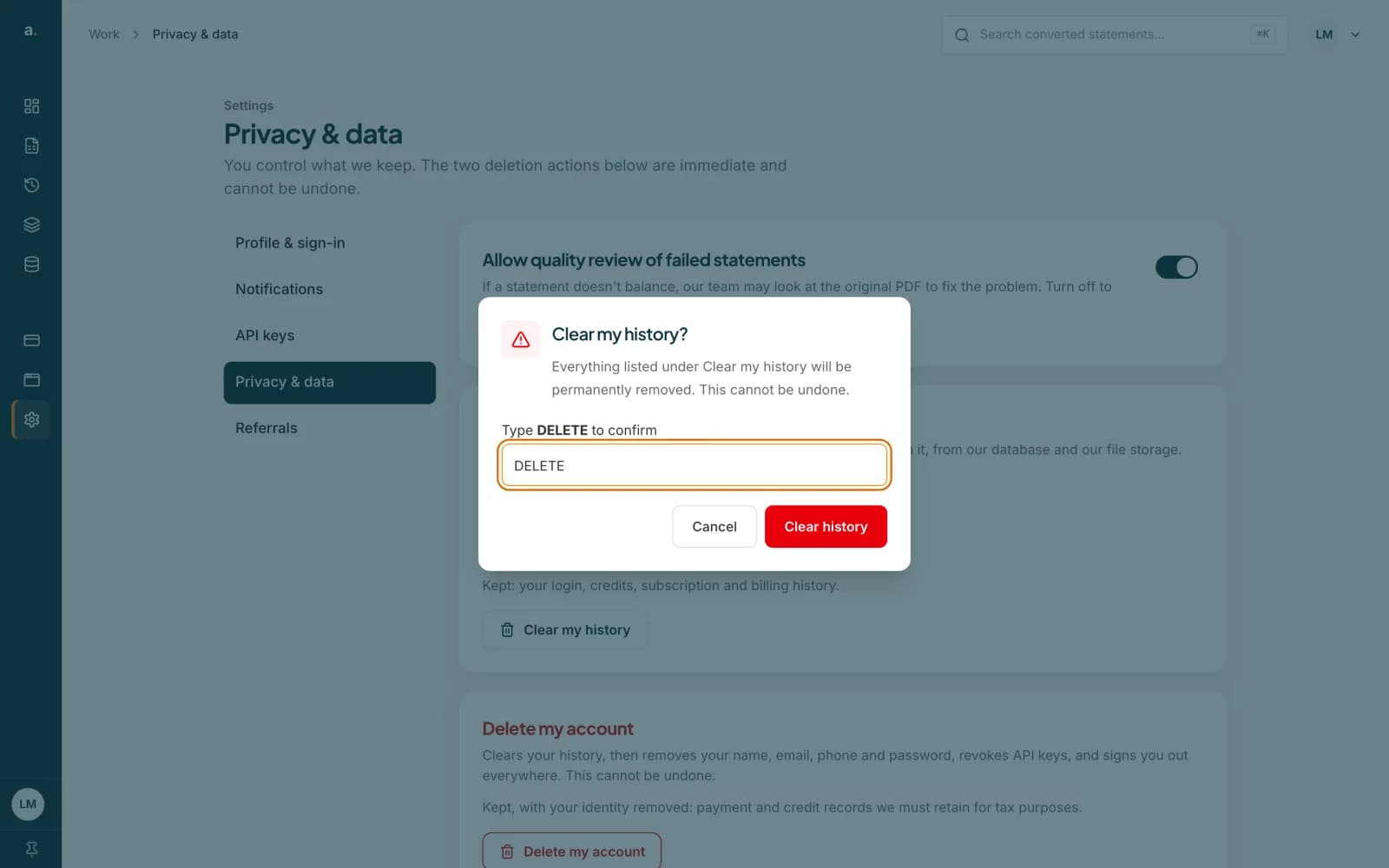
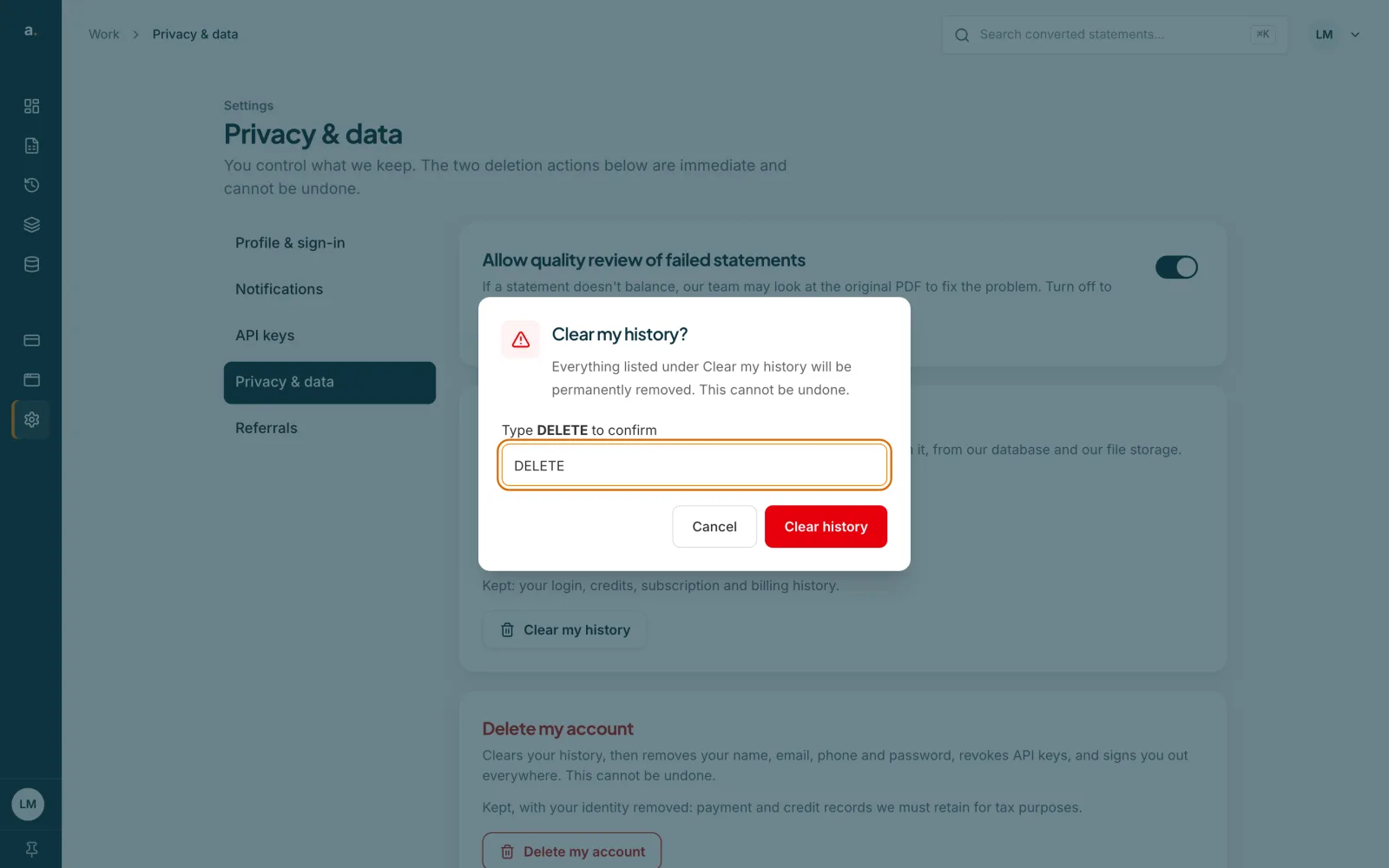
Press Clear my history. Type DELETE in the box and press Clear history. The button is only active once you have typed DELETE exactly. If you are a team owner or admin, uploads by other team members are not part of your personal history and stay.
 Open full size screenshot for step 3
Delete your account
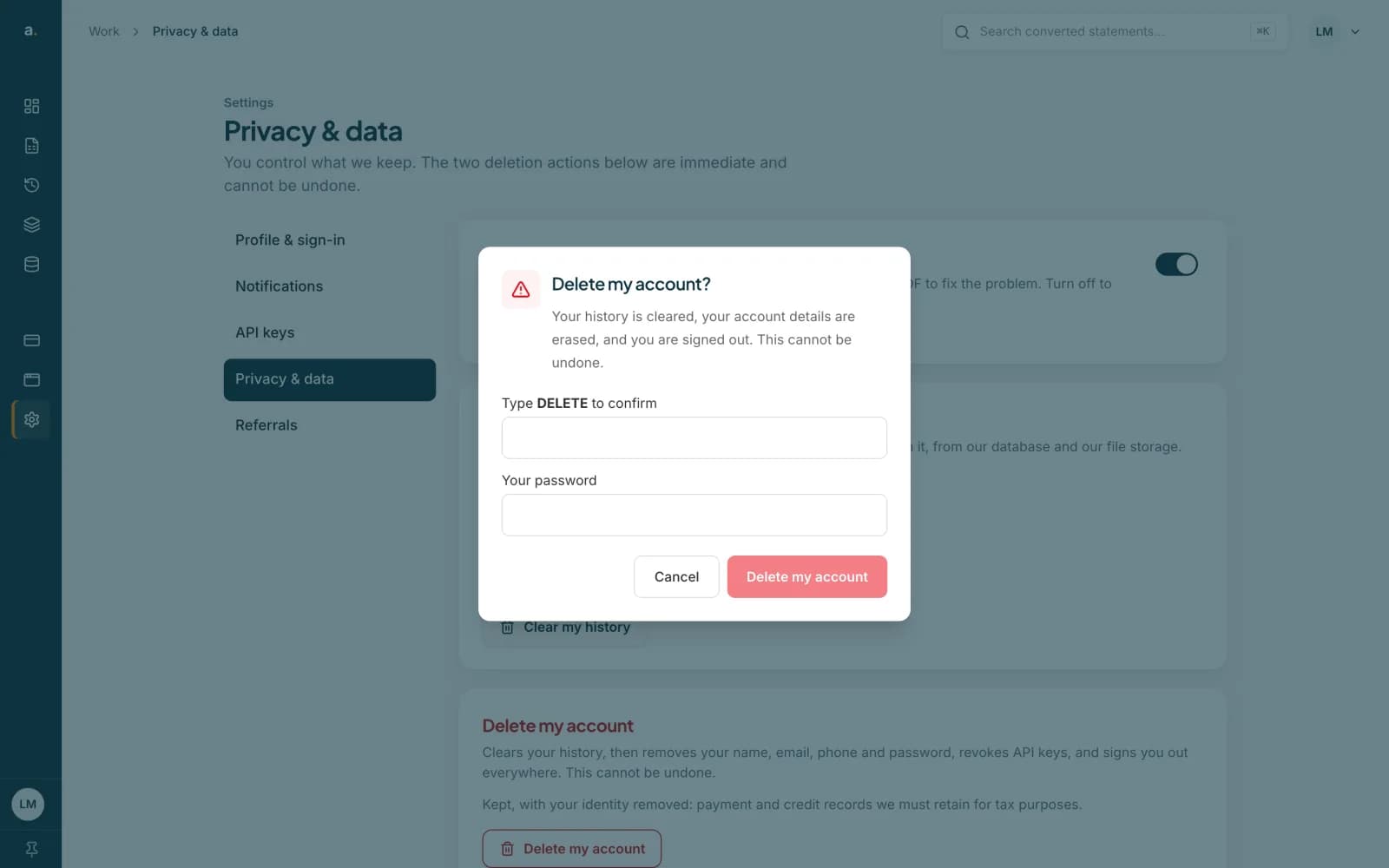
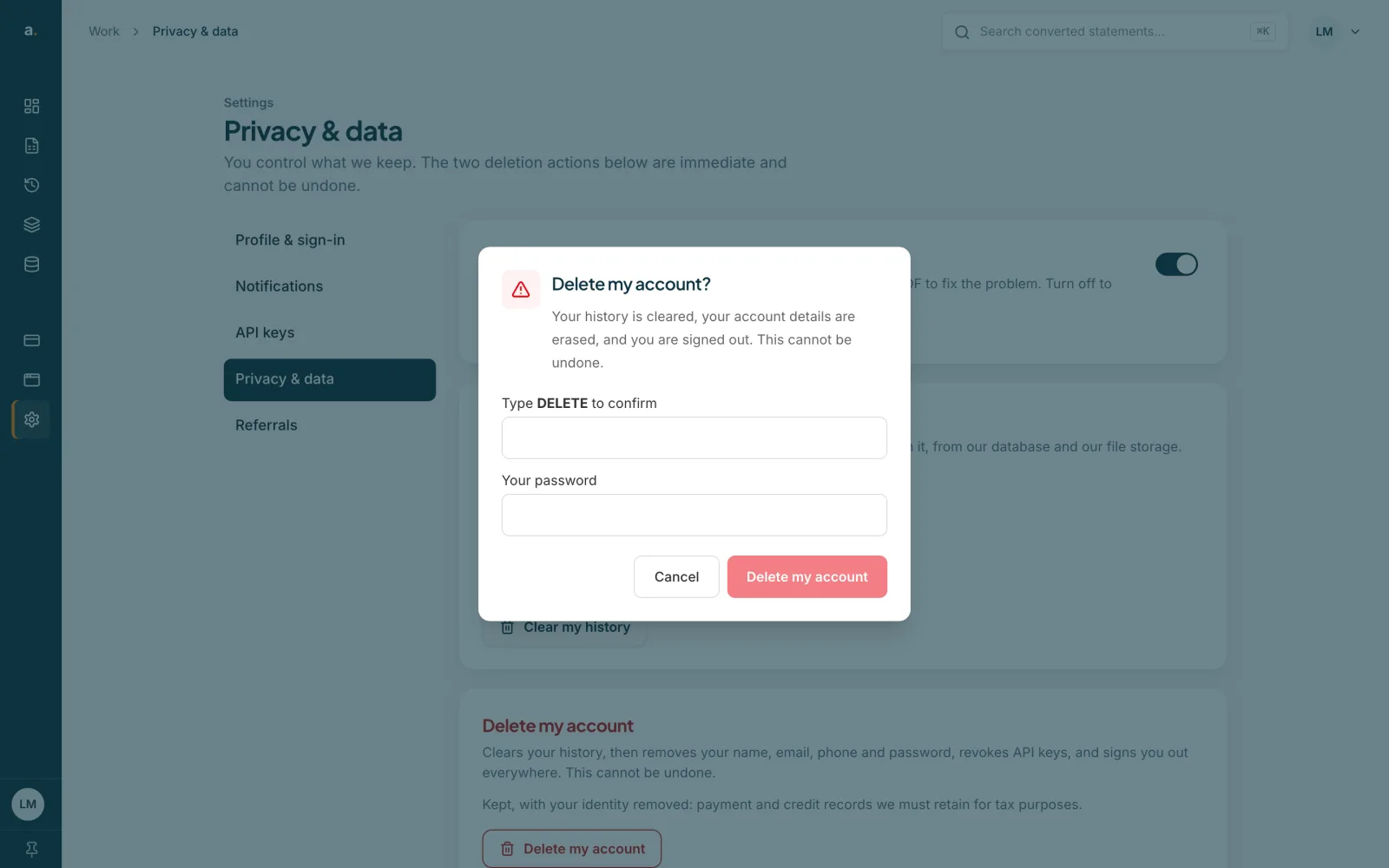
Press Delete my account. Type DELETE, enter Your password, and press Delete my account. This clears your history, removes your name, email, phone and password, revokes your API keys, signs you out everywhere and cancels an active subscription. Payment and credit records we must keep for tax purposes stay, with your identity removed.
 Open full size screenshot for step 4
If you own a team
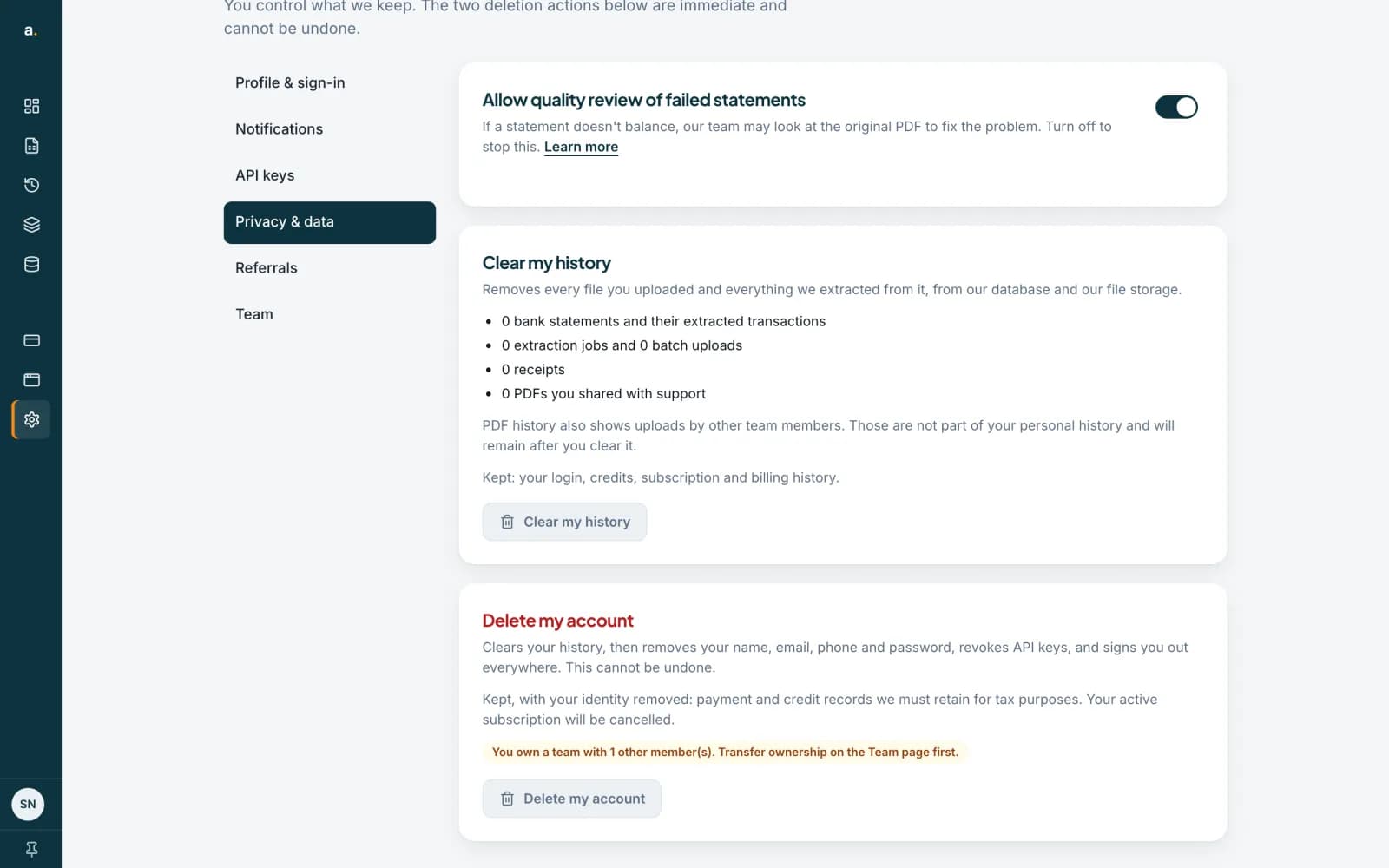
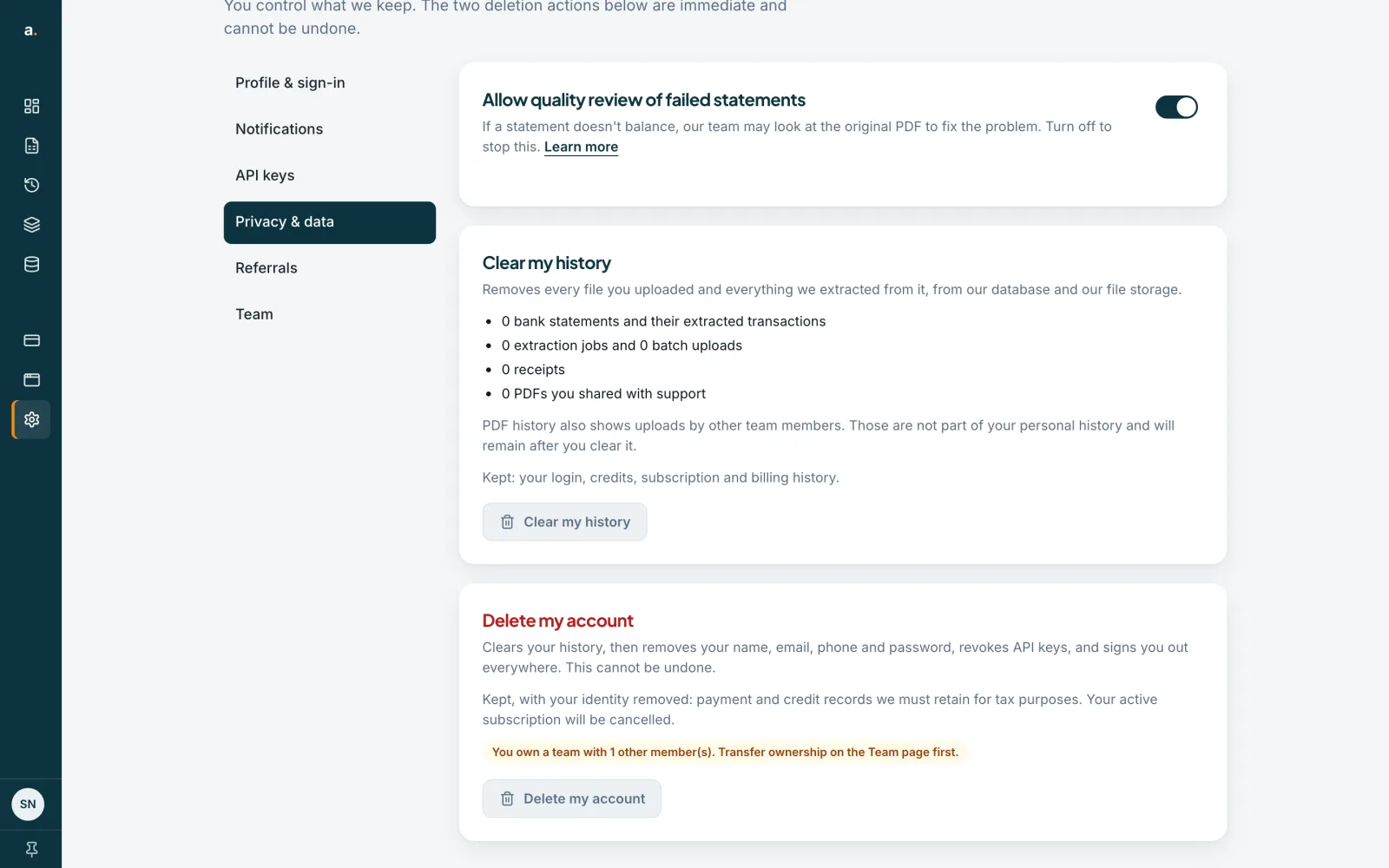
A team owner with other members cannot delete the account yet. The page says You own a team with other members. Transfer ownership on the Team page first, and the button stays greyed out until you do.
 Open full size screenshot for step 5
Tips
- Clearing history is immediate and cannot be undone. Export anything you need first.
- Your login, credits, subscription and billing history stay after you clear your history.
- To remove one statement only, delete it from your history instead.
If something goes wrong
- The Clear history button is greyed out.
- Type DELETE in capitals, exactly. It is also greyed out if there is nothing to clear.
- Delete my account is greyed out.
- You own a team with other members. Transfer ownership first.
- The page says some stored files could not be removed.
- Our team has been notified and will remove them.
Related guides
- Transfer ownership or leave a teamHand a team to another member and move billing with it, or leave a team you belong to.
- Delete a Pastel data setDelete a converted Pastel data set permanently, or clear everything from Privacy & data.
- Change or cancel your planSee the plans, ask to change from your current plan, or cancel and keep access to the end of the period you have paid for.