Transfer ownership or leave a team
Last reviewed 16 November 2026 · 5 steps
Hand a team to another member and move billing with it, or leave a team you belong to.
Team owners
Steps
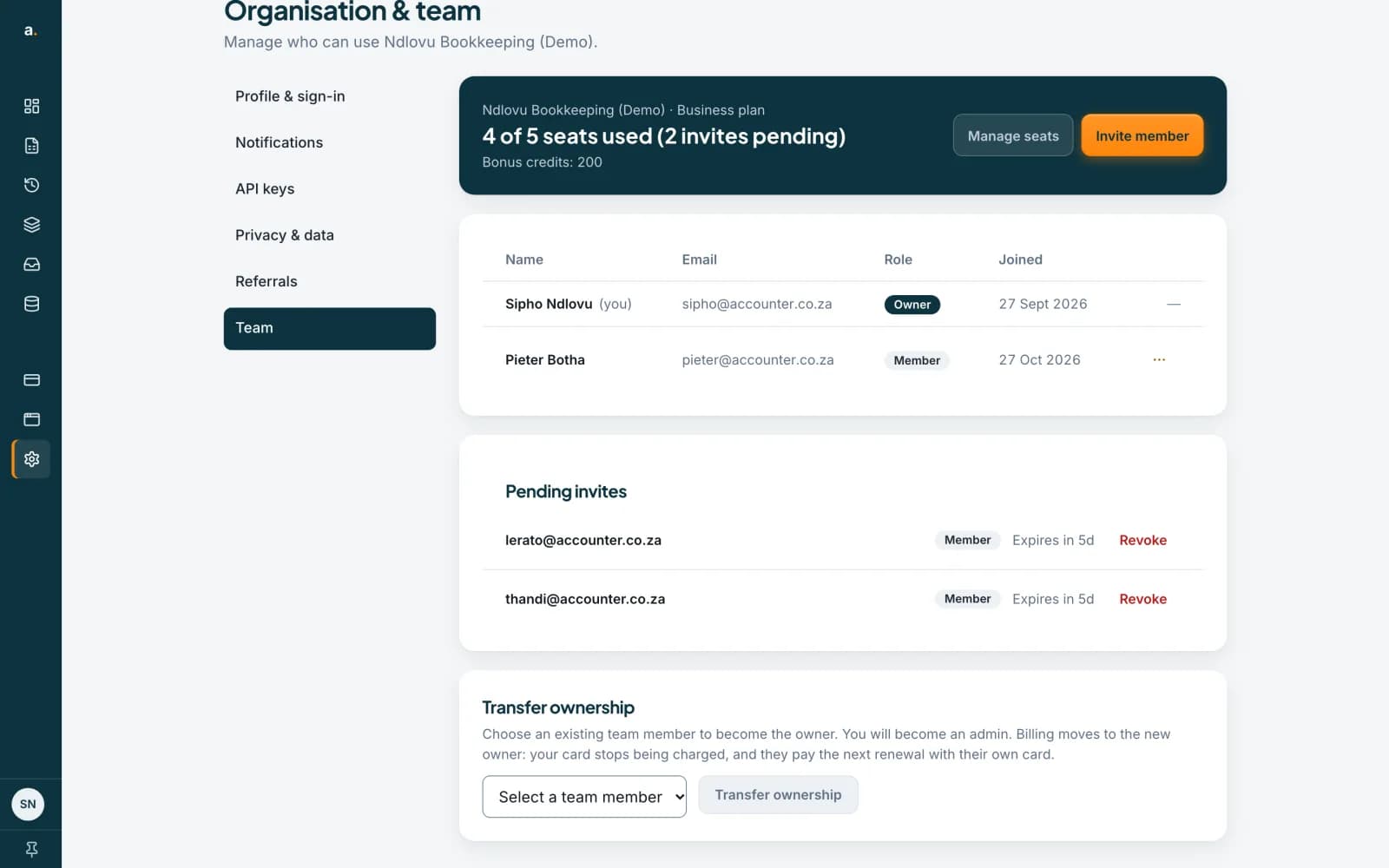
Find Transfer ownership
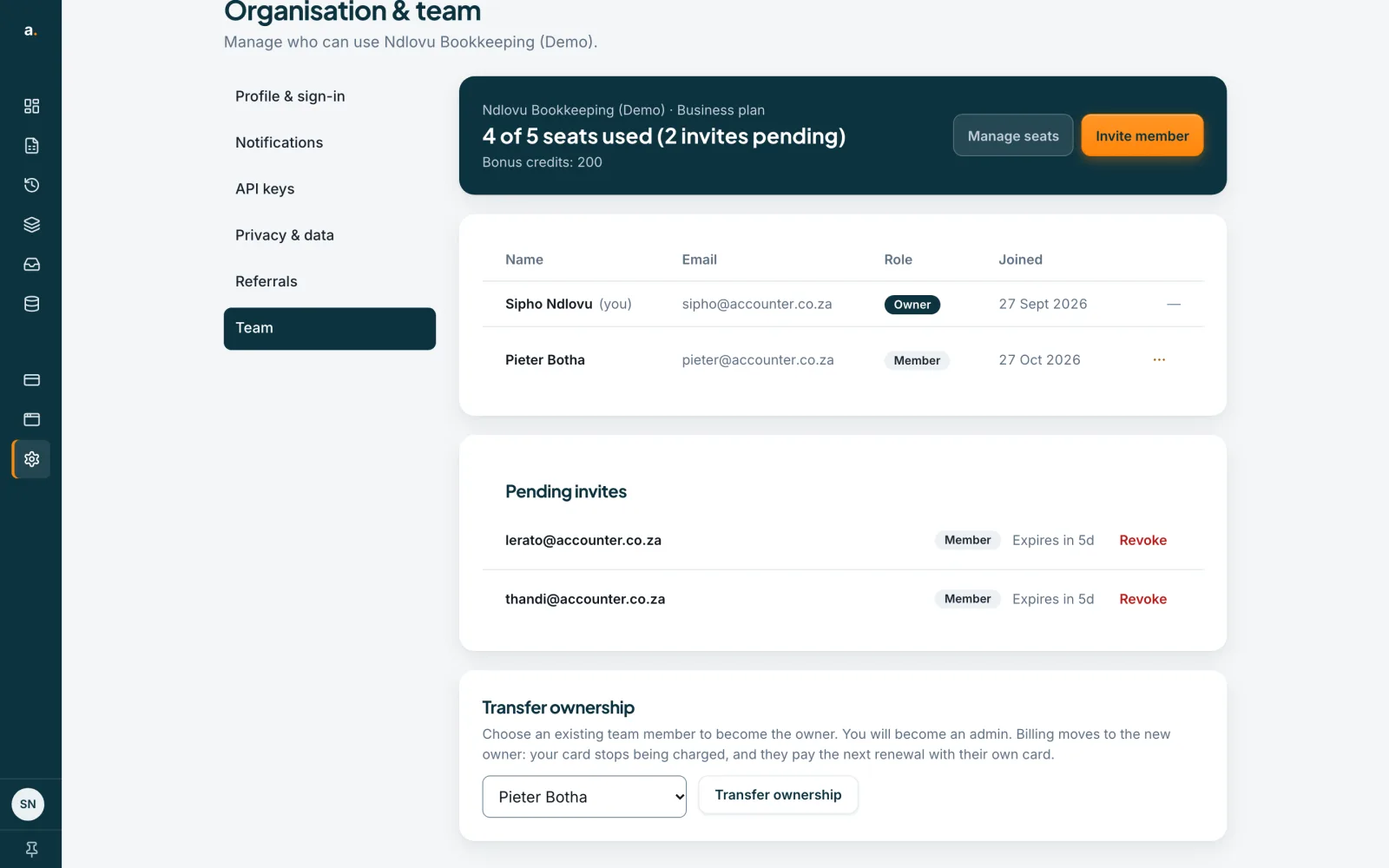
Open Settings in the left menu, choose Team and scroll to Transfer ownership. It is shown to the owner only. You need at least one other member: with none, the card says Invite a member and wait for them to join before transferring ownership.
 Open full size screenshot for step 1
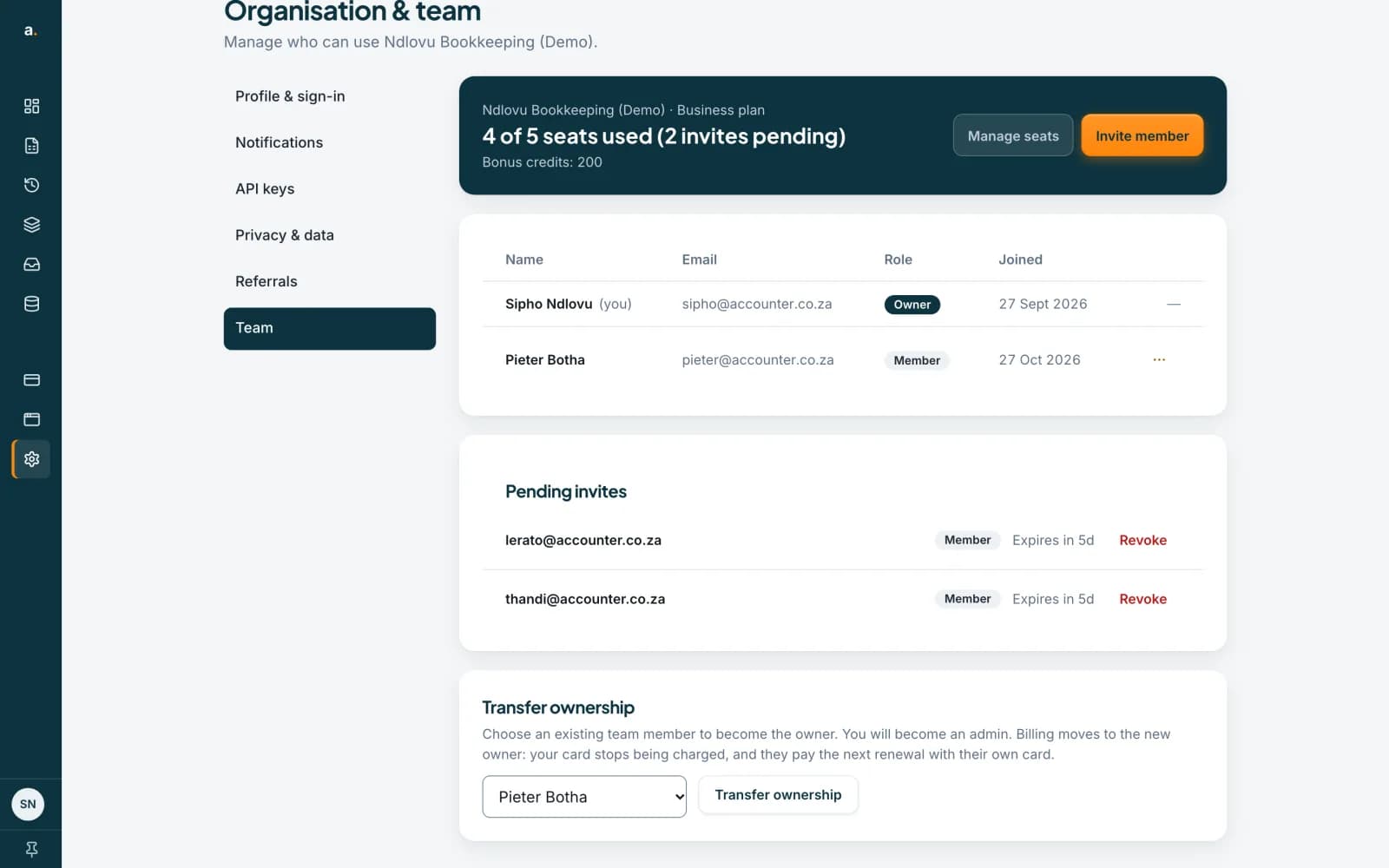
Select a team member
Open Select a team member and choose the person who should become the owner. The Transfer ownership button becomes active.
 Open full size screenshot for step 2
Press Transfer ownership and confirm
Your browser asks to confirm: Transfer ownership to the person’s name? You will become an admin and they will control this team. Billing moves to them: your card stops being charged, and they pay the next renewal with their own card. Choose OK to go ahead or Cancel to stop.
What happens next
You become an admin and they become the owner. The plan stays in force for the period already paid. The new owner is emailed, and on Billing they see that they pay the next renewal with their own card. If the plan has no card on file when it falls due, only the new owner can pay it.
Leave a team you belong to
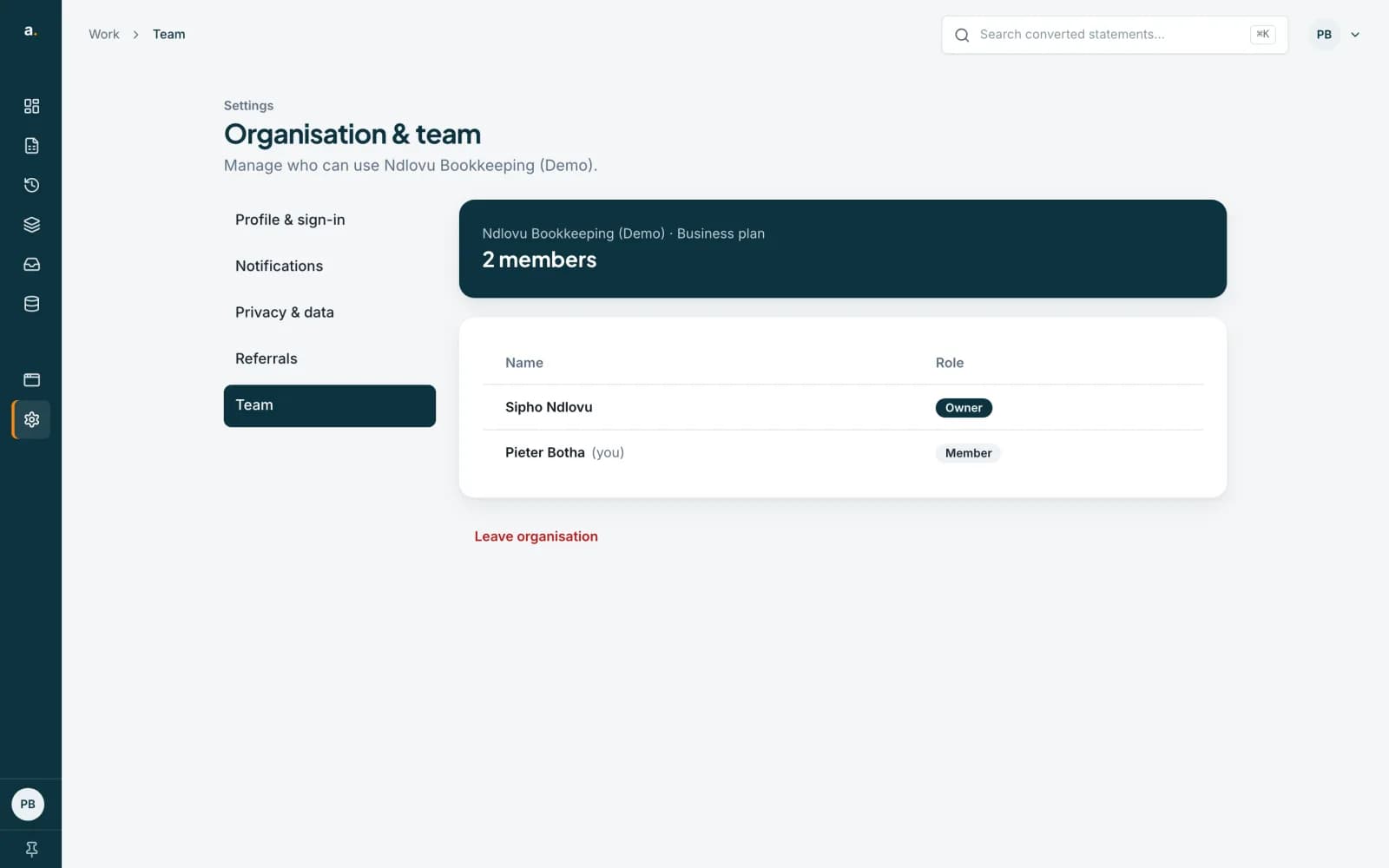
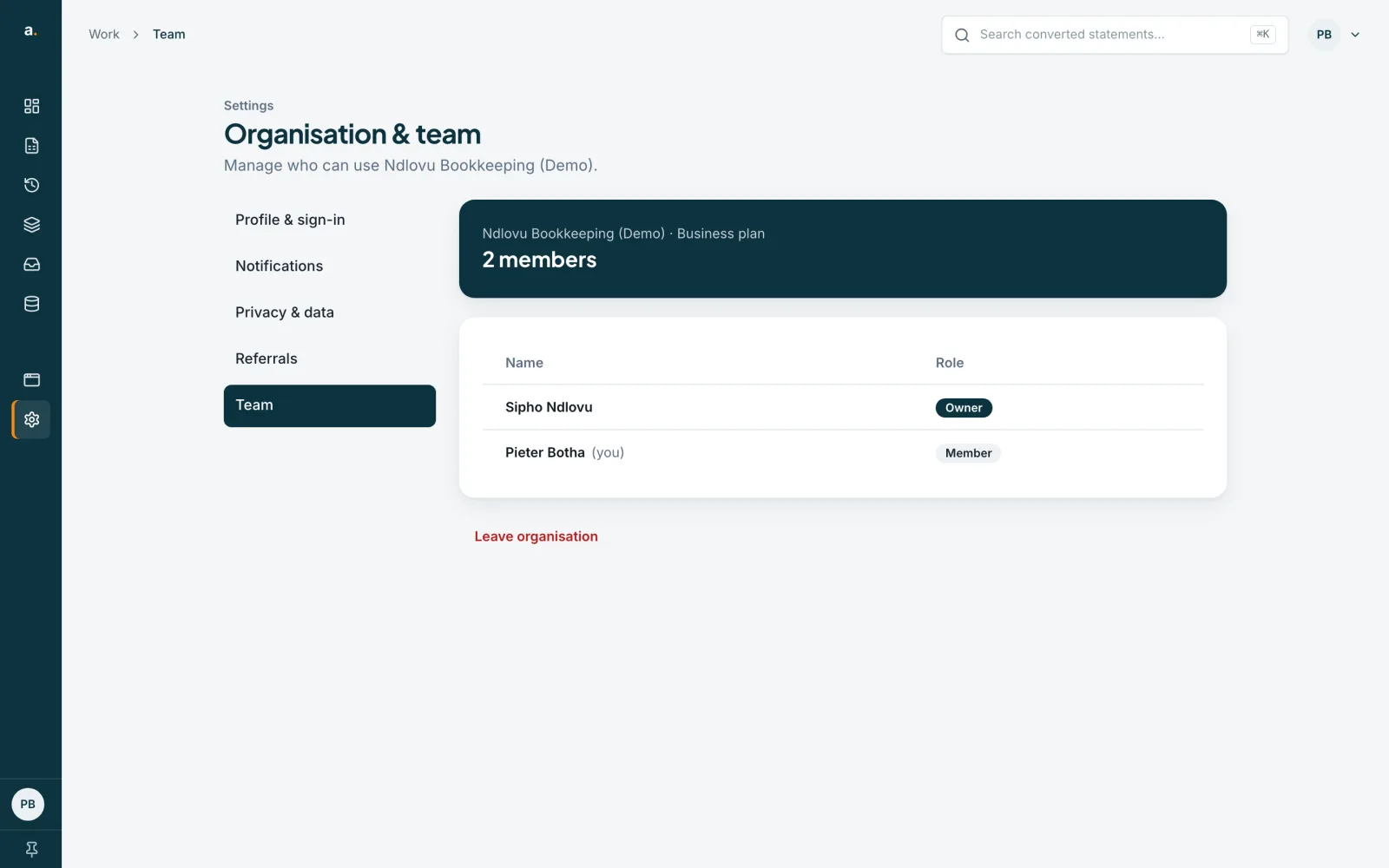
If you are a member, open Team and press Leave organisation. Your browser asks Are you sure you want to leave this organization? This cannot be undone. Choose OK to leave. If you paused a personal plan when you joined, it comes back. An owner cannot leave: the page says Transfer ownership before leaving. An admin who wants to leave should ask the owner to change them to a member first.
 Open full size screenshot for step 5
Tips
- Transfer ownership before you delete your account if you own a team with other members.
- The old owner’s card is released, so it cannot be charged after the transfer.
- After leaving you can be invited again, because membership is by invite.
If something goes wrong
- I do not see Transfer ownership.
- Only the owner sees it. Ask the owner, or check you are in the right organisation.
- The list is empty.
- There is no other member yet. Invite someone, and wait for them to accept.
- I cannot leave.
- Owners must transfer ownership first.
Related guides
- Invite someone to your teamSend an invite by email, choose their role, and track or revoke invites that are still pending.
- Clear your history or delete your accountRemove everything you have uploaded and extracted, or delete your account altogether. Both are immediate and cannot be undone.
- Find your payments and receiptsSee every payment on the Billing page, read each status, and know what to do if a renewal does not go through.