Find your payments and receipts
Last reviewed 16 November 2026 · 5 steps
See every payment on the Billing page, read each status, and know what to do if a renewal does not go through.
Free account
Steps
Open Payments
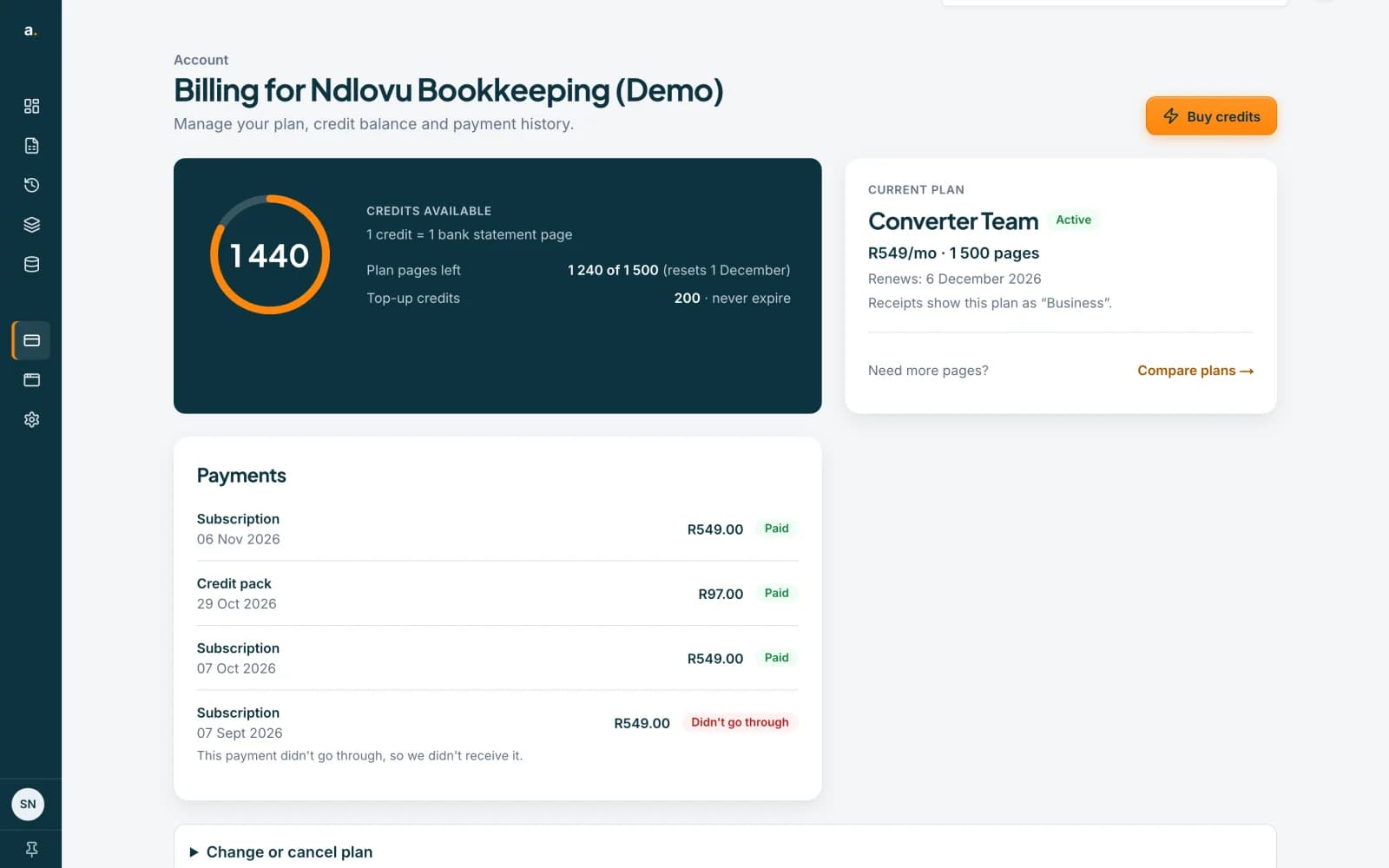
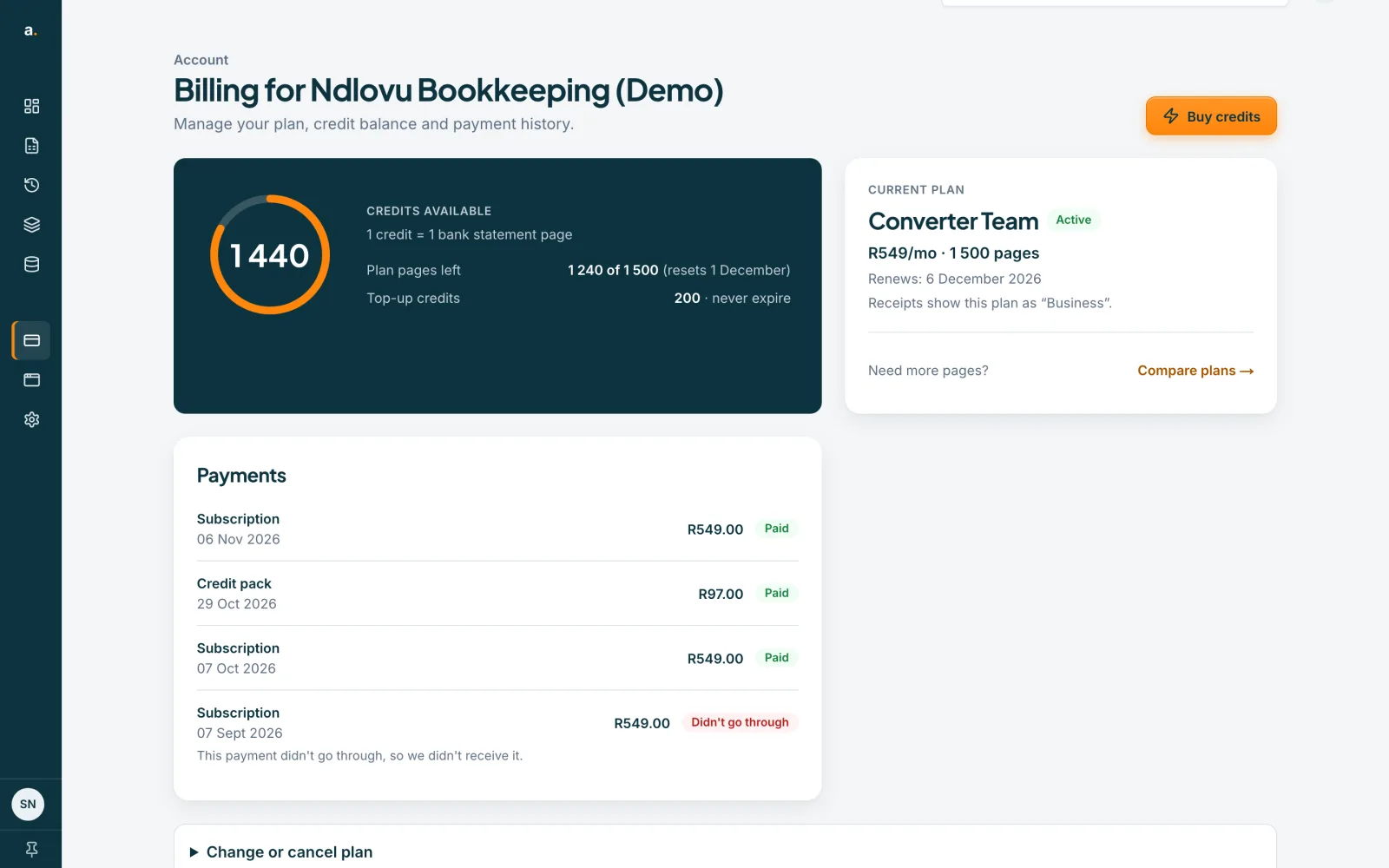
Choose Billing in the left menu and scroll to Payments. Every charge is listed with its type, either Subscription or Credit pack, its date, its amount and its status. Failed attempts are listed too.
 Open full size screenshot for step 1
Read each status
Paid means we received it. Didn’t go through means the payment failed, so we did not receive it. Not completed means we have not received it yet, so if money left your account, contact support with the payment date. Refunded means the payment was refunded. Under review means we are checking it.
Check the plan name on your receipts
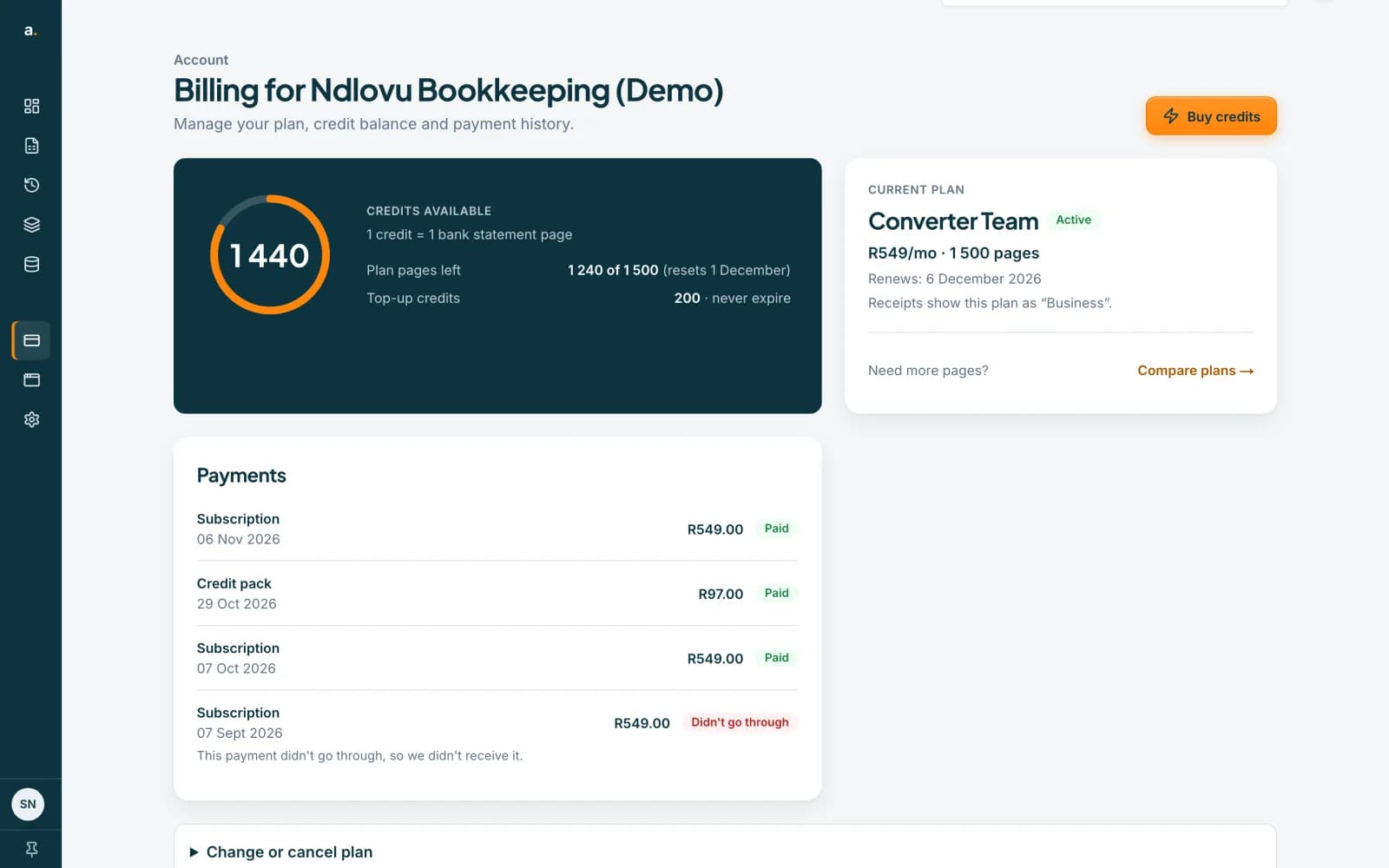
The Current plan card may say, for example, Receipts show this plan as “Business”. Plans can have a different name on a receipt from the name shown in the app, so use this note to match them.
 Open full size screenshot for step 3
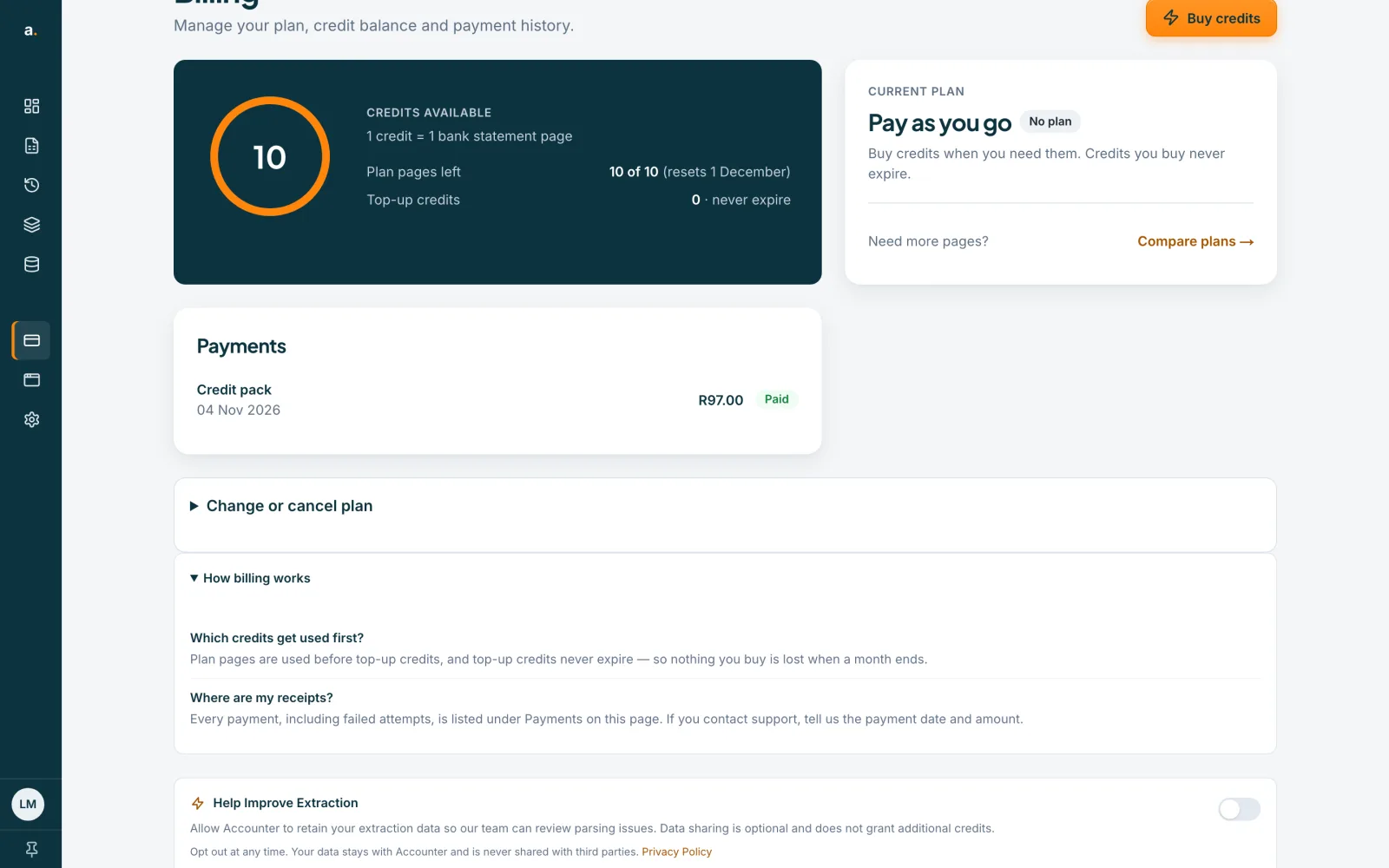
Read How billing works
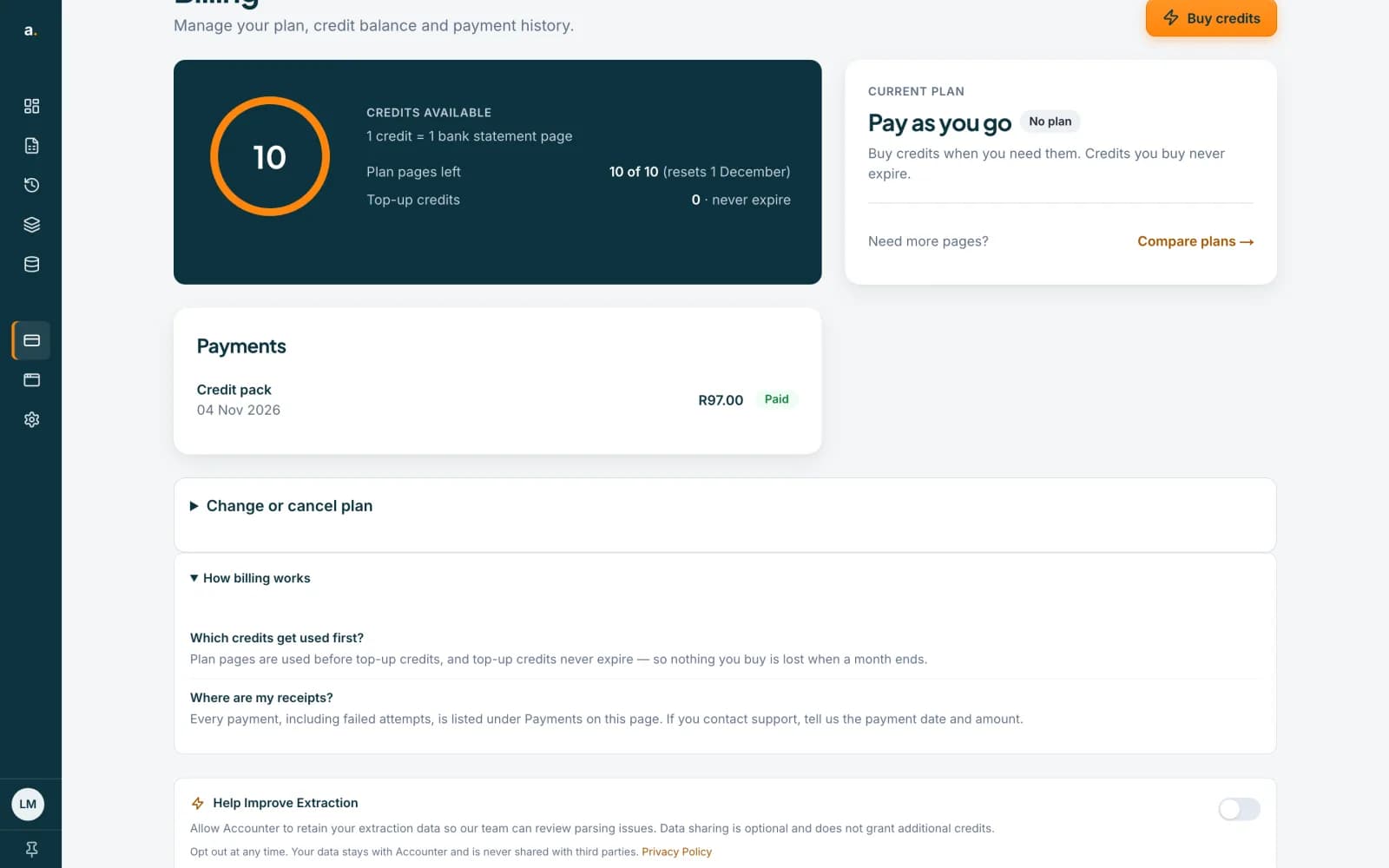
Open How billing works for the short answers: when your plan renews, when plan pages refresh, which credits are used first, how to cancel, what happens if a payment fails, and where your receipts are.
 Open full size screenshot for step 4
If a renewal payment fails
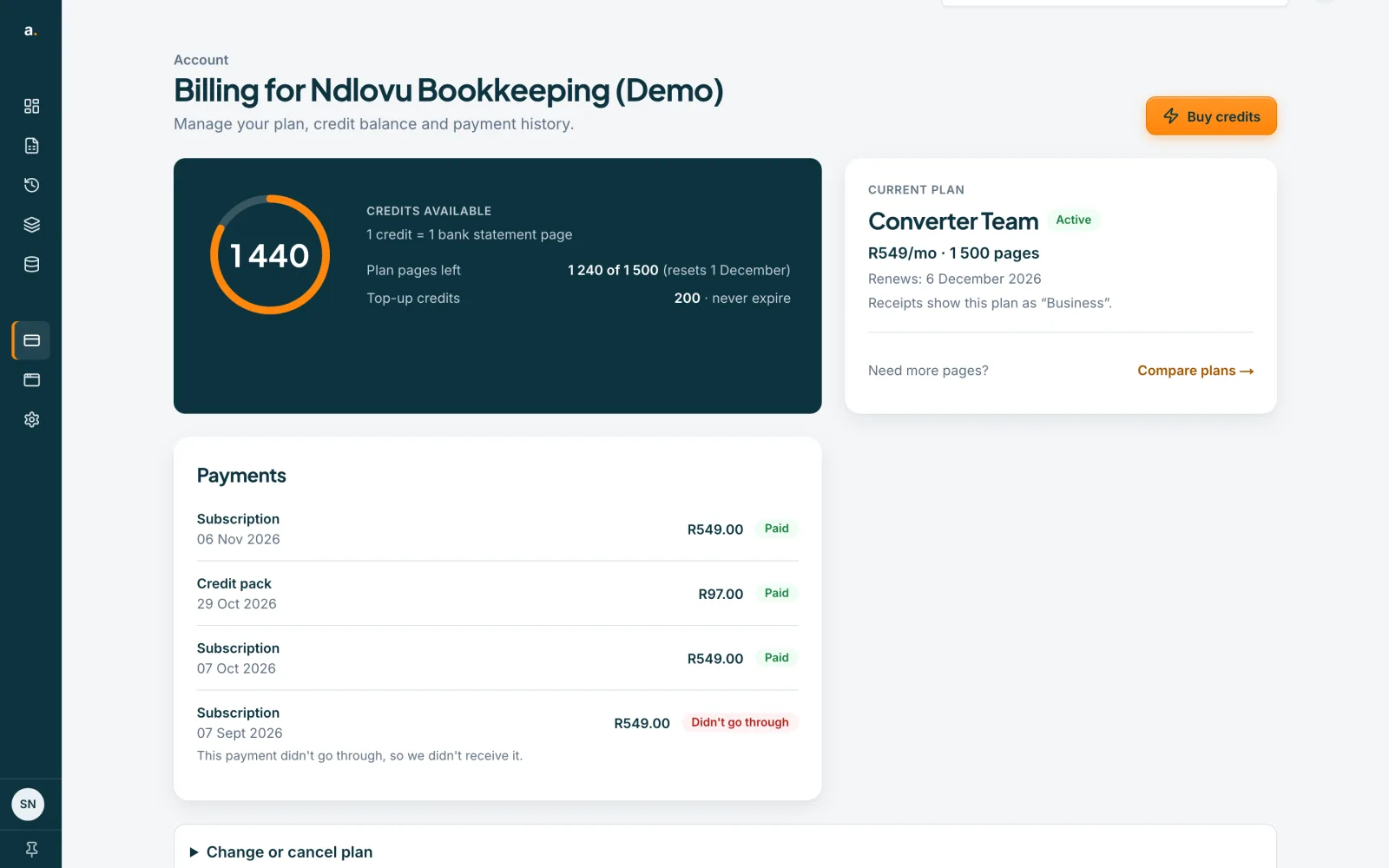
Billing shows Your last renewal payment didn’t go through. Your plan keeps working for a short grace period while we retry your card, about once a day. To sort it out at once, press Pay with another card. That card is then used for future renewals. If it says Your renewal payment is under review, wait for our team before paying again.
Tips
- Each payment covers 30 days. Your plan renews automatically and we charge the card saved with Paystack.
- If you contact support about a payment, tell us the payment date and amount.
- On a team plan with no card on file, only the owner can pay the renewal. The owner presses Pay renewal.
If something goes wrong
- I paid but see no credits or no plan.
- Check the status in Payments. If it says Not completed, we have not received the payment yet. Contact support with the payment date and amount.
- The plan card shows a different plan name from my receipt.
- Read the note under the plan name: it tells you what the receipt calls the plan.
- I do not see Payments.
- Billing is managed by your organisation owner or admins. Ask them.
Related guides
- Buy more creditsTop up with a credit pack on the Billing page. One credit is one statement page, and bought credits never expire.
- Change or cancel your planSee the plans, ask to change from your current plan, or cancel and keep access to the end of the period you have paid for.
- Free pages and credits: how they workEvery verified free account gets 10 free pages each calendar month, and 1 credit pays for 1 statement page.