Change or cancel your plan
Last reviewed 16 November 2026 · 4 steps
See the plans, ask to change from your current plan, or cancel and keep access to the end of the period you have paid for.
Paid plans
Steps
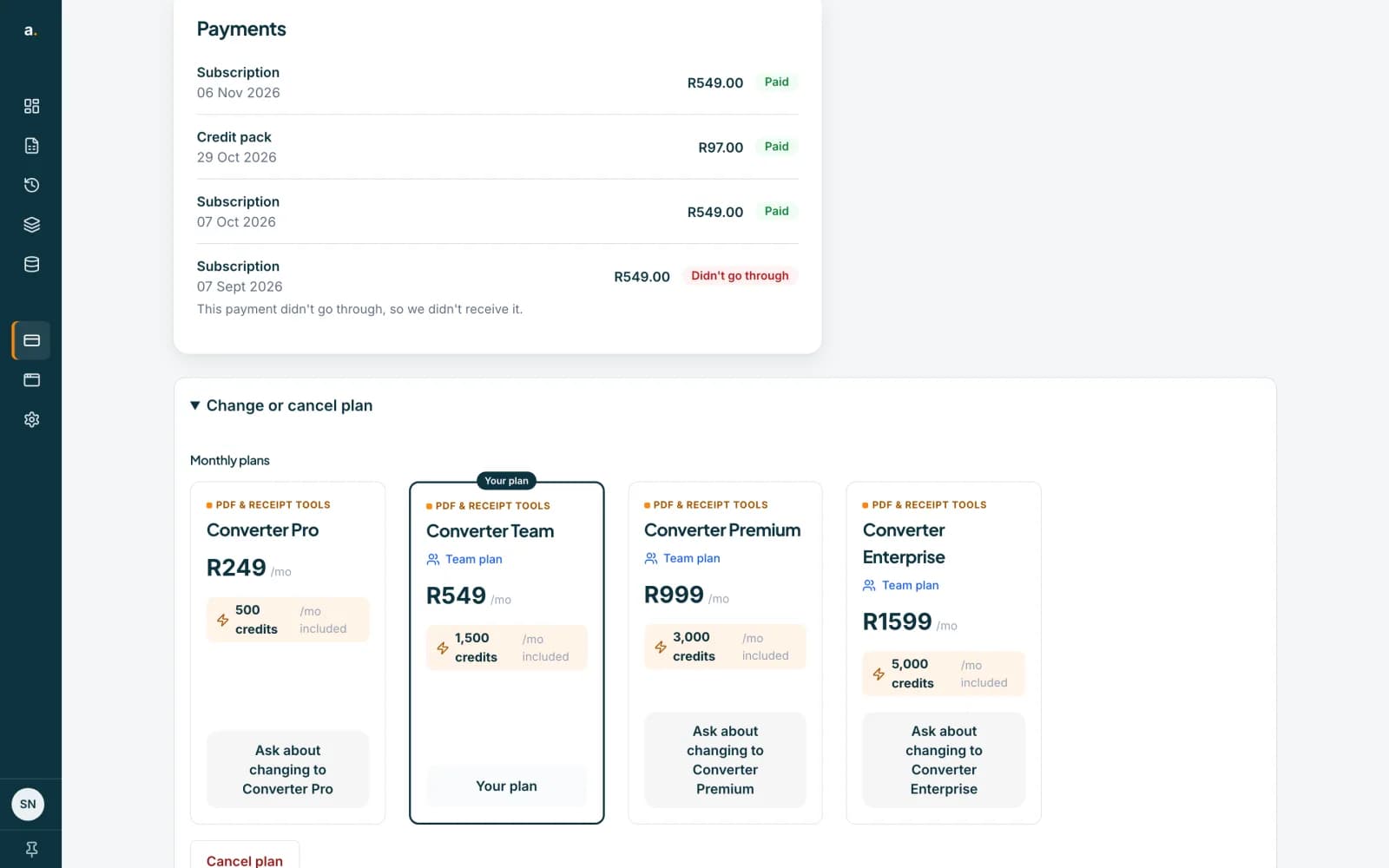
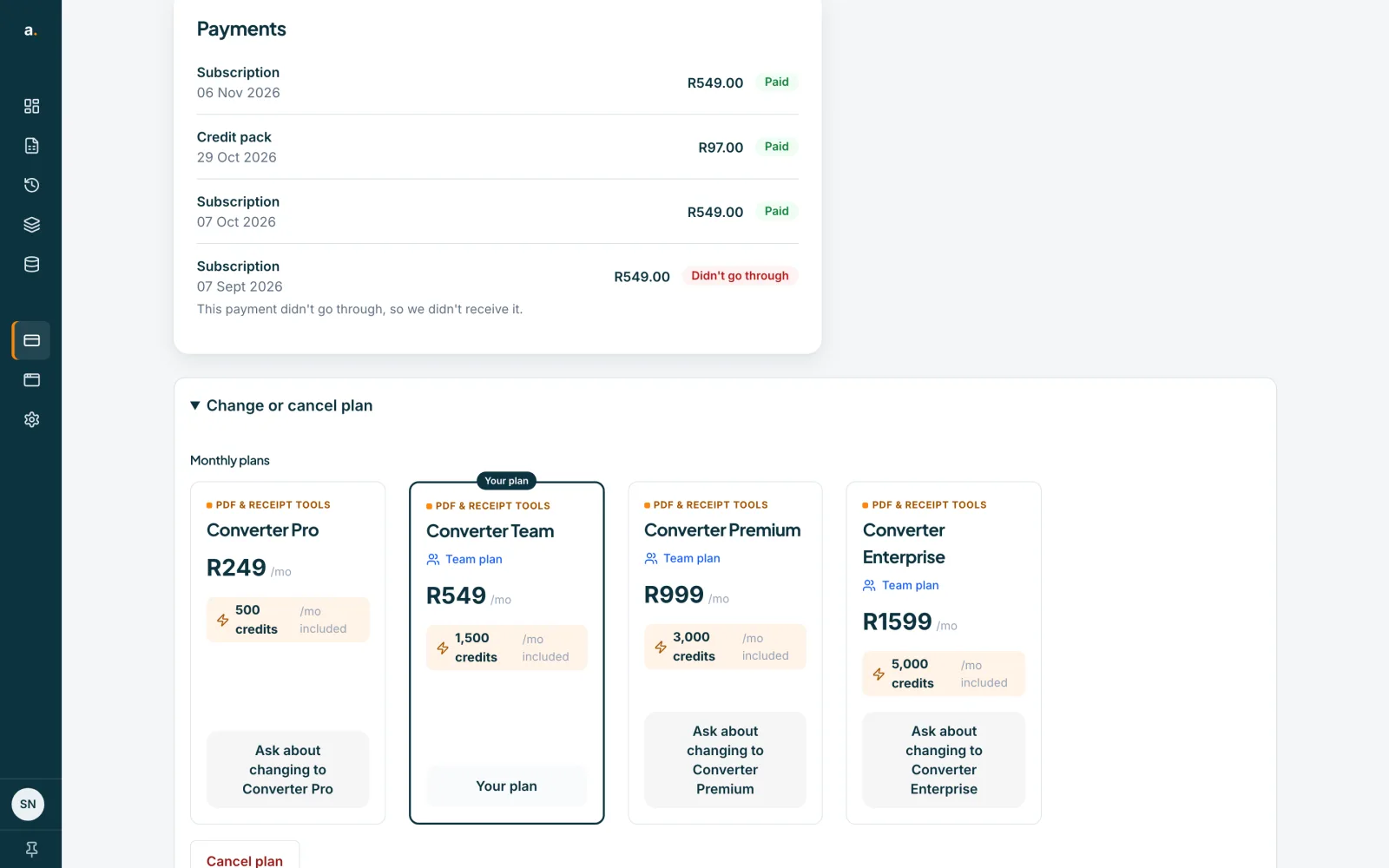
Open Change or cancel plan
Choose Billing in the left menu, then open Change or cancel plan. It lists the monthly plans. Your own plan says Your plan. The page is for the owner or admins of a team, and for people on a personal plan.
 Open full size screenshot for step 1
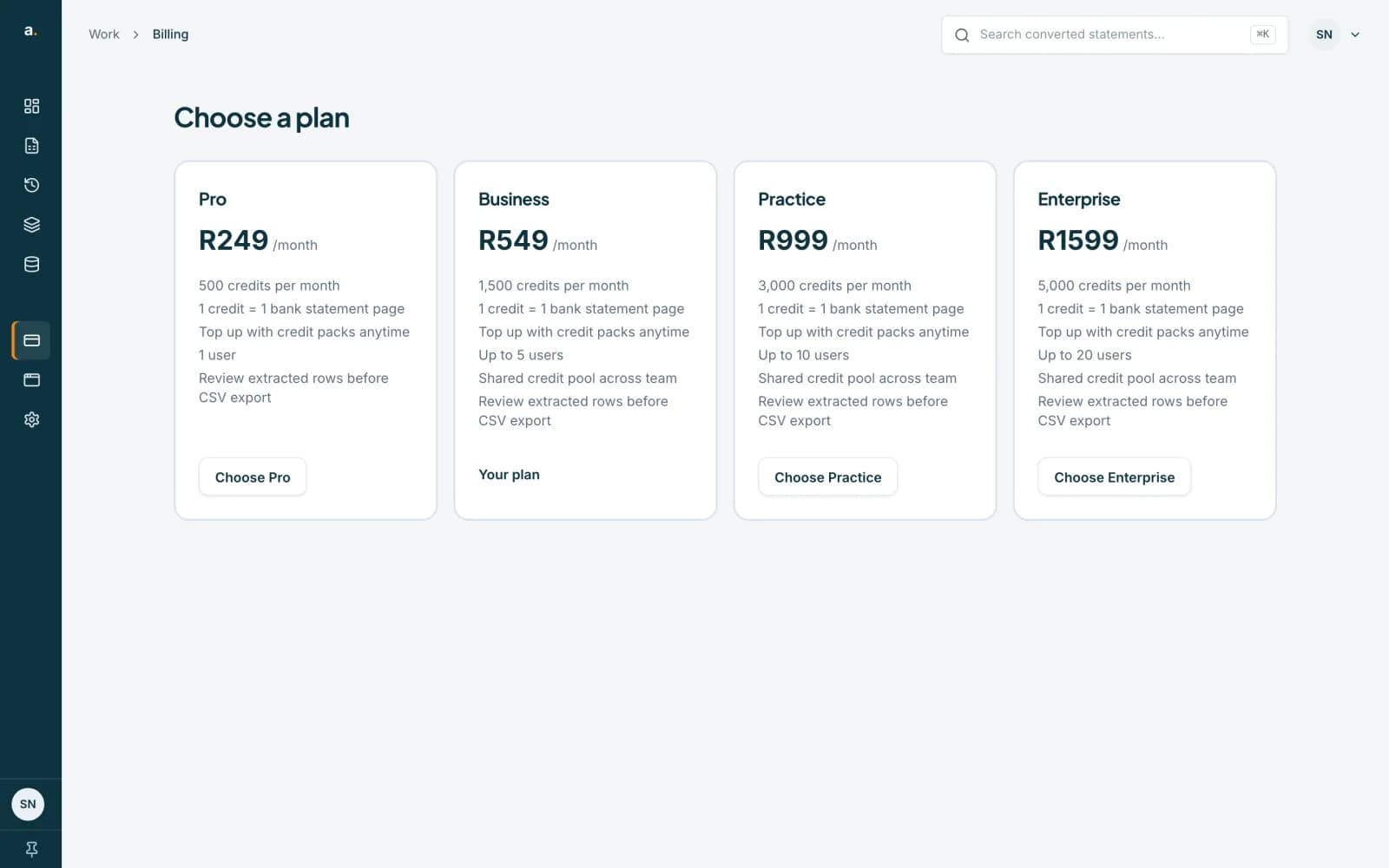
Compare the plans
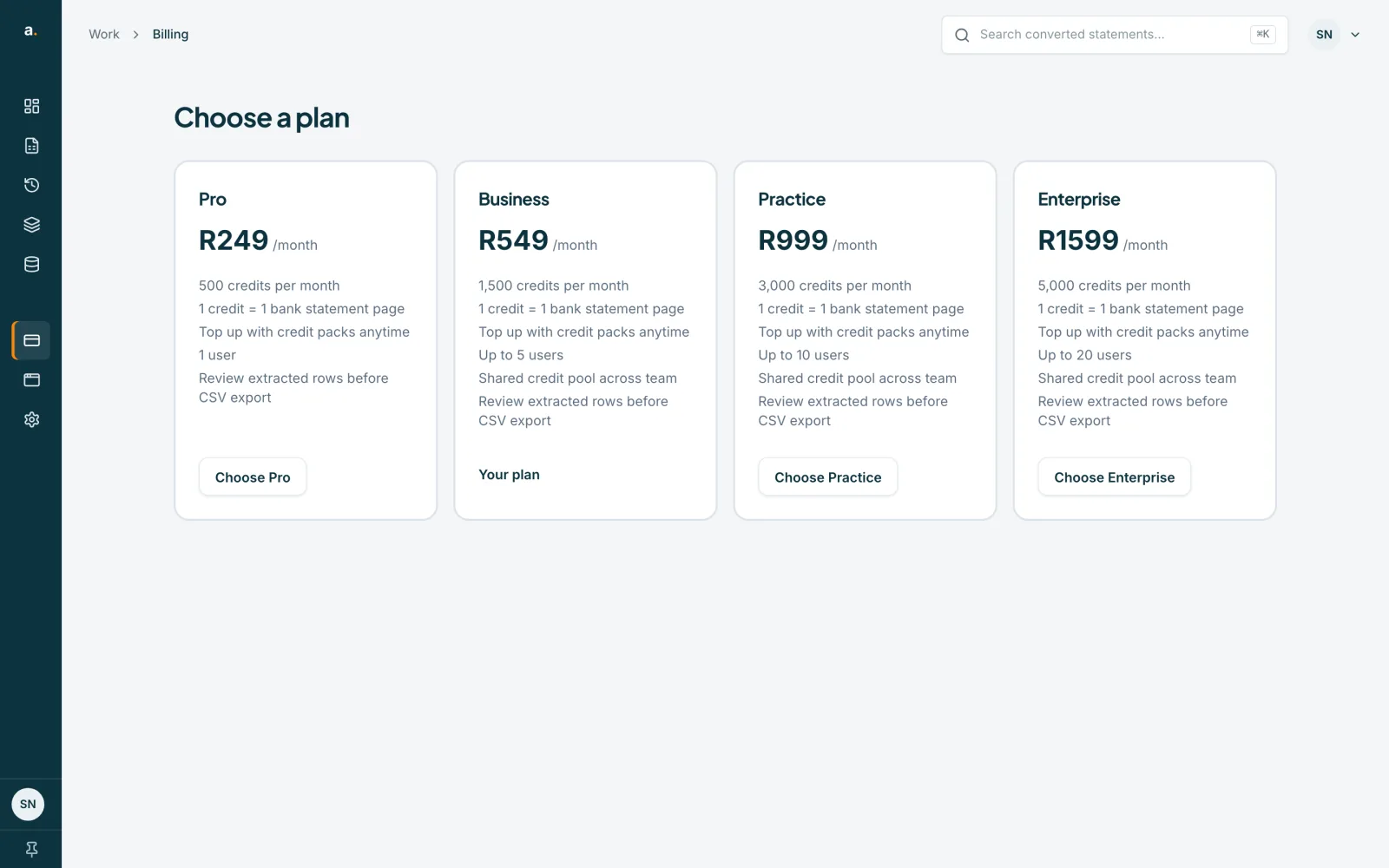
The Choose a plan page lists each plan with its monthly price, credits and users. At the time of writing, Pro is R249 for 500 credits a month, Business R549 for 1,500, Practice R999 for 3,000 and Enterprise R1,599 for 5,000. Business, Practice and Enterprise are team plans for more people. Your own plan is marked Your plan.
 Open full size screenshot for step 2
Ask to change plan
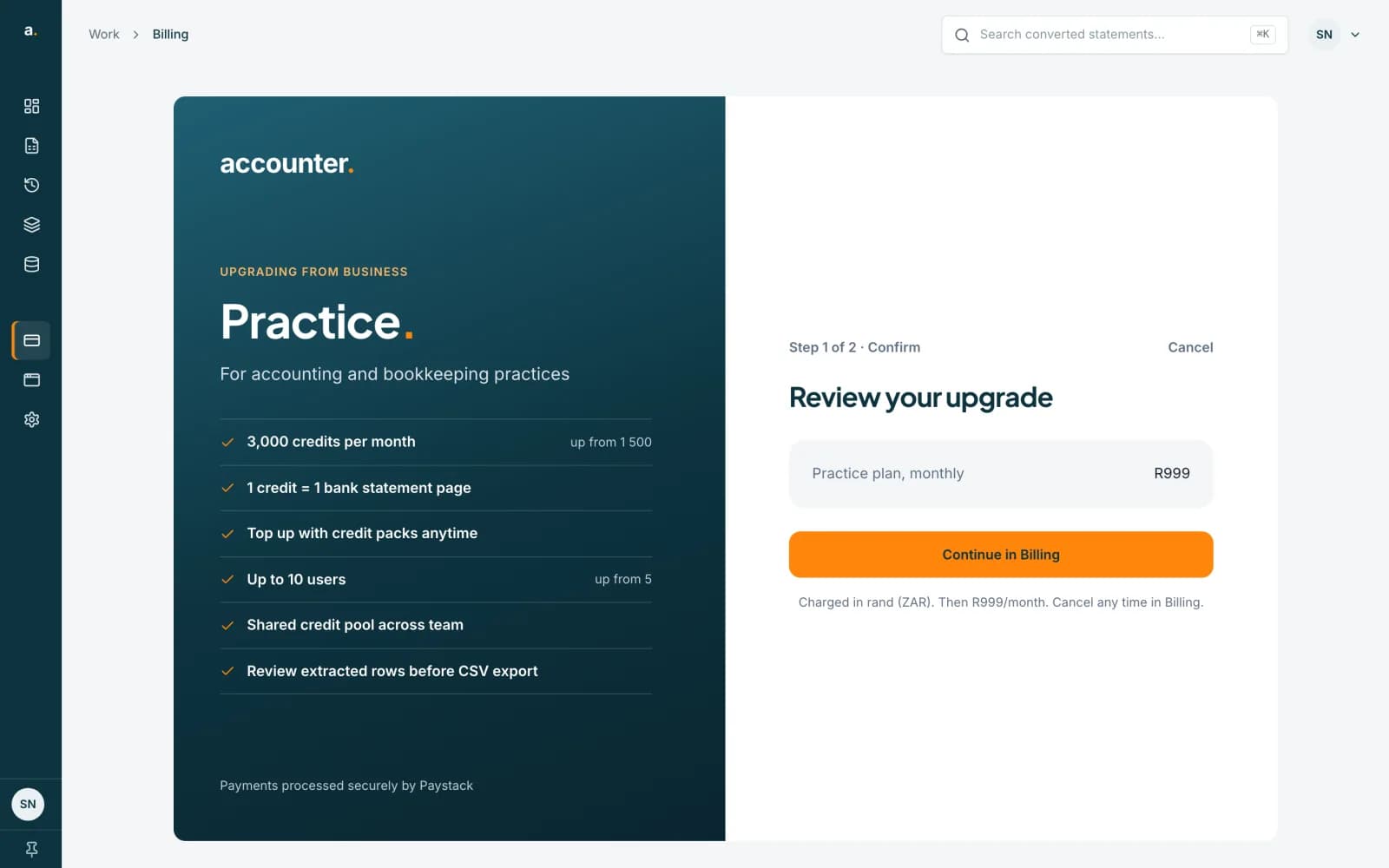
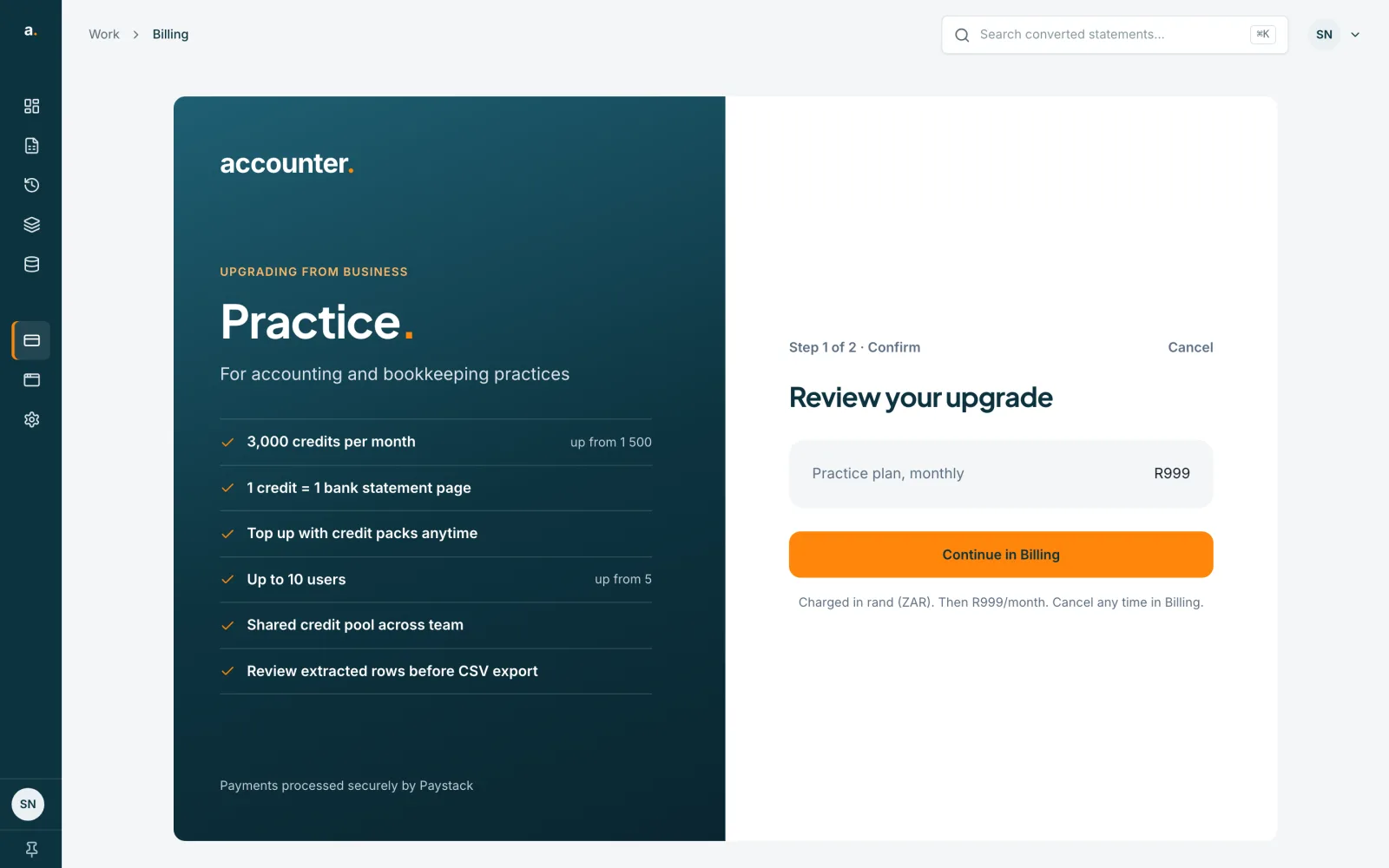
When you already have a plan, the other plans show Ask about changing to, followed by the plan name. That opens our contact page, so we can make the change for you. If you press a plan on the Choose a plan page, you see Review your upgrade and a Continue in Billing button, which takes you back to Billing and the same Ask about changing options.
 Open full size screenshot for step 3
Cancel your plan
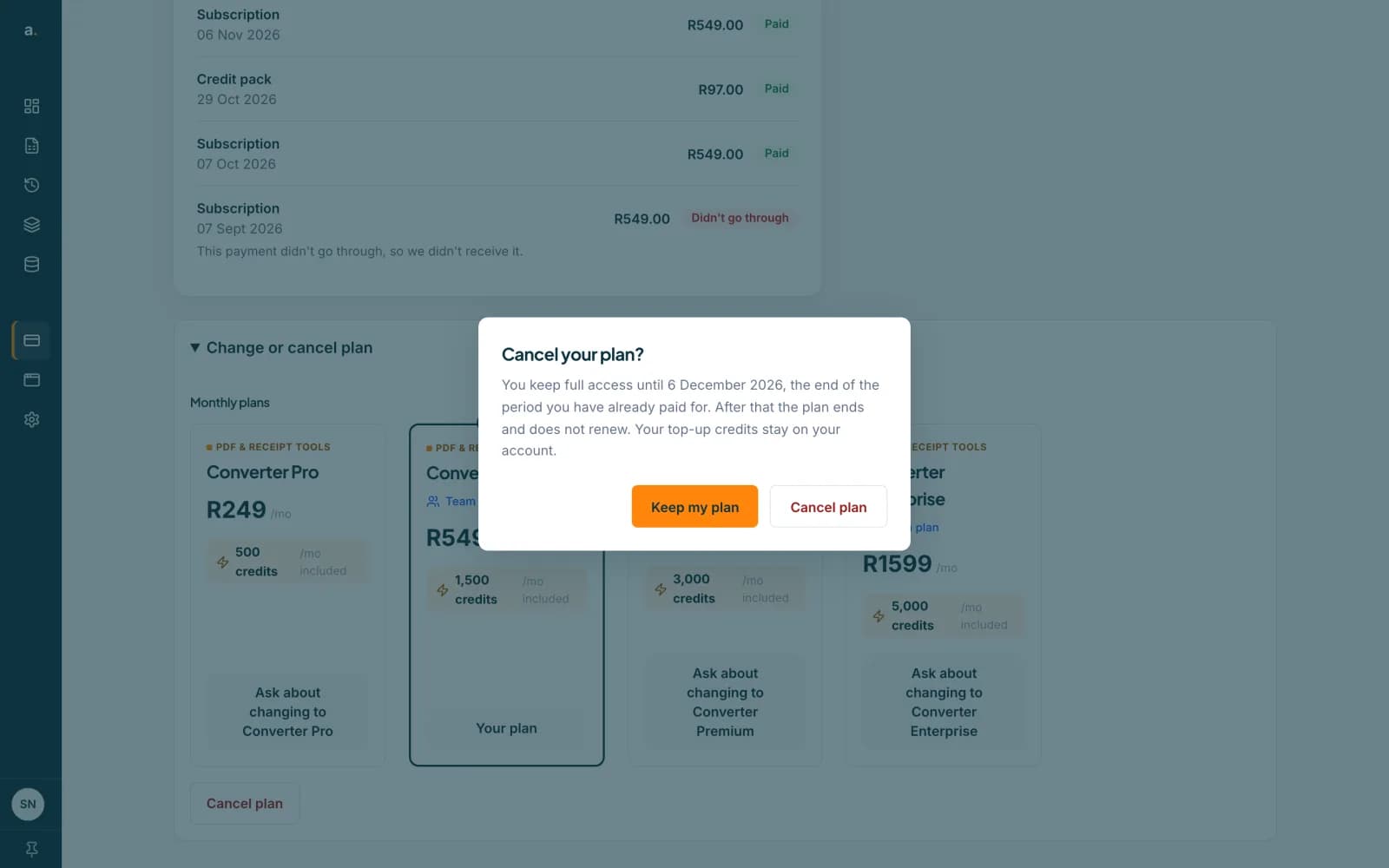
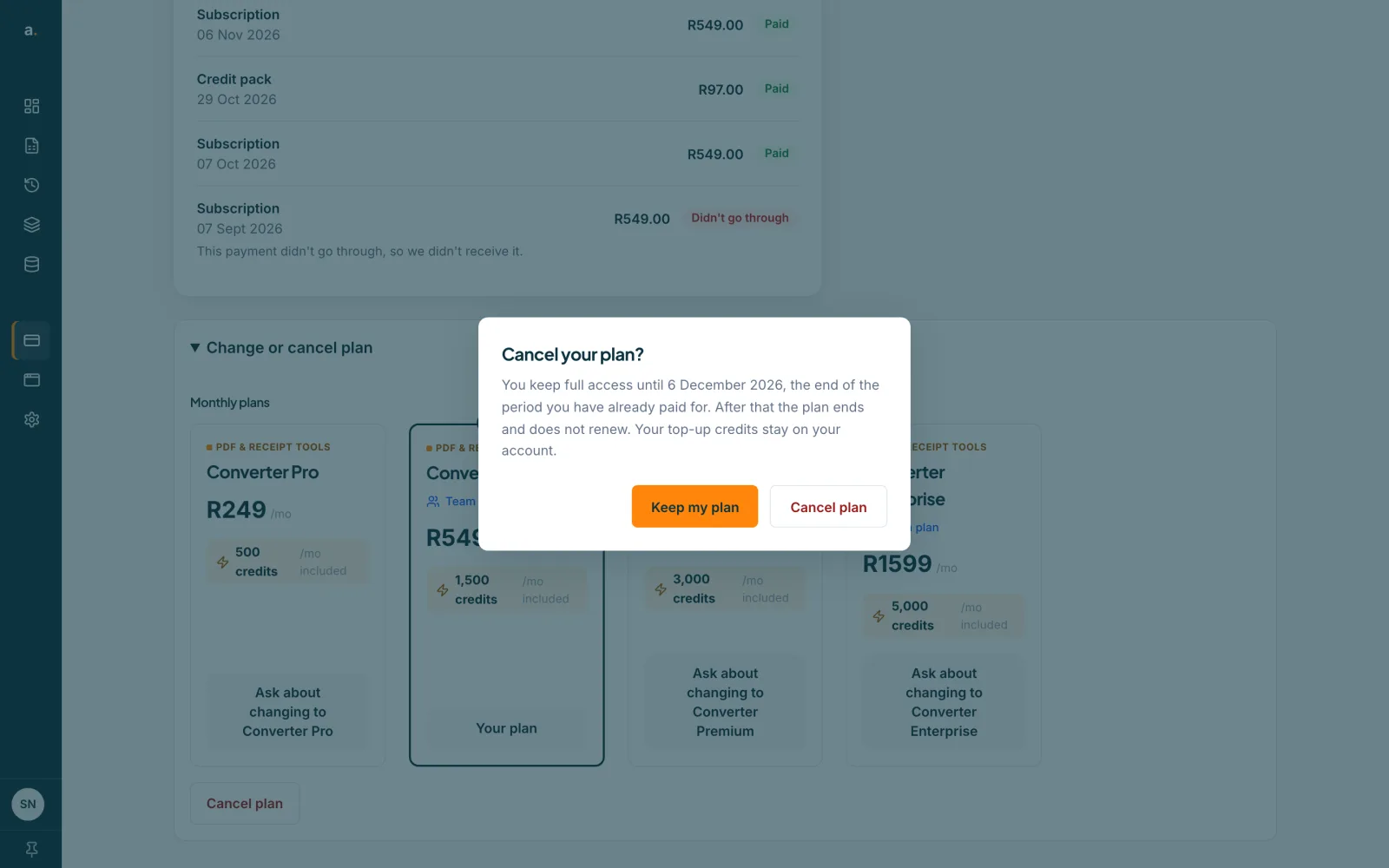
Press Cancel plan at the bottom of Change or cancel plan. A box asks Cancel your plan? It tells you that you keep full access until the date your paid period ends, that the plan then ends and does not renew, and that your top-up credits stay on your account. Press Cancel plan to confirm, or Keep my plan.
 Open full size screenshot for step 4
Tips
- If you have no plan yet, the Billing page shows each plan with a Subscribe button and its monthly price.
- Each payment covers 30 days, and your plan renews automatically with the card saved with Paystack.
- Plan pages refresh at the start of each calendar month. Unused plan pages expire, and top-up credits never do.
- If a renewal payment fails, your plan keeps working for a short grace period while we retry. See the guide on payments and receipts.
If something goes wrong
- I cannot see Billing.
- Billing is managed by your organisation owner or admins. Ask them.
- I want to switch plan but there is no switch button.
- Press Ask about changing to the plan you want and send us the message. Changing plan is done for you.
- I cancelled by mistake.
- You keep access until the end of the paid period. Contact us before then.
Related guides
- Find your payments and receiptsSee every payment on the Billing page, read each status, and know what to do if a renewal does not go through.
- Buy more creditsTop up with a credit pack on the Billing page. One credit is one statement page, and bought credits never expire.
- Invite someone to your teamSend an invite by email, choose their role, and track or revoke invites that are still pending.
- Free pages and credits: how they workEvery verified free account gets 10 free pages each calendar month, and 1 credit pays for 1 statement page.