Build a ledger from several statements
Last reviewed 16 November 2026 · 5 steps
Join statements of one account into a single ledger, with a check that each statement carries over from the one before.
Free account
Steps
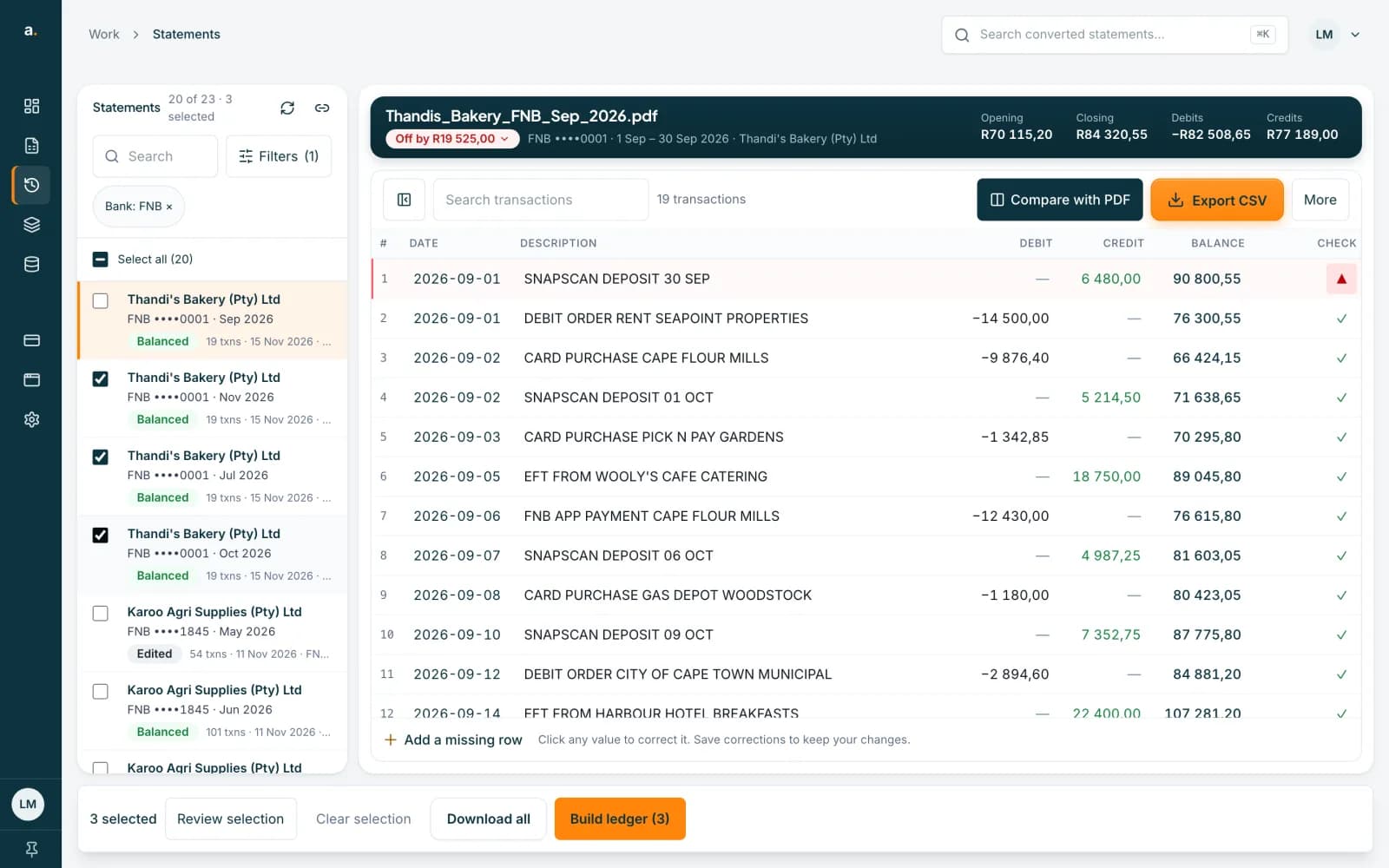
Tick the statements
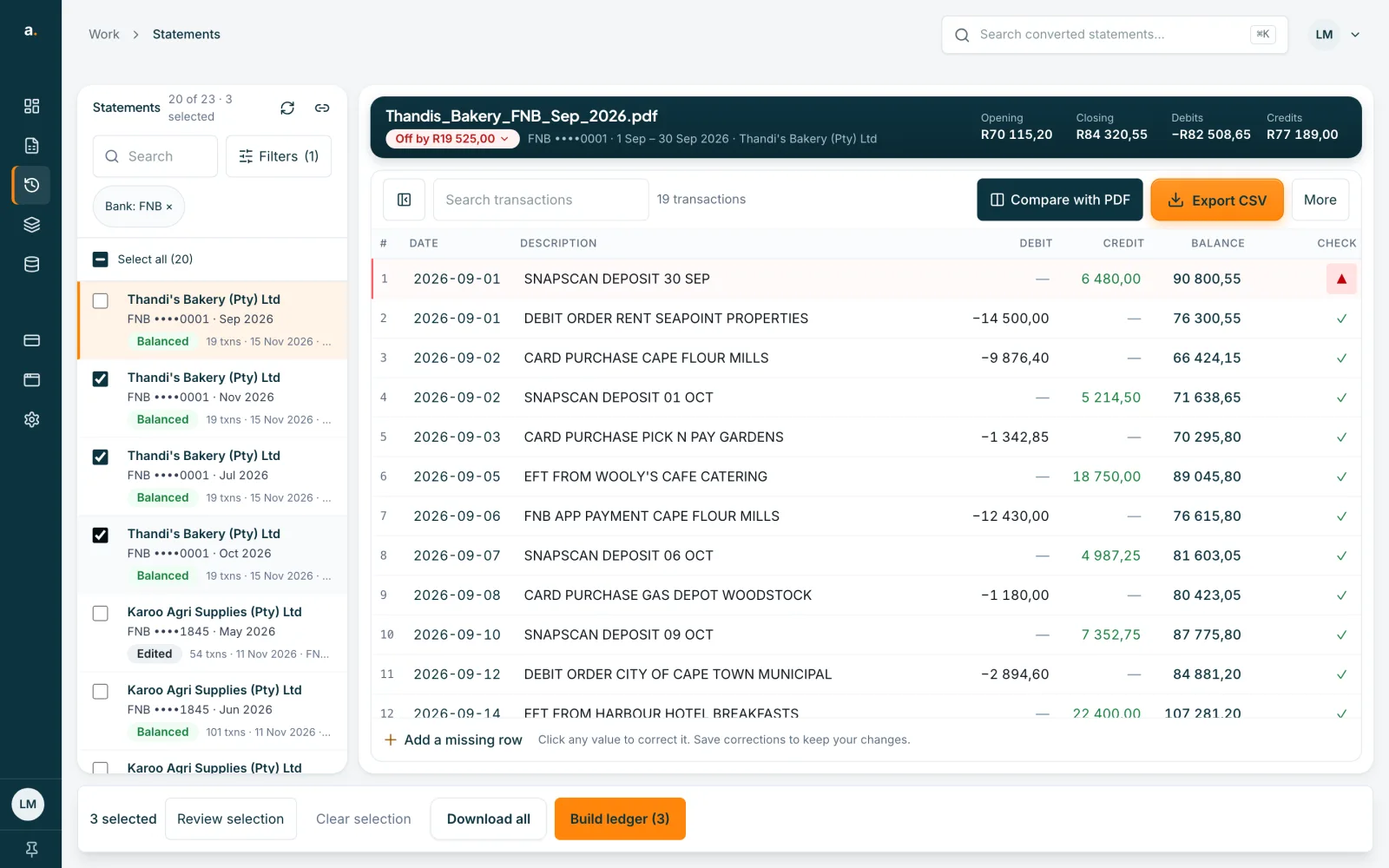
In Statements, tick two or more statements of the same account. Search or filter first to find them. The hint says Tick 2+ to build a ledger. Press Build ledger (3) in the bar at the bottom.
 Open full size screenshot for step 1
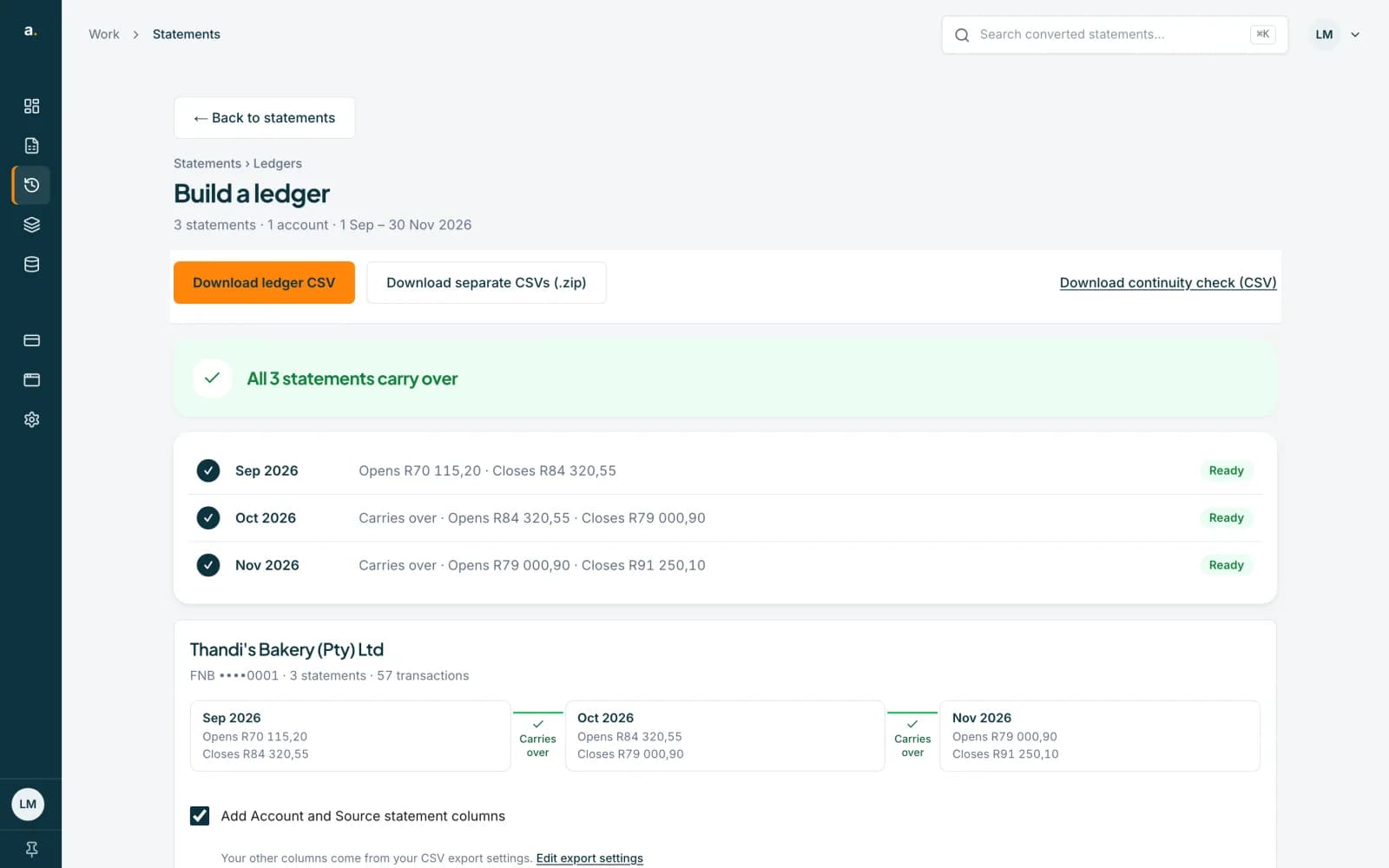
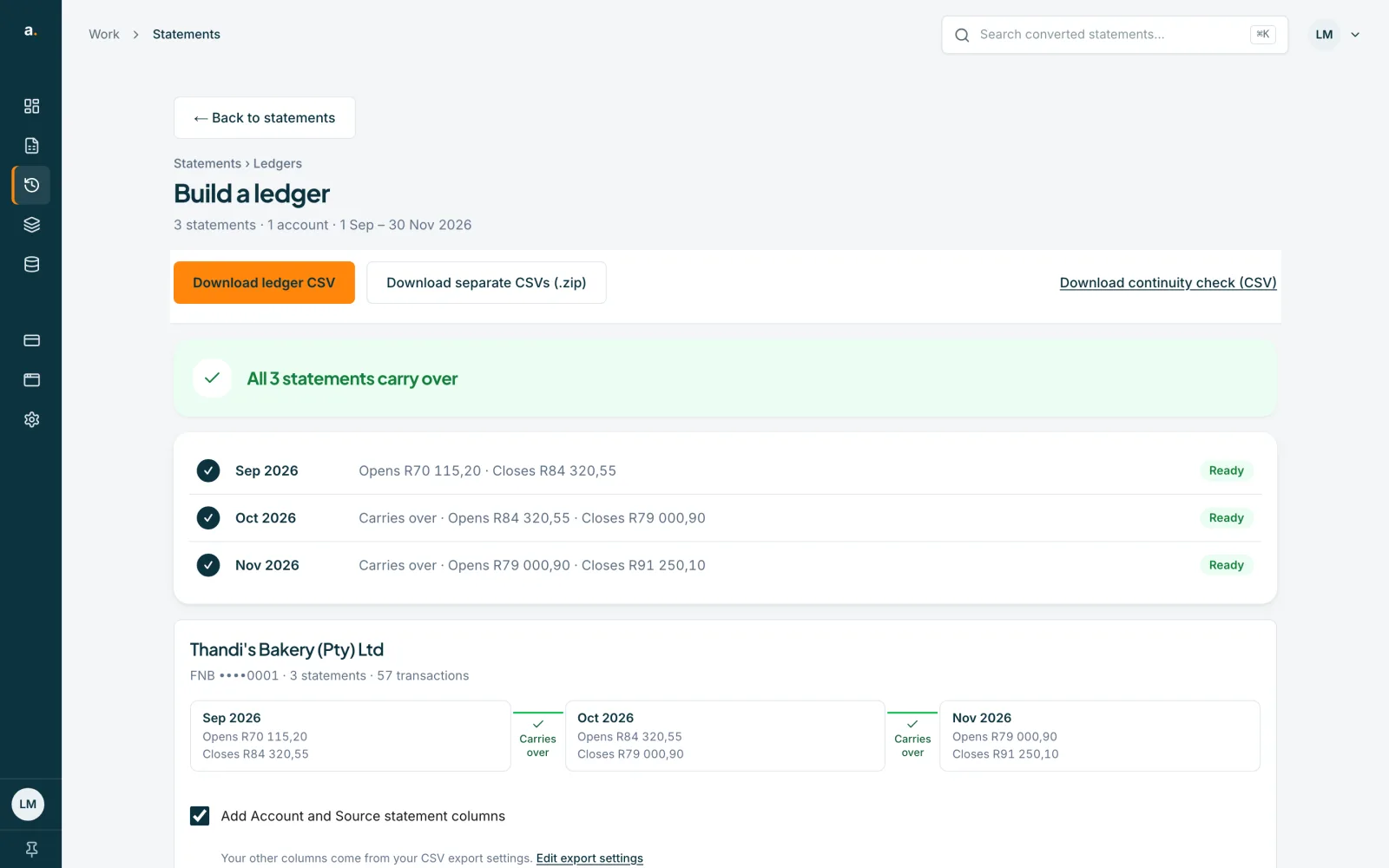
Read the Build a ledger page
The page says how many statements and accounts it covers and the period, for example 3 statements · 1 account · 1 Sep – 30 Nov 2026. A banner says All 3 statements carry over, or what to check. Statements are grouped by account and put in order of period.
 Open full size screenshot for step 2
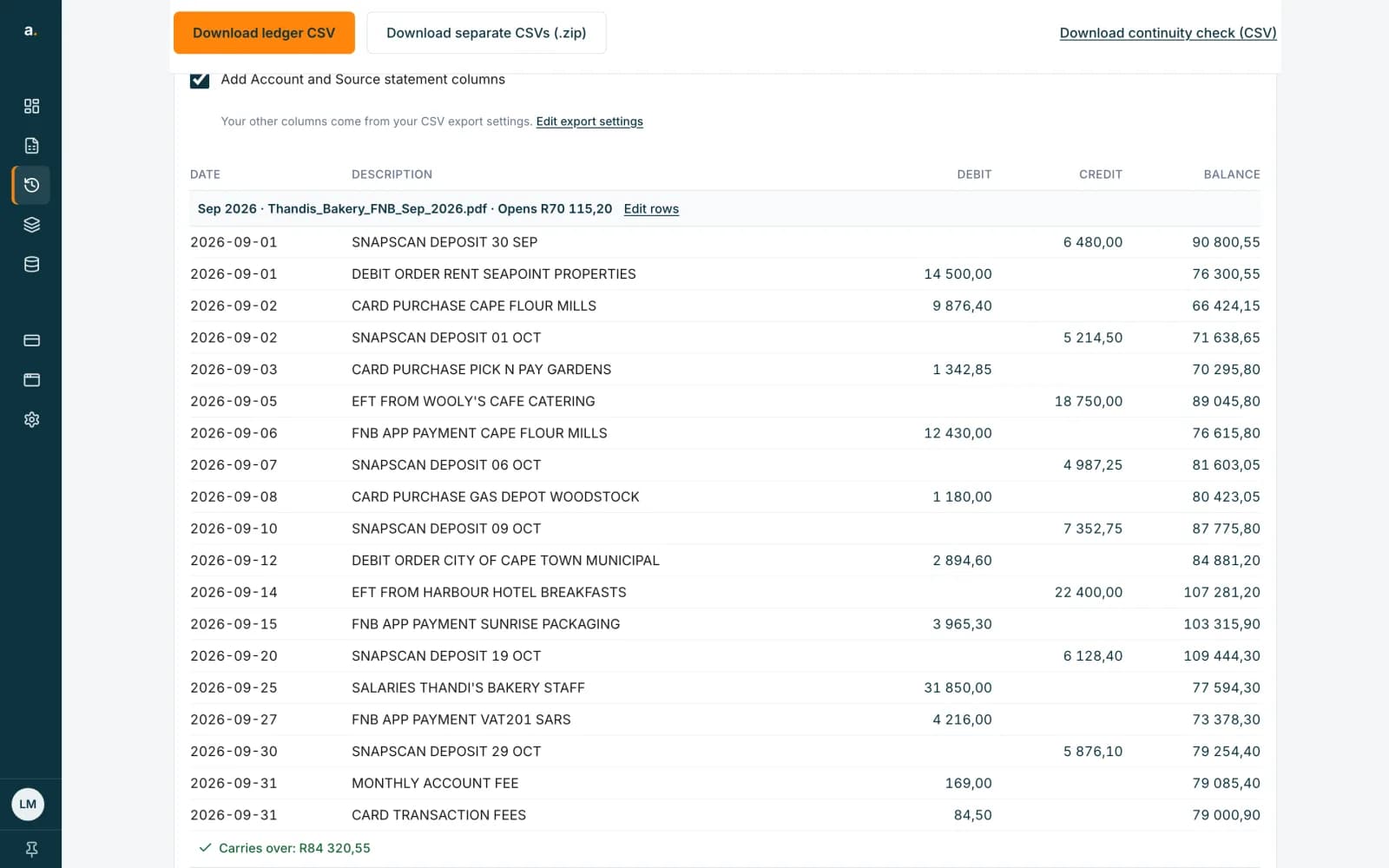
Choose your options
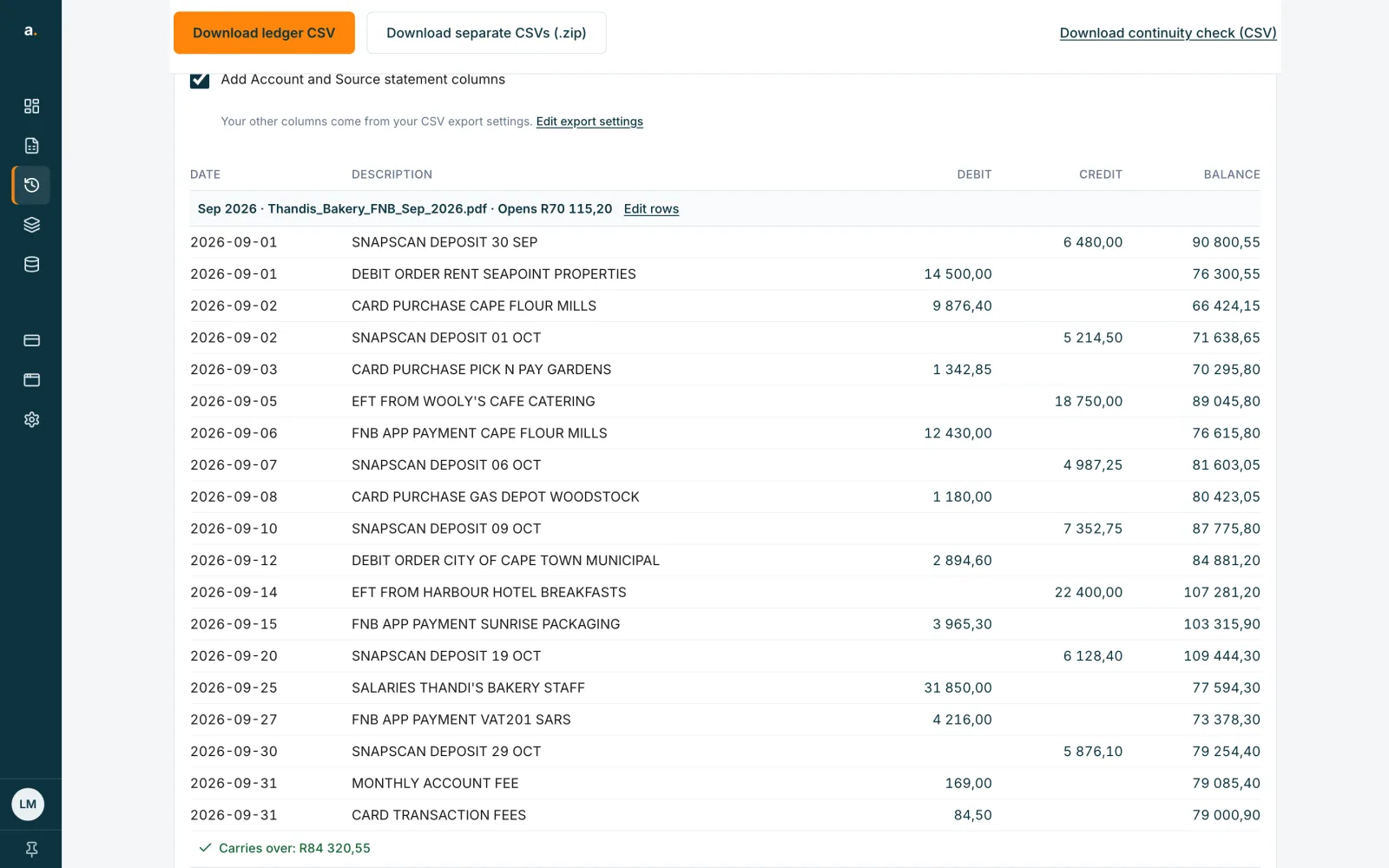
Under the check are the combined rows. Add Account and Source statement columns adds those two columns. Your other columns come from your CSV export settings, and Edit export settings opens them. If statements share rows, a box offers to leave out the rows that also appear on the previous statement.
 Open full size screenshot for step 3
Download
Press Download ledger CSV for one file. Download separate CSVs (.zip) gives one CSV per statement. Download continuity check (CSV) gives the carry-over results as a file.
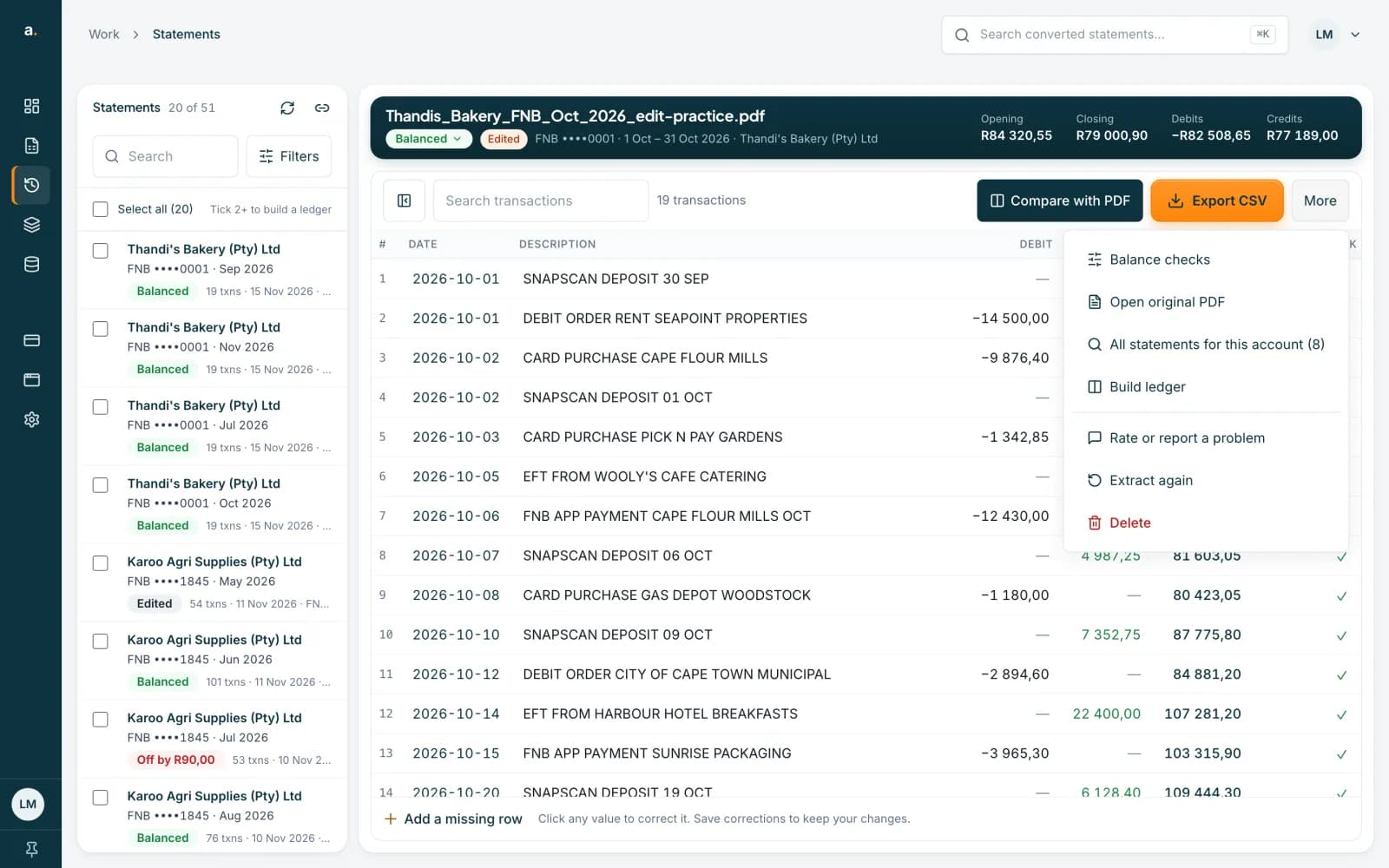
Or start from the More menu
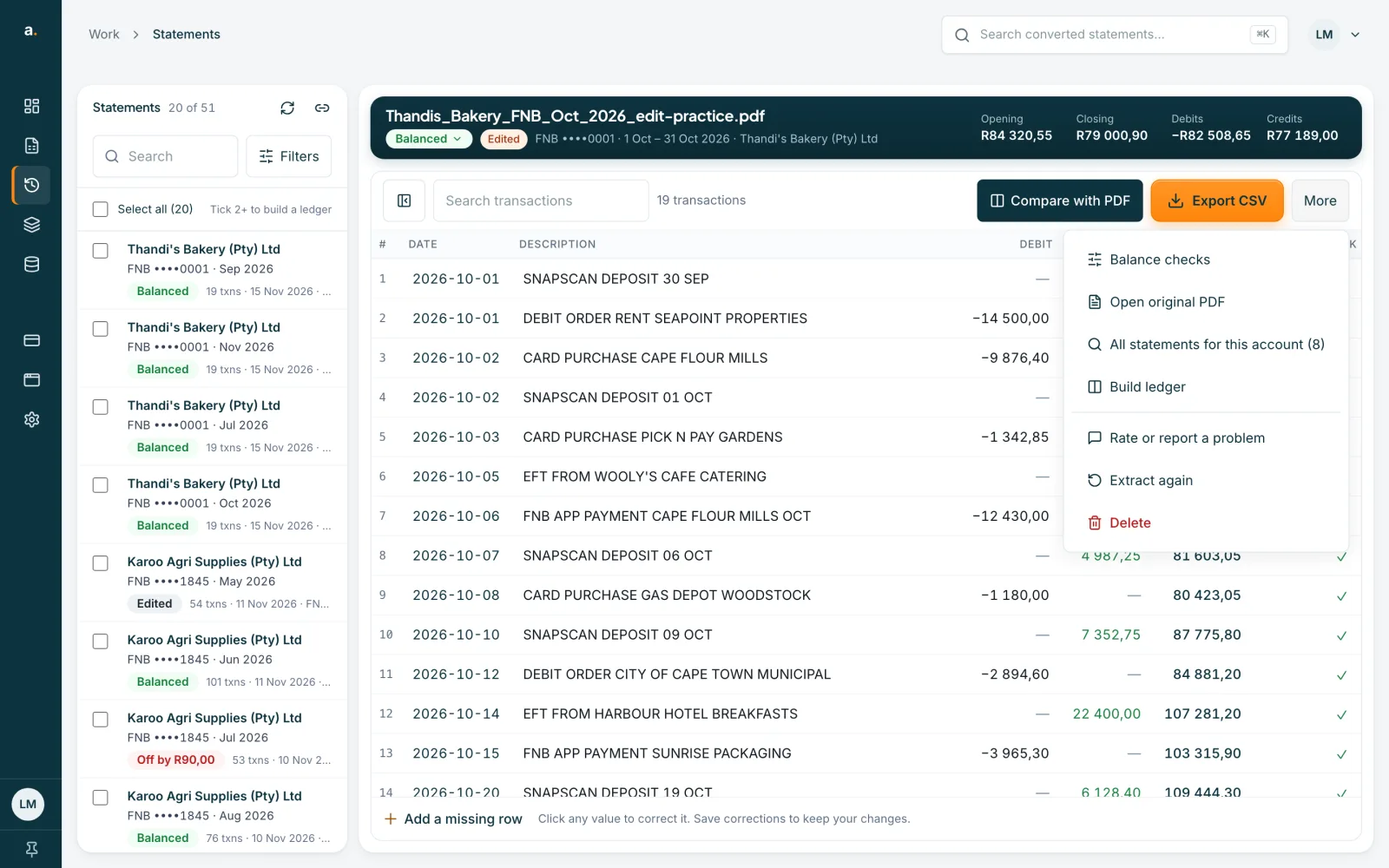
On an open statement, choose More, then Build ledger. All statements for this account shows the others in the list, so you can tick them.
 Open full size screenshot for step 5
Tips
- You can still download when something needs checking. See the guide on reading the ledger check.
- Different accounts become separate ledgers on the same page.
- A statement without an account number is checked on its own.
- You can build a ledger from up to 100 statements.
If something goes wrong
- The main button says Build anyway.
- A statement is missing between two others. You can still build the ledger, or upload the missing statement first.
- The page says some statements weren't found.
- They may have been deleted, or you may not have access, so they are not included.
- A statement is in the wrong place.
- Statements are ordered by their period. Check that the period was read correctly.
Related guides
- Read the ledger checkUnderstand each result in the ledger, from Carries over to Gap and Same statement twice, and what to do about it.
- Download several statements at onceTick statements in the list, then download them as one CSV, as a zip of CSVs, or in OFX, QIF or an accounting-app format.
- Set up and save your own CSV presetPick a built-in preset, choose and reorder columns, set date and number formats, and save your own preset.