Read the ledger check
Last reviewed 16 November 2026 · 5 steps
Understand each result in the ledger, from Carries over to Gap and Same statement twice, and what to do about it.
Free account
Steps
Read the banner
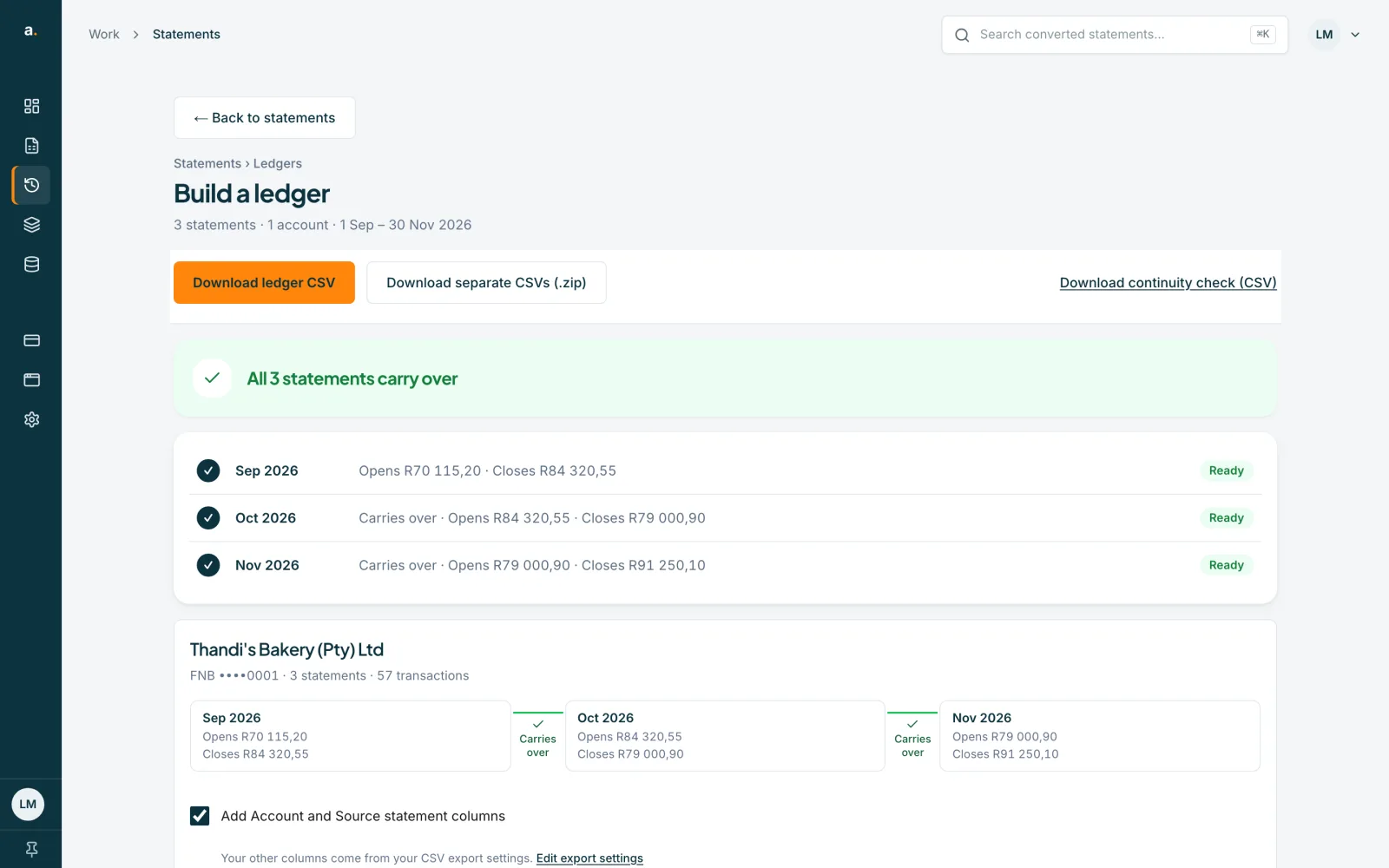
The banner tops the ledger. All 3 statements carry over means every statement opens at the previous one's closing balance. Otherwise it says A statement is missing, or N to check before you import, and You can still download. Each statement shows Ready or Check.
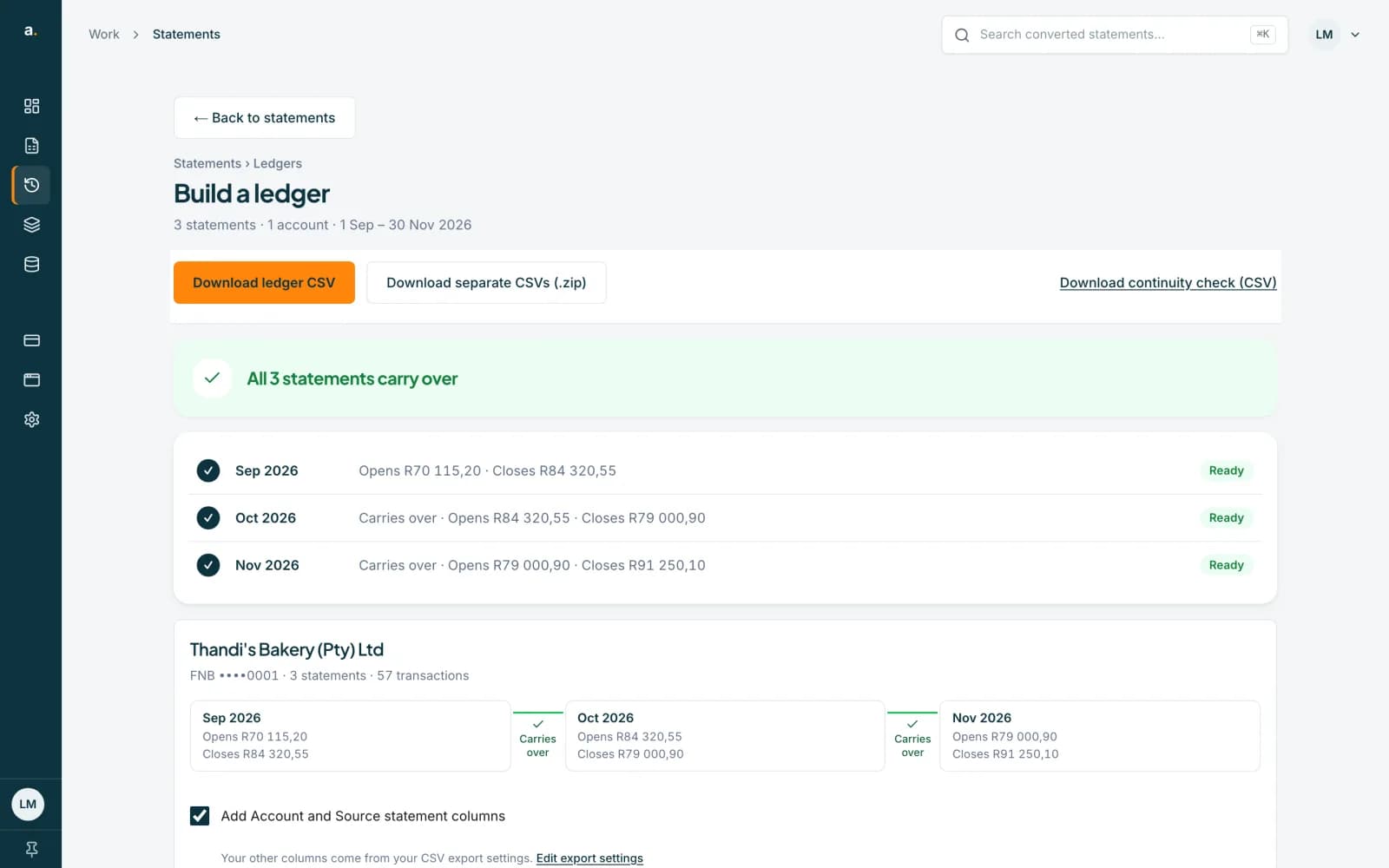 Open full size screenshot for step 1
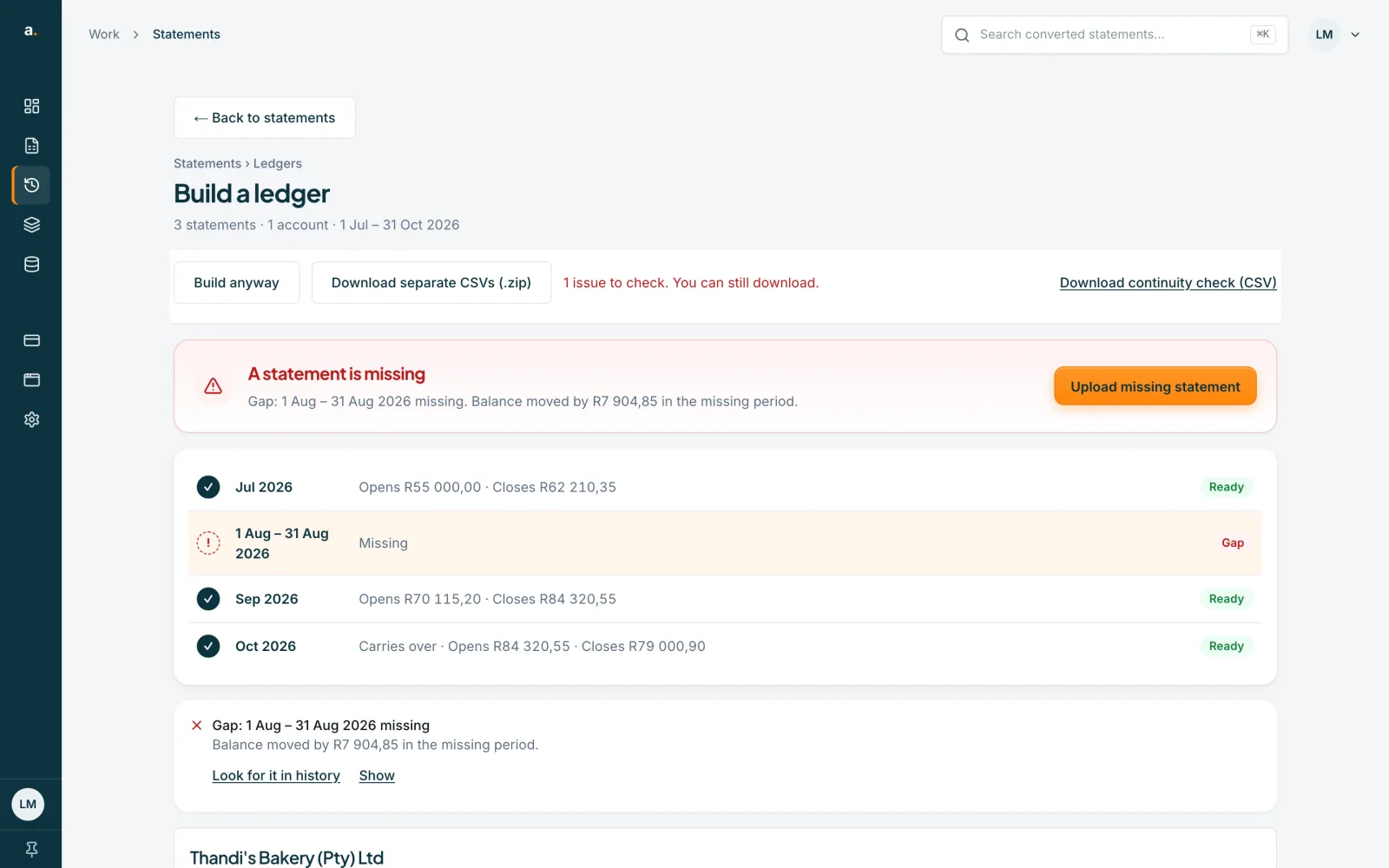
A gap
Gap: 1 Aug – 31 Aug 2026 missing means a month has no statement. The line adds Balances carry over, so there may have been no activity, or Balance moved by R7 904,85 in the missing period. Press Upload missing statement, or Look for it in history.
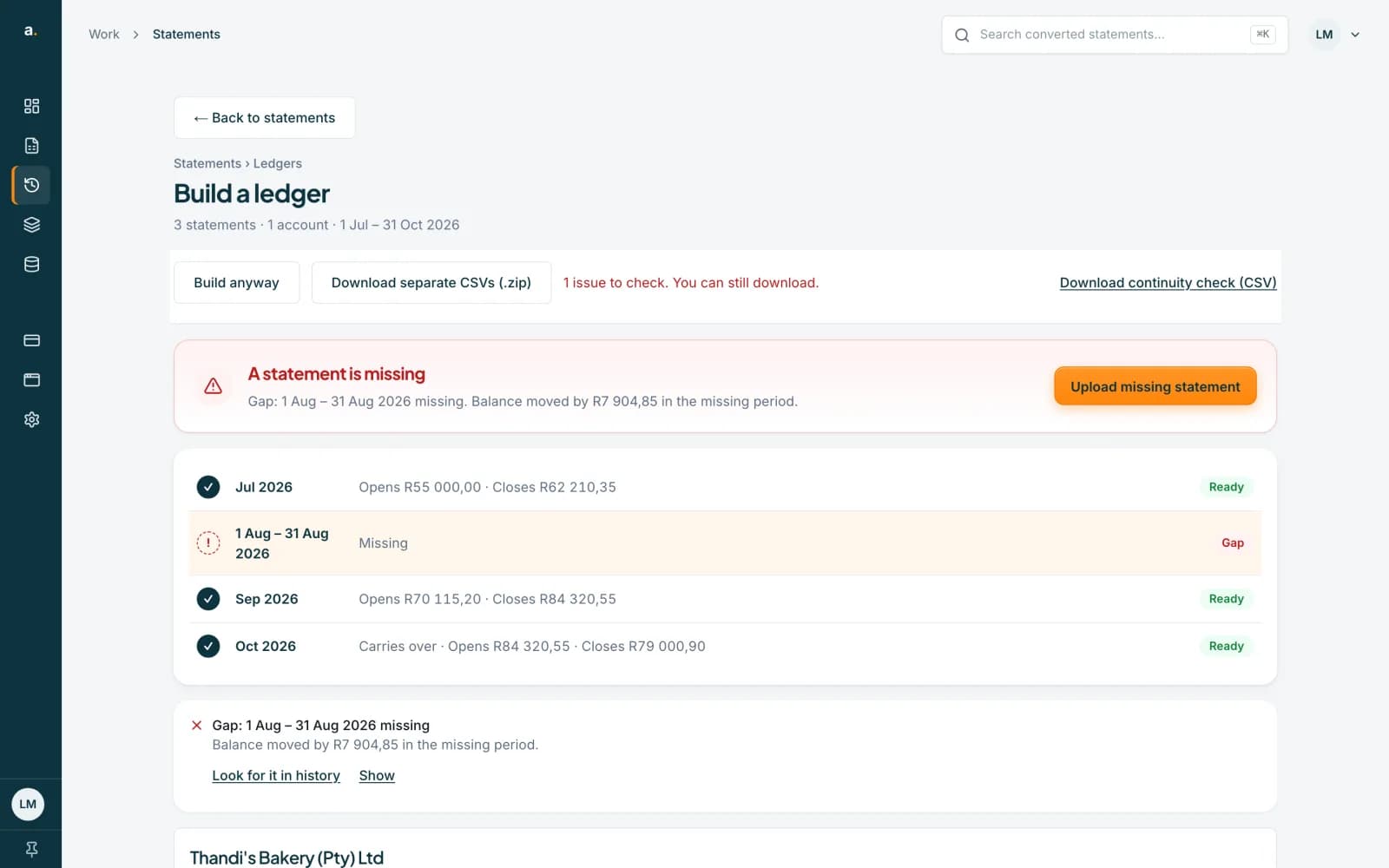 Open full size screenshot for step 2
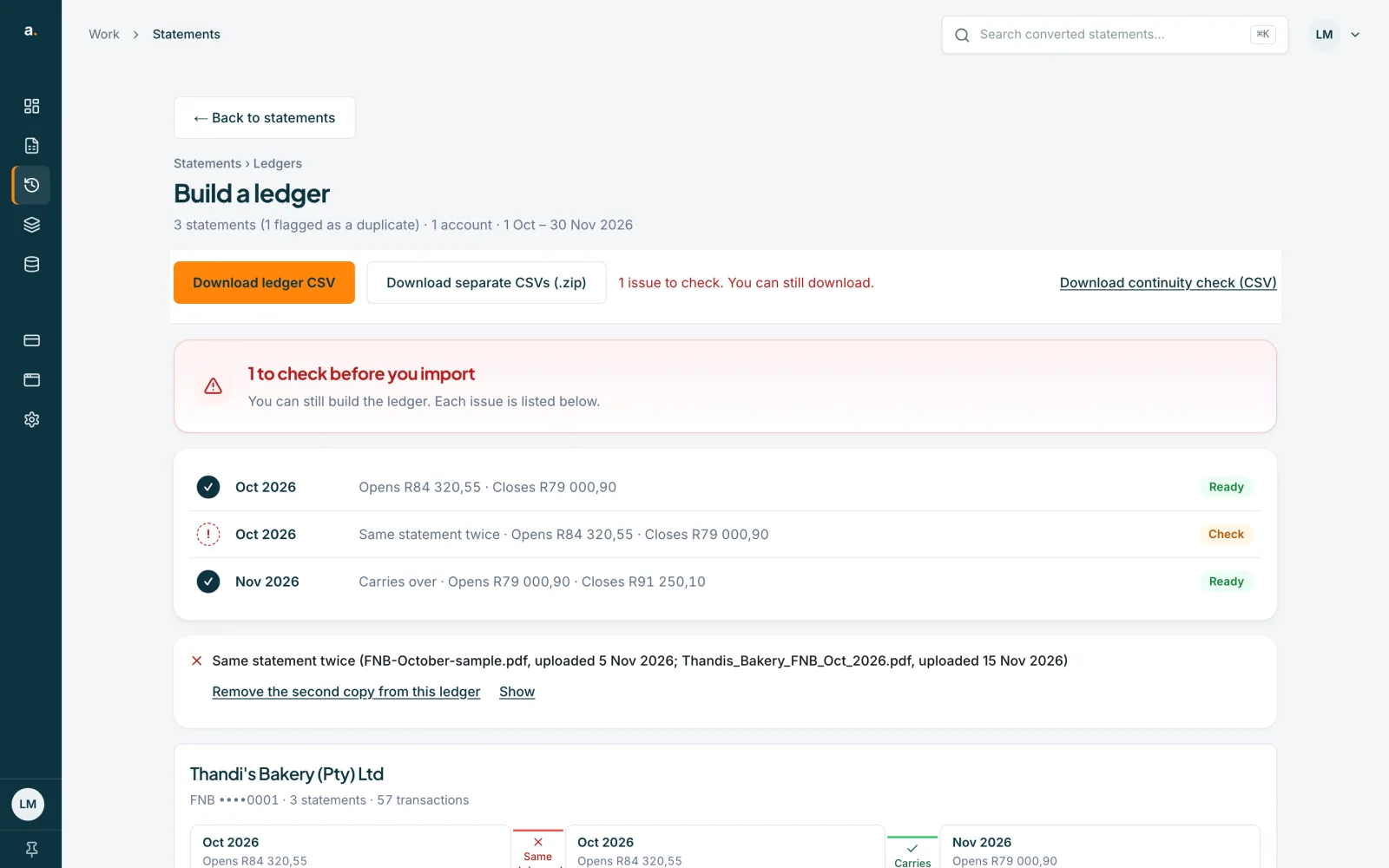
The same statement twice
Same statement twice means two statements share a file or a period. Press Remove the second copy from this ledger. It leaves the ledger only. The saved statement stays, and Undo brings it back.
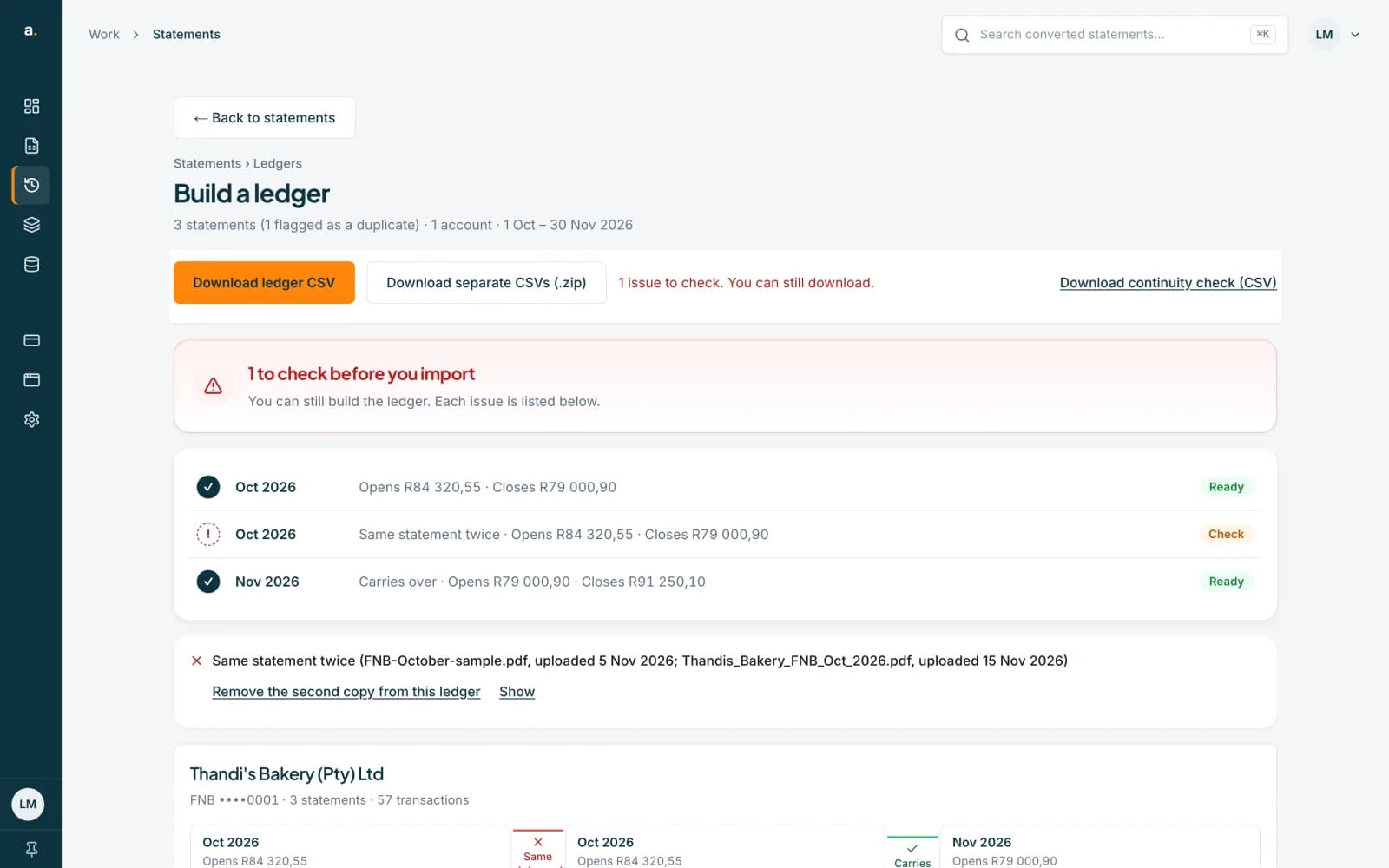 Open full size screenshot for step 3
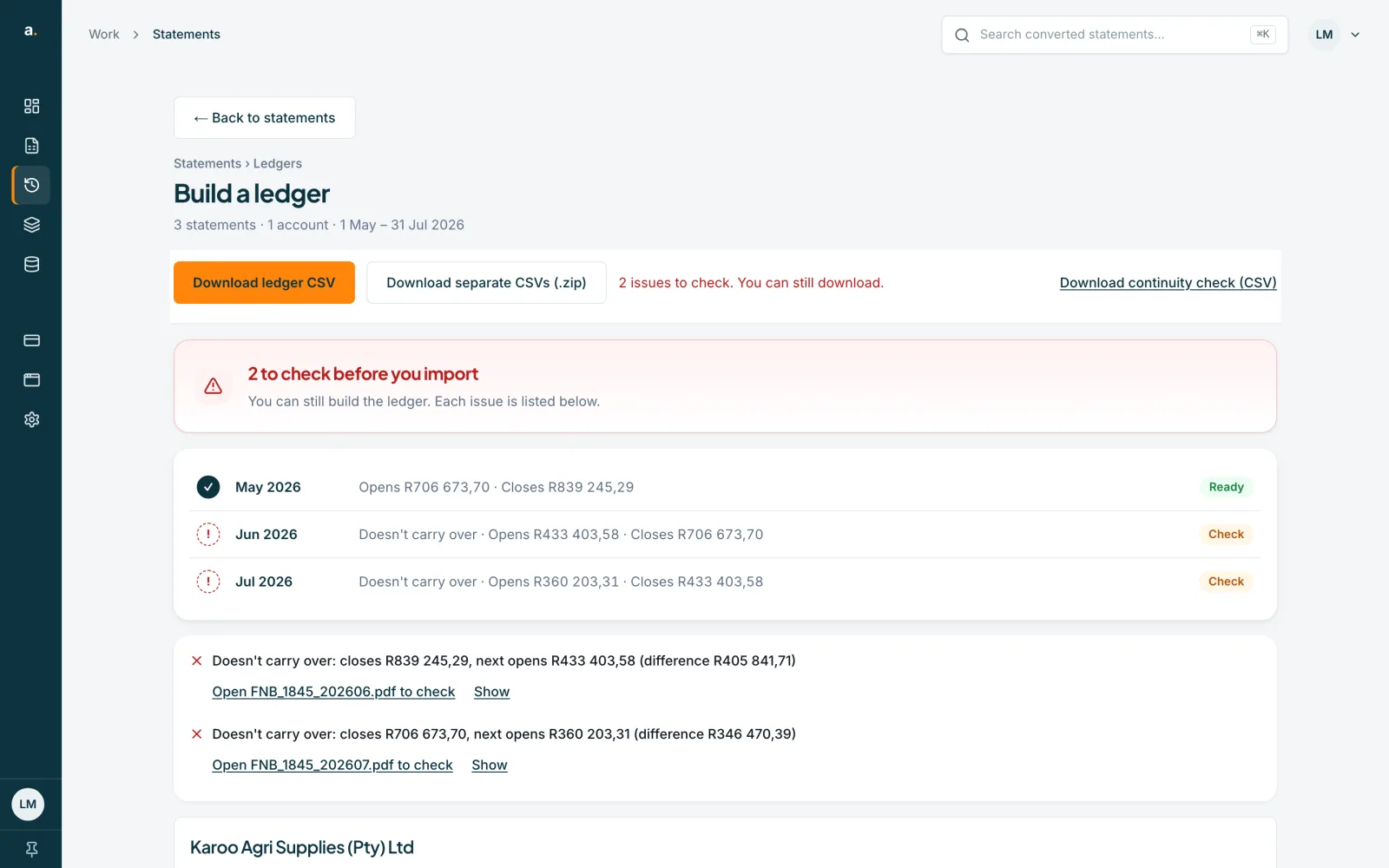
A statement that does not carry over
Doesn't carry over: closes R839 245,29, next opens R433 403,58 (difference R405 841,71). Press the Open … to check link, which names the file, and compare both balances with the PDFs. A misread balance or a missing row are common causes.
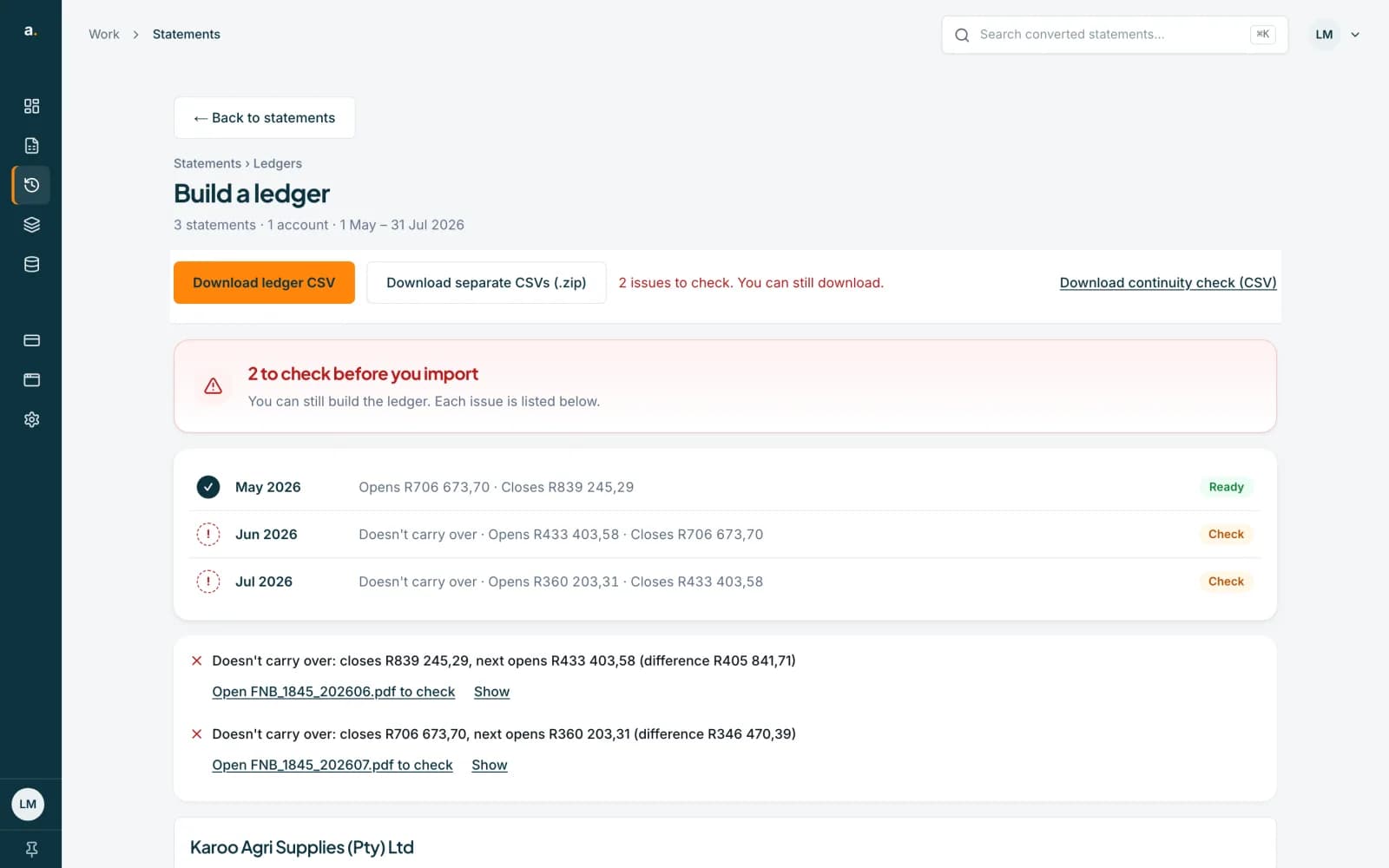 Open full size screenshot for step 4
The other results
Overlap: N rows on both statements is for information. Periods overlap … but no shared rows were found needs a look at both statements. Can't check says the opening balance, closing balance or period was not found on a named file. Download continuity check (CSV) saves every result.
Tips
- The continuity file has the columns Account, From statement, To statement, Closing, Next opening, Difference and Result.
- A balance taken from the rows rather than the statement is marked (from rows).
- Overlap rows can be left out of the download with the box under the account. It only changes that download.
- Check one statement at a time with Balance checks. See the guide on the balance check.
If something goes wrong
- It says Can't check: opening balance not found.
- Open the named file and check whether the statement printed an opening balance. Edit the rows if the balance was missed.
- A gap is shown but you have the statement.
- Look for it in history. If it is missing, upload it. If its period was misread, the ledger may place it wrongly.
Related guides
- Build a ledger from several statementsJoin statements of one account into a single ledger, with a check that each statement carries over from the one before.
- Read the balance checkSee whether a converted statement adds up, find the row that does not, and read what the Balance checks panel suggests.
- Download several statements at onceTick statements in the list, then download them as one CSV, as a zip of CSVs, or in OFX, QIF or an accounting-app format.