Choose the bank for a statement
Last reviewed 16 November 2026 · 5 steps
Accounter detects the bank itself. Here is how to pick it yourself when detection fails, or change it if it got it wrong.
Free account
Steps
Add one PDF
Choose Add statements and add a single statement. Accounter tries to detect the bank from the file. When it cannot, a line says We couldn't detect the bank. Pick it if you know it (optional).
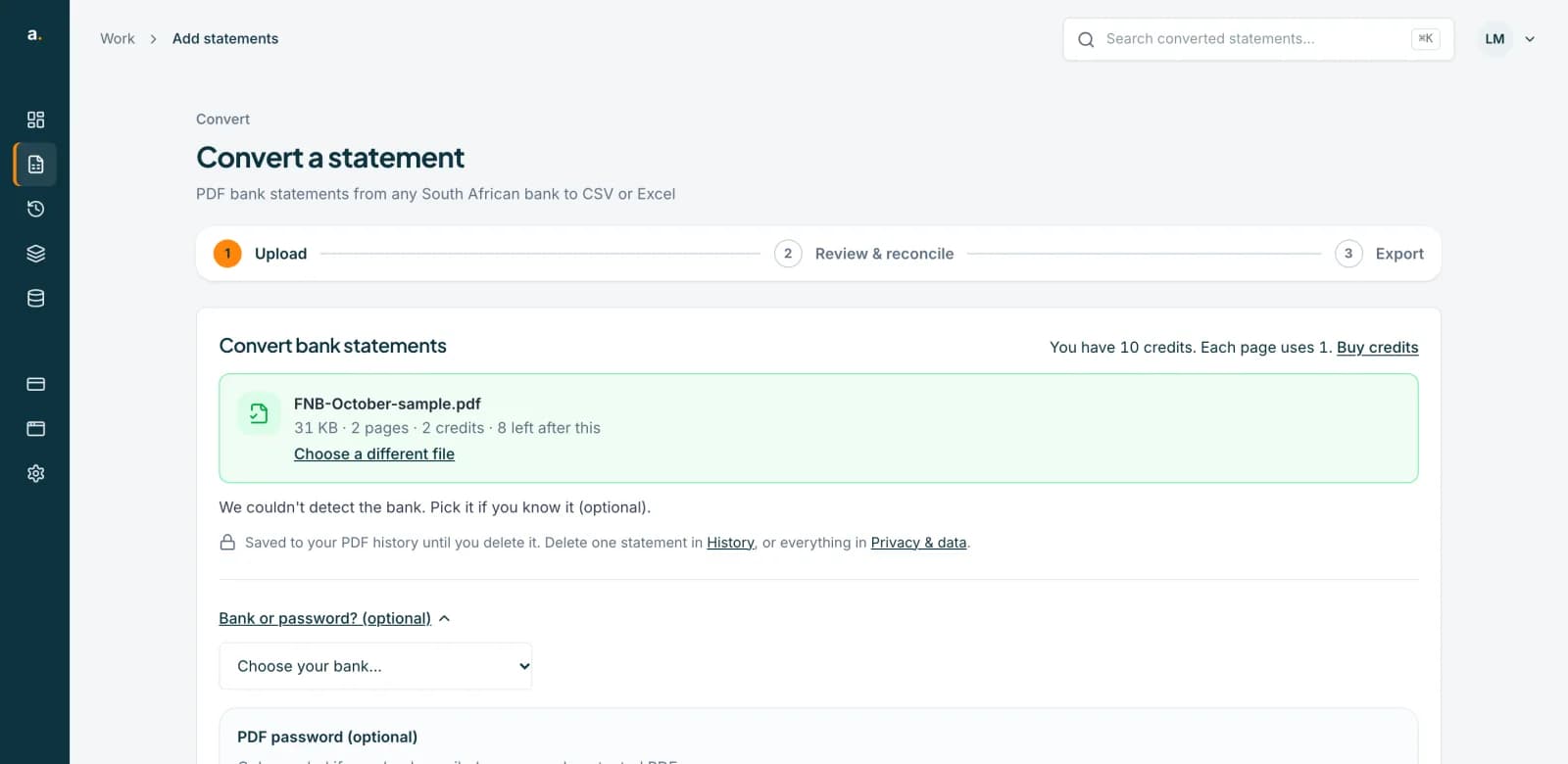 Open full size screenshot for step 1
Open "Bank or password? (optional)"
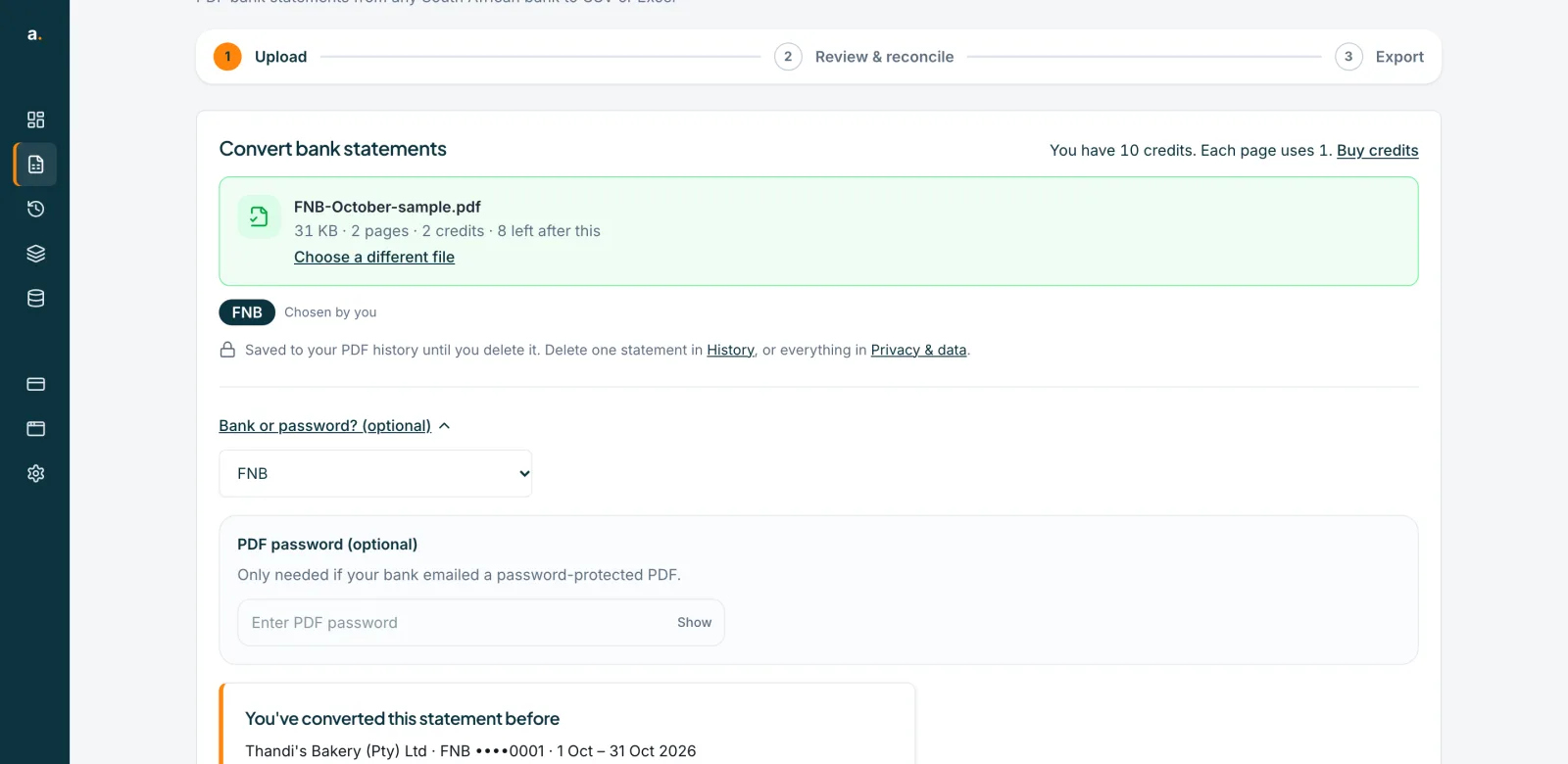
Press the link. A list called Your bank opens, with a PDF password box under it. The list shows the South African banks first: ABSA, African Bank, Bank Zero, Bidvest Bank, Capitec, Discovery Bank, FNB, GoTyme (TymeBank), Investec, Nedbank, Sasfin and Standard Bank. Then My bank isn't listed, then banks outside South Africa.
Choose your bank
Pick the bank from the list. A label beside the list says Chosen by you. A bank you choose always wins over the bank Accounter detected.
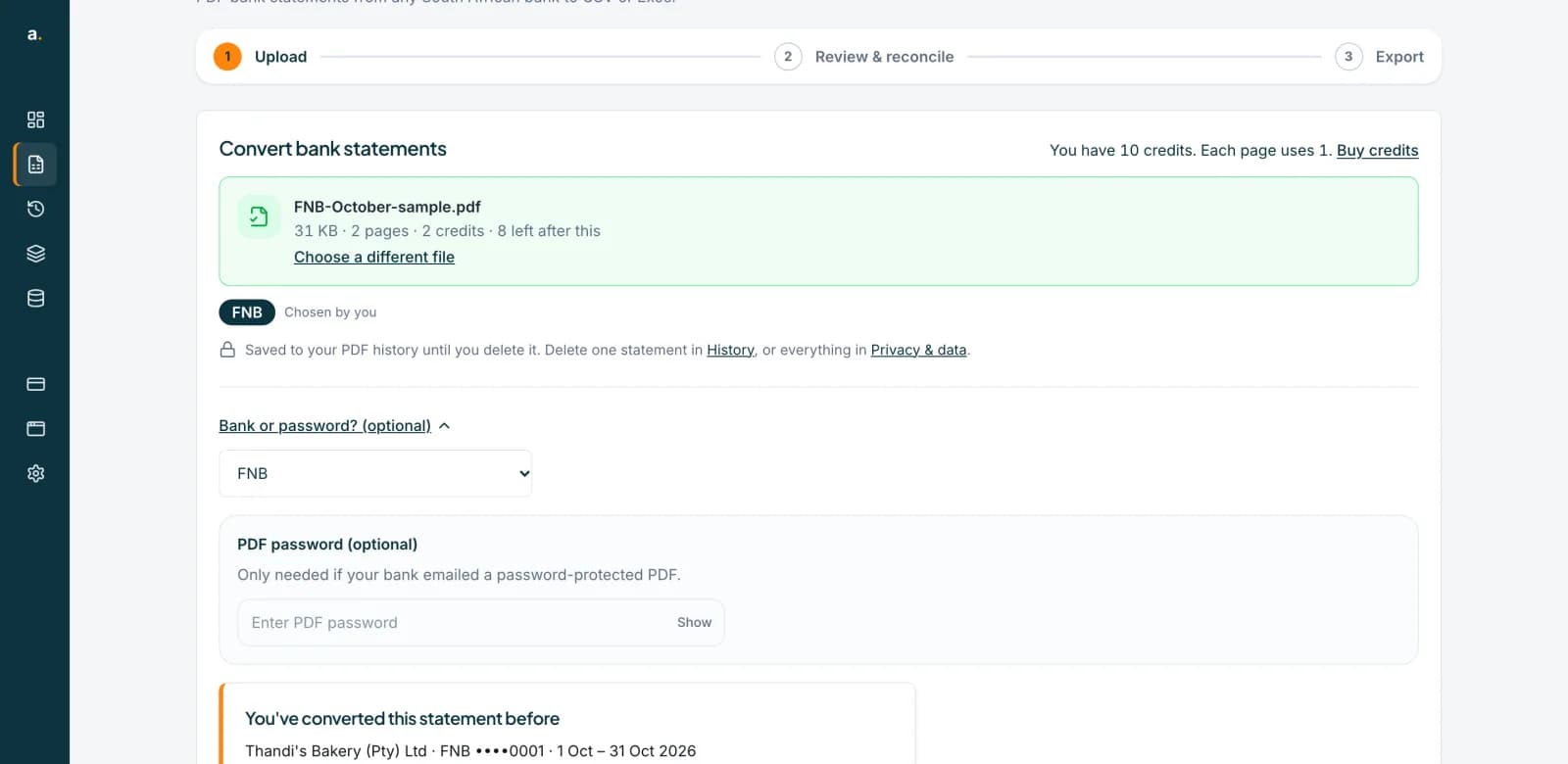 Open full size screenshot for step 3
Change a detected bank
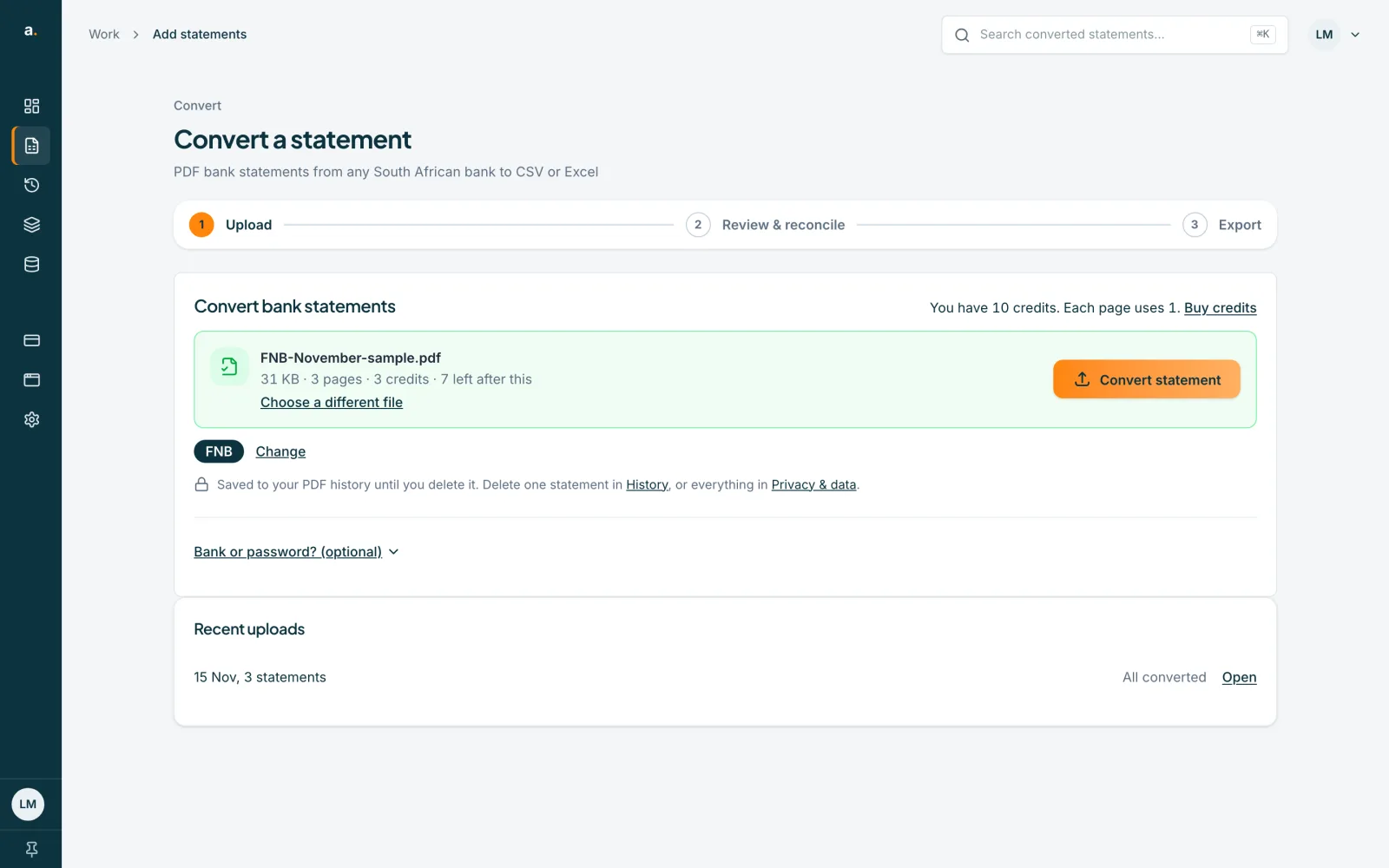
When Accounter does detect the bank, its name shows as a label with Change beside it. Press Change to choose a different bank.
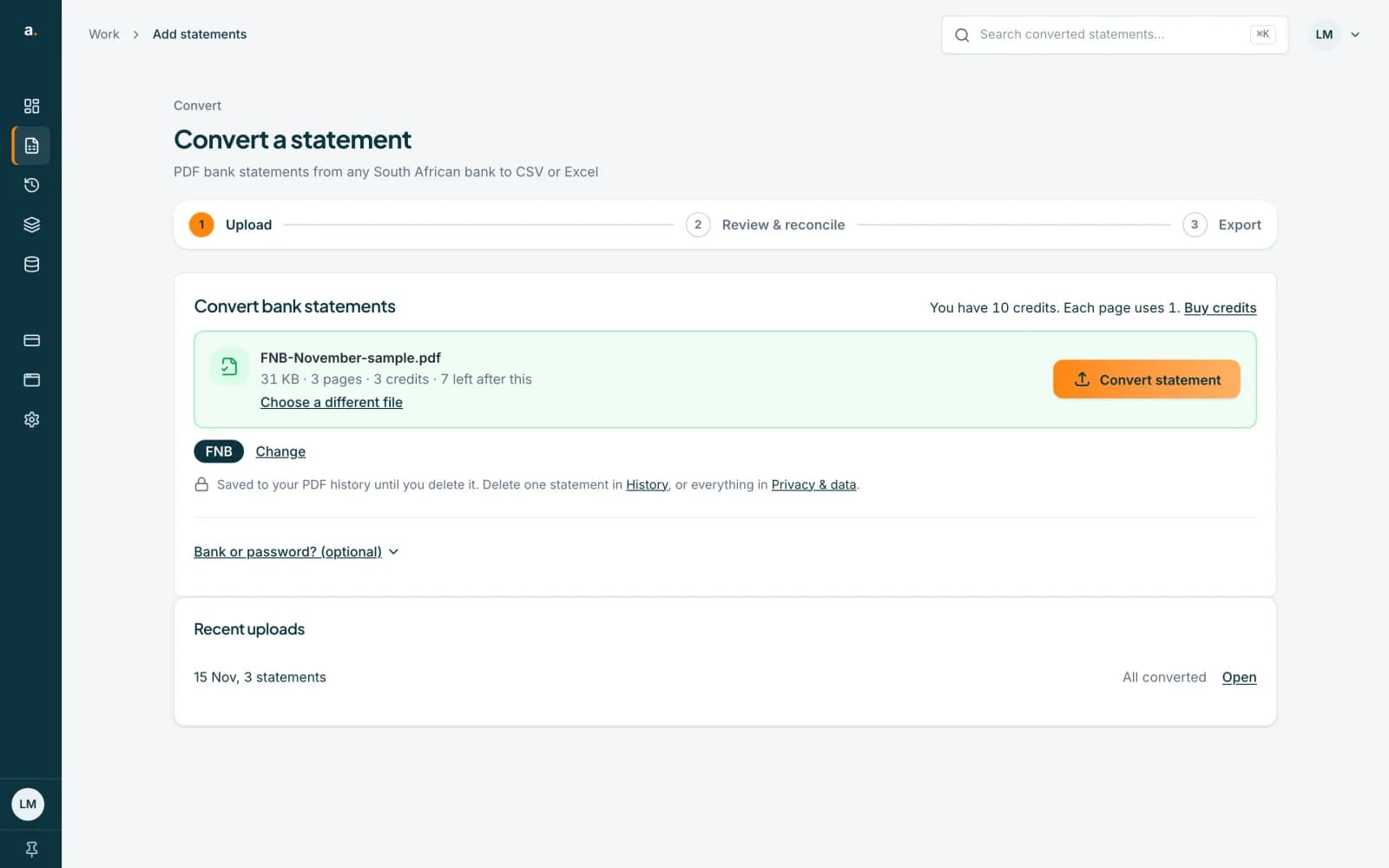 Open full size screenshot for step 4
Press Convert statement
Press Convert statement. If a result is read with the wrong bank, the error box says Wrong bank? Choose the right one and we'll try again. Pick the right bank there and try again.
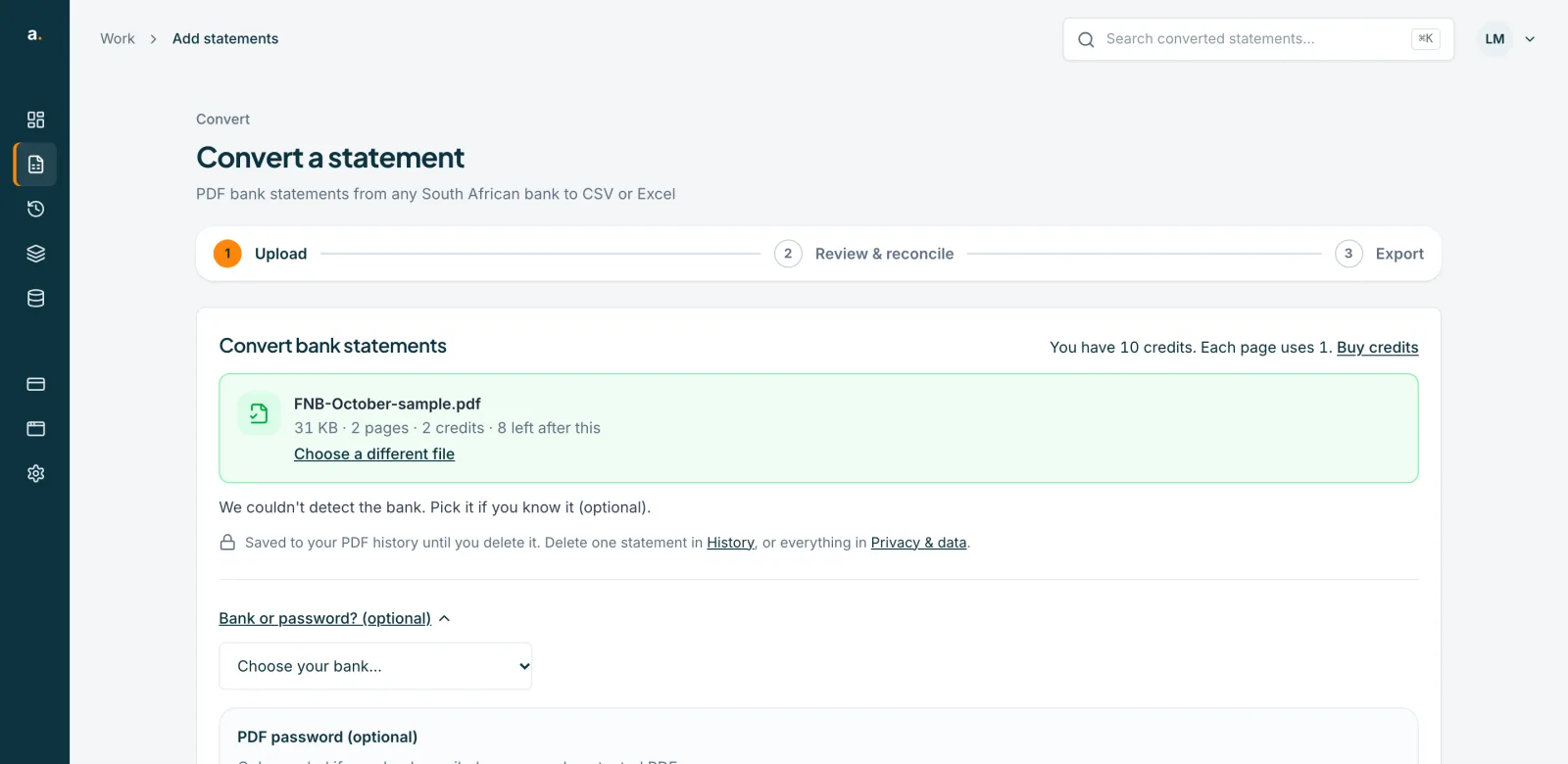
Tips
- If your bank is not listed, choose My bank isn't listed. Check the rows against the PDF carefully.
- The bank picker appears when you add a single file.
- The bank is optional. You do not have to pick one if it was detected correctly.
If something goes wrong
- The statement was read as the wrong bank.
- Choose the right bank, as above, and convert again. Failed attempts don't use credits. You can also report it with Rate or report a problem, using the Wrong bank issue.
- You cannot see the bank list.
- It is inside Bank or password? (optional). Press that link to open it.
Related guides
- Convert a bank statement PDF to CSVUpload a bank statement PDF, check the balance and download a CSV you can open in Excel.
- Report a problem with a statementRate an extraction and tell us what went wrong, or use Help us fix this after a failed conversion.
- Convert a password-protected statementEnter the password your bank gave you before converting a locked statement PDF. A wrong password uses no credits.