Report a problem with a statement
Last reviewed 16 November 2026 · 5 steps
Rate an extraction and tell us what went wrong, or use Help us fix this after a failed conversion.
Free account
Steps
If it converted but looks wrong, open Rate or report a problem
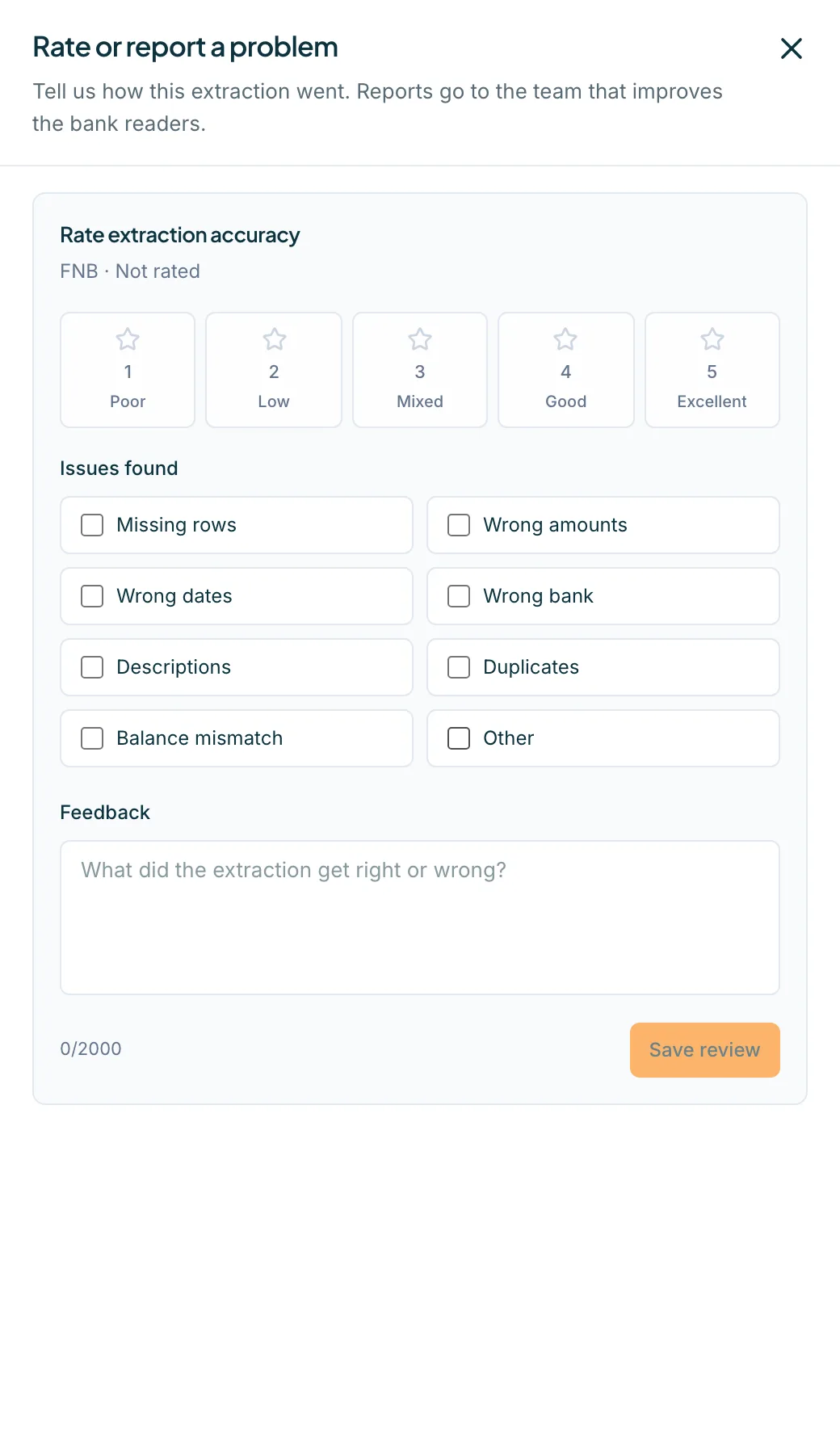
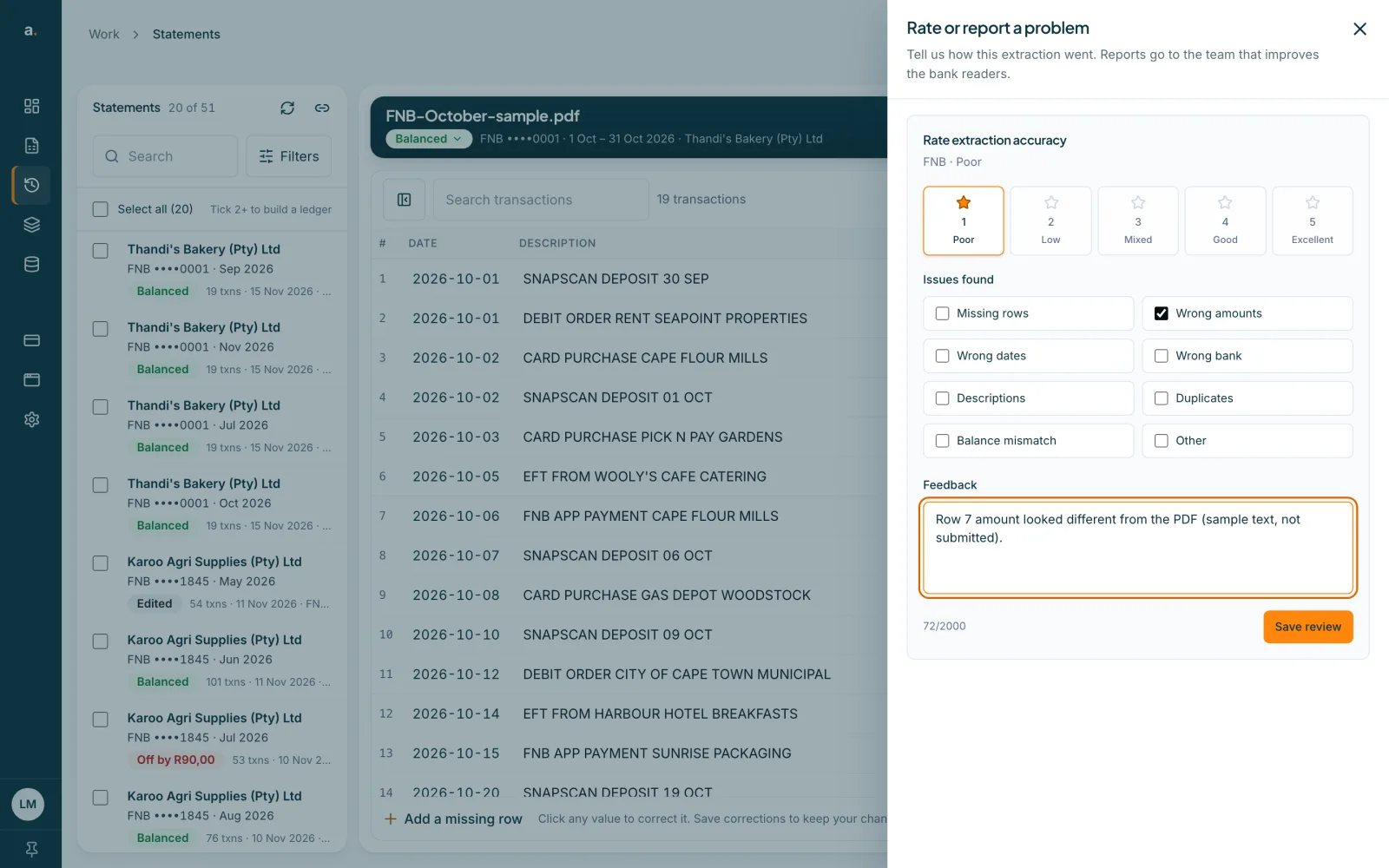
Open the statement in Statements, choose More, then Rate or report a problem. A panel says Tell us how this extraction went. Reports go to the team that improves the bank readers.
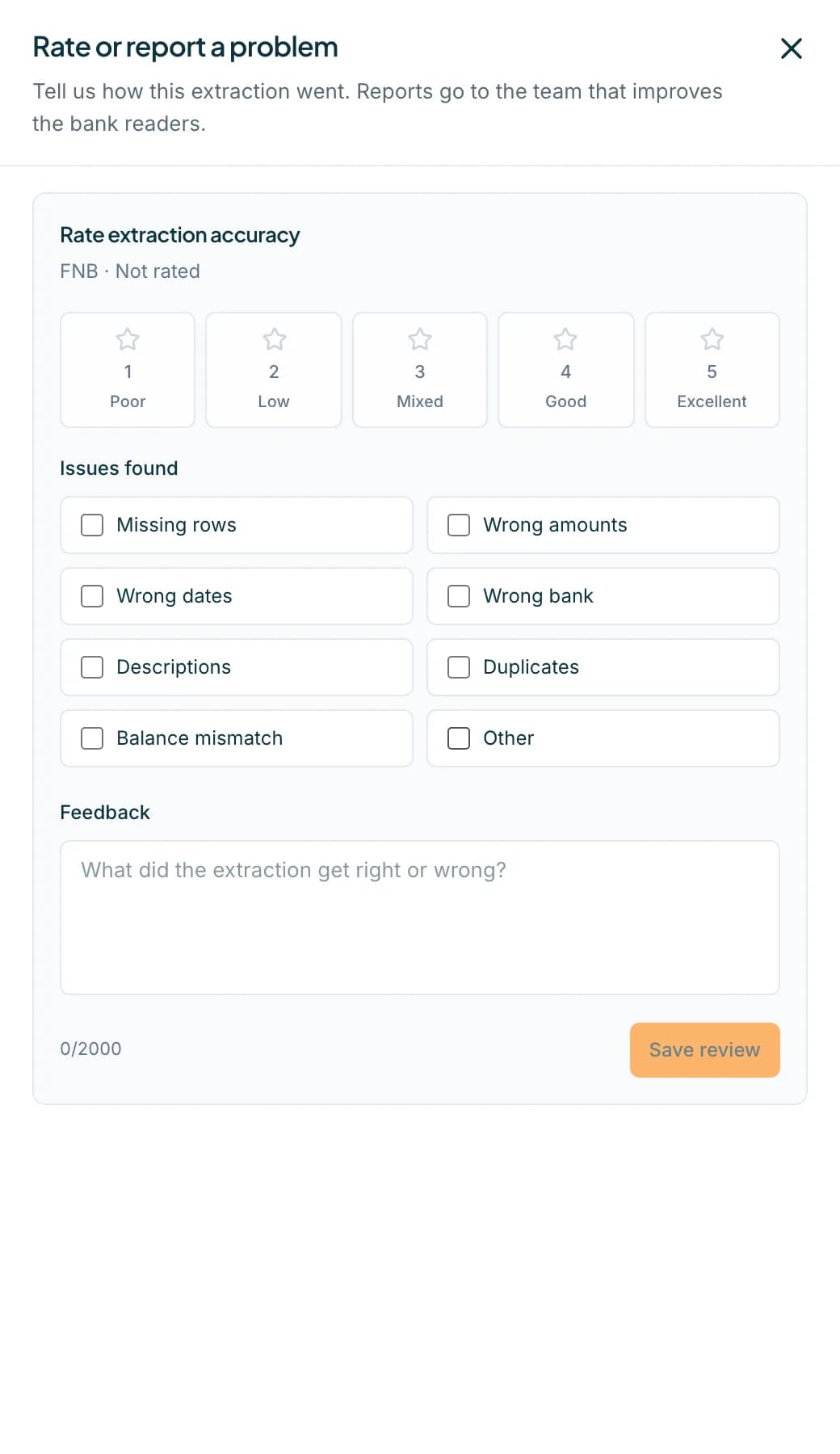 Open full size screenshot for step 1
Rate the accuracy
Choose 1 Poor, 2 Low, 3 Mixed, 4 Good or 5 Excellent. A rating is needed before you can save: Choose an accuracy rating before saving.
Tick the issues and describe it
Tick what you found: Missing rows, Wrong amounts, Wrong dates, Wrong bank, Descriptions, Duplicates, Balance mismatch or Other. Add a note under Feedback, for example which row was wrong, up to 2000 characters. Press Save review.
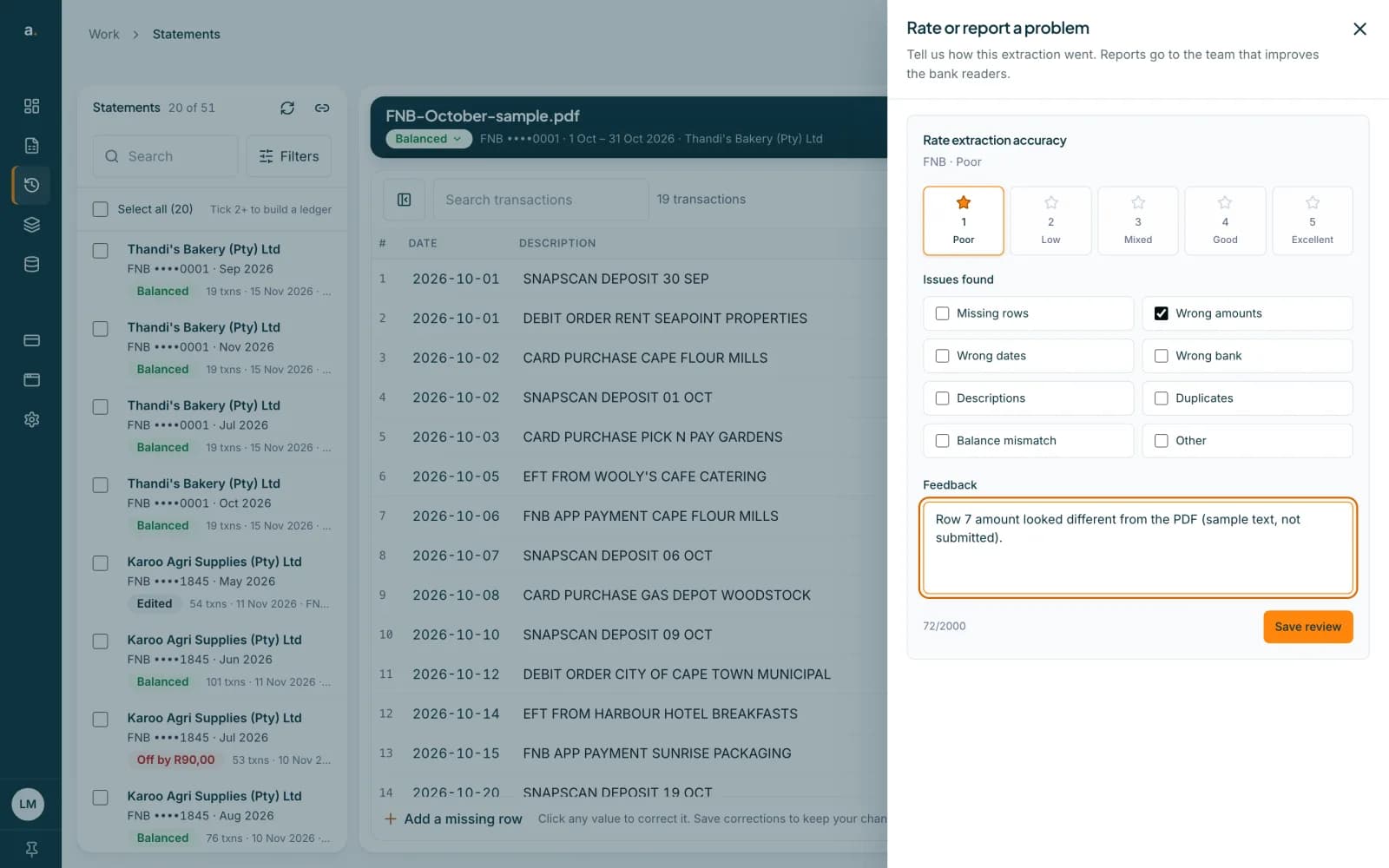 Open full size screenshot for step 3
If a conversion failed, press Help us fix this
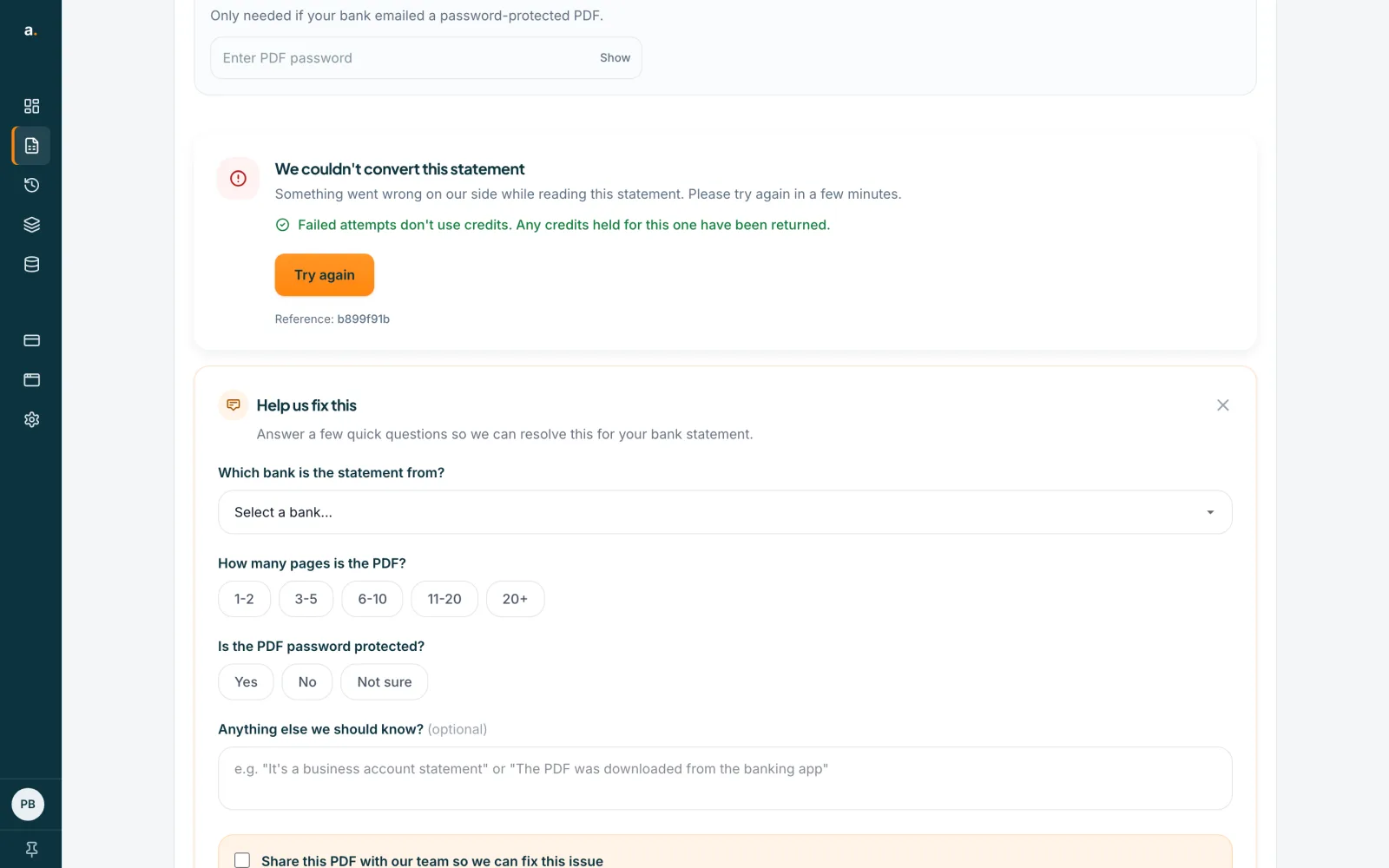
A failed conversion card has a Help us fix this button. It opens a short form: Which bank is the statement from?, How many pages is the PDF?, Is the PDF password protected? and Anything else we should know?
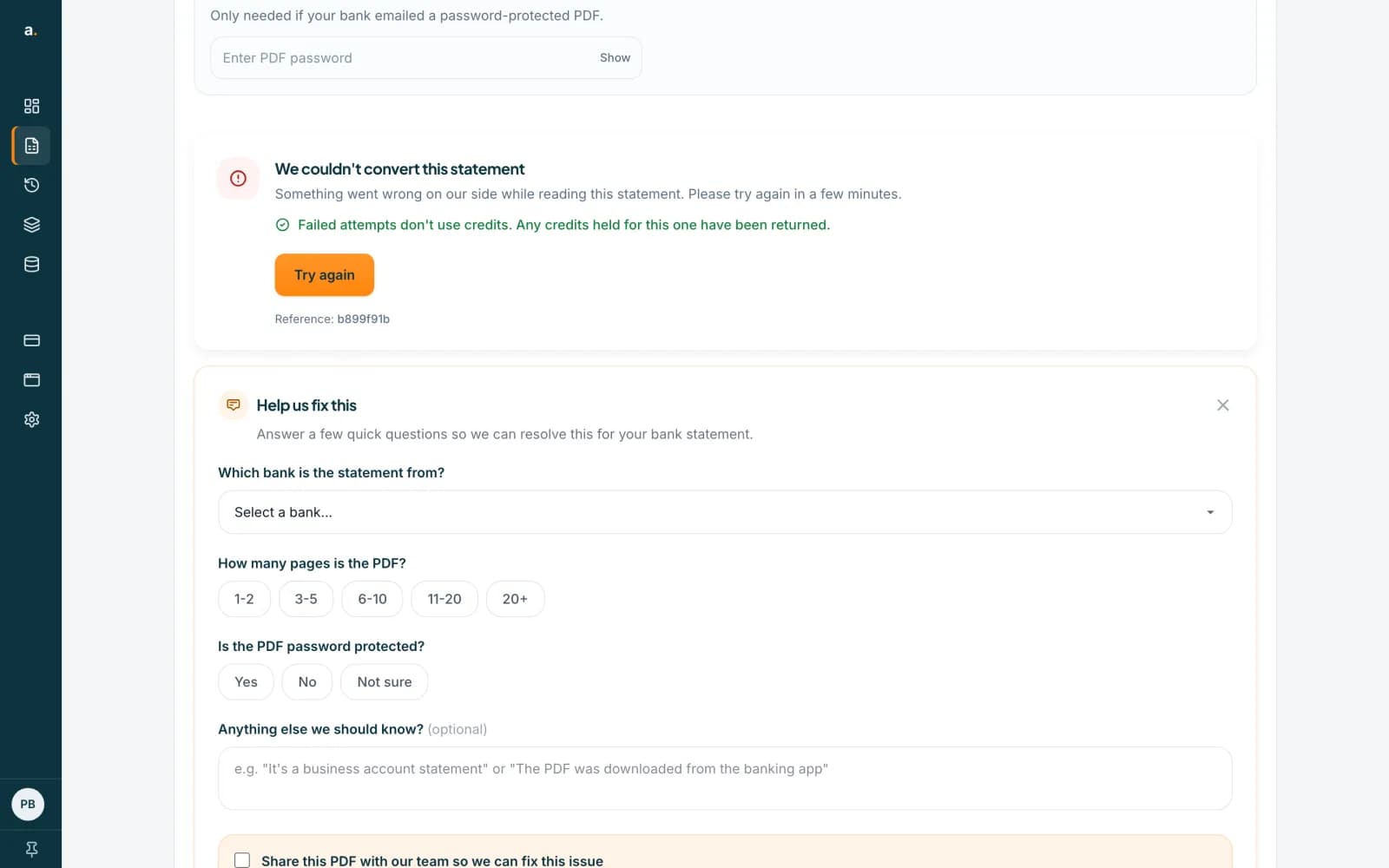 Open full size screenshot for step 4
Choose whether to share the PDF
If the file is still on the page, you can tick Share this PDF with our team so we can fix this issue. It is reviewed only by our engineering team. Add an email if you want to hear when it is fixed. Press Submit Feedback, or Submit & Share Statement.
Tips
- A report does not change your statement. To correct a row yourself, see the guide on editing and saving corrections.
- Saved a review already? The button then says Update review and you can change your rating and notes.
- Sharing the PDF is optional. Without it you must pick the bank, so we know which reader to look at.
- Signed-in users can remove a shared file by clearing their history.
If something goes wrong
- Save review is switched off.
- Choose a rating from 1 to 5 first.
- The form says Please select which bank the statement is from.
- Pick the bank, or choose Other and type its name. You can skip the bank only when you share the PDF.
- You cannot find Help us fix this.
- It appears under a failed conversion. For a statement that did convert, use More, then Rate or report a problem.
Related guides
- Fix a failed conversion or not enough creditsSee what each message means, buy credits when you are short, and try again. Failed attempts do not use credits.
- Fix a statement that is offFind the row that stops a statement balancing, correct it, and save when the badge turns Balanced.
- Edit a statement and save correctionsFix a row that was read wrongly, add a missing row or delete an extra one, then save so your downloads include the changes.