Fix a statement that is off
Last reviewed 16 November 2026 · 6 steps
Find the row that stops a statement balancing, correct it, and save when the badge turns Balanced.
Free account
Steps
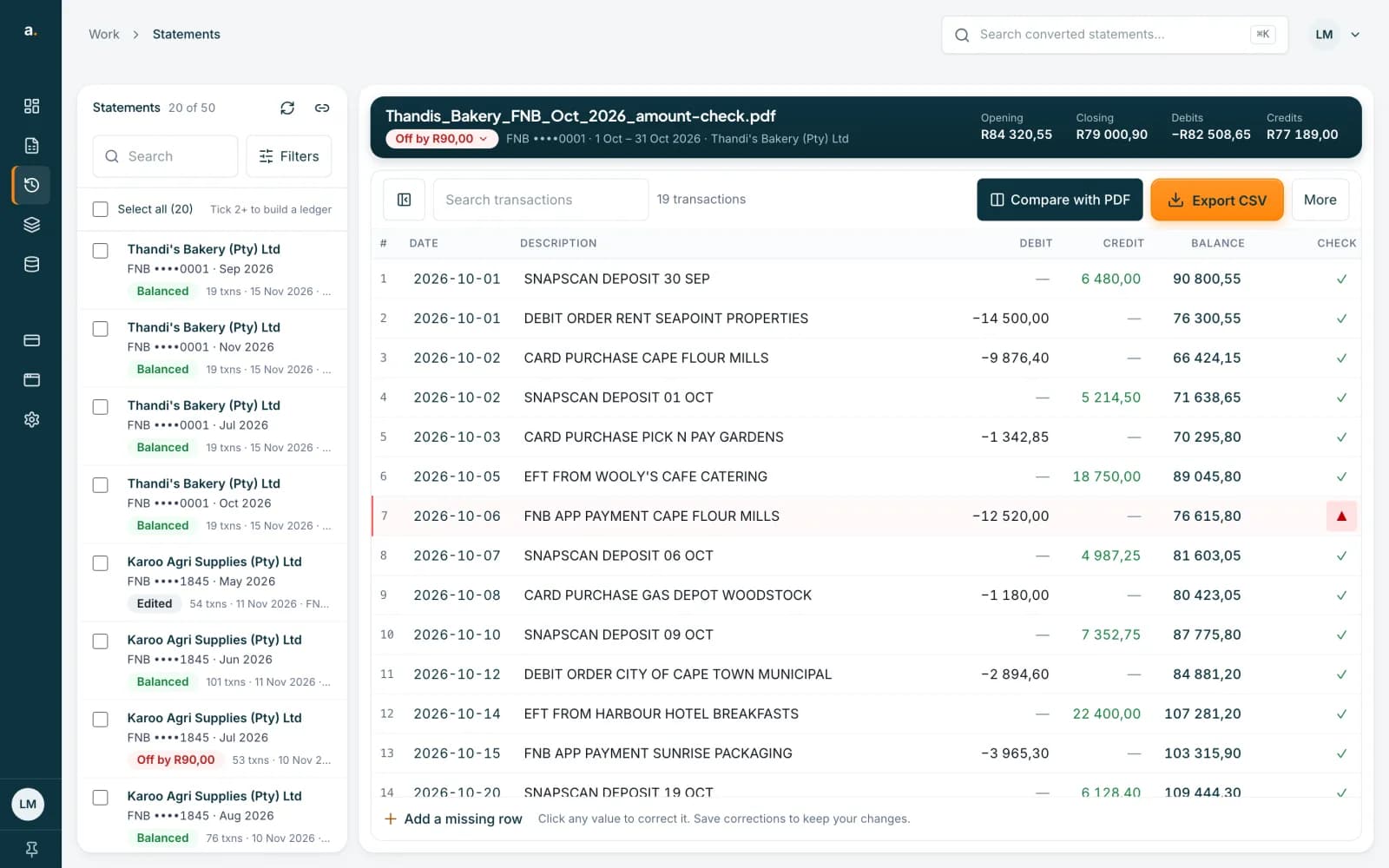
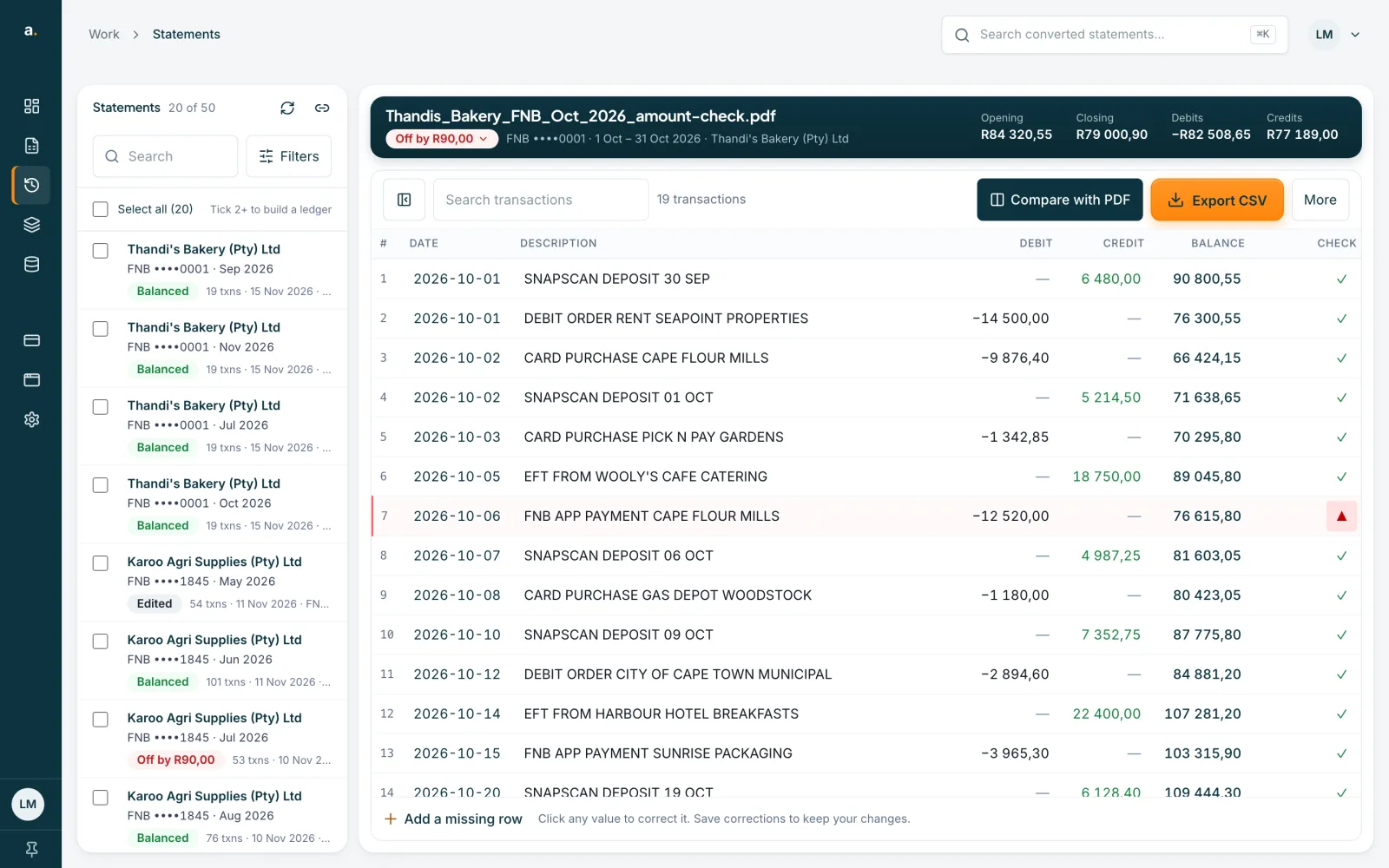
Spot the red badge
Open the statement from Statements. A red badge such as Off by R90,00 beside the file name means the rows do not add up to the closing balance. In the CHECK column a red marker shows the row whose running balance does not chain from the row above.
 Open full size screenshot for step 1
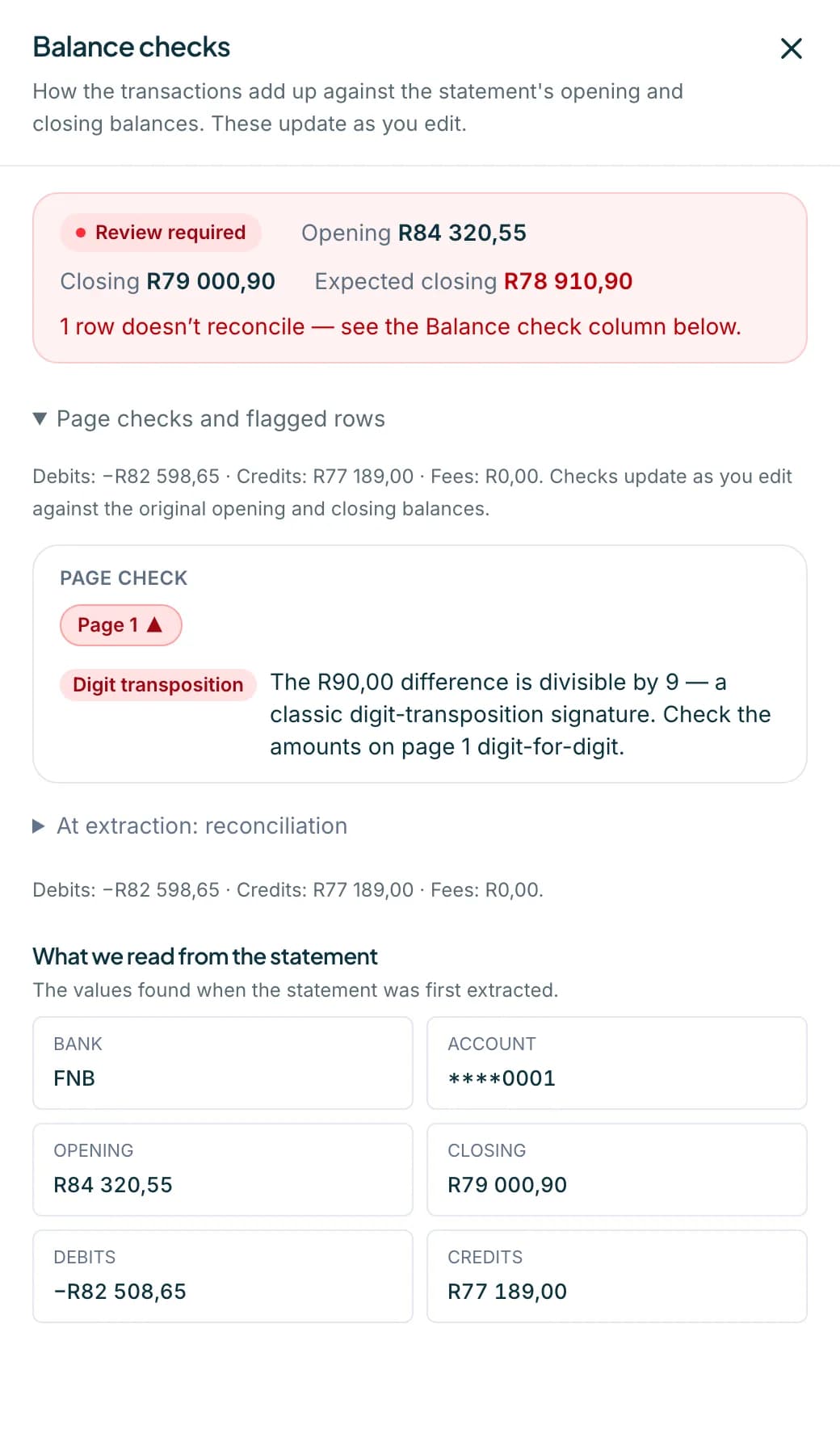
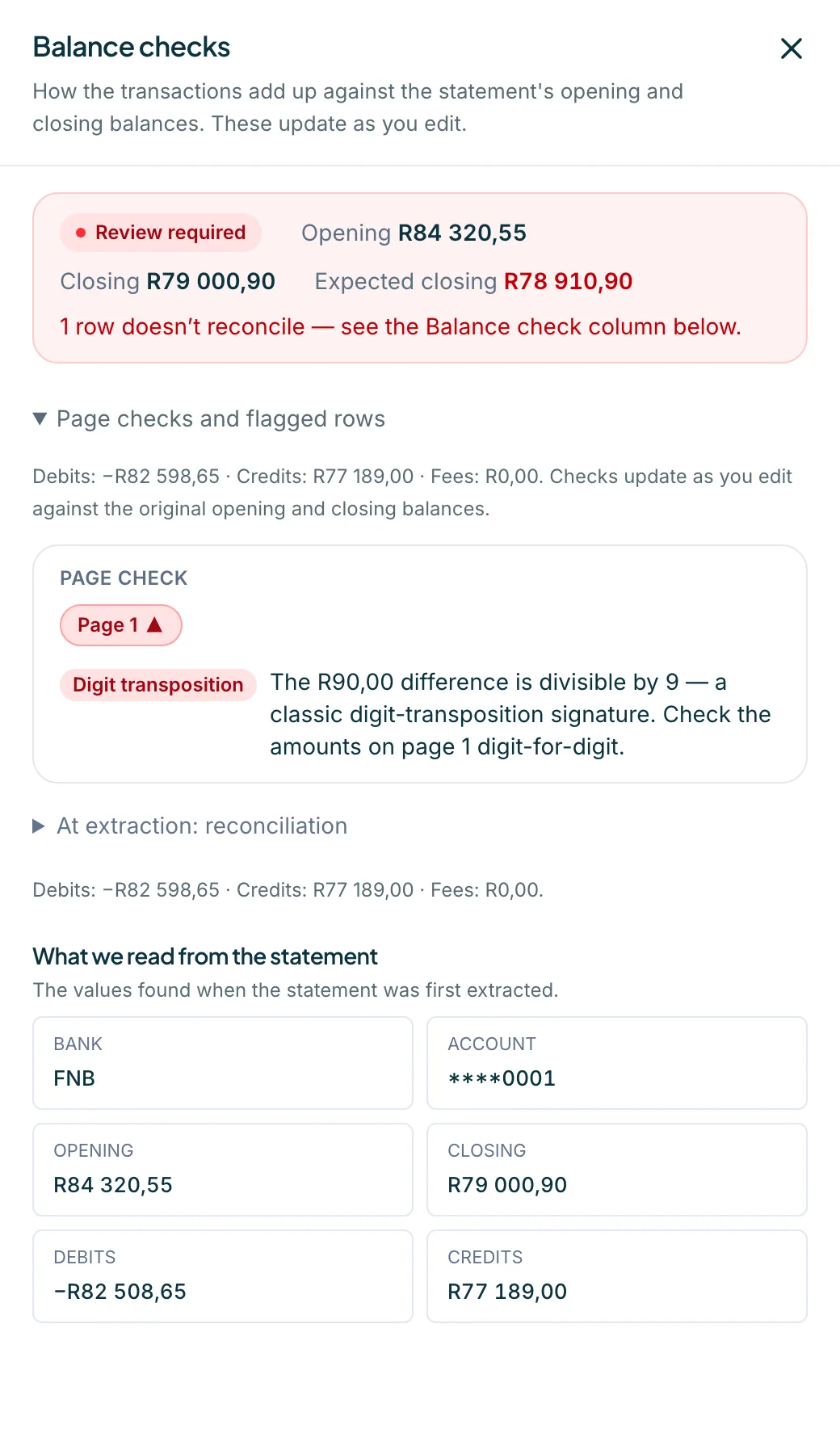
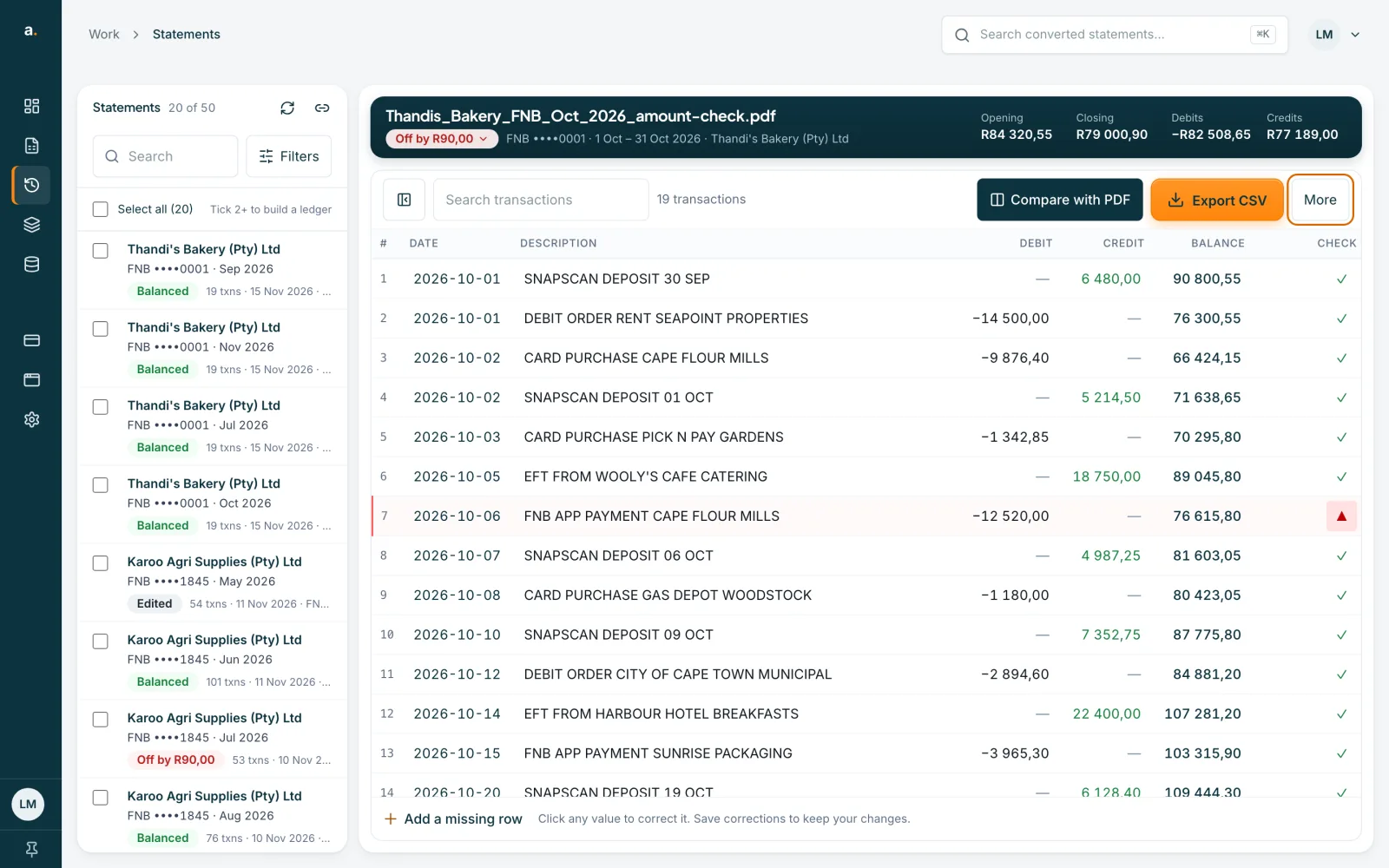
Open Balance checks
Click the badge, or choose More and then Balance checks. The panel says Review required and shows the Opening, Closing and Expected closing balances. Under Page check, a red chip marks the page with the problem, and a suggestion names the likely cause.
 Open full size screenshot for step 2
Read the suggestion
The kinds of suggestion are Possible duplicate, Fee handling, Possible missing row, Rows missing at page break, Debit/credit flipped, Digit transposition and Unexplained difference. Digit transposition means the difference divides by 9, so two digits may be swapped. Press Jump to row to go to the row it points at.
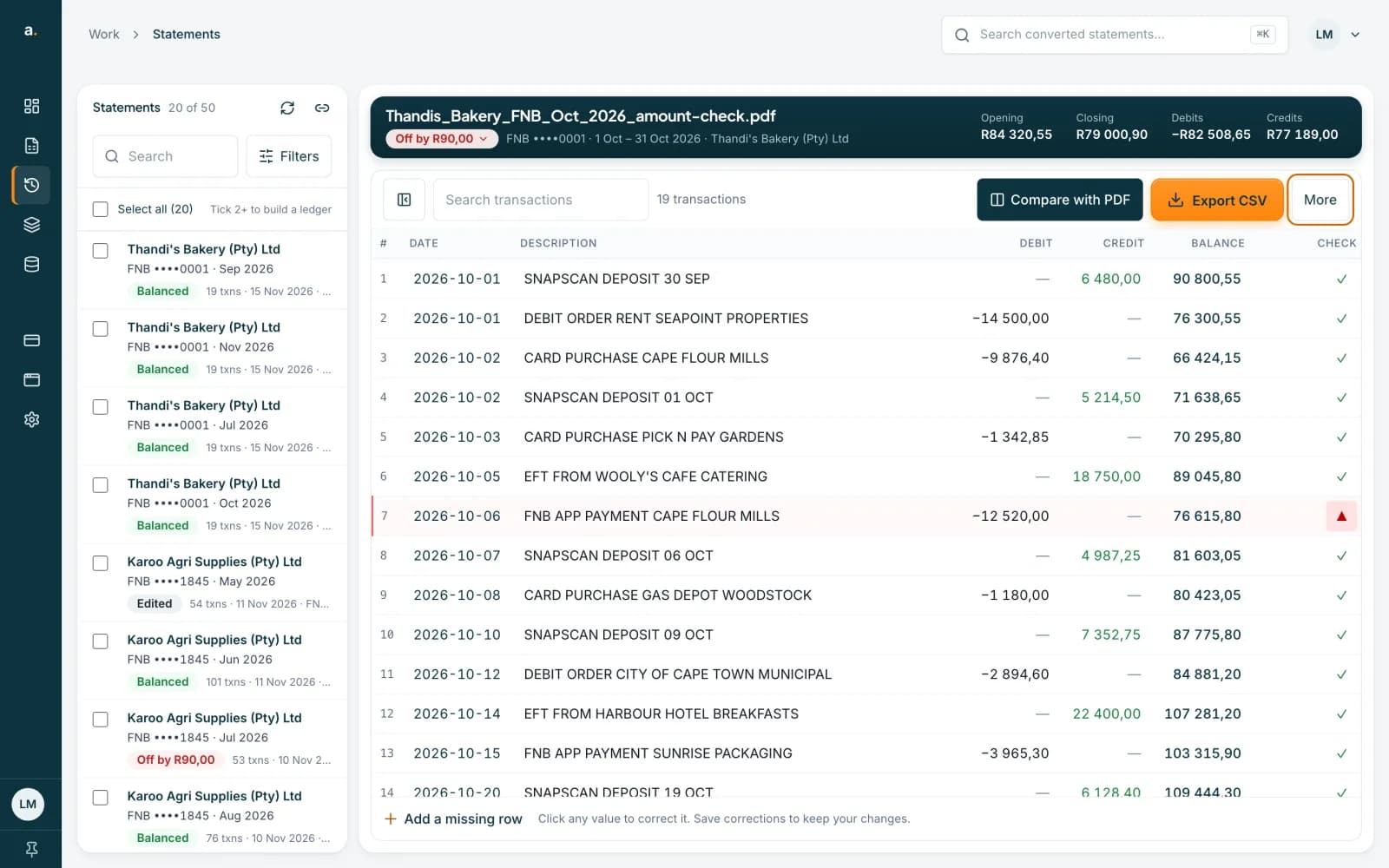
Check the flagged row against the PDF
Look at the flagged row. Here 12 520,00 should be 12 430,00 according to the printed balances. Press Compare with PDF to see the original beside the rows. You can also press Review flagged to show only the rows that need a look.
 Open full size screenshot for step 4
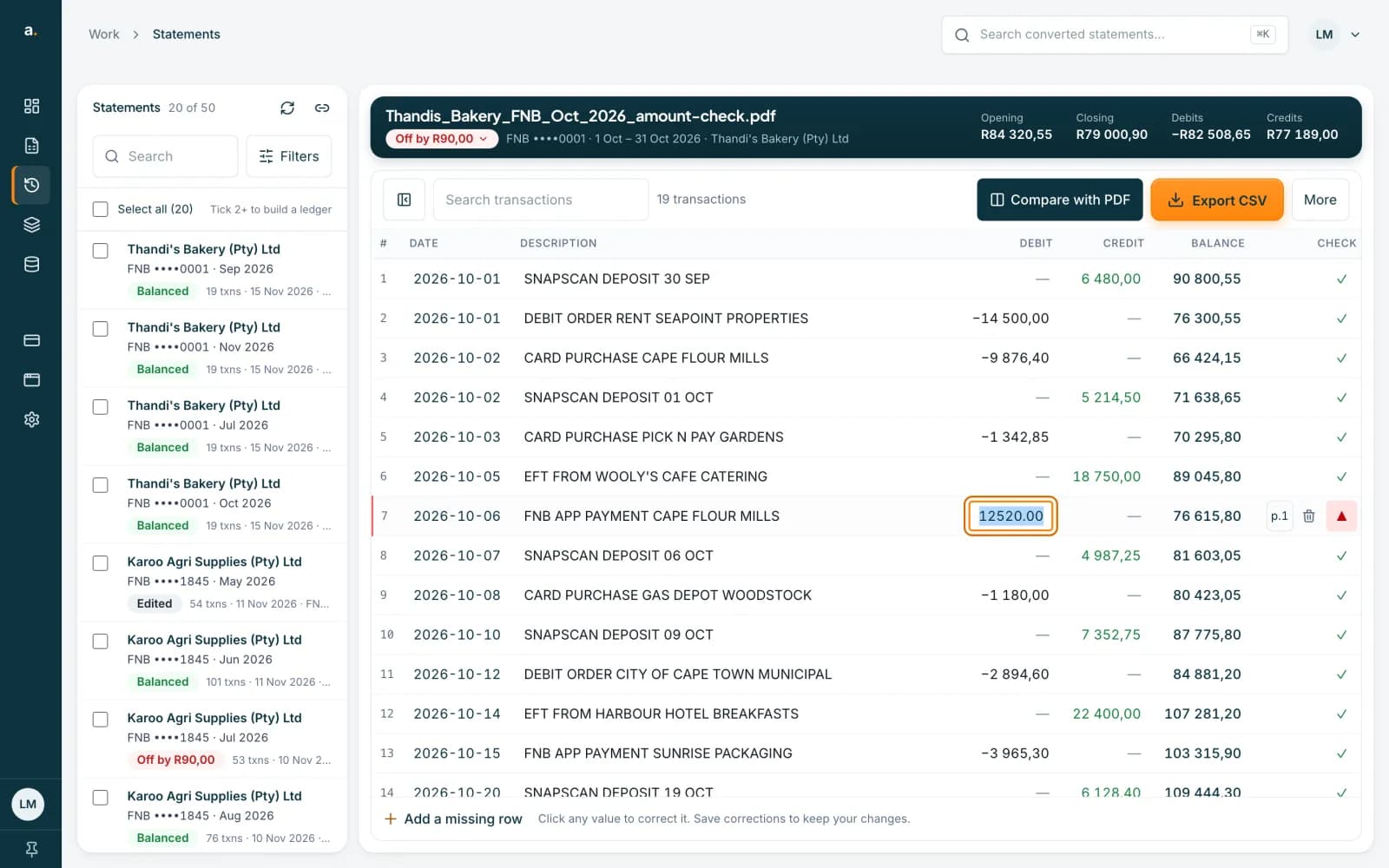
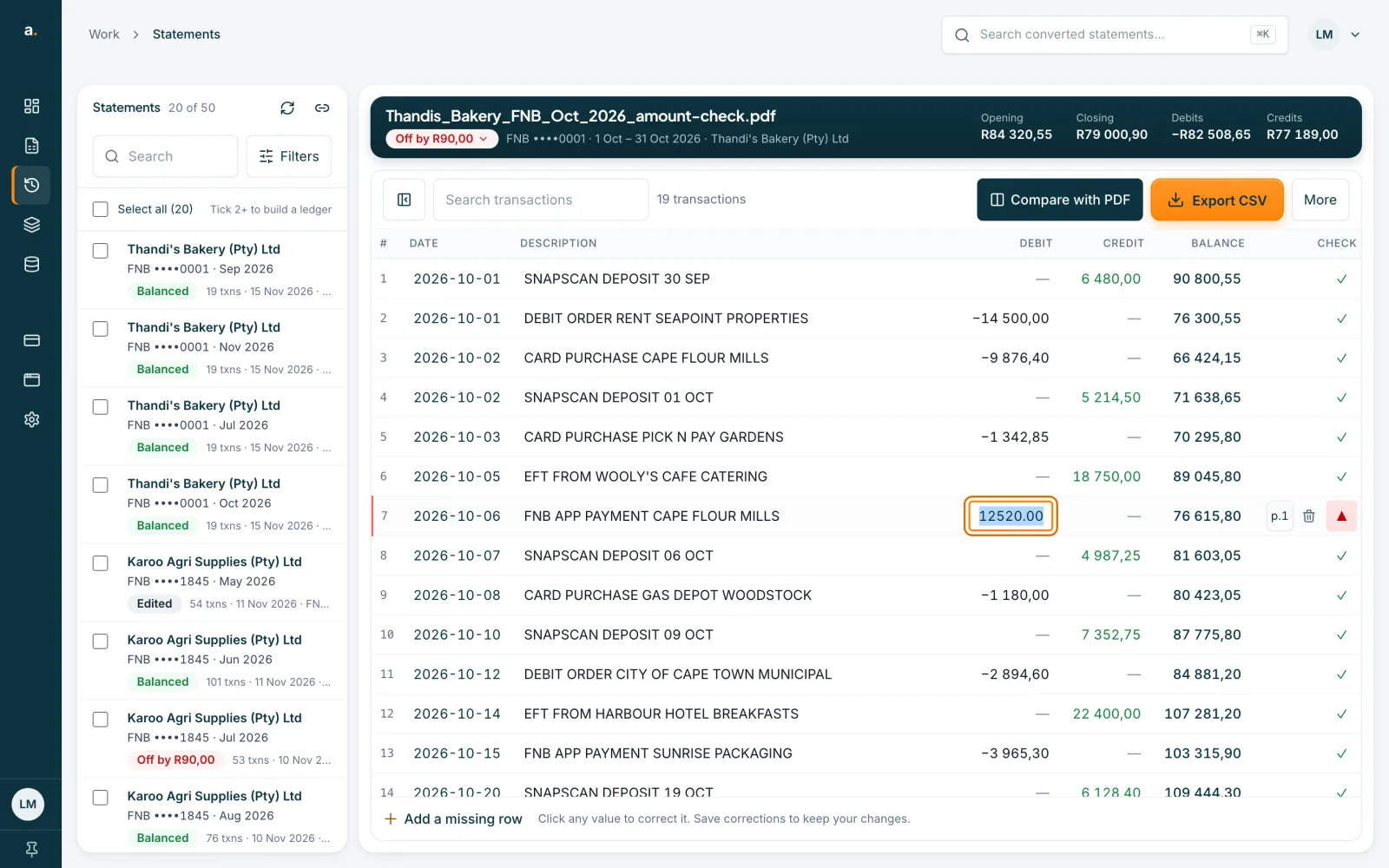
Click the amount and correct it
Click the amount. It turns into a box. Type the right value and press Enter. If the problem is a missing row, press Add a missing row. If it is a duplicate, delete the extra row with the bin.
 Open full size screenshot for step 5
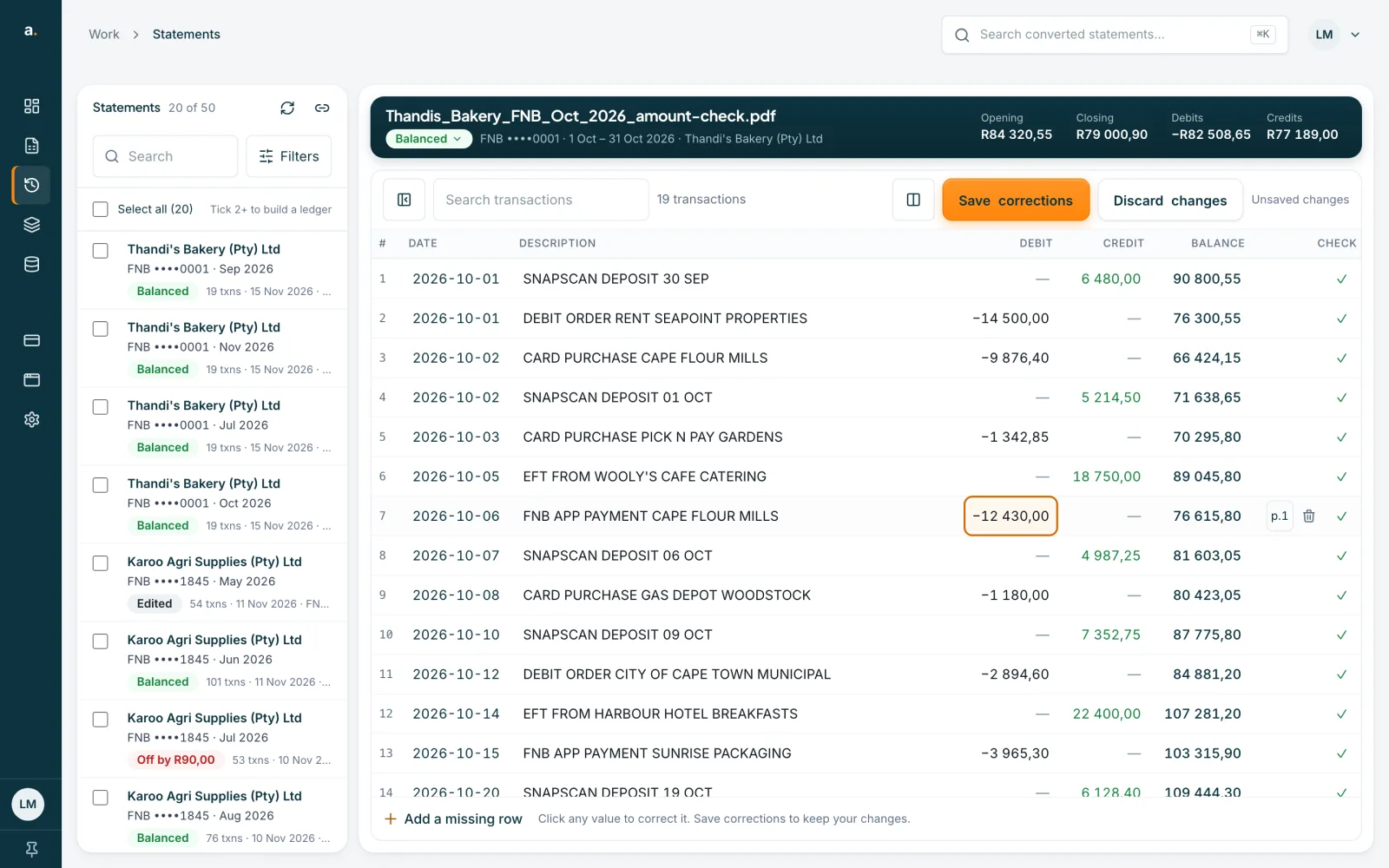
Wait for Balanced, then save
The badge updates as you edit and turns green when the rows add up. The toolbar shows Unsaved changes. Press Save corrections, or Discard changes to go back. Nothing is kept until you save.
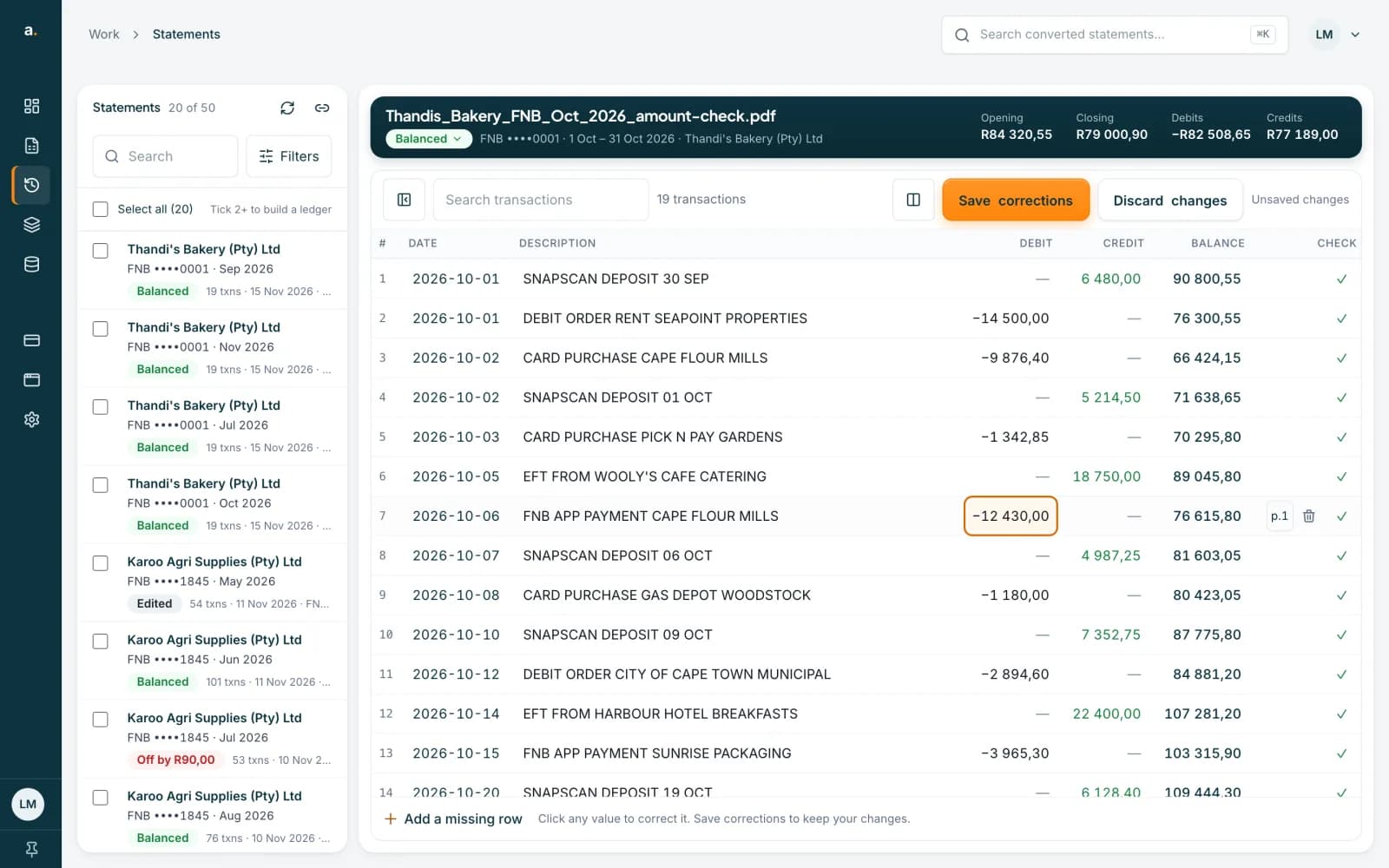 Open full size screenshot for step 6
Tips
- Remove a duplicate only after you have checked the PDF. A row that looks like a copy may be a real second transaction.
- A dash in the CHECK column means the row printed no running balance, so it cannot be checked.
- In lists, the At extraction status shows the first reading, not your edits. The badge in the open statement shows the live result.
- Balanced proves the numbers chain. Still glance at the descriptions.
If something goes wrong
- The badge still says Off by after you fixed a row.
- There may be a second error. Open Balance checks again and work down the flagged rows one at a time.
- The suggestion says Unexplained difference.
- Accounter could not guess the cause. Compare each row on the flagged page with the PDF, looking for a missing row, a duplicate or a misread digit.
- The badge says Fix N amounts, or you see N amount fields could not be read.
- Some amounts could not be read as numbers. Click each one and type the correct value.
- The badge says No opening balance.
- The statement printed no opening balance, so the total cannot be checked. Check the rows against the PDF yourself.
Related guides
- Read the balance checkSee whether a converted statement adds up, find the row that does not, and read what the Balance checks panel suggests.
- Edit a statement and save correctionsFix a row that was read wrongly, add a missing row or delete an extra one, then save so your downloads include the changes.
- Compare a statement with its PDFOpen the original PDF beside the transactions to check rows, page by page, while you correct them.
- Add a missing row or delete an extra oneAdd a transaction Accounter missed, or delete a duplicate, then save your corrections.