Add and close a client's bank accounts
Last reviewed 15 November 2026 · 4 steps
Tell Statement Hub which bank accounts to collect for each client, and close an account that is no longer used.
Firms
Steps
Open the client
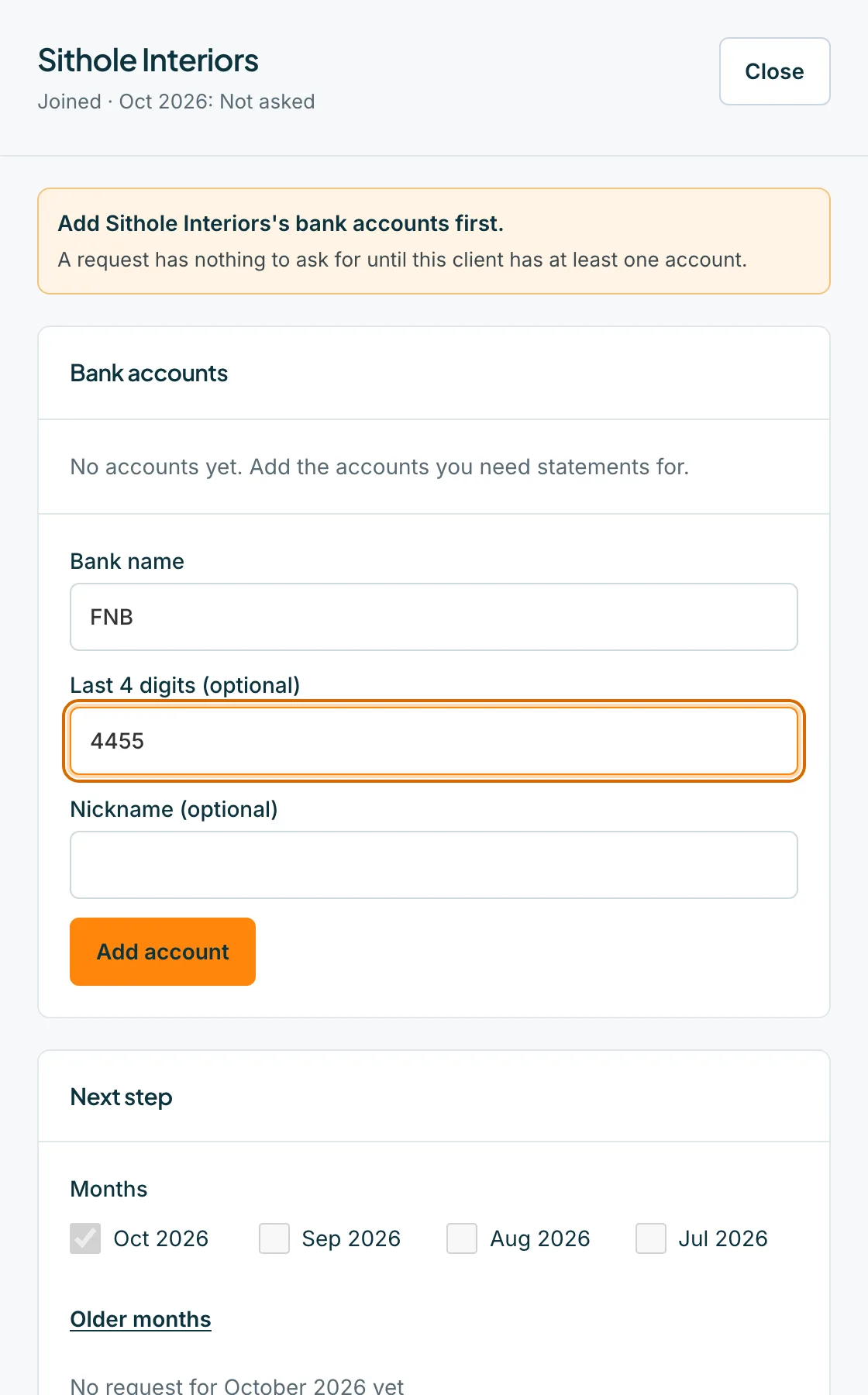
On the Clients tab, press the client's name or Open. A client with no accounts opens with an orange note, Add the client's bank accounts first, and the Bank accounts form at the top.
Add an account
In Bank accounts, type the Bank name, the Last 4 digits (optional) and a Nickname (optional), then press Add account. A request asks for each account separately, for example FNB ••2023.
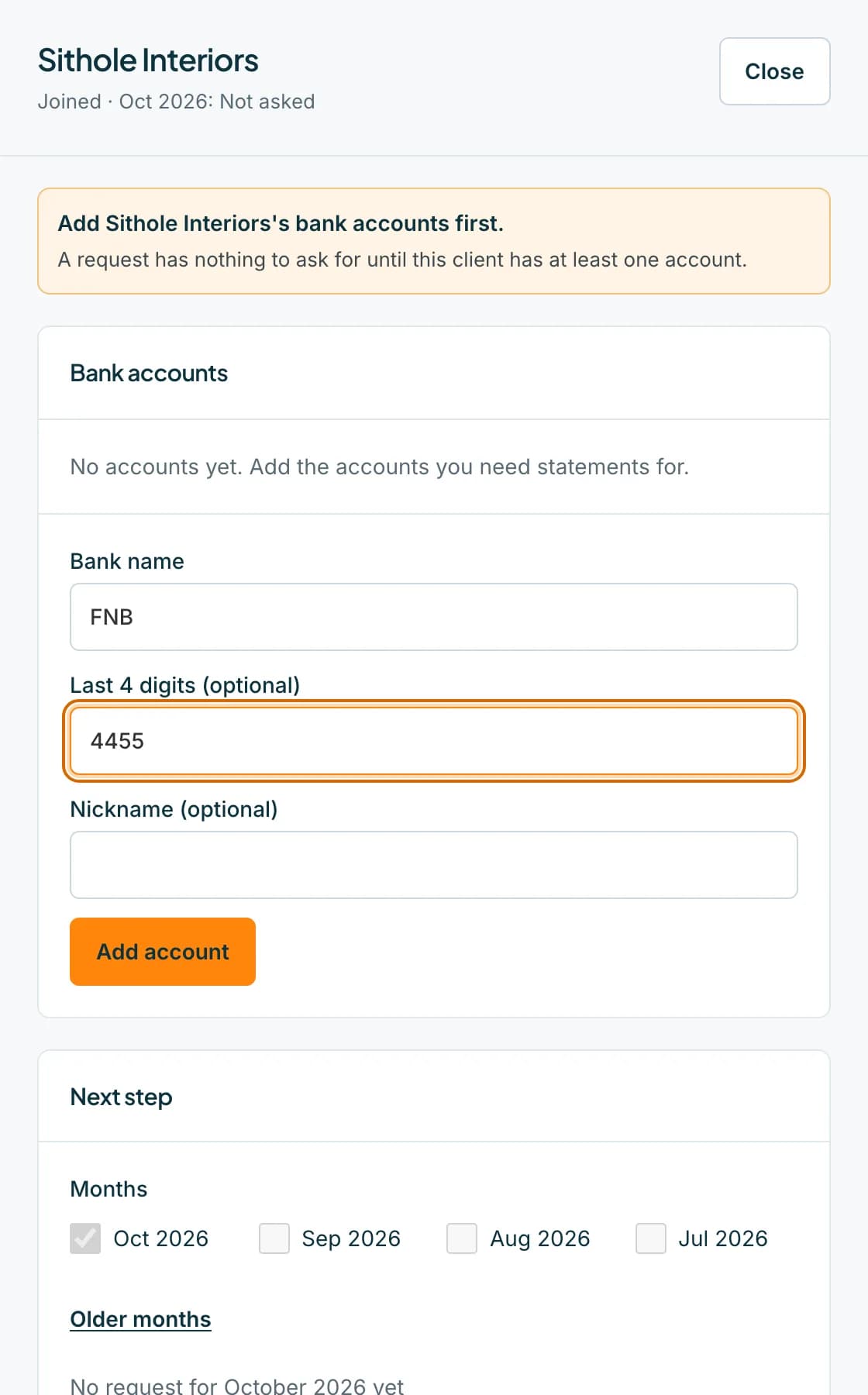 Open full size screenshot for step 2
Check the list
Each account is listed with its bank name and the last four digits. Press Add account again to add another. A client can have up to 20 accounts.
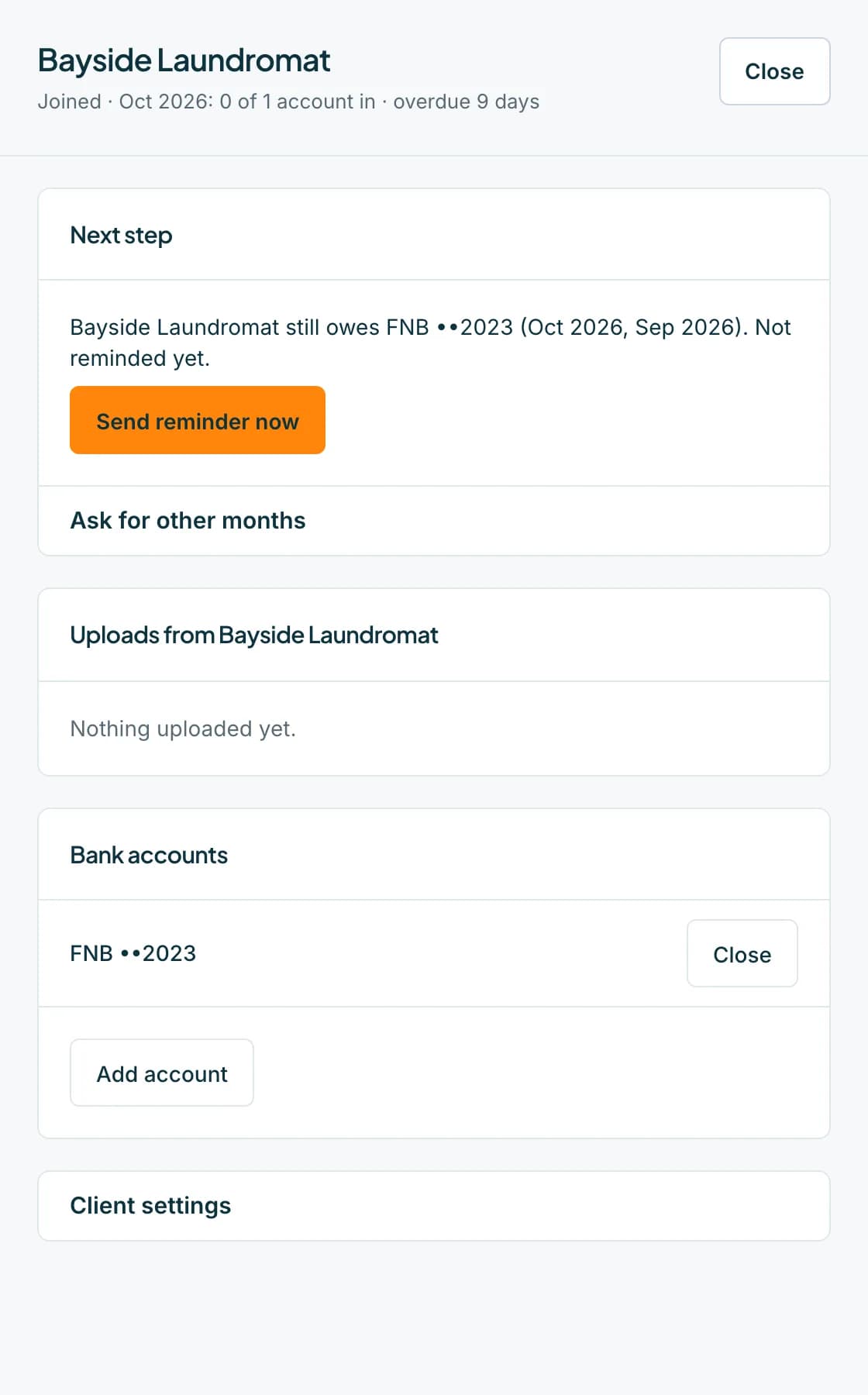 Open full size screenshot for step 3
Close an account you no longer need (owner or admin)
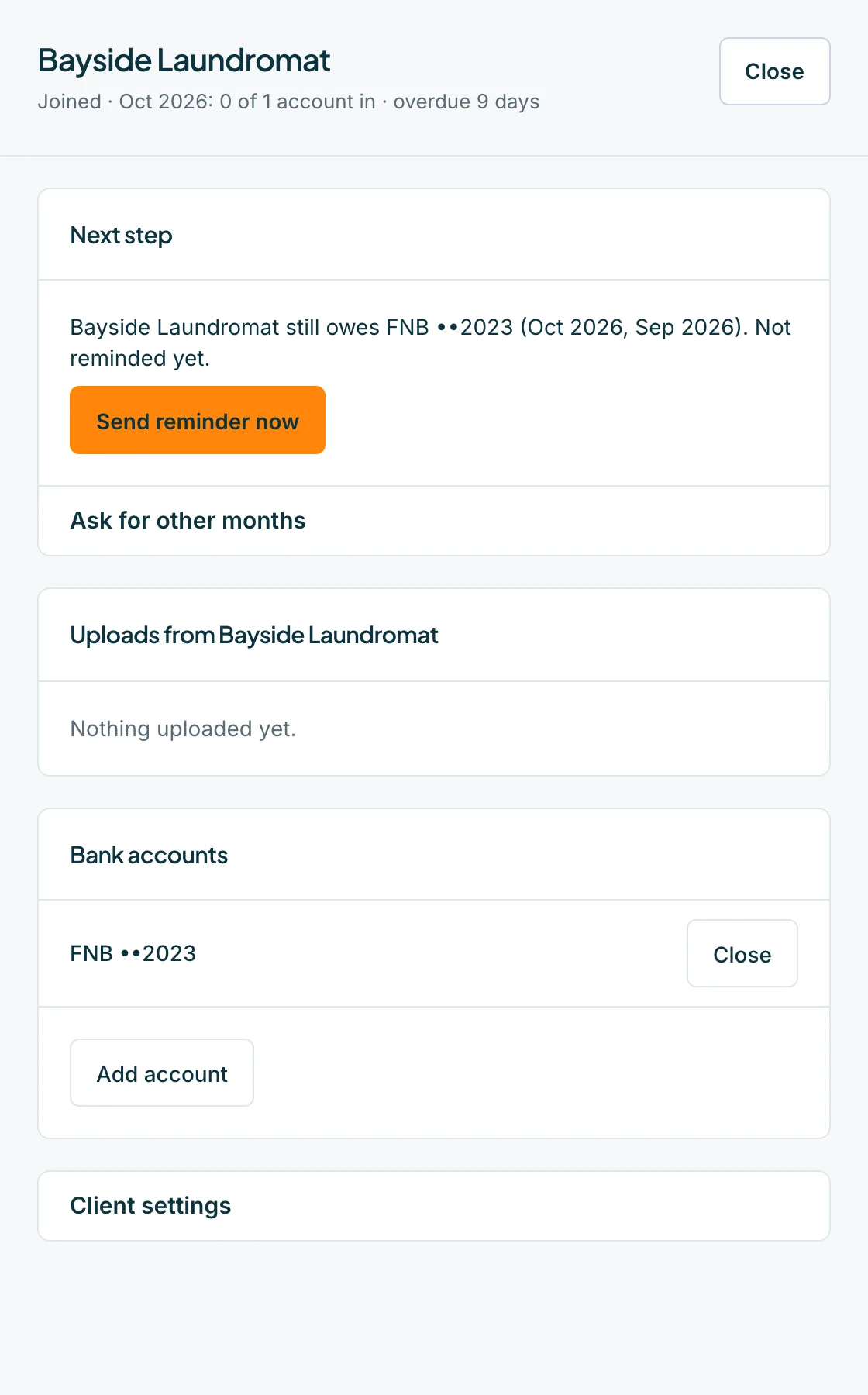
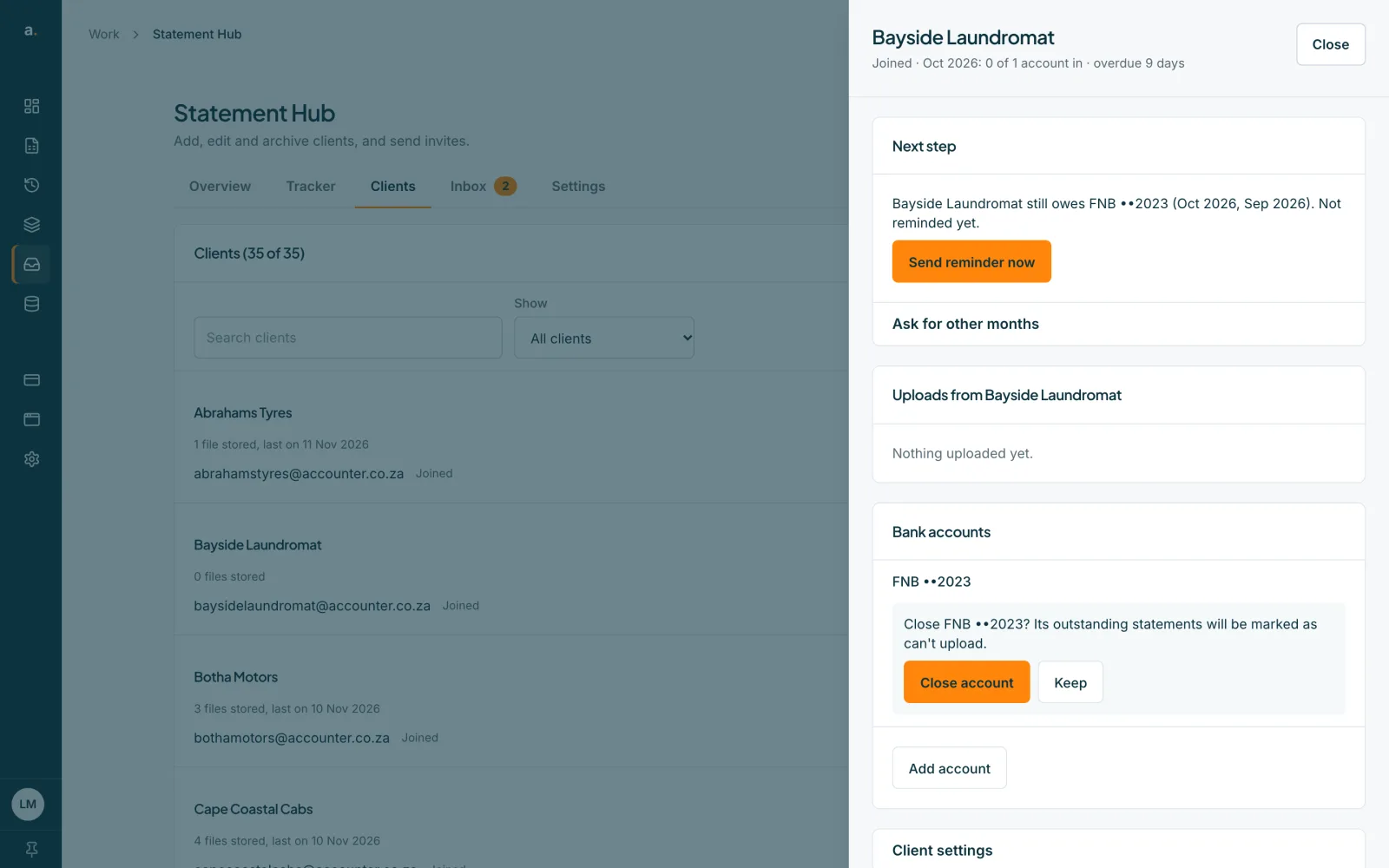
Press Close beside the account. A panel asks Close FNB ••2023? Its outstanding statements will be marked as can't upload. Press Close account to confirm, or Keep.
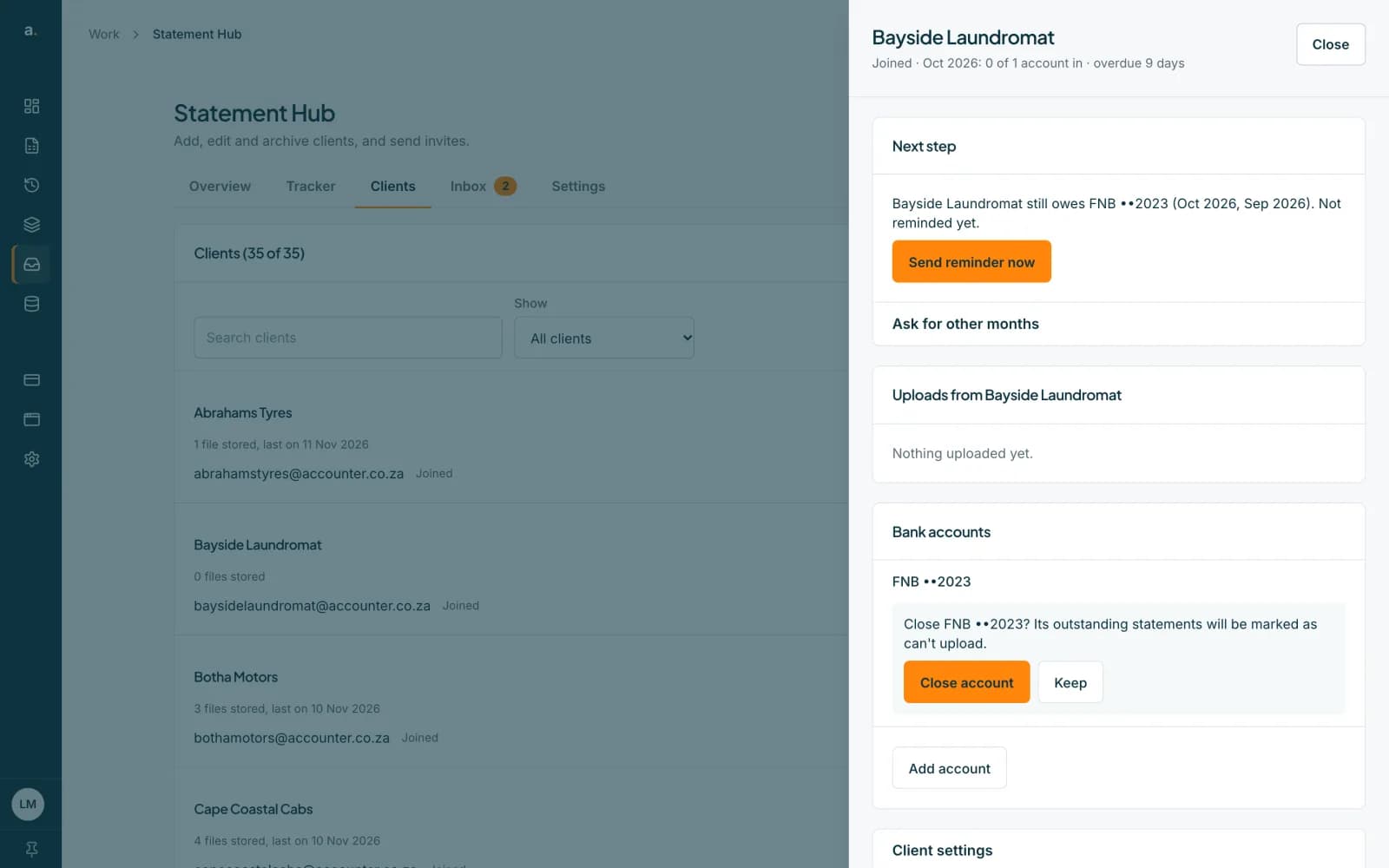 Open full size screenshot for step 4
Tips
- Add the last four digits when you can. Statement Hub uses them to flag a file that looks like it is for a different account (marked Wrong account?).
- You can also add accounts when you add the client, or in the CSV import.
- Only an owner or admin can close accounts. Members can add them.
If something goes wrong
- The Request button asks you to Add bank accounts.
- A request has nothing to ask for until the client has at least one account. Add one in the client's sheet.
- You see Could not add this account. Please try again.
- Check your connection and press Add account again.
- There is no Close button.
- Closing an account is for owners and admins. Ask one of them.
Related guides
- Add a clientAdd one client with up to five contact emails and their bank accounts, and email them an invite.
- Request statements from one clientAsk one client for one or more months of bank statements, and see exactly who will be emailed and when.
- Who can do what in Statement HubSee what owners, admins and members can each do in Statement Hub, and where colleagues are added.