Choose how long statements are kept
Last reviewed 15 November 2026 · 4 steps
Decide how long Statement Hub keeps clients' statements before deleting them automatically.
Firms
Steps
Open Settings
Choose the Settings tab and find the Keeping statements card.
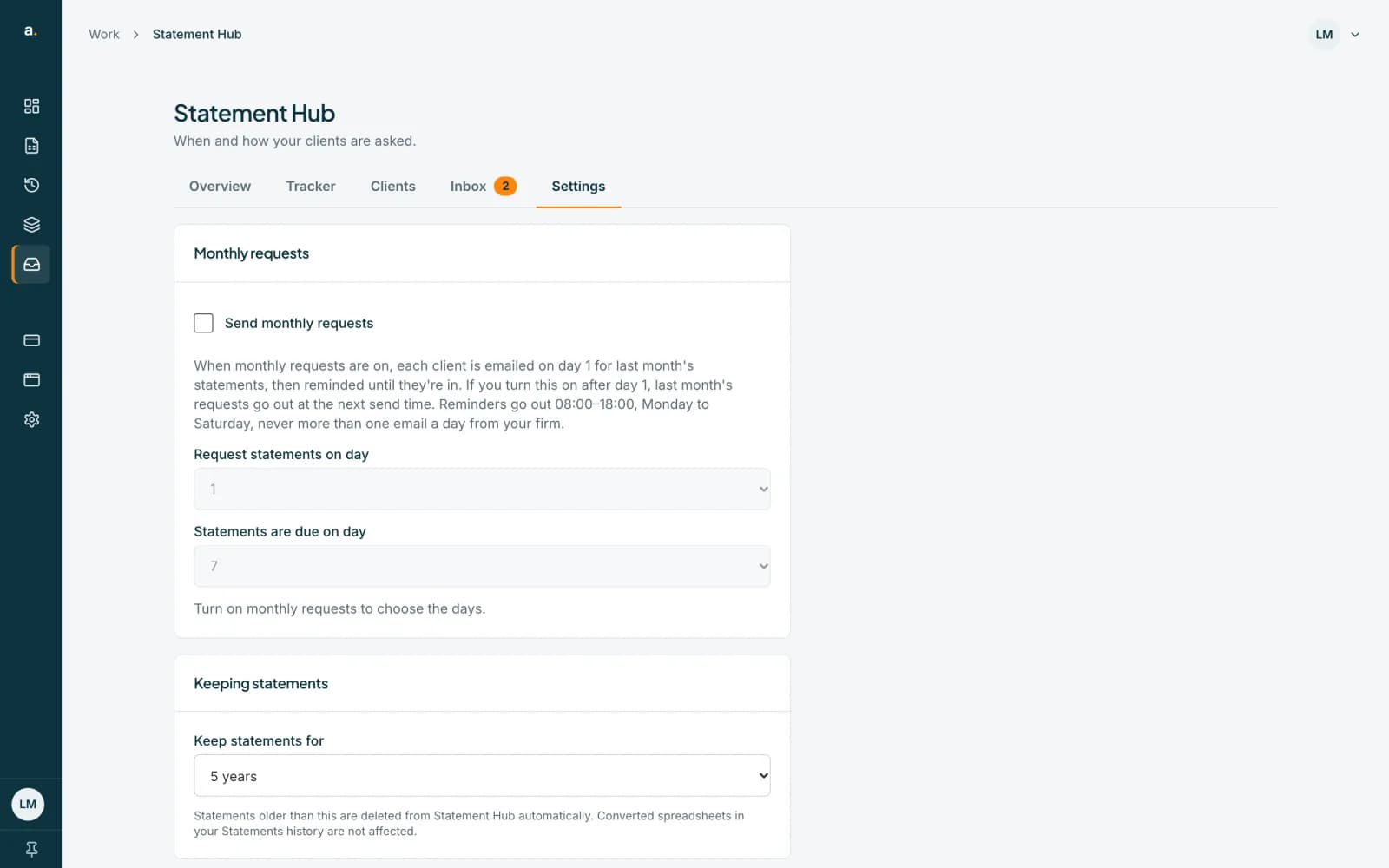 Open full size screenshot for step 1
Choose Keep statements for
Choose 3 months, 6 months, 1 year, 2 years, 3 years or 5 years. The default and the longest is 5 years. The shortest is 3 months.
Read what it means
Statements older than this are deleted from Statement Hub automatically. Converted spreadsheets in your Statements history are not affected.
Check it saved
The change saves as soon as you make it and a Saved note appears beside the label.
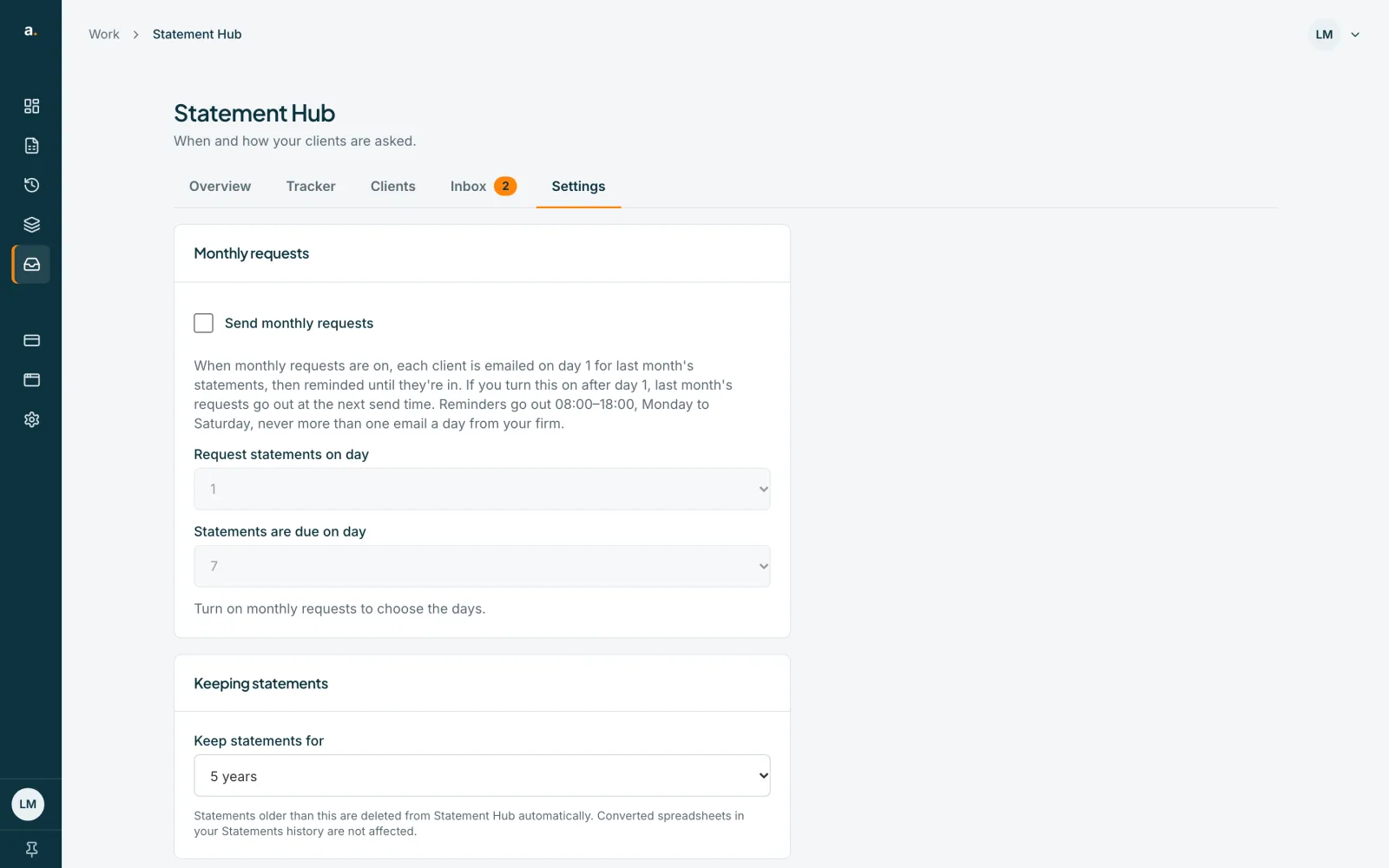
Tips
- You can shorten the time but not go beyond 5 years.
- Only an owner or admin can change it. A member sees Keep statements for: 5 years, read-only.
- Download anything you want to keep before the time is up. See the guide on downloads.
- Separately, emails that nobody files are deleted 30 days after they arrive, and statements held over the free limit are deleted 30 days after they arrive.
If something goes wrong
- You see Could not save the settings. Please try again.
- The list goes back to its old value. Check your connection and choose again.
- You cannot change the setting.
- Ask an owner or admin of your firm.
Related guides
- Download a client's files and a month zipDownload one file, all of a client's files, or every checked file for a month as a zip.
- Archive, restore and delete a clientArchive a client you no longer collect from, restore them later, or delete them and their statements permanently.
- Who can do what in Statement HubSee what owners, admins and members can each do in Statement Hub, and where colleagues are added.