Understand the sending window
Last reviewed 15 November 2026 · 4 steps
Invites, requests and reminders go out 08:00 to 18:00, Monday to Saturday, South African time. See what happens outside those hours.
Firms
Steps
Know the hours
Statement Hub emails clients only between 08:00 and 18:00 South African time, Monday to Saturday. Nothing goes out on a Sunday or at night. This applies to invites, requests and reminders.
Read the banner on the Overview
When clients are overdue, a line on the Overview says how many, repeats the hours, and tells you the next time reminders can go out, for example The next ones can go out at 08:00 on Monday 16 November.
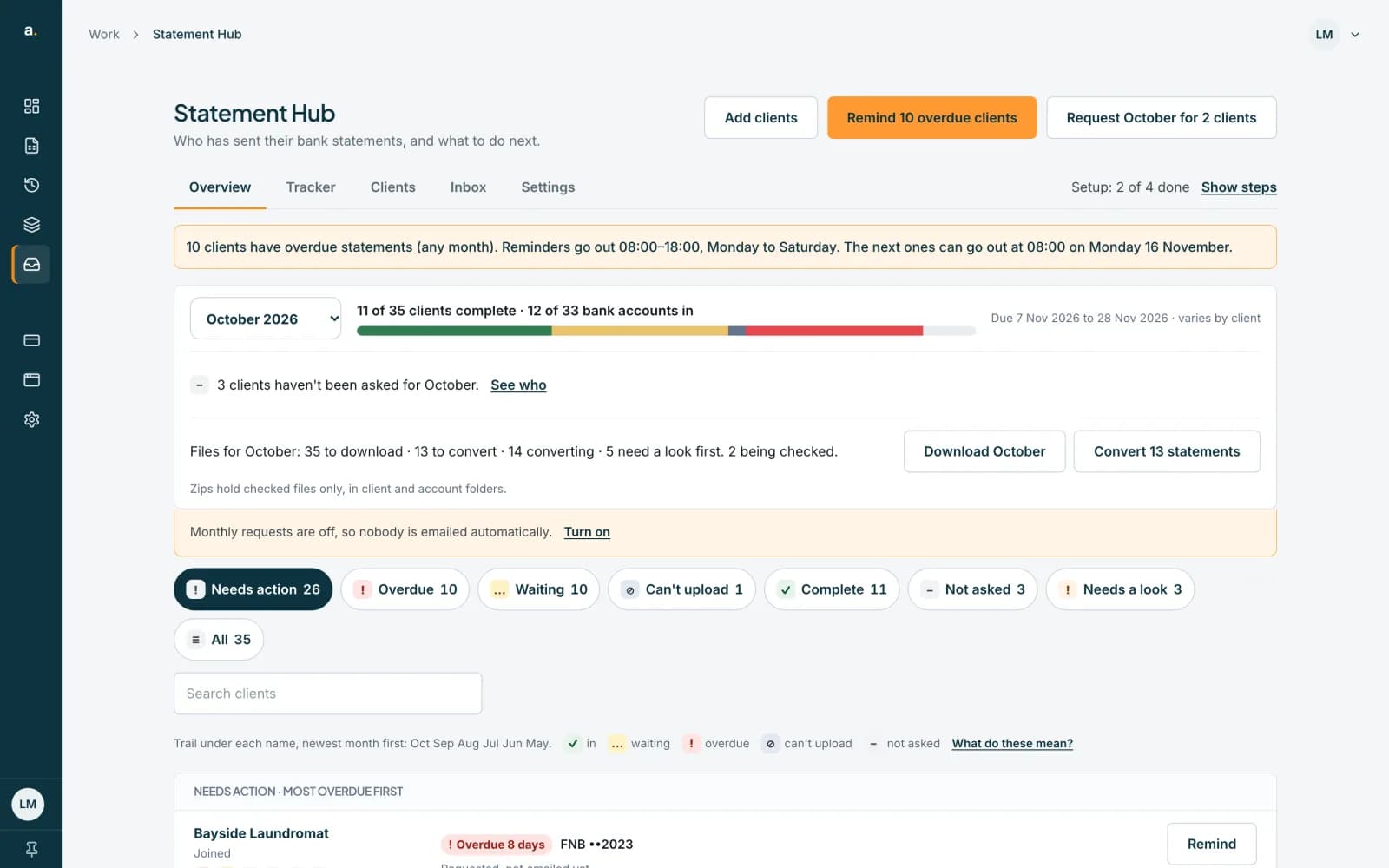 Open full size screenshot for step 2
Create requests at any time
You can request statements at any hour. The confirm panel tells you when the email will go: within a few minutes if you are inside the hours, or at 08:00 on the next sending day.
Expect a refusal for reminders outside the hours
If you press Remind outside the hours, nothing is queued. A message says Reminders can't go out right now, and to try again during those hours.
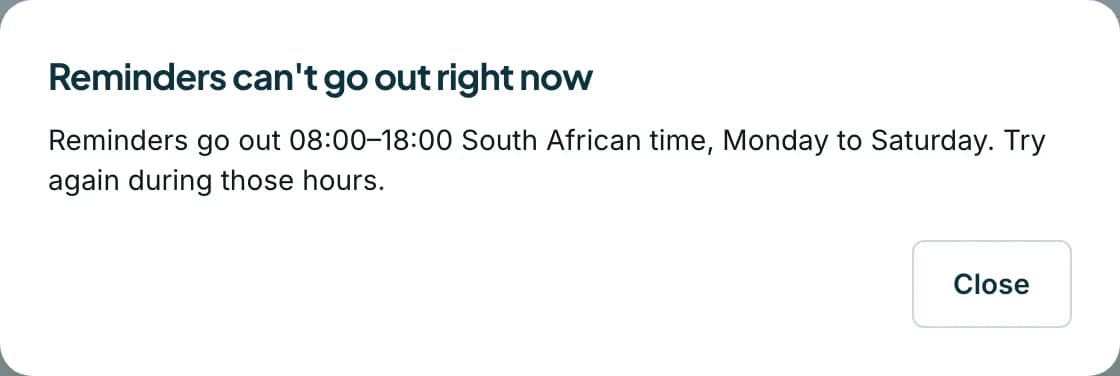 Open full size screenshot for step 4
Tips
- Invites queued outside the hours, for example from a CSV import, are sent automatically when sending opens. Queued invites are checked every few minutes.
- Times are South African time (SAST), whatever time zone your computer is in.
- Your own daily summary email is separate and follows its own schedule.
If something goes wrong
- An invite shows Invite queued.
- It will go out within a few minutes during sending hours. Outside them it waits for 08:00 on the next sending day.
- A request shows Requested (not emailed yet) in the Tracker.
- The first email has not gone yet because it is outside the sending hours. It will go at the next opening.
Related guides
- Send reminders to clientsRemind one client, or every overdue client at once, and see how automatic reminders work.
- Invite clients and resend invitesSee who has joined, who has been invited and who has not, and send or resend an invite to a contact.
- Turn on monthly requestsHave Statement Hub ask every client for last month's statements automatically, and choose the request day and due day.