Check statement totals with the balance checker
Last reviewed 16 November 2026 · 5 steps
Enter four figures from a bank statement and see whether the opening balance, money in and out and closing balance agree.
Anyone
Steps
Open the tool
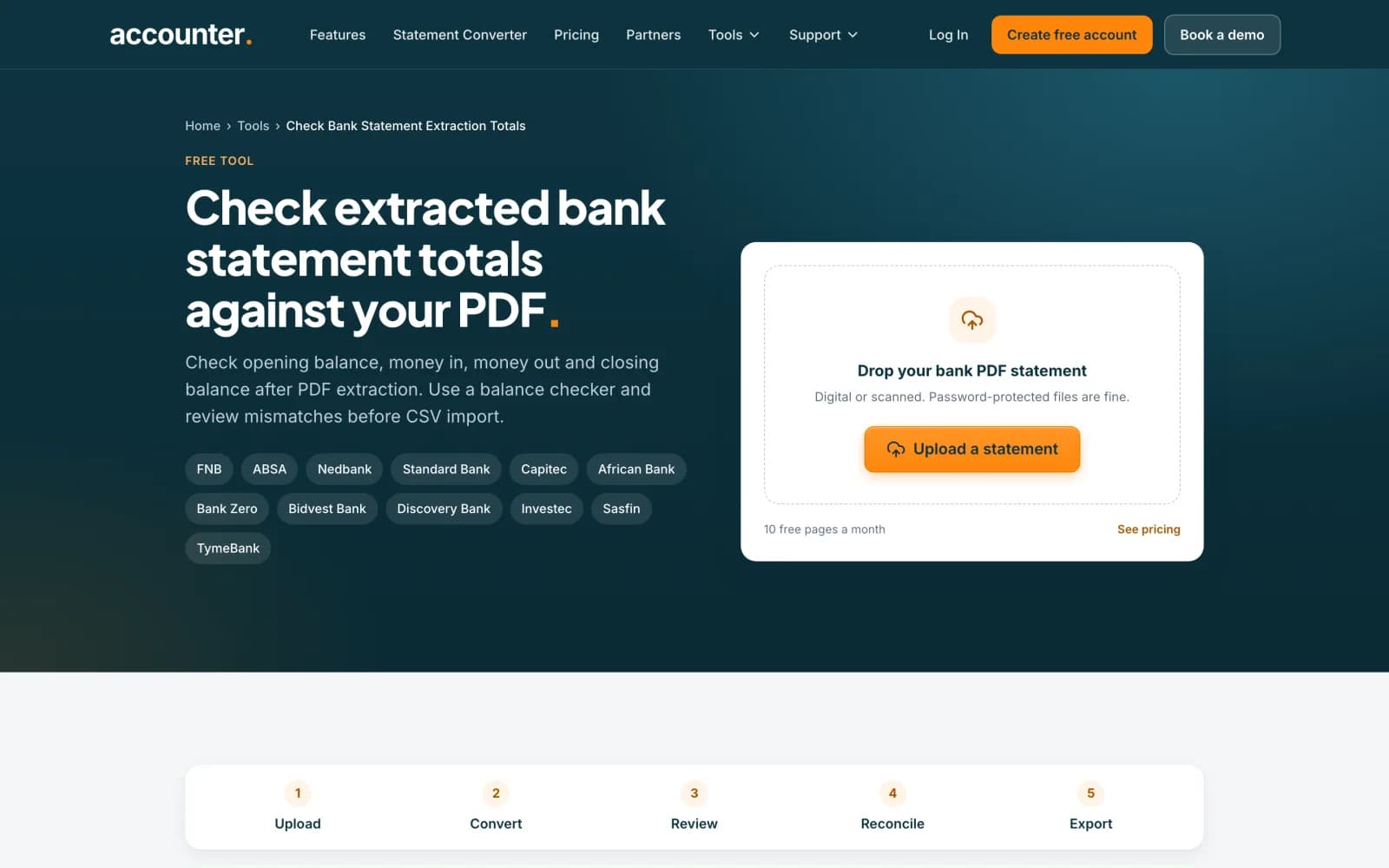
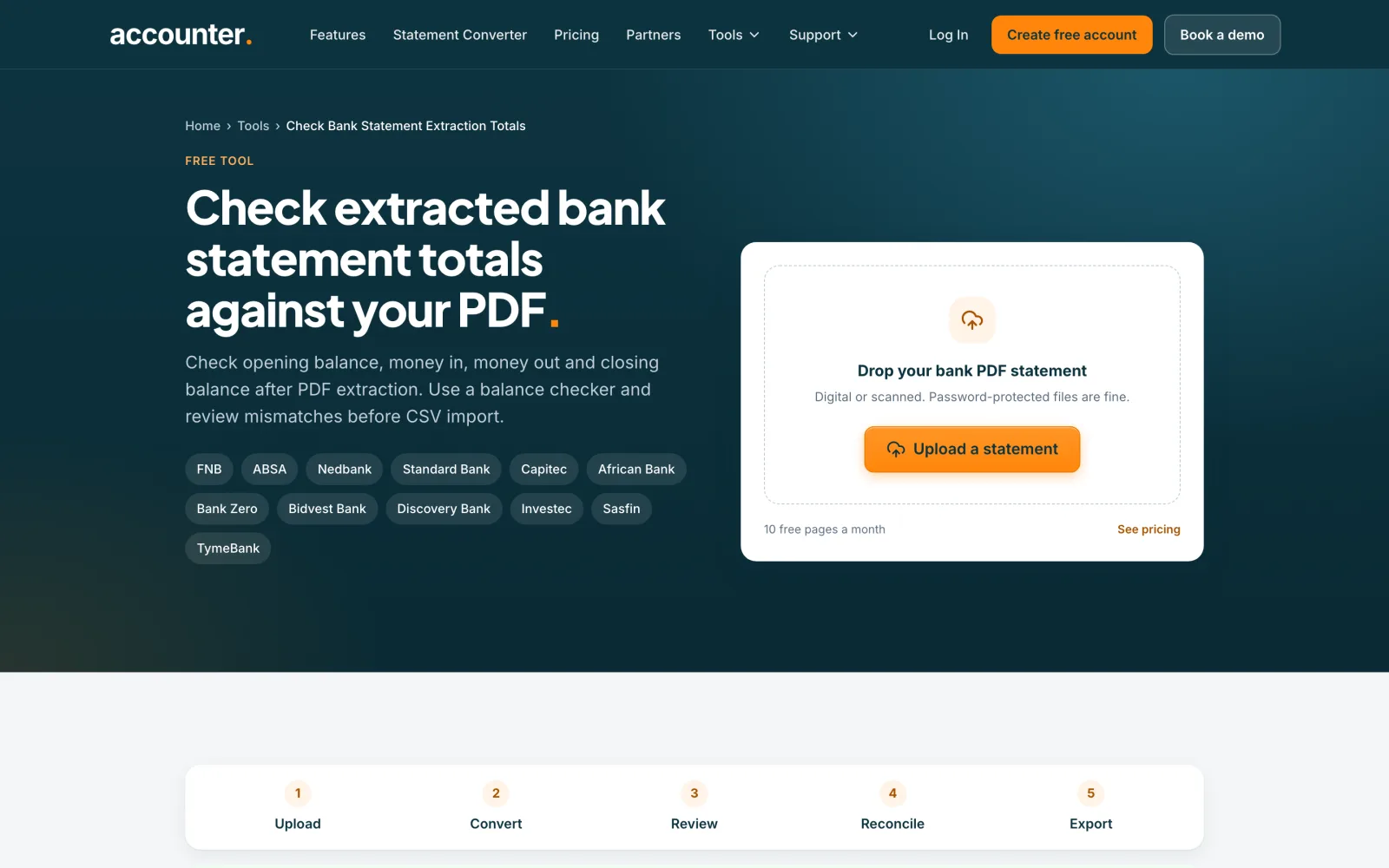
Go to accounter.co.za/tools/check-bank-statement-extraction-totals. No account is needed for the balance checker, which sits near the top of the page. Below it is an upload box for converting a statement, which is a separate step.
 Open full size screenshot for step 1
Read four figures from your PDF
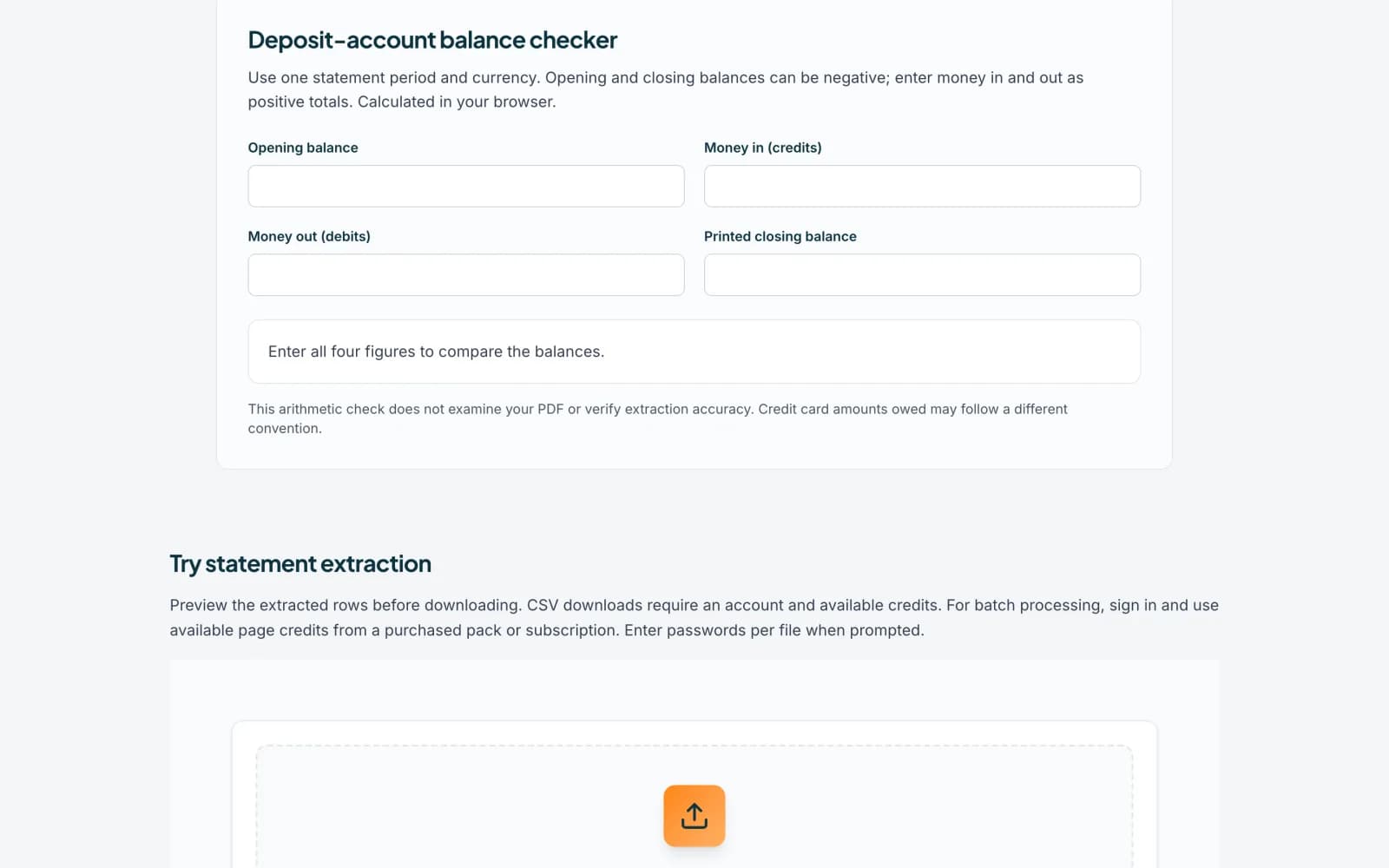
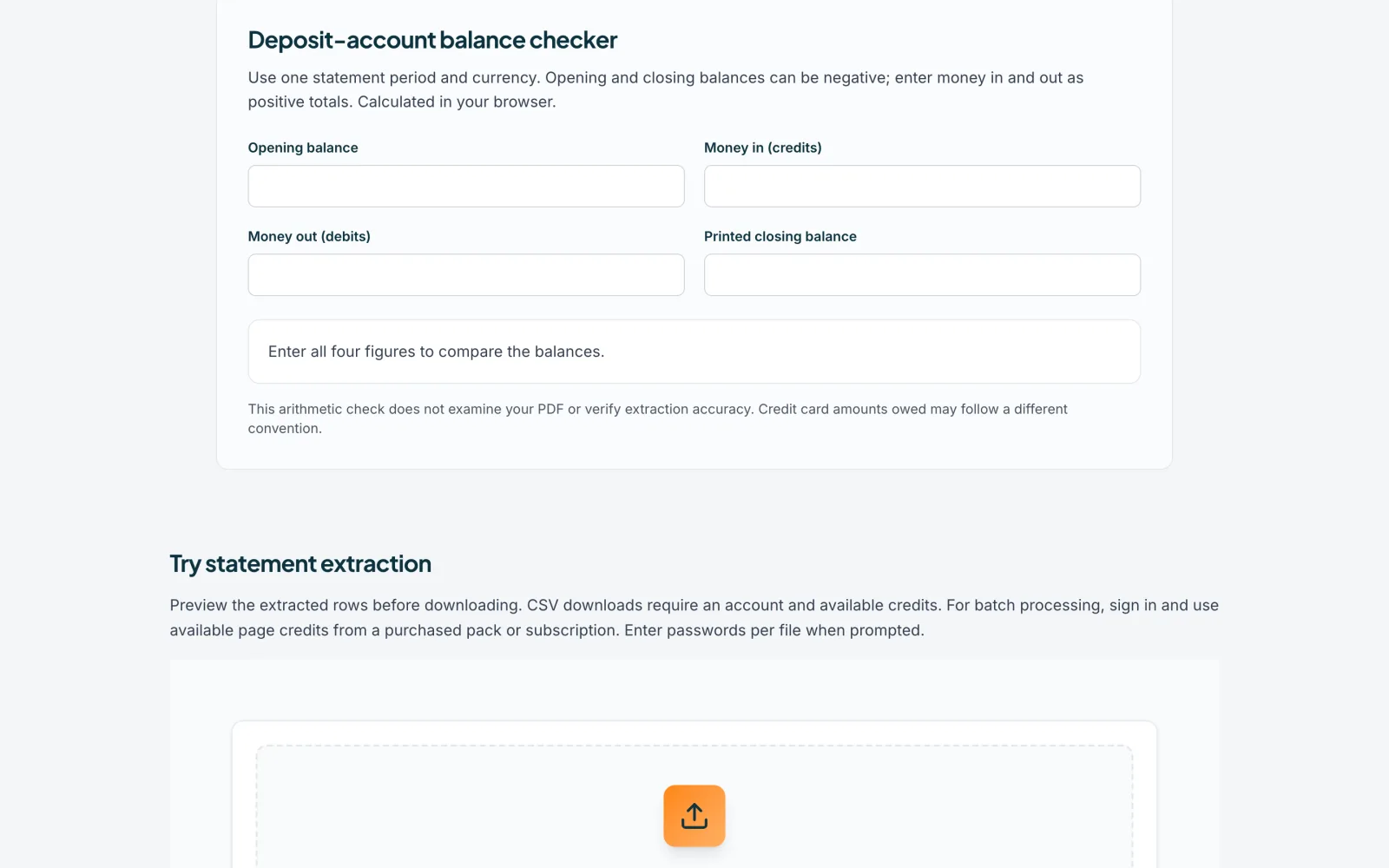
The Deposit-account balance checker asks for four figures: Opening balance, Money in (credits), Money out (debits) and Printed closing balance. Use one account, one currency and one complete statement period, and take the opening and closing balances from the PDF itself.
 Open full size screenshot for step 2
Type the figures in
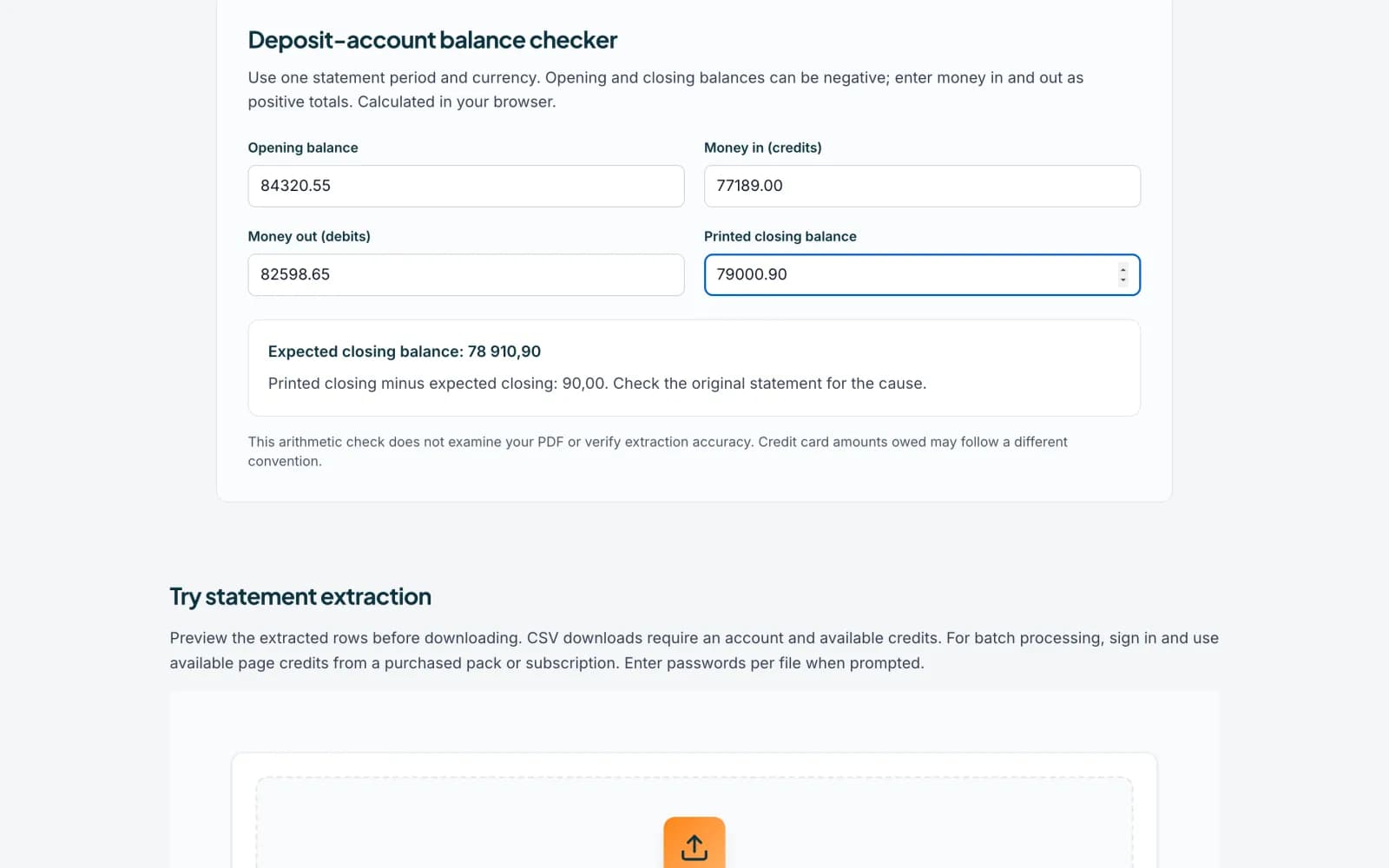
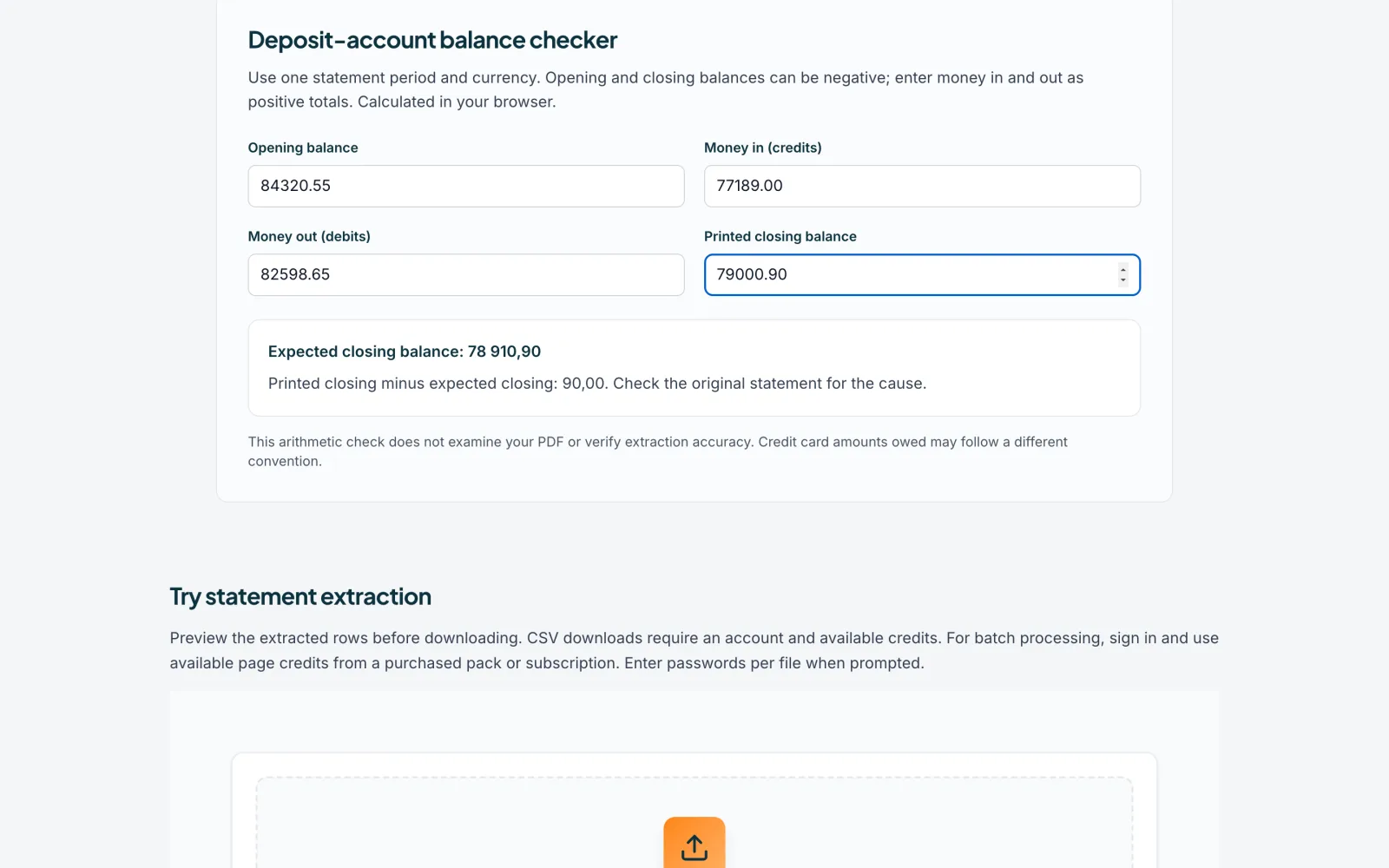
Enter all four. Opening and closing balances may be negative. Enter money in and money out as positive totals. When all four are filled in, the checker shows the Expected closing balance, which is the opening balance plus money in minus money out.
 Open full size screenshot for step 3
Read the result
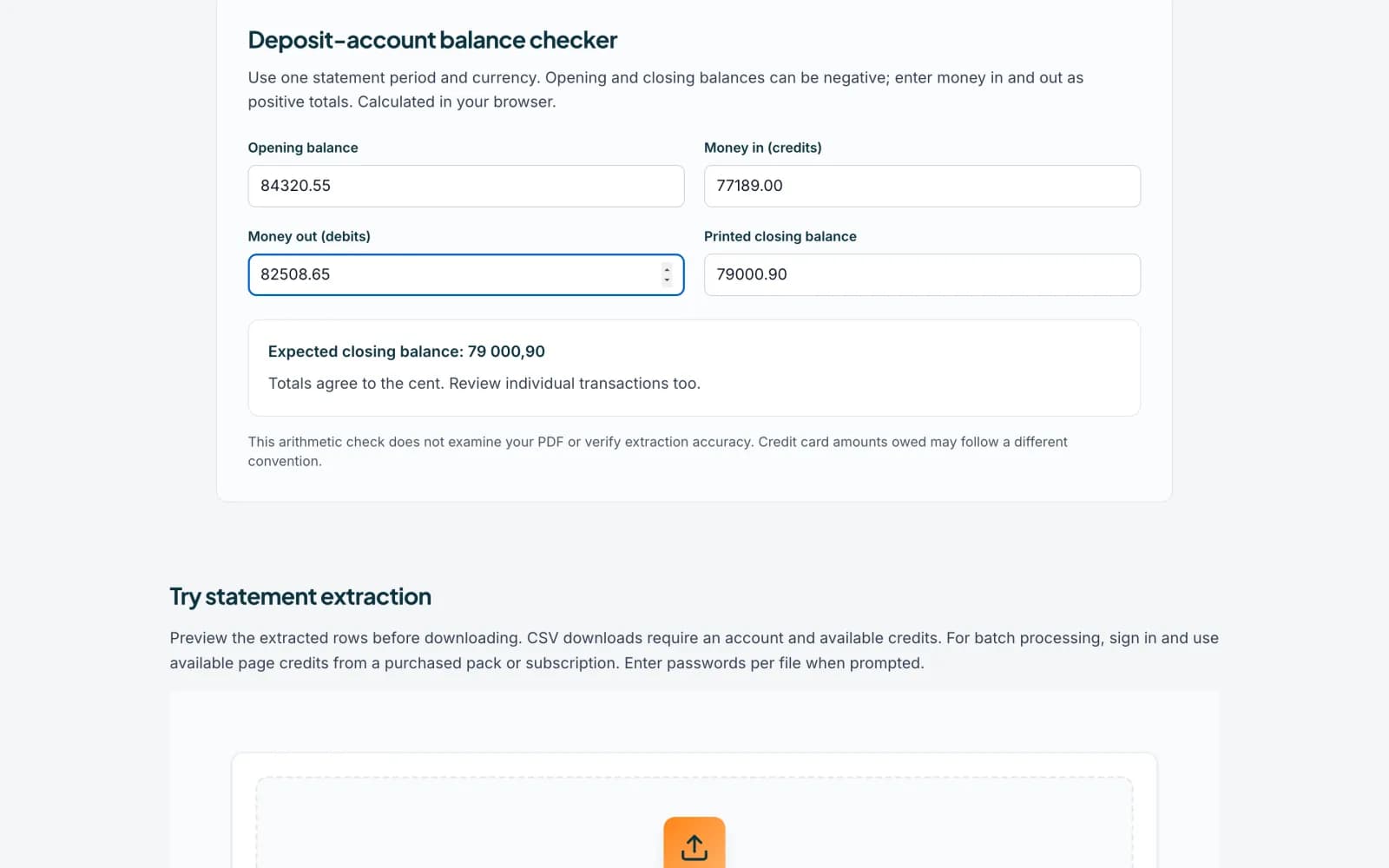
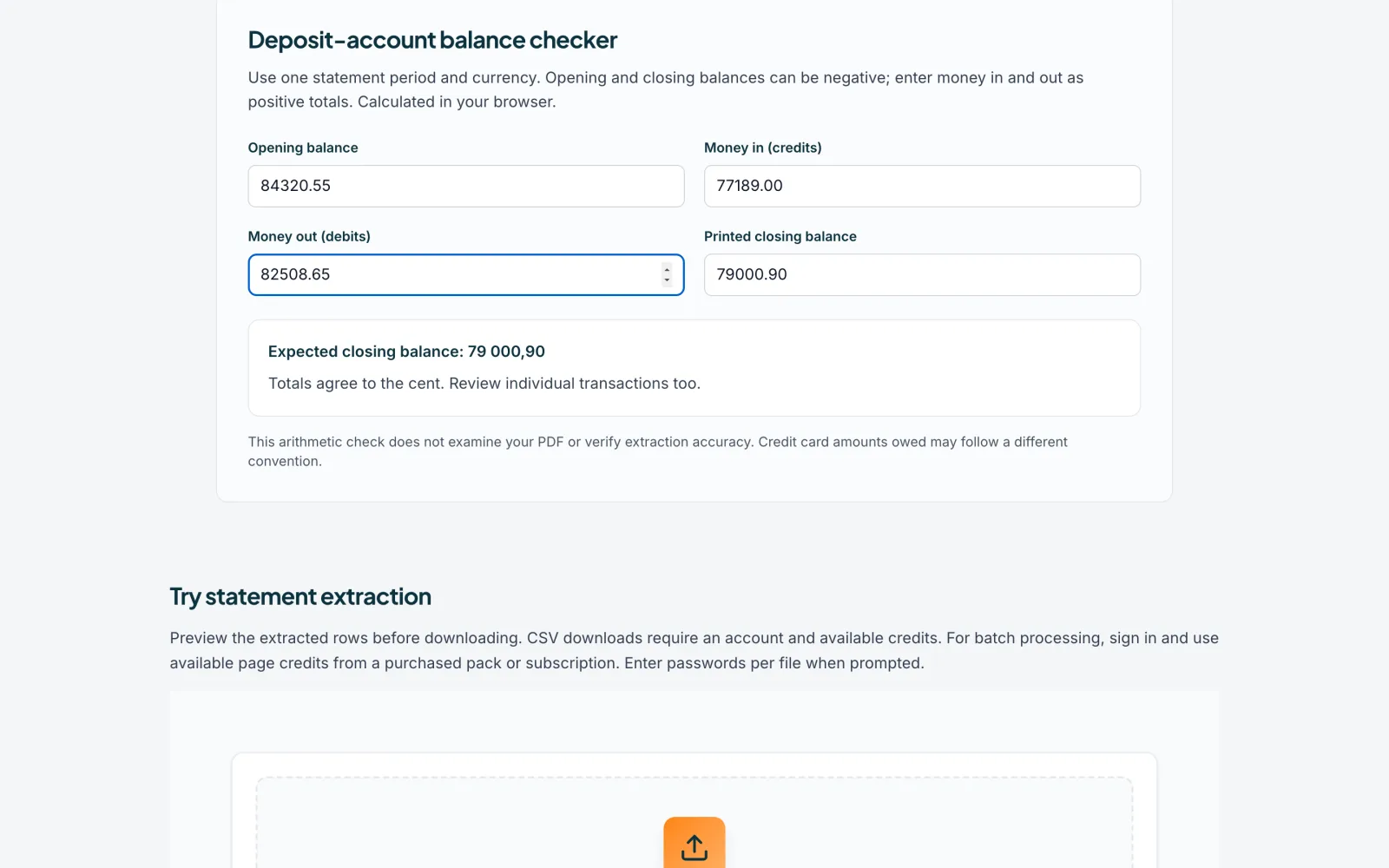
If the figures agree, it says Totals agree to the cent. Review individual transactions too. If they do not, it shows Printed closing minus expected closing and a difference. Change a figure you got wrong and the result updates at once.
 Open full size screenshot for step 4
Find the cause of a difference
Check for missing pages, signs the wrong way round, fees, duplicated rows and pending items mistaken for booked ones. Find the transaction that explains the gap rather than adding an adjustment you cannot explain.
Tips
- The calculation runs in your browser. Nothing you type is sent anywhere.
- This is an arithmetic check. It does not read your PDF or prove extraction is accurate, and matching totals do not prove every row is right.
- Credit card amounts owed may follow a different convention.
- The upload box on the same page is a separate tool that does upload the PDF to convert it. See the guide on converting a statement.
If something goes wrong
- The result says to enter valid amounts.
- Money in and money out must be zero or more. Only the balances can be negative.
- The result stays empty.
- Fill in all four boxes.
- The figures are off by exactly one fee or one transaction.
- Look for that row in the statement. It may be missing or counted twice.
Related guides
- Read the balance checkSee whether a converted statement adds up, find the row that does not, and read what the Balance checks panel suggests.
- Merge PDFs into one fileCombine up to 30 PDFs in the order you choose, in your browser, with nothing uploaded.
- Convert a bank statement PDF to CSVUpload a bank statement PDF, check the balance and download a CSV you can open in Excel.