Pastel plans, free conversion and retention
Last reviewed 16 November 2026 · 5 steps
Your first Pastel conversion is free, any paid plan makes them unlimited, and converted data is kept for 30 days.
Free account
Steps
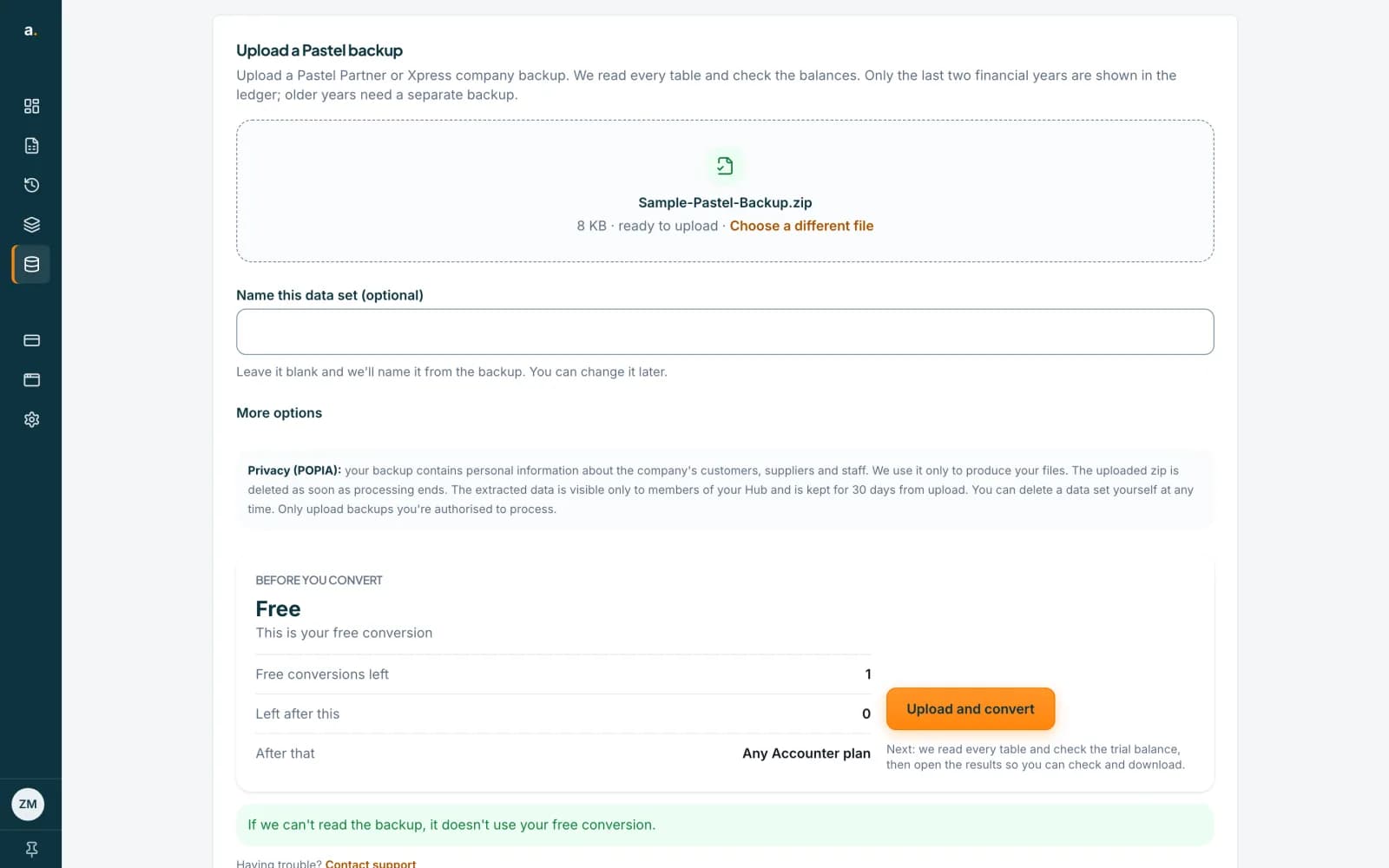
Use your free conversion
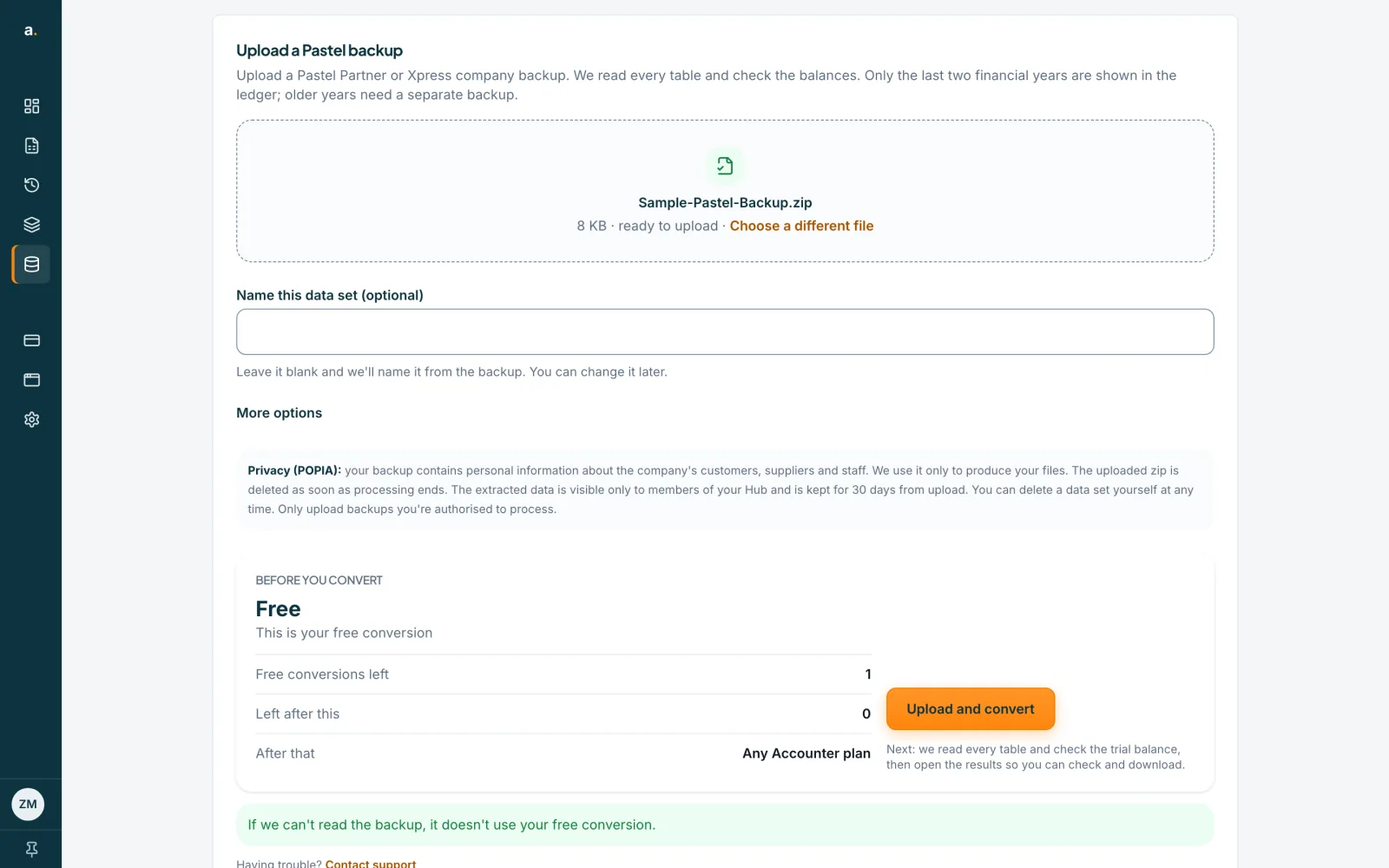
Your first Pastel conversion is free. You need a verified email address. One free conversion is shared across your organisation, so a second team member does not get another. Pastel conversions never use page credits. A backup that fails or cannot be read does not use the free conversion, and deleting a data set does not give it back.
 Open full size screenshot for step 1
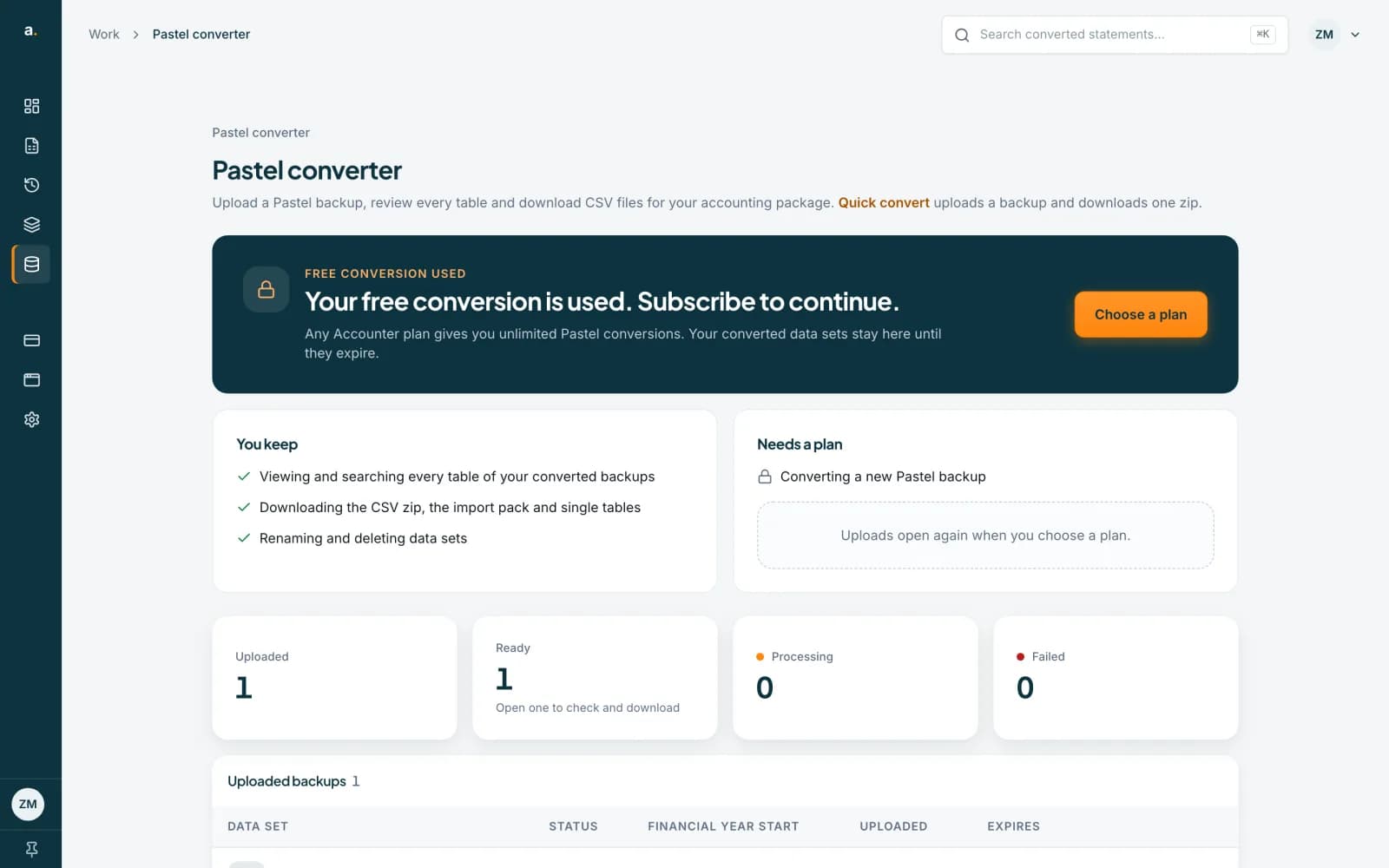
When the free conversion is used
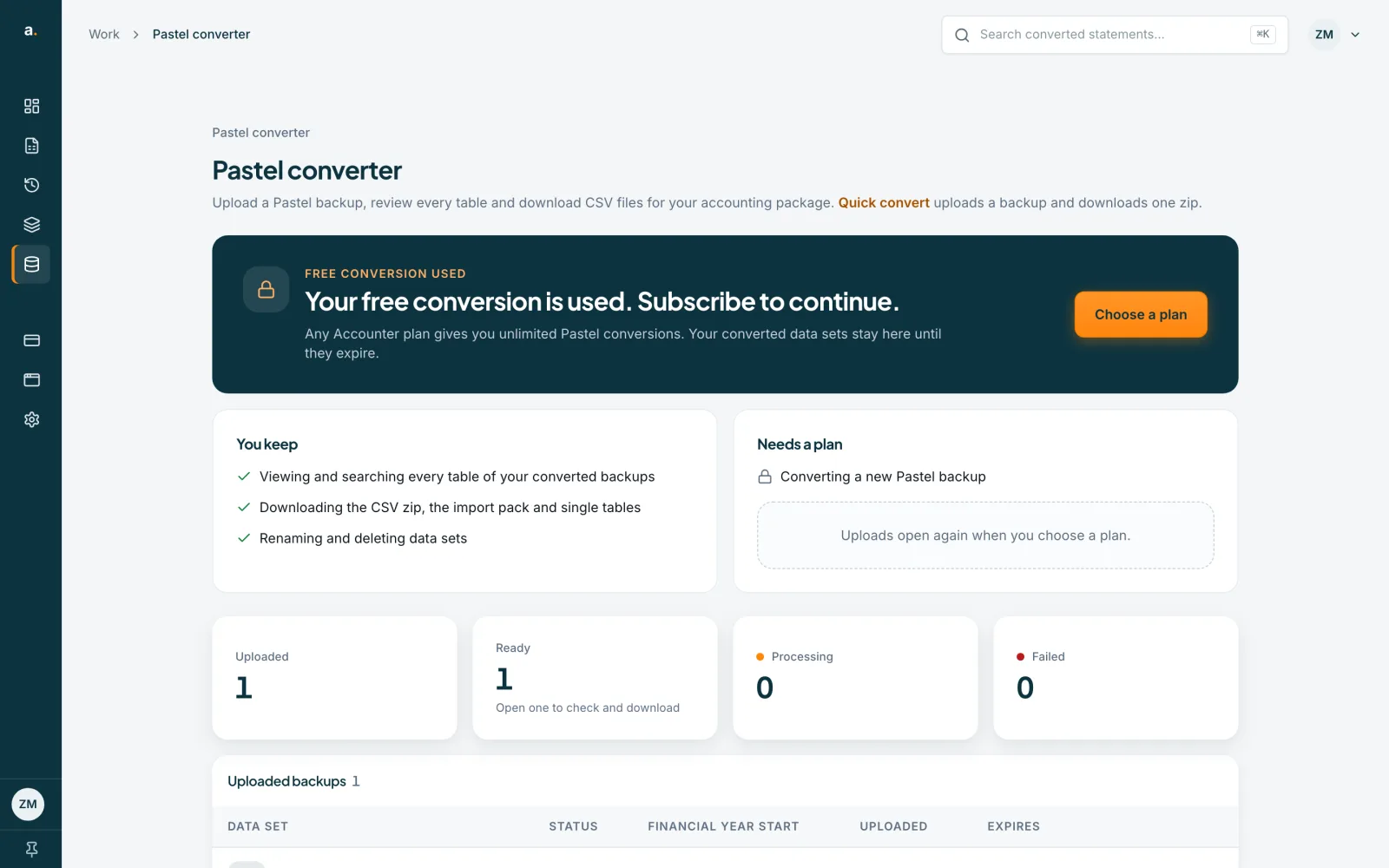
The page says Your free conversion is used. Subscribe to continue. Press Choose a plan. You keep viewing and searching your converted backups, downloading the CSV zip, the import pack and single tables, and renaming and deleting data sets. Converting a new backup needs a plan, and uploads open again when you choose one.
 Open full size screenshot for step 2
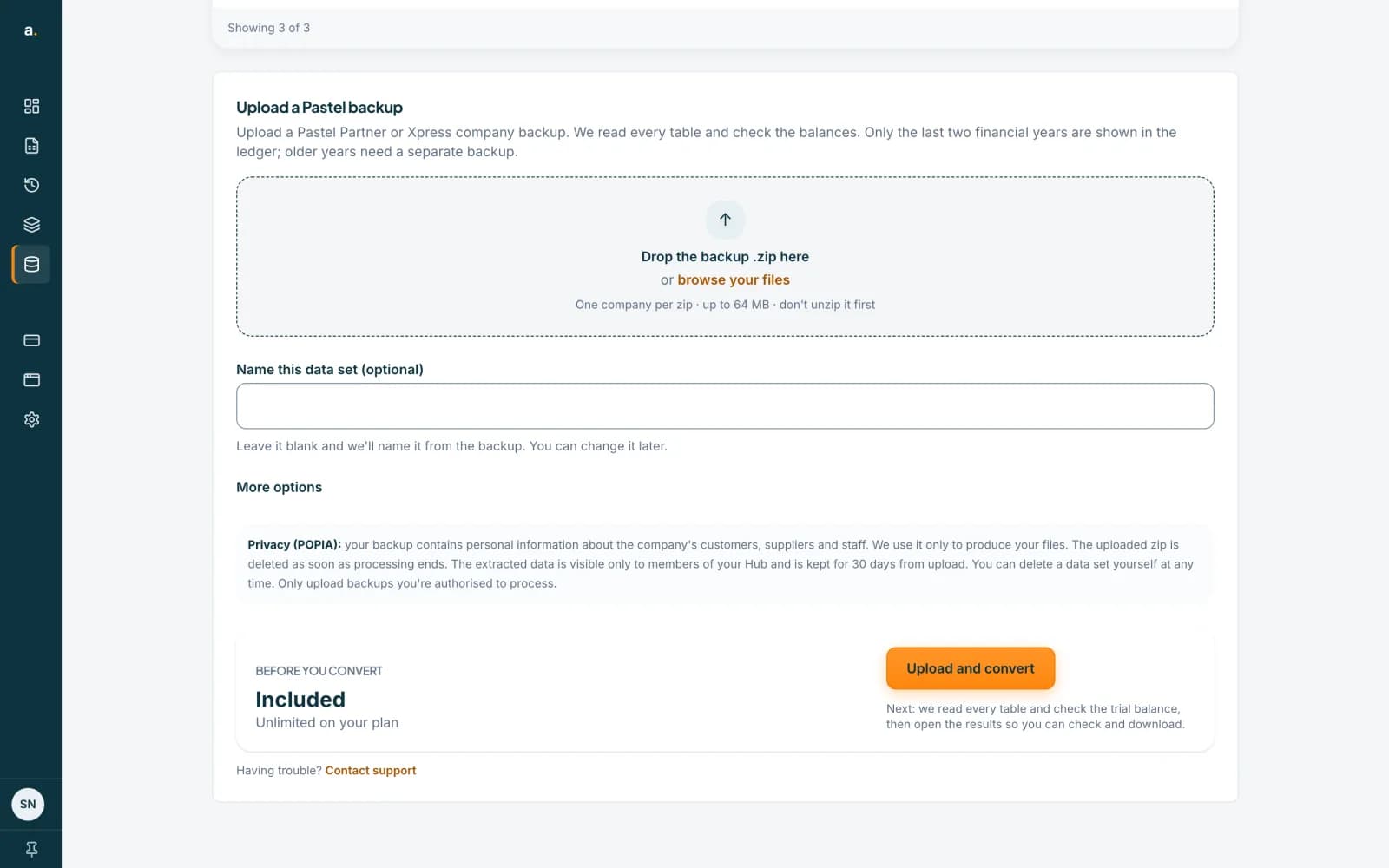
Convert without limits on a paid plan
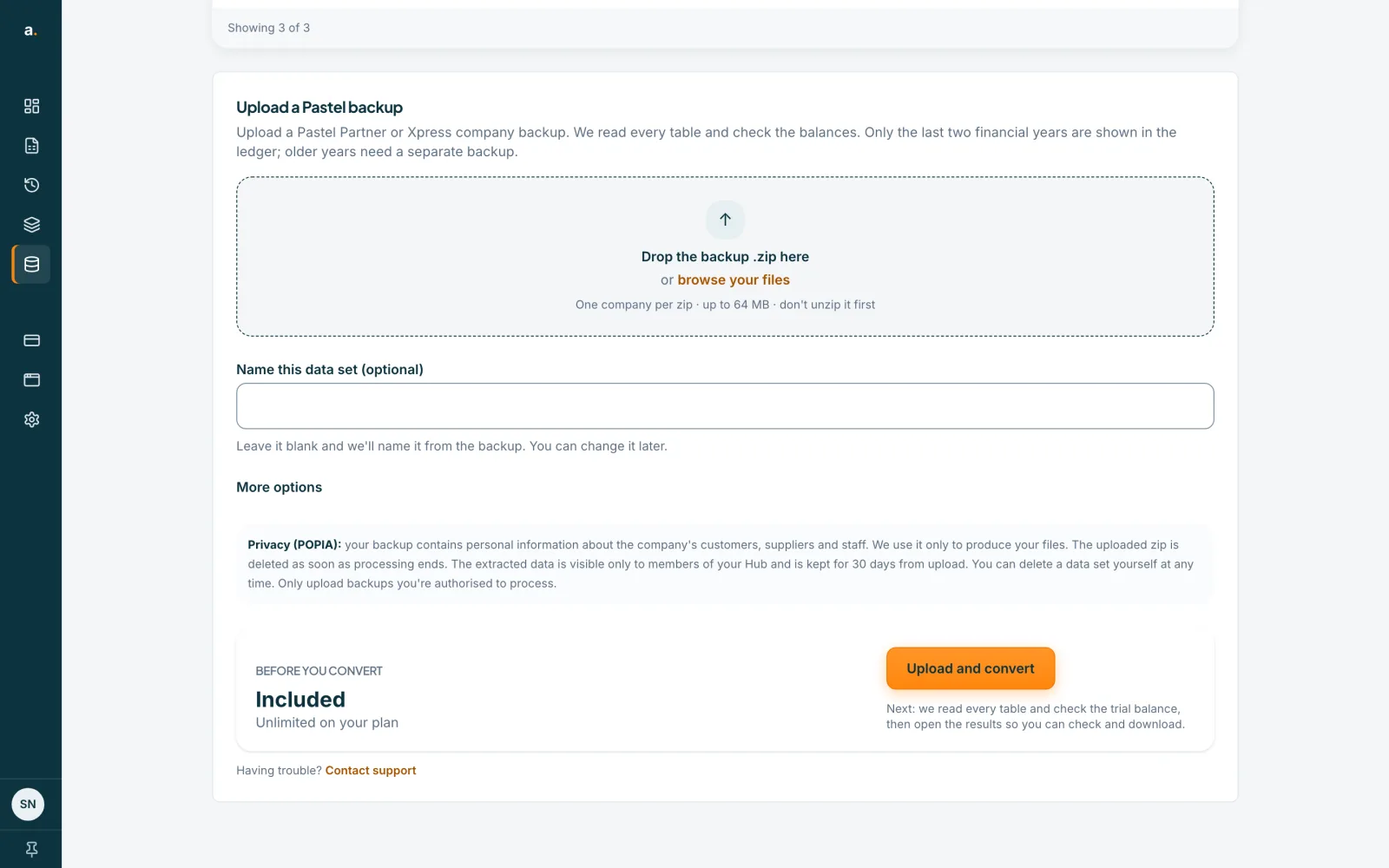
On any paid Accounter plan, Pastel conversions are unlimited. The upload panel then reads Included, Unlimited on your plan. A plan counts while it is active, while a failed renewal is being retried, and until the end of the period of a cancelled plan. A paid plan on any organisation you belong to counts too, and every paid tier qualifies: Pro, Business, Practice and Enterprise.
 Open full size screenshot for step 3
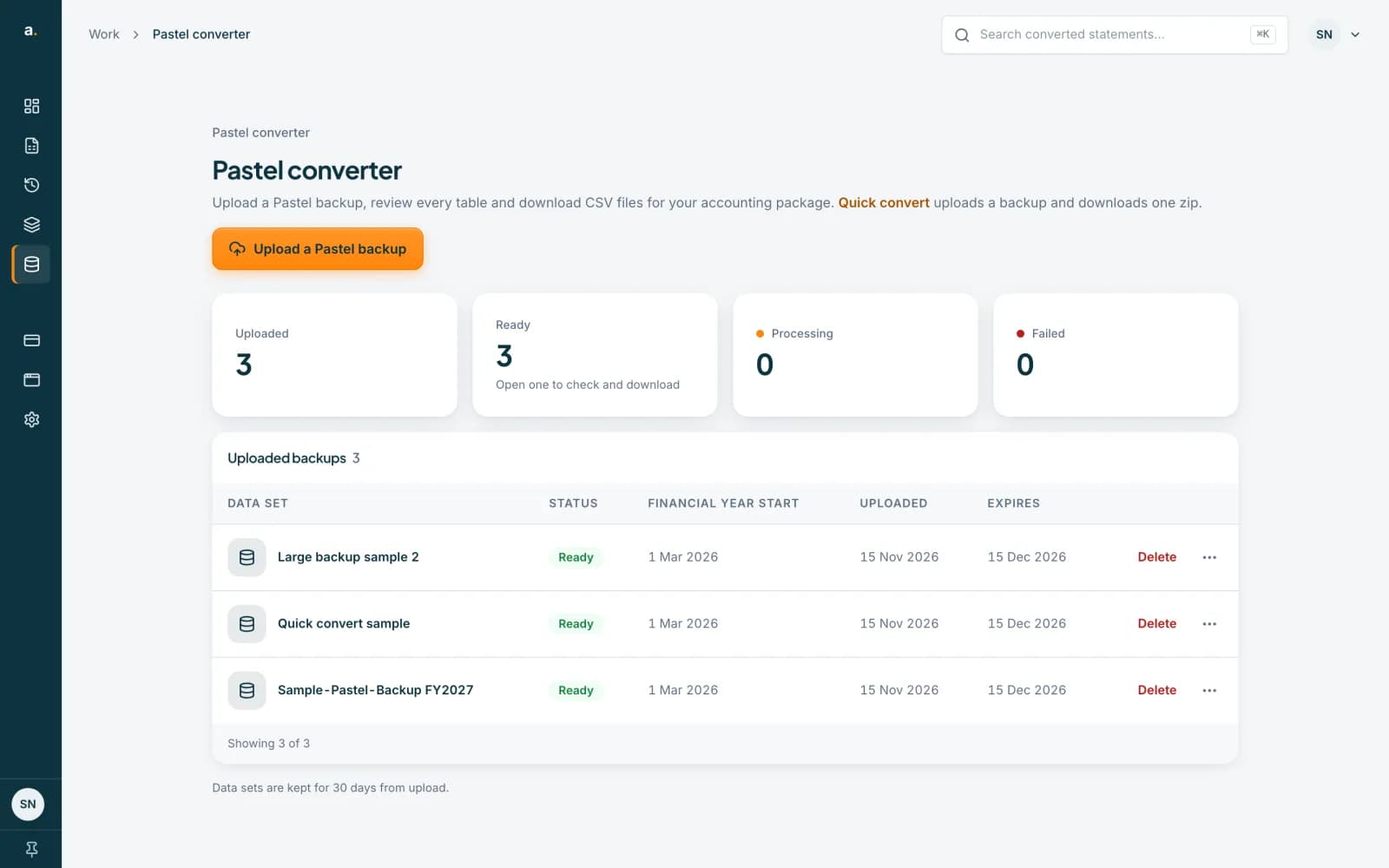
See how long each data set is kept
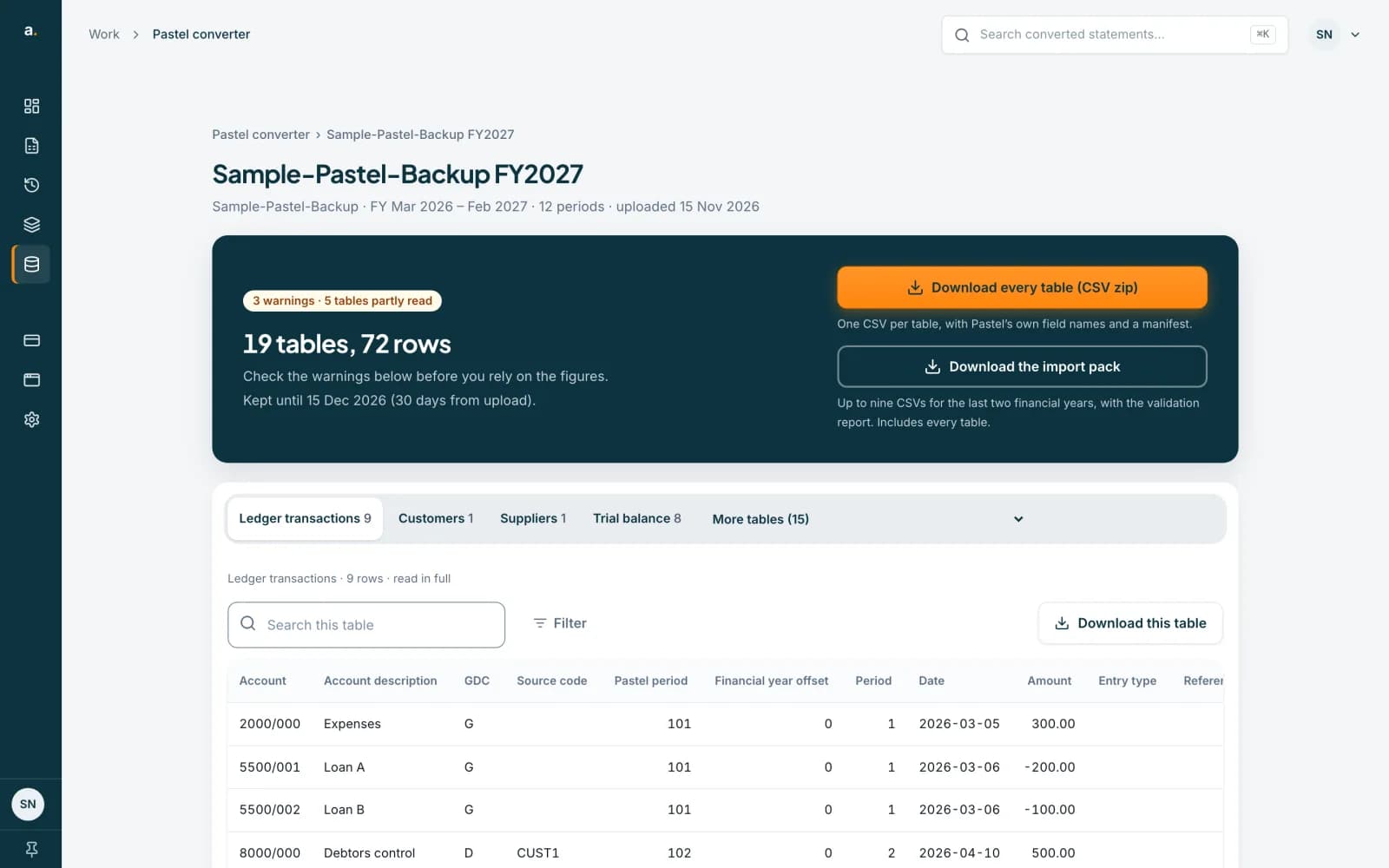
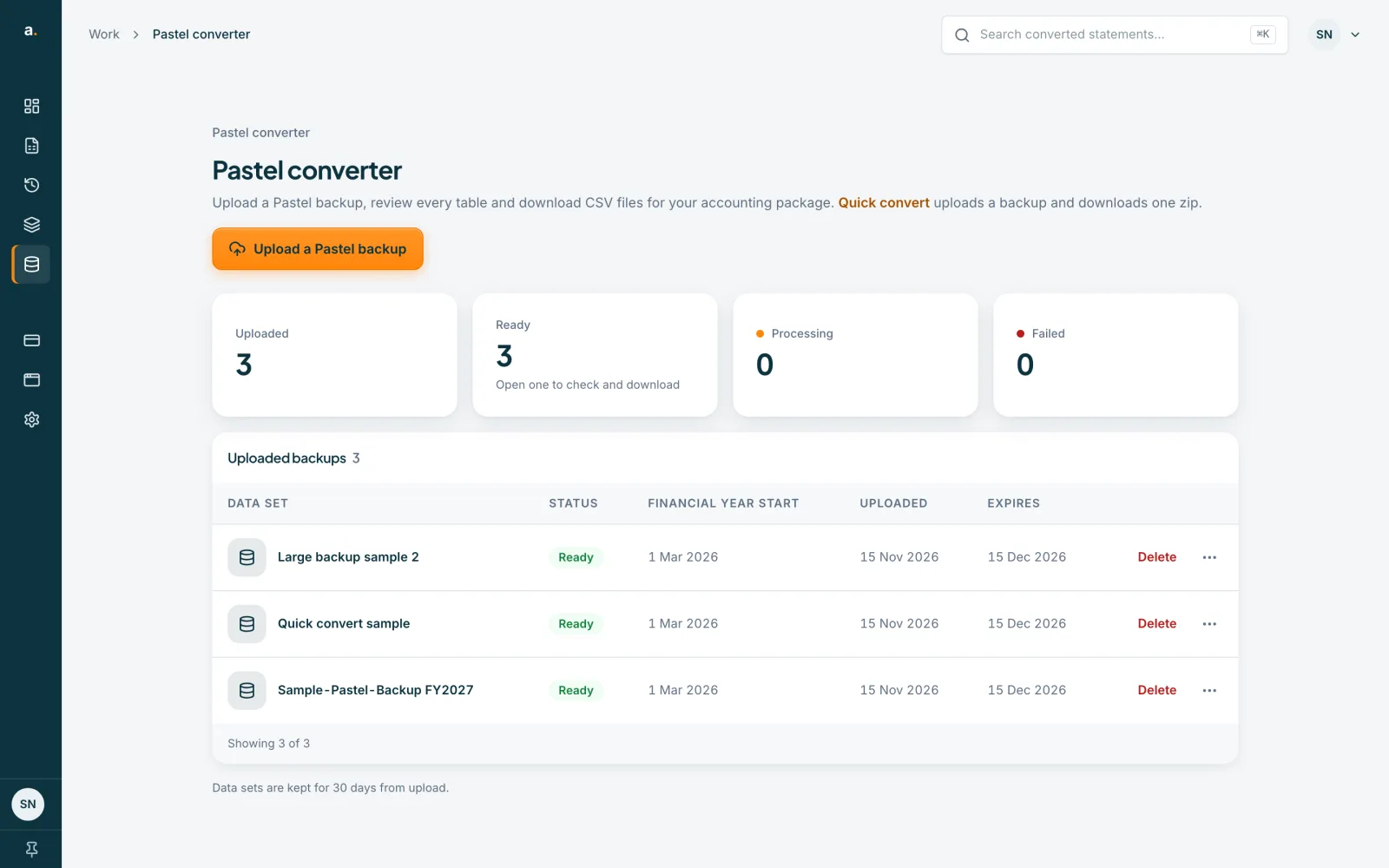
In your Pastel data sets list, the Uploaded and Expires columns show each data set’s dates. Data sets are kept for 30 days from upload, then they expire and are removed.
 Open full size screenshot for step 4
Check the date on a data set
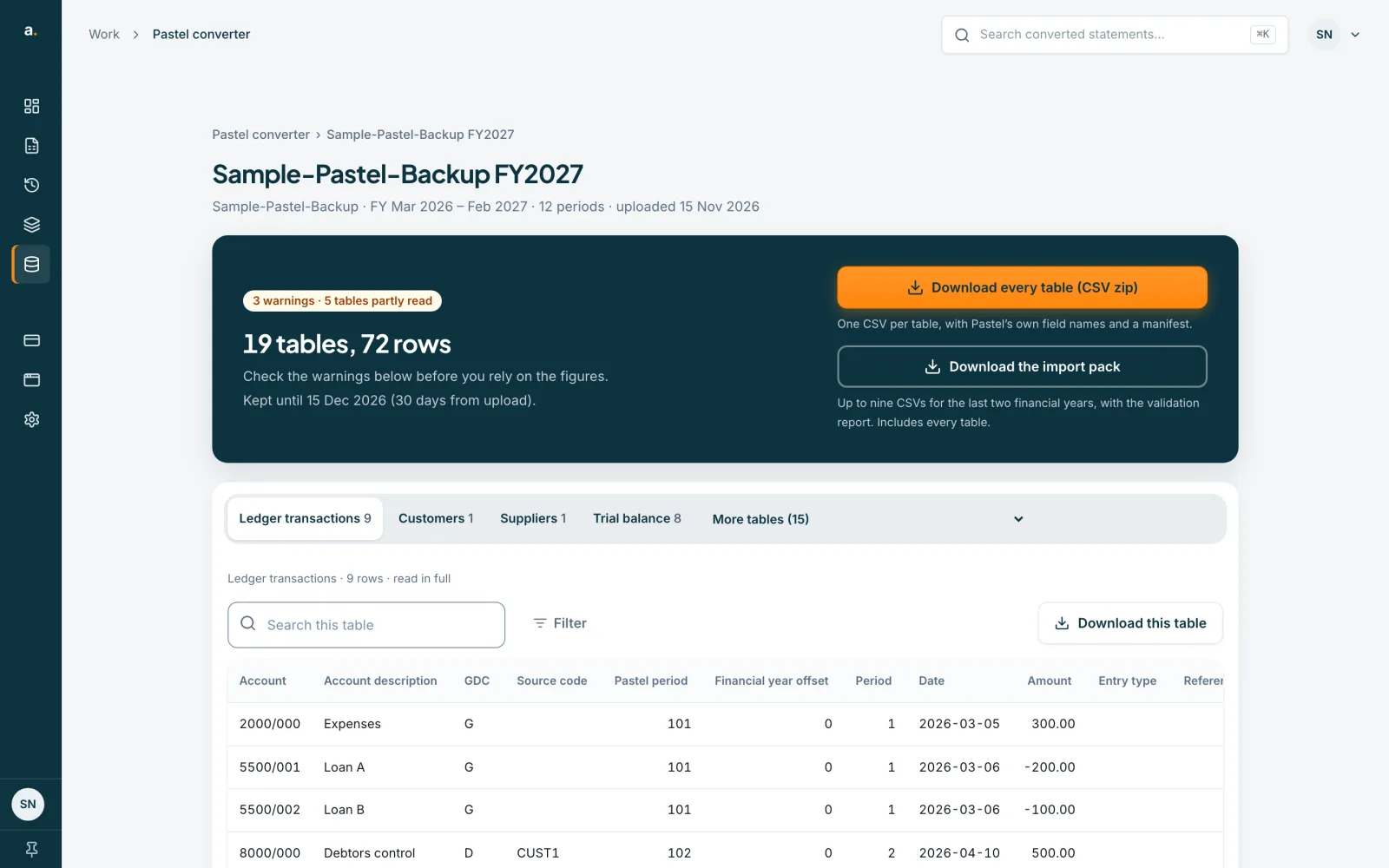
Open a data set and read Kept until, followed by the date and (30 days from upload). Download what you need before then. The zip you uploaded is deleted as soon as conversion finishes.
 Open full size screenshot for step 5
Tips
- A workspace can hold up to 10 data sets at a time, up to 5,000,000 rows in one data set and 20,000,000 rows across the workspace.
- Clearing your history in Privacy & data also removes your Pastel data sets.
- A paused plan does not count as a paid plan.
If something goes wrong
- I cannot upload any more backups.
- If the page says Your free conversion is used, you need a plan. Choose a plan, or ask your organisation owner whether the team has one.
- I see Verify your email address to use your free conversion.
- Verify your email first. The free conversion unlocks once it is confirmed.
- My team has a plan but I am told to subscribe.
- Make sure you are signed in to the account that belongs to the organisation. A paid plan on an organisation you belong to covers you.
Related guides
- Convert a Pastel backup with Quick convertUpload a Pastel Partner or Pastel Xpress backup zip, wait while Accounter reads it, then download one zip of CSV files.
- Delete a Pastel data setDelete a converted Pastel data set permanently, or clear everything from Privacy & data.
- Change or cancel your planSee the plans, ask to change from your current plan, or cancel and keep access to the end of the period you have paid for.
- Free pages and credits: how they workEvery verified free account gets 10 free pages each calendar month, and 1 credit pays for 1 statement page.