Use the Get set up checklist
Last reviewed 15 November 2026 · 4 steps
Follow the four-step Get set up strip on the Overview to go from your first client to your first request.
Firms
Steps
Find the Get set up strip
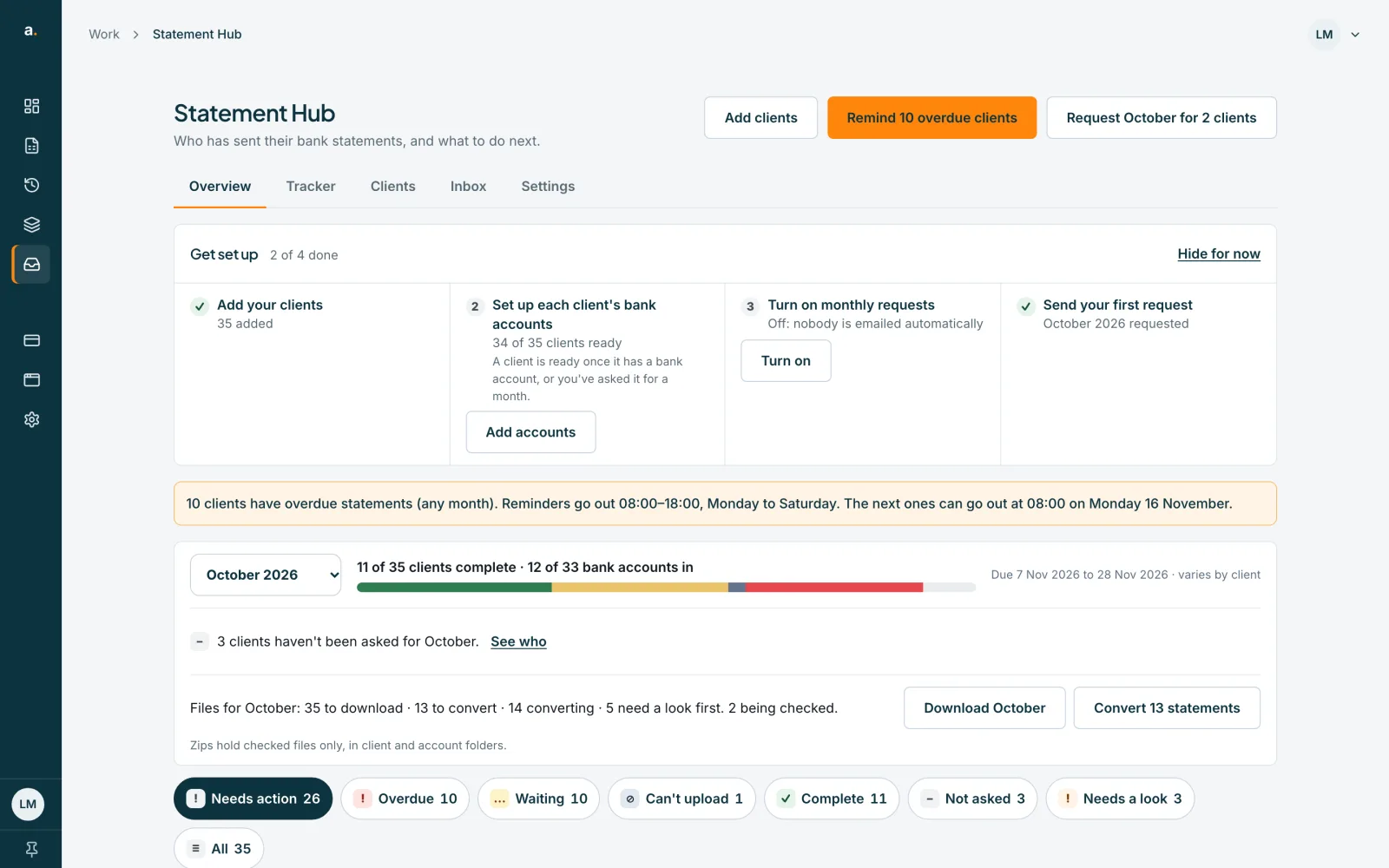
On the Overview tab, once you have added at least one client, a strip called Get set up appears above the list. It shows how many of the 4 steps are done, for example 2 of 4 done.
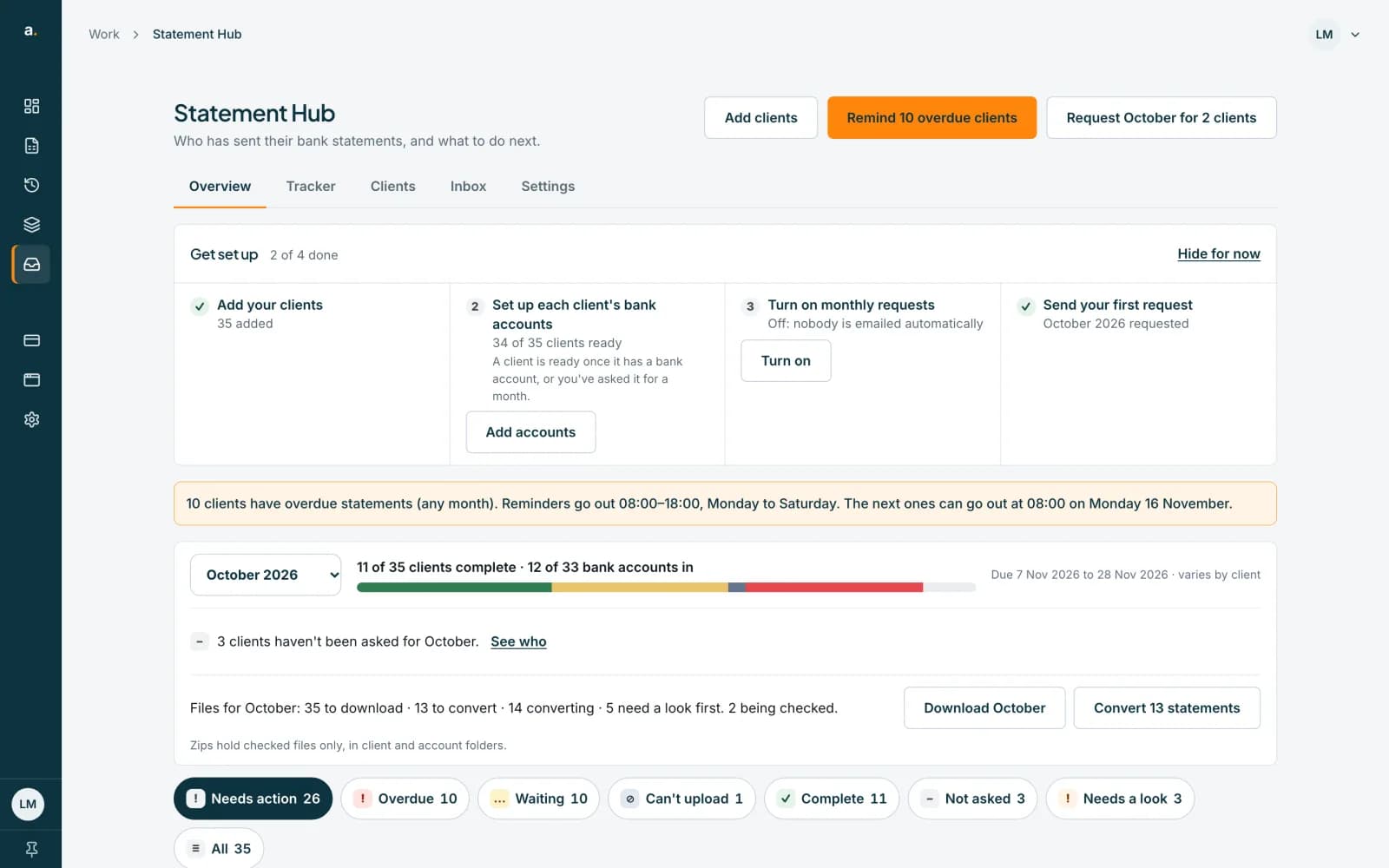 Open full size screenshot for step 1
Work through the four steps
The steps are: Add your clients; Set up each client's bank accounts; Turn on monthly requests; and Send your first request. Each step shows one status line and one button, such as Add clients, Add accounts, Turn on, or the request button (for example Request October for 3 clients).
Turn on monthly requests (owner or admin)
Press Turn on. A panel asks Turn on monthly requests? and explains that on the request day we email each client for last month's statements, then remind them until they are in. Press Turn on monthly requests to confirm. A member sees Ask a firm owner or admin to turn this on.
Hide the steps and bring them back
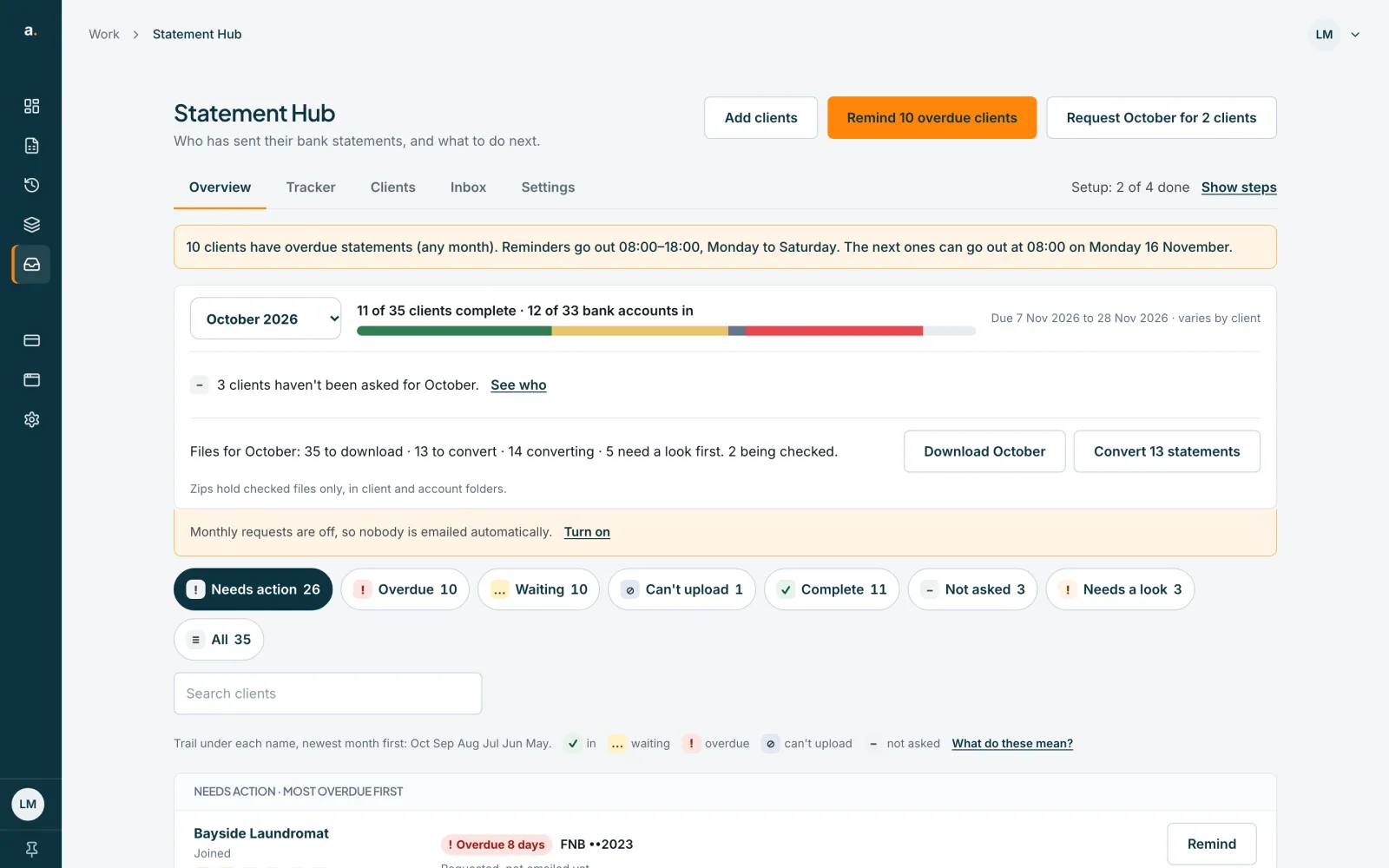
Press Hide for now to collapse the strip to one line, Setup: 2 of 4 done. Press Show steps to open it again. Once all four steps are done, the strip disappears by itself.
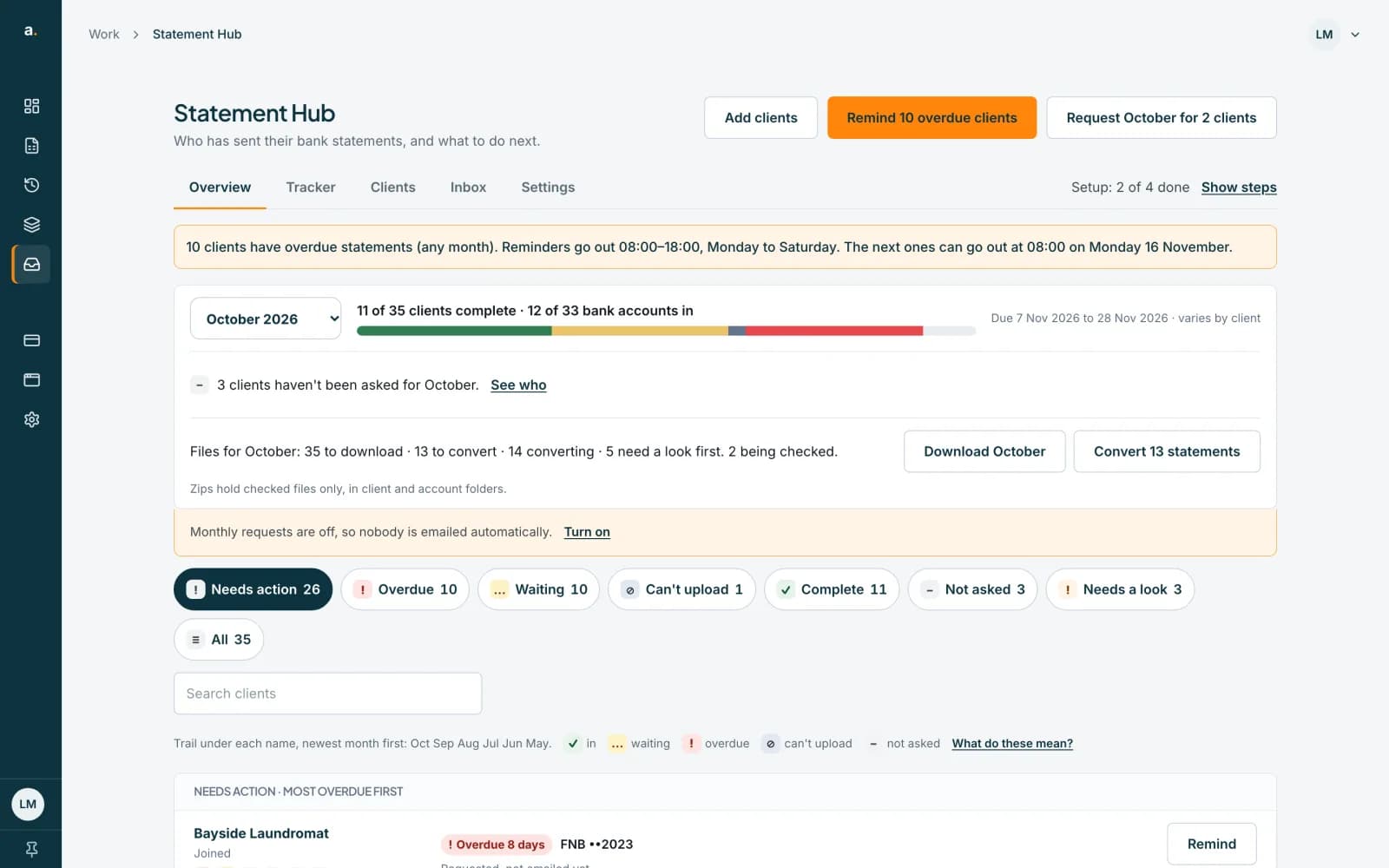 Open full size screenshot for step 4
Tips
- A client counts as ready (step 2) once it has a bank account, or you have already asked it for a month.
- When a request has been sent for any client, the strip collapses to one line on its own. Show steps opens it for that visit.
- Your choice to hide the strip is saved for your whole firm, not just your browser.
If something goes wrong
- You cannot see the strip.
- It appears only when you have at least one client, and it disappears when all four steps are done.
- You cannot see a Turn on button for monthly requests.
- Only an owner or admin can turn monthly requests on. Ask one of them.
- You see Couldn't save that. The steps are hidden on this page only.
- Your choice could not be saved, so the strip comes back on your next visit. Try again in a moment.
- Turn on says We couldn't check this and offers Try again.
- The monthly requests setting could not be read. Press Try again, or open Settings.
Related guides
- Add a clientAdd one client with up to five contact emails and their bank accounts, and email them an invite.
- Add and close a client's bank accountsTell Statement Hub which bank accounts to collect for each client, and close an account that is no longer used.
- Turn on monthly requestsHave Statement Hub ask every client for last month's statements automatically, and choose the request day and due day.
- Request a month for many clientsAsk every client who has not been asked for a month with one request, and see who is and is not included.